Q170226E01.pdf - 第168页
Positioning pin Bolt A Guide chuck 5.21 Selector Unit Lead Guide Pin Replacement SERVICE MANUAL RH5 5.21−1 DA3SEC−83−9D0−A0 5.21 Selector Unit Lead Guide Pin Replacement DA3SEC−83−9D0−A0 Sentence No. When to perform x Wh…
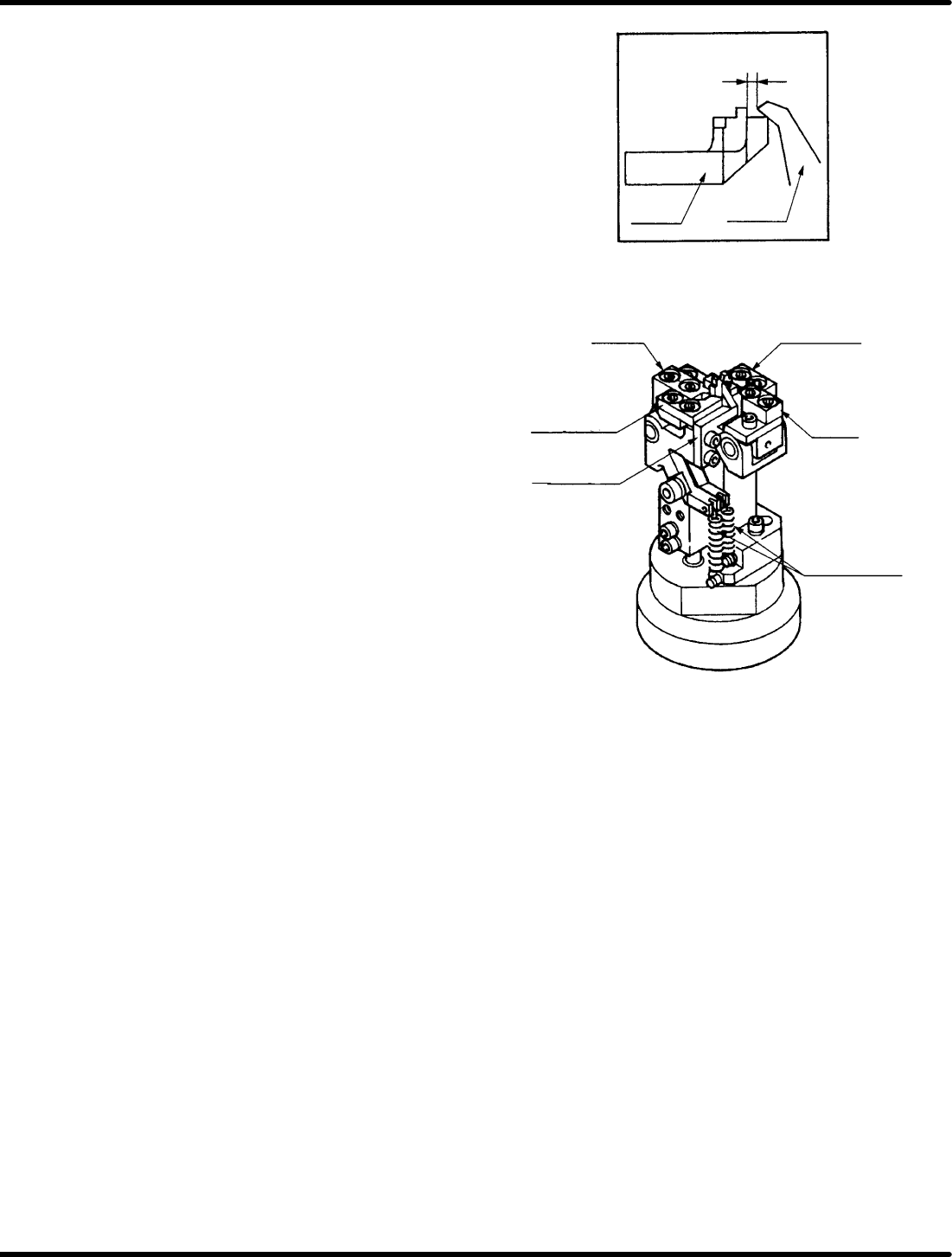
0.5 − 0.7 mm
Moving
blade
Fixed
blade B
Fixed
blade
Fixed
blade
Moving blade A
(reference foot)
Moving blade A
(outer foot)
Moving blade B
(center foot)
Lever spring
for cut clinch
RH5
5.20 Anvil Lower Clinch Stroke Check and Adjustment
SERVICE MANUAL
5.20−2
DA3SEC−83−9C0−A0
3. Check moving blade B (for center foot) and
the fixed blade overlap one another by 0.5
to 0.7 mm when in the cut and clinch state.
4. If the overlapping distance is outside the
given range, turn the top and bottom nuts of
moving blade A (for outer foot), moving
blade B (for center foot) and the pusher for
adjustment.
=REFERENCE=
Use moving blade B (for center foot) as
a reference when making adjustments.
5. Check overlapping distance of moving blade
A (for reference foot) and the fixed blade in
the same way. If outside of range, turn the
top and bottom nuts of moving blade A (for
outer foot) and the pusher rod for
adjustment.
6. Fix anvil lower cam follower holder B in
place with the top nuts (x 2).
=REFERENCE=
Adjust the stroke of the moving blade A
(for reference foot) the same as that of
the moving blade A (for outer foot).
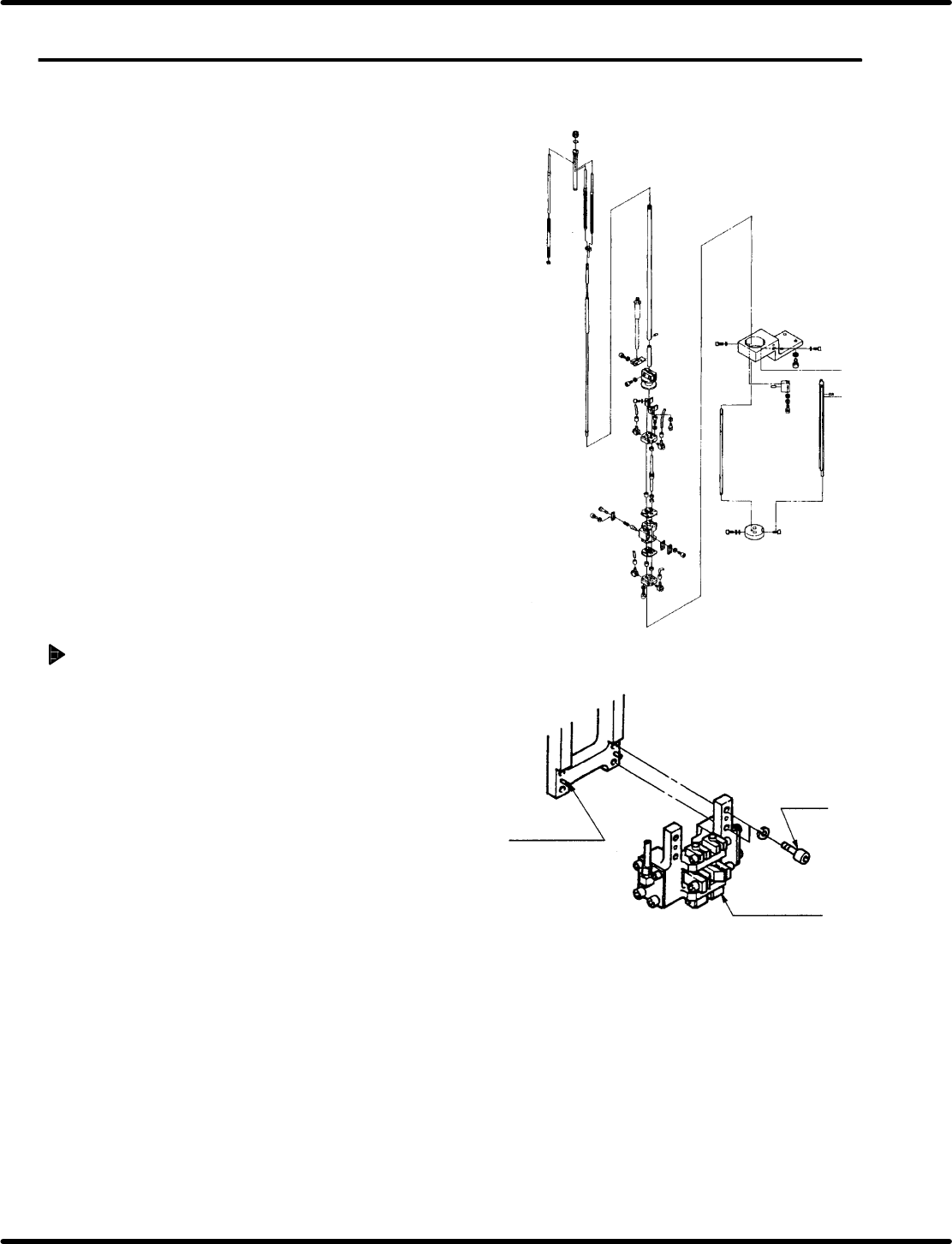
Positioning pin
Bolt A
Guide chuck
5.21 Selector Unit Lead Guide Pin Replacement
SERVICE MANUAL
RH5
5.21−1
DA3SEC−83−9D0−A0
5.21 Selector Unit Lead Guide Pin Replacement
DA3SEC−83−9D0−A0
Sentence No.
When to perform
x When the guide pin does not rise
vertically.
x When the guide pin gets caught on the
insertion hole.
Required tools
x Allen wrench
Guide chuck unit removal
1. Loosen bolt A (x 4) and remove the guide
chuck unit.
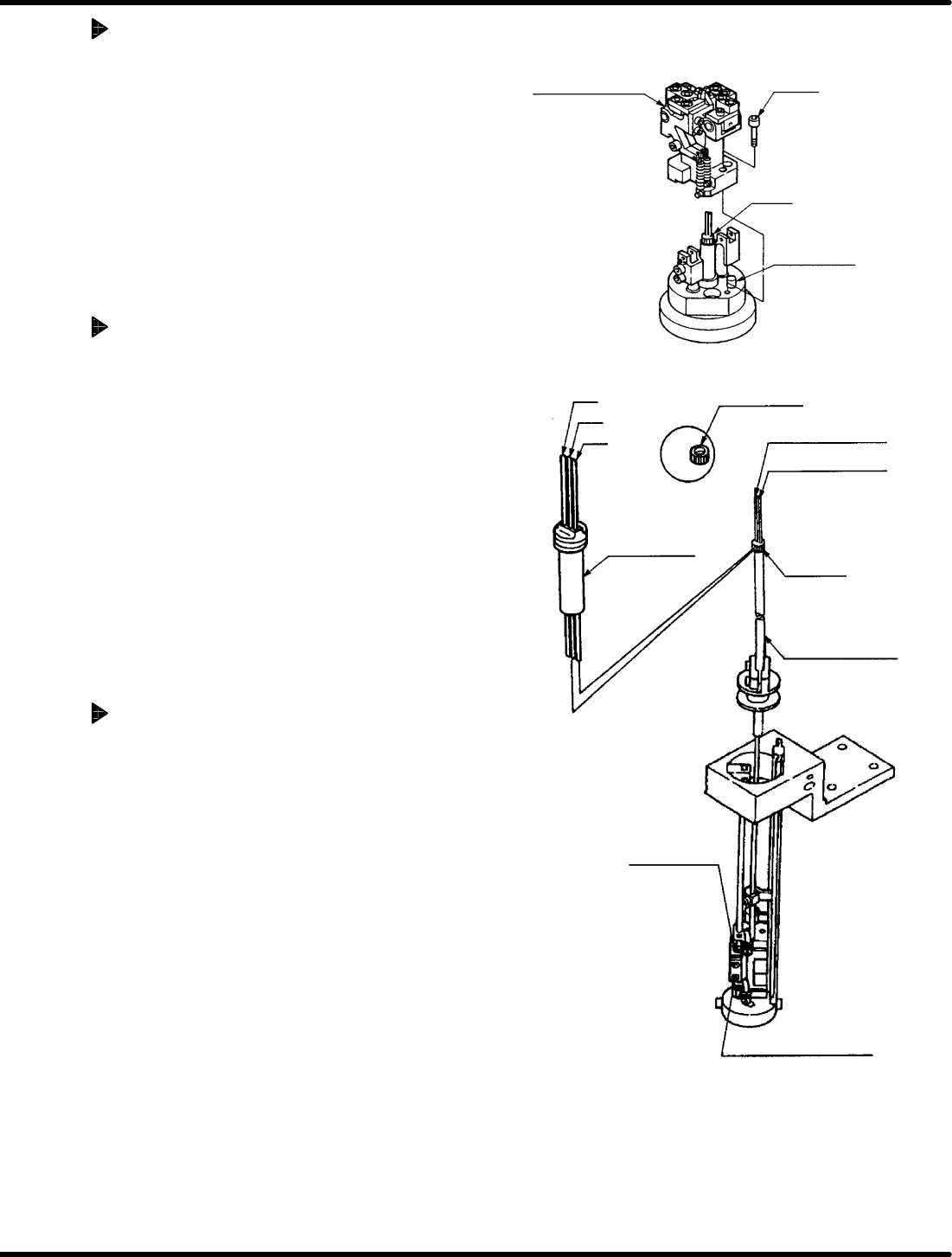
Left
Center
Right
Installation nut
Center pin selector
rod
Right pin selector
rod
Cartridge
Spring holder
Guide pin rod
Selector unit
Selector unit lock pin
Cut & clinch body
Guide rod
Positioning pin
Bolt B
RH5
5.21 Selector Unit Lead Guide Pin Replacement
SERVICE MANUAL
5.21−2
DA3SEC−83−9D0−A0
Cut & clinch unit removal
1. Loosen bolt B (x 2) and remove the cut &
clinch unit.
2. Remove any waste or cut scraps from
inside the dust cover.
Guide pin removal
1. Bring the pin at the 200q on the digital
sequence timer.
2. Loosen the installation nut fixing the
cartridge in place.
3. Pull the selector unit lock pin until there is
play and lift the selector unit upwards.
=CHECK=
Be careful the guide pins do not
contact the insertion head.
4. Remove the guide pins from the selector
rod groove.
Guide pin replacement
1. Remove the spring holder.
2. Replace the guide pins.
3. Insert the lower end of the new right and
center guide pins into the selector rod
groove.
4. Pull the selector unit lock pin until there is
play, and lower the unit by hand.
=REFERENCE=
There are two types of guide pins. Be
careful when replacing them.