Cadence_16.6高速电路板设计与仿真.pdf - 第390页
图 1 2 - 1 4 2 材 料 报表 3 ) 依次 关闭 元 件清 单 ,单 击 按钮 ,退 出 对话 框 。 9 7 3
19.生成元件报告
1)选择菜单栏中的 “Tools(工具)”
→
“Reports(报告)” 命令,弹出 “Reports(报
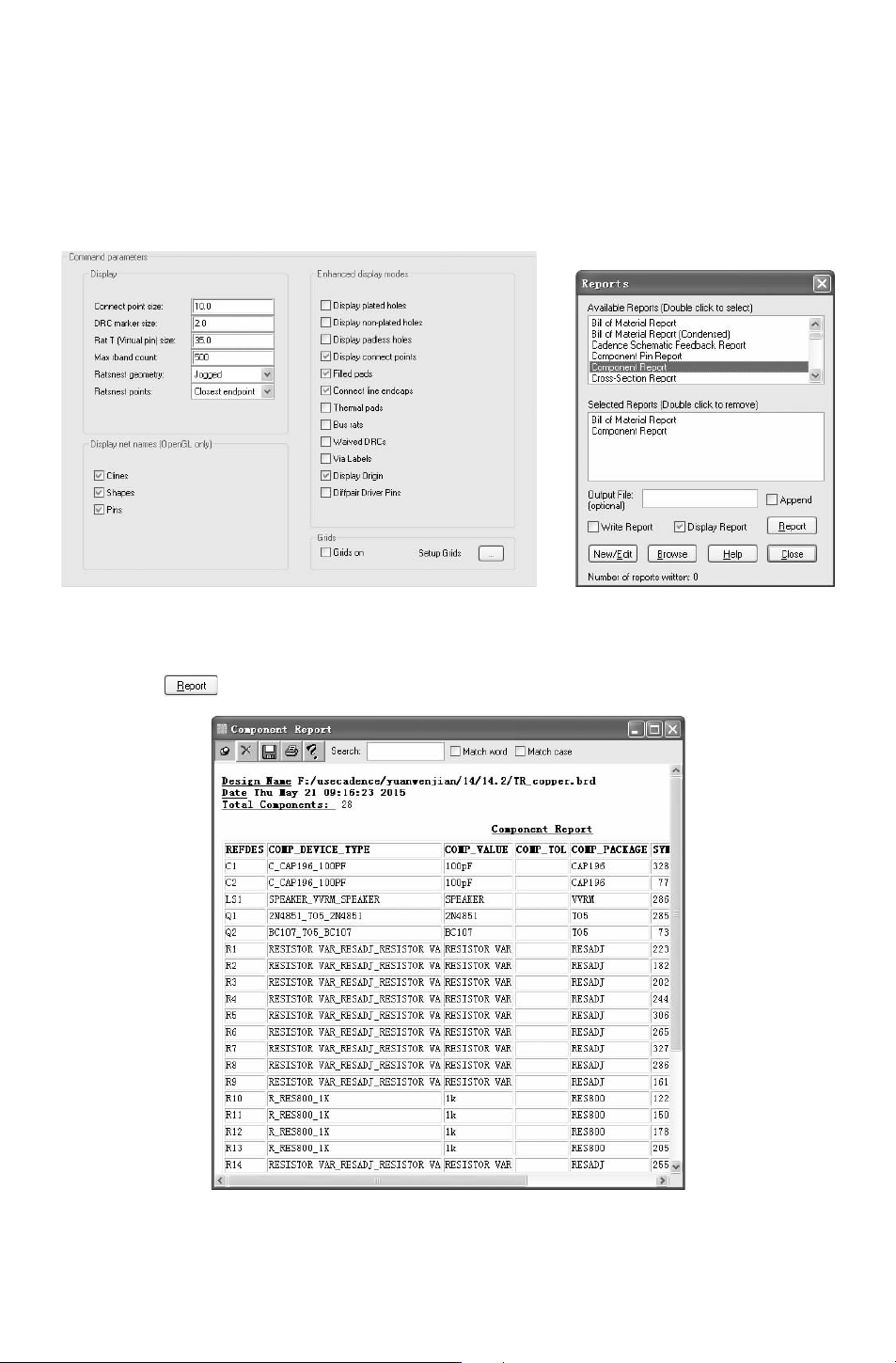
告)”对话框,在 “AvailableReports(可用报告)”栏中选择 “BillofMaterialReport”、“Com-
ponentReport” 选项,使其出现在 “SelectedReports(选择的报告)” 栏中,如图 12-140
所示。
图 12-139 “DesignParametersEditor
(设计参数编辑器)” 对话框
图 12-140 “Reports(报告)”
对话框
2)单击 按钮,生成电路图元件清单,如图 12-141和图 13-142所示。
图 12-141 元件报告
873
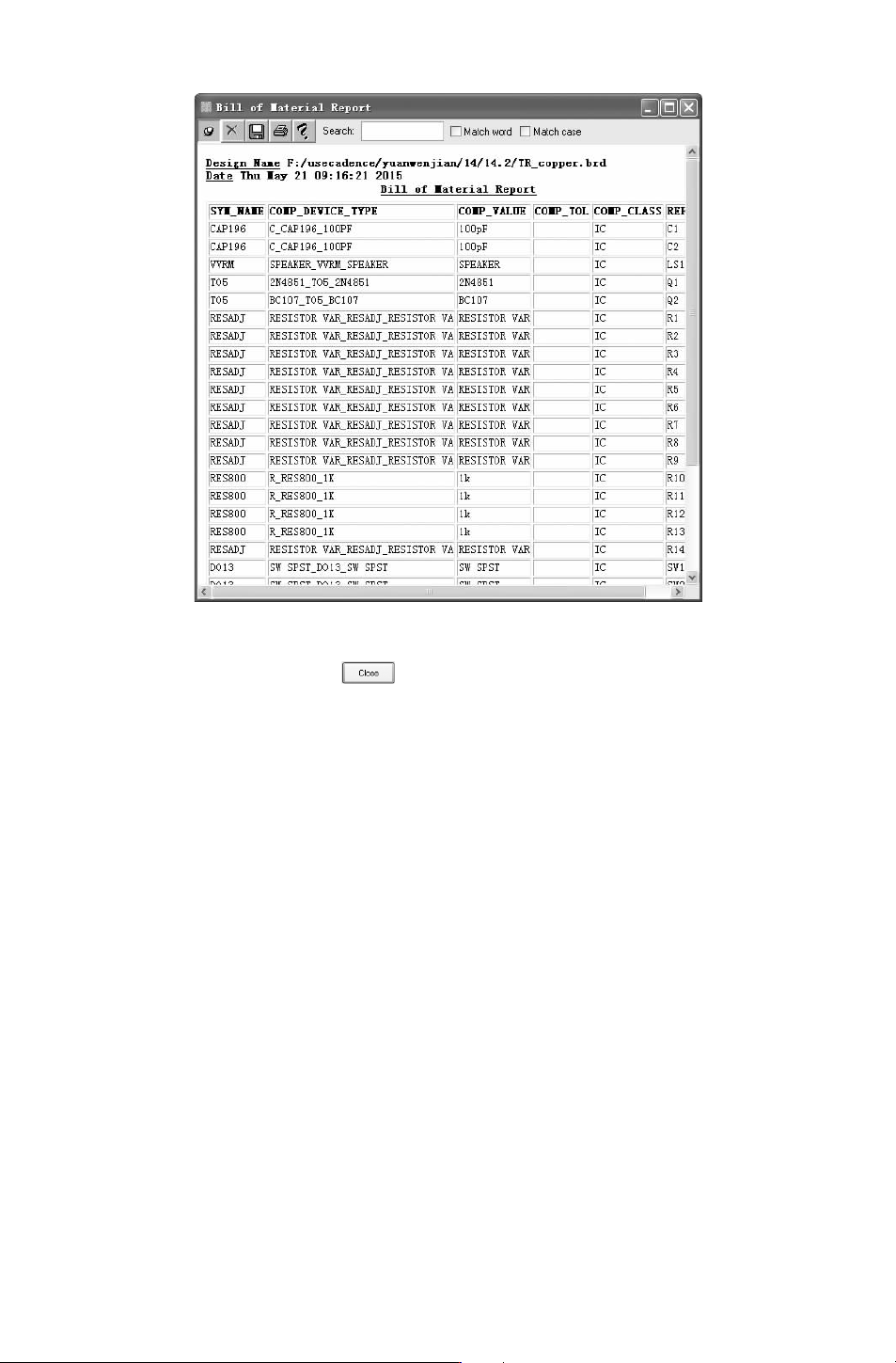
图 12-142 材料报表
3)依次关闭元件清单,单击 按钮,退出对话框。
973
附录 Cadence软件的安装
Cadence软件是标准的基于 Windows的应用程序,它的安装过程十分简单,只需按照提
示步骤进行操作就可以了。
1.Cadence产品安装
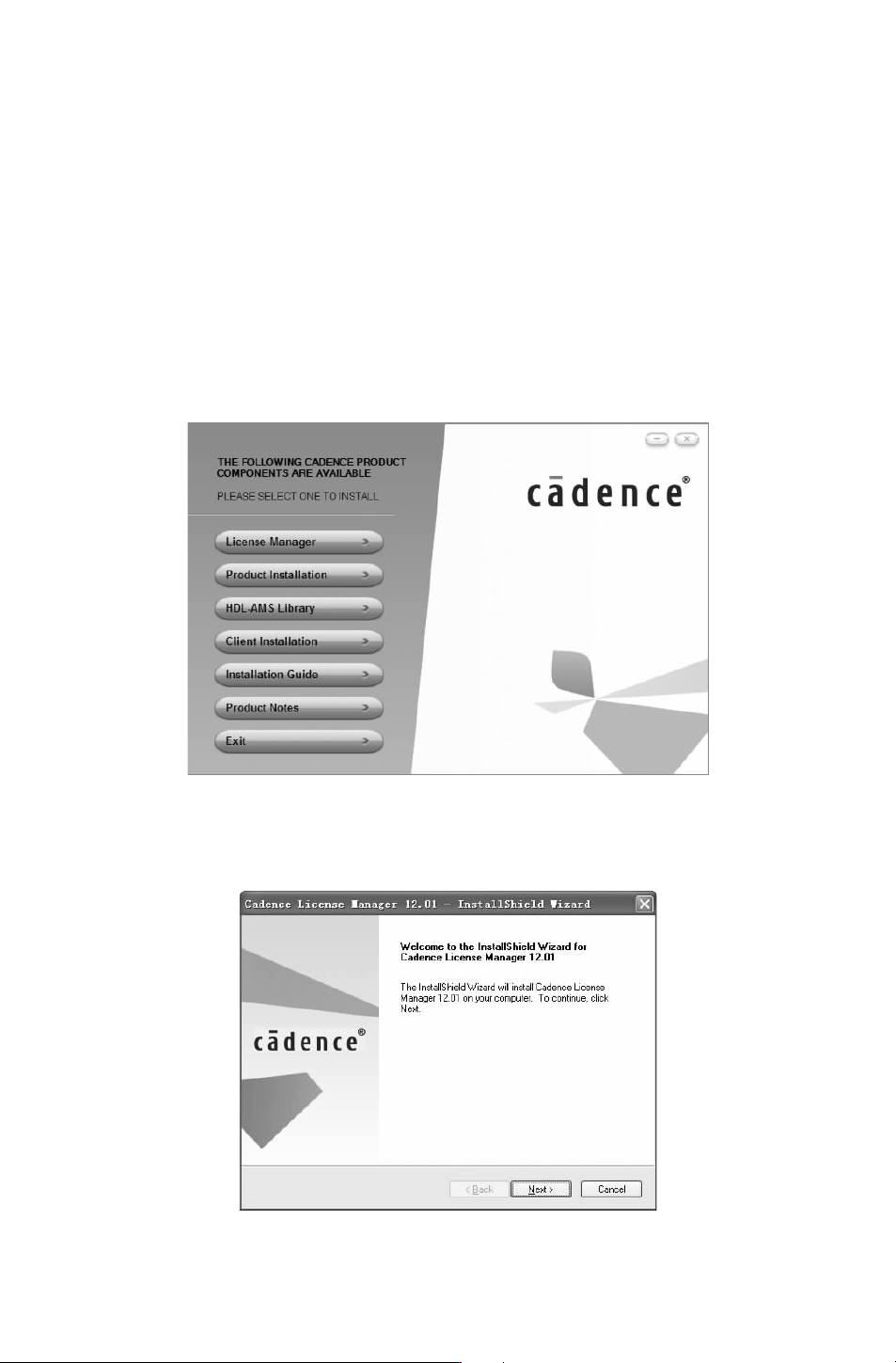
第 1步:将安装光盘装入光驱后,打开该光盘,从中找到并双击 “setup.exe” 文件,
弹出 Cadence的安装对话框,显示产品组件菜单,如附图 1所示。
附图 1 产品组件菜单
第 2步:首先安装许可证文件。单击第一项 “LicenseManager(许可管理器)”,弹出安
装向导欢迎对话框,如附图 2所示。
附图 2 安装向导对话框
083