XP-142E System Reference-SYS-XP142-2.0E.pdf.pdf - 第100页
Operation Button Explanations Proceeds to the panel information screen. Proceeds to the machine status information screen. Proceeds to the feeder information screen. Proceeds to the nozzle information screen. Proceeds to…
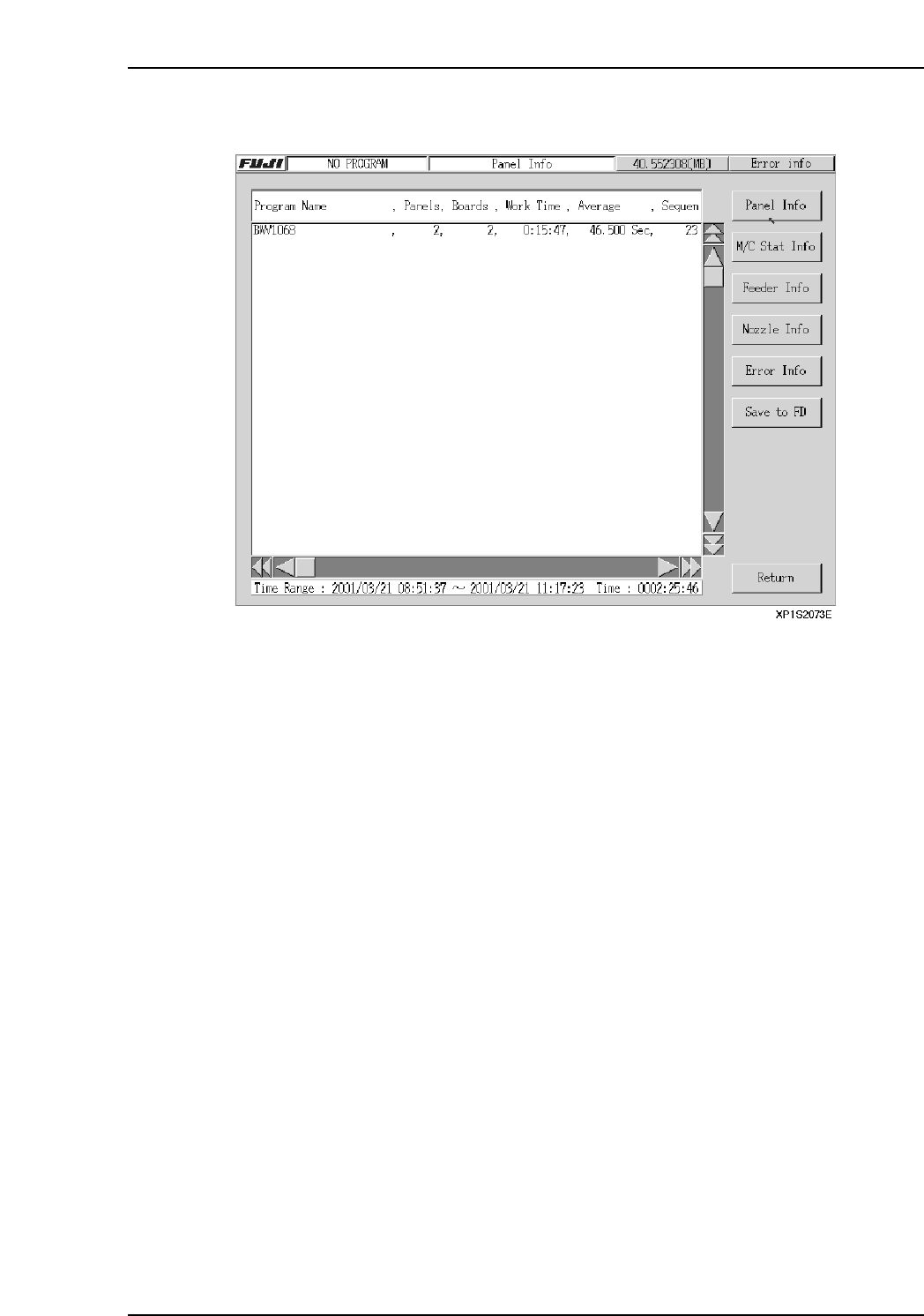
6.2.4 Panel Information Screen
Setting Item Explanations
Program Name
Displays the production program names which are in the log data which satisfies the
specified conditions, or registered in the selected log file.
If the selected log file is a NO_PROGRAM log file, it is not included in this processing.
Panel Quantity
Displays the number of completed panels registered in the log file.
Board Count
Displays the number of completed boards registered in the log file.
Total Operation Time
Displays the total panel production time.
Average Work Time
Displays the average time required to produce one panel.
Total SQ Count
Displays the total number of sequences for all programs.
The total number of sequences in the CCIMF file is registered without regard to board
skips and sequence skips, etc.
Part 2 Chapter 6 Production Information Display
Edition 2.0 2-6-9 XP-142E System Reference
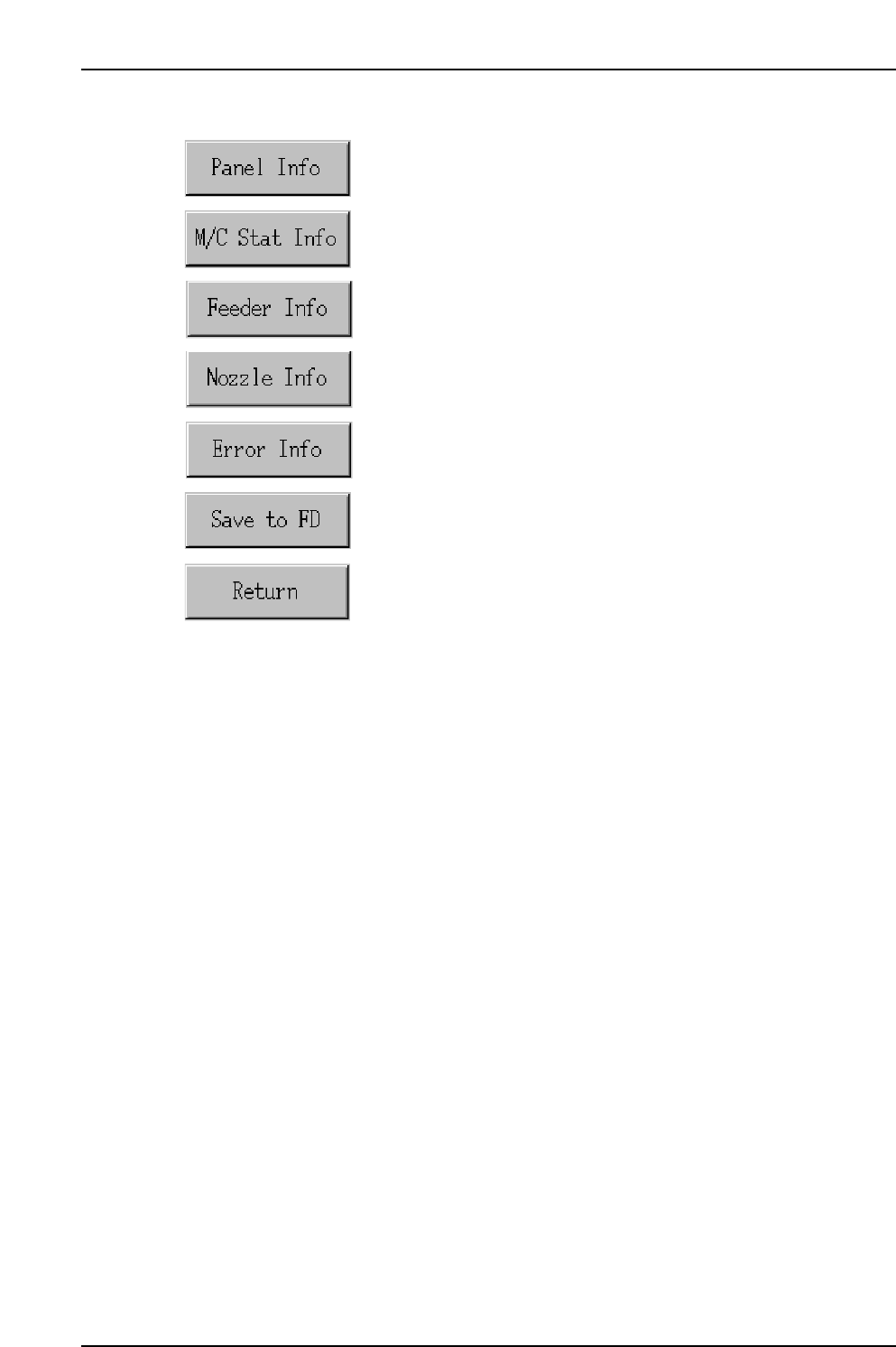
Operation Button Explanations
Proceeds to the panel information screen.
Proceeds to the machine status information screen.
Proceeds to the feeder information screen.
Proceeds to the nozzle information screen.
Proceeds to the error information screen.
Saves all the tabulated production information in the screen to a
floppy disk.
Closes this screen and returns to either the production information
display conditions setting screen, or the log file selection screen.
Part 2 Chapter 6 Production Information Display
Edition 2.0 2-6-10 XP-142E System Reference
Part 2 Chapter 6 Production Information Display
Edition 2.0 2-6-11 XP-142E System Reference
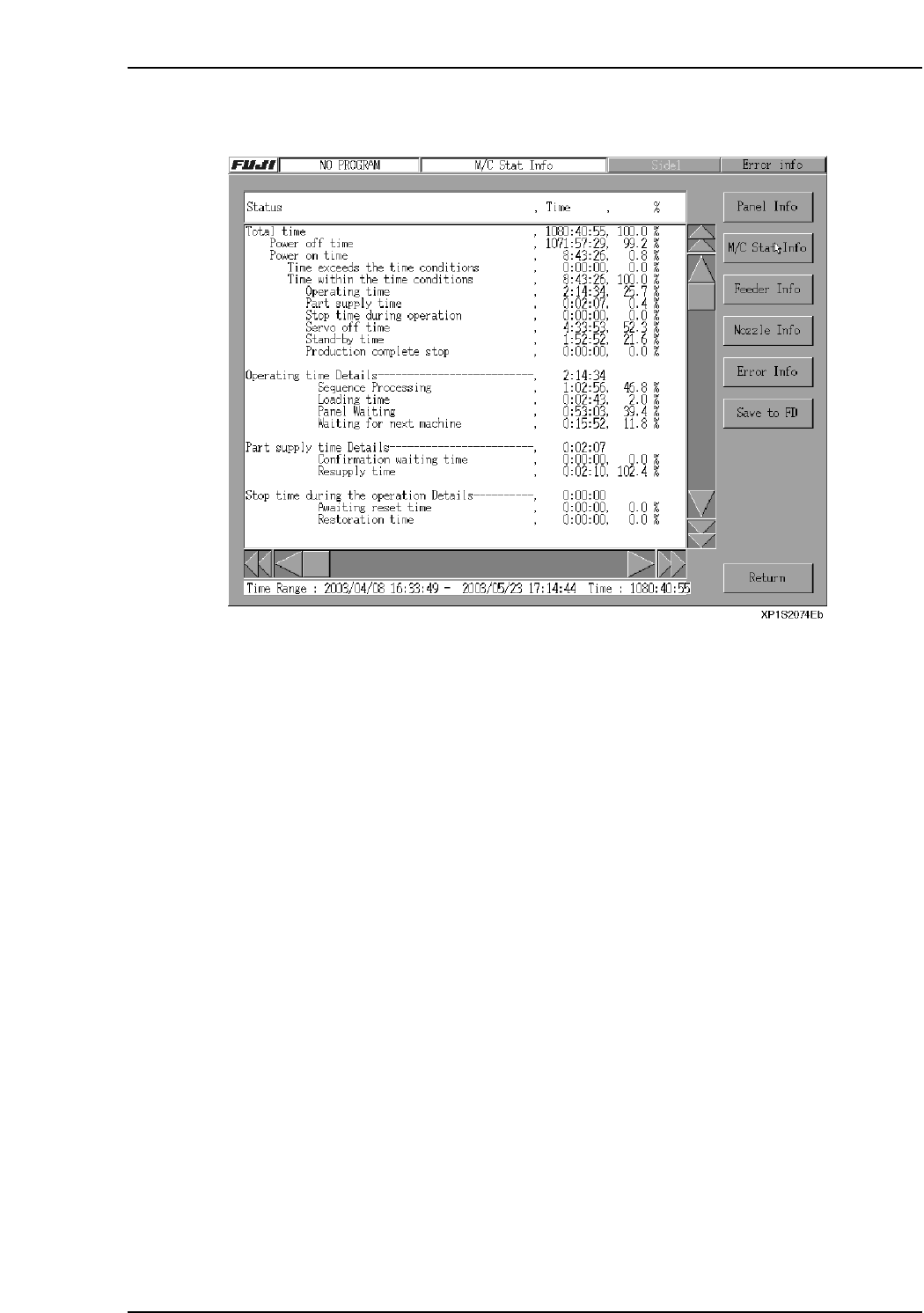
6.2.5 Machine Status Information Screen
Setting Item Explanation
Status
In this explanation, operation rate calculation formulas are shown in square brackets.
Total time
The current screen's display information shows the total tabulation period (from start
time to finish time).
• If a time range has been specified, the tabulation period is that time range.
• If a program has been specified, the tabulation period is the time from that program's
initial event to final event.
• If both a time range and a program have been specified, the tabulation period is the
time range.
• If a log file has been specified, the tabulation period is the time from that log file's
initial event to final event.
Power OFF Time
• Indicates the amount of machine power OFF time which occurred during the
tabulation period.
• Power OFF time = tabulation period - power ON time.
%: [Power OFF time / tabulation period]