XP-142E System Reference-SYS-XP142-2.0E.pdf.pdf - 第29页
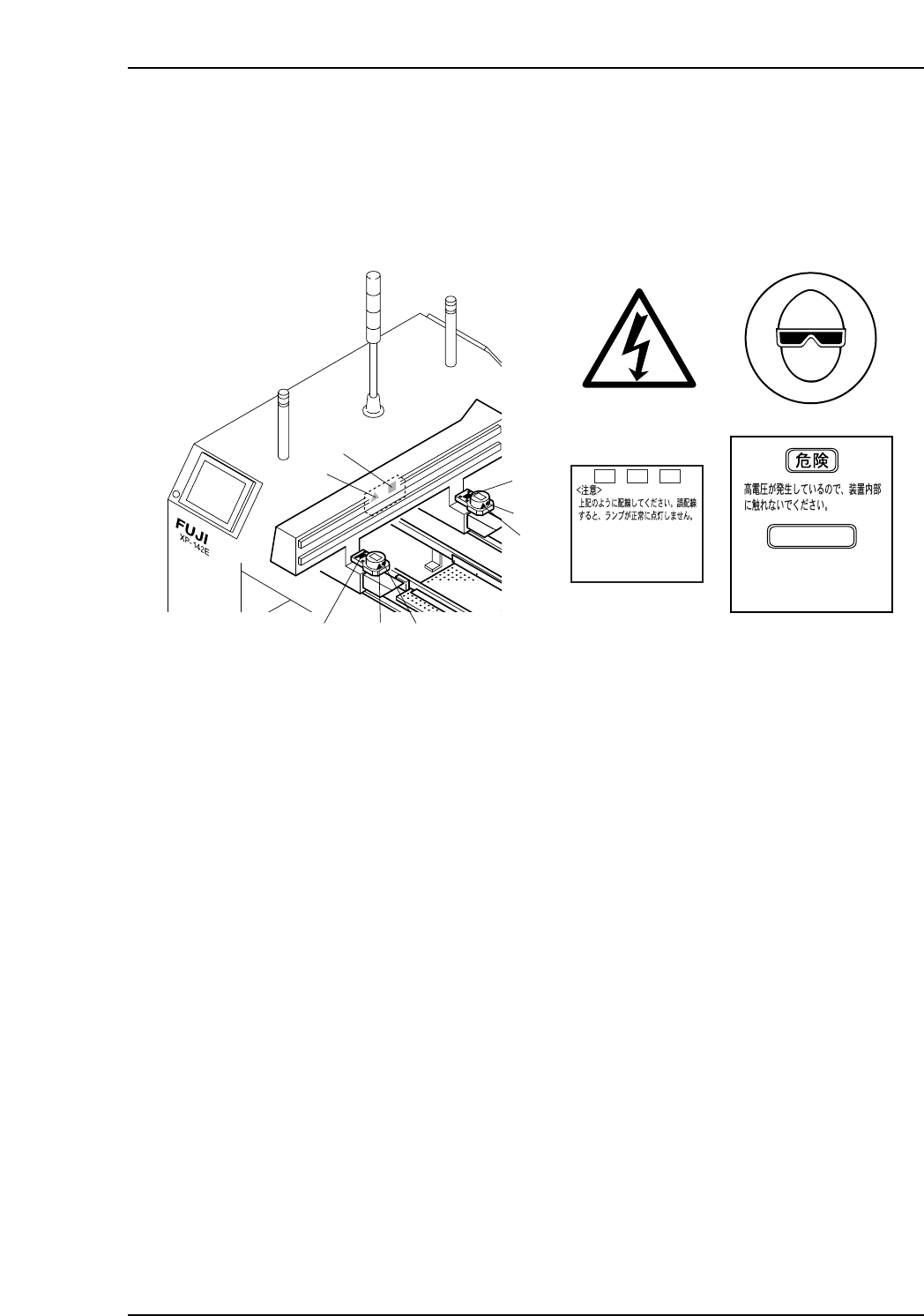
XY-Robot 18 19 17 17 1 18 1 1 XP1MZ006E 17 1 19 18 + VH1 - VH1 TRIG* <CA UTION> Connect as shown abov e. The lamp will not illuminate property if not connected correctly . DANGER High voltage Do not touch the insid…
1
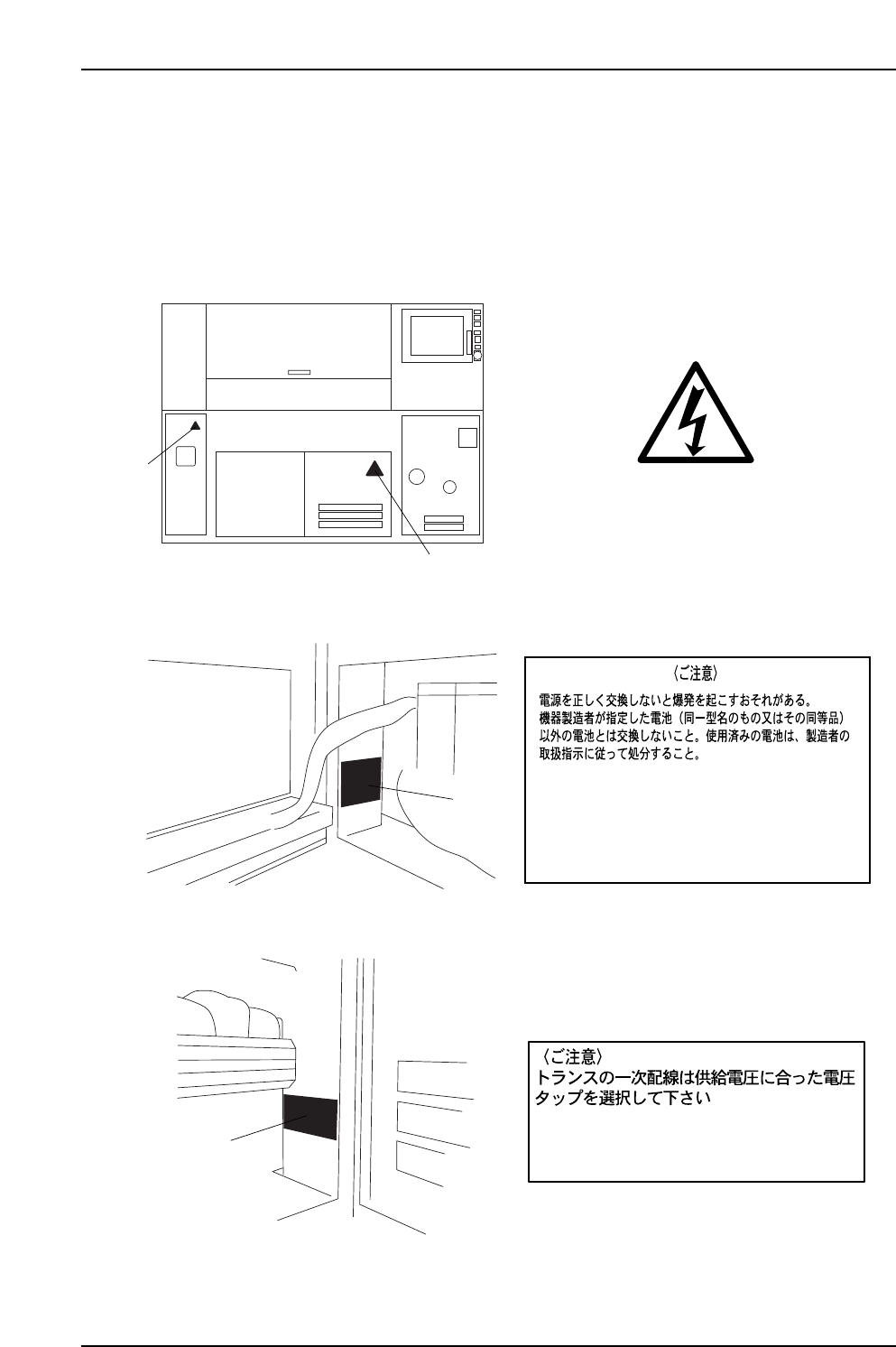
XP1MZ005E
Rear View
Servo Box2 (Left side)
Servo Box2 (Right side)
1
1
16
16
< Caution >
Use appropriate tap on transformer when
wiring power supply cable to primary side.
15
15
<CAUTION>
AN EXPLOSION MAY OCCUR IF THE BATTERY IS NOT REPLACED
PROPERLY. USE THE BATTERY TYPE SPECIFIED BY FUJI (OR
EQUIVALENT BATTERY TYPE). USED BATTERIES MUST BE
DISCARDED FOLLOWING THE MANUFACTURER’S INSTRUCTIONS.
[High Voltage]
Safety Guidelines
Edition 2.0 14 XP-142E System Reference
XY-Robot
18
19
17
171
18
1
1
XP1MZ006E
17
1
19
18
+
VH1
-
VH1TRIG*
<CAUTION>
Connect as shown above.
The lamp will not illuminate
property if not connected
correctly.
DANGER
High voltage Do not
touch the inside of
the apparatus.
[High Voltage]
Safety Guidelines
Edition 2.0 15 XP-142E System Reference
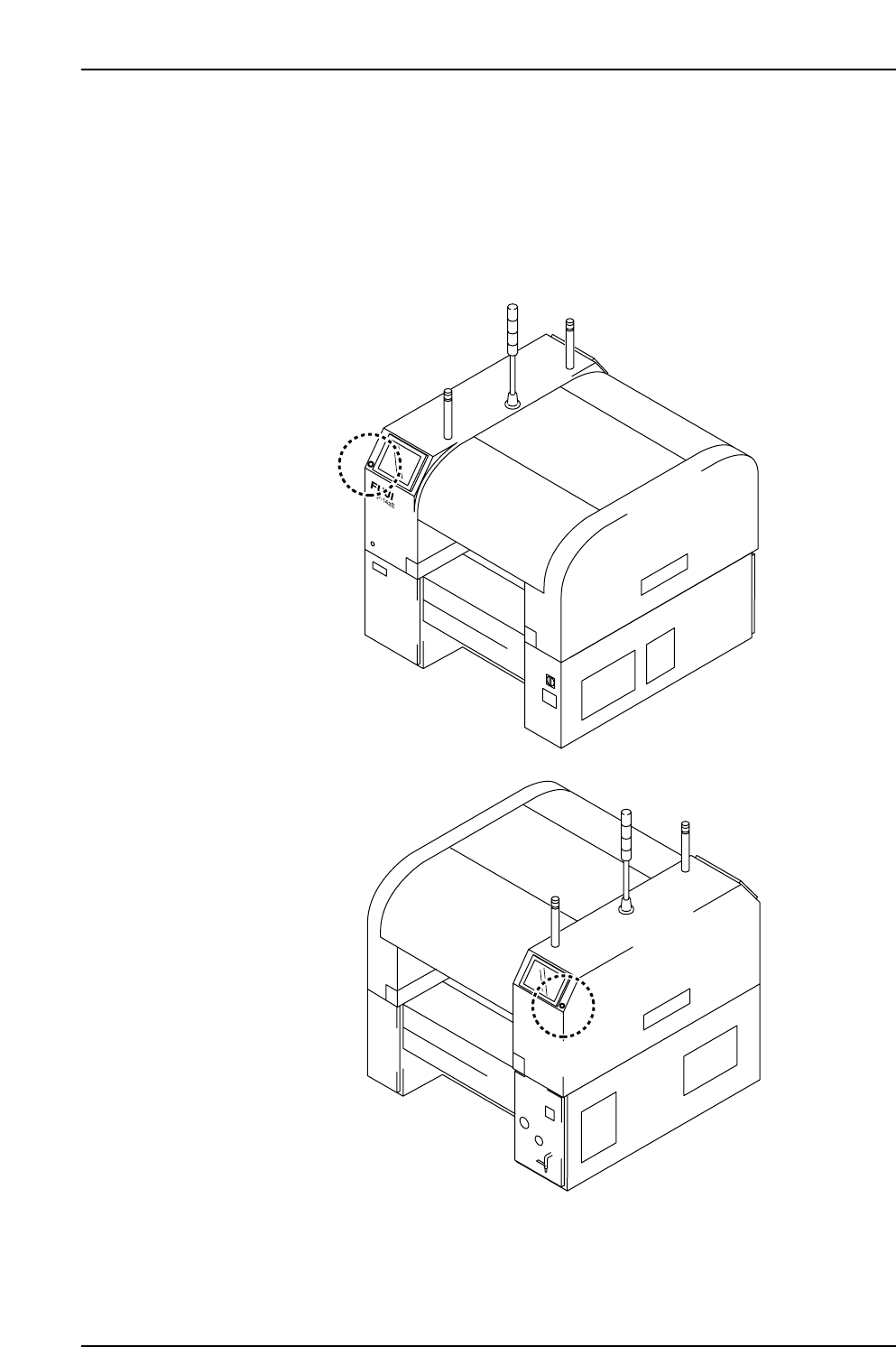
5. The EMERGENCY STOP Buttons
(ESG0701a)
In the event of an emergency, press any of the red EMERGENCY STOP buttons located
on the machine at the positions indicated in the figure below.
XP1MZ011E
Front View (Side 1)
Back View (Side 2)
Safety Guidelines
Edition 2.0 16 XP-142E System Reference