XP-142E System Reference-SYS-XP142-2.0E.pdf.pdf - 第142页
8.7 Setting the Date and Time (ESR0225) The date and time can be set from the machine menu. Procedure 1. At the [Main] screen, press [Maintenance B] then [Date and Time] to display the [Date and Time] setting screen. 2. …
8.6 Changing User Settings
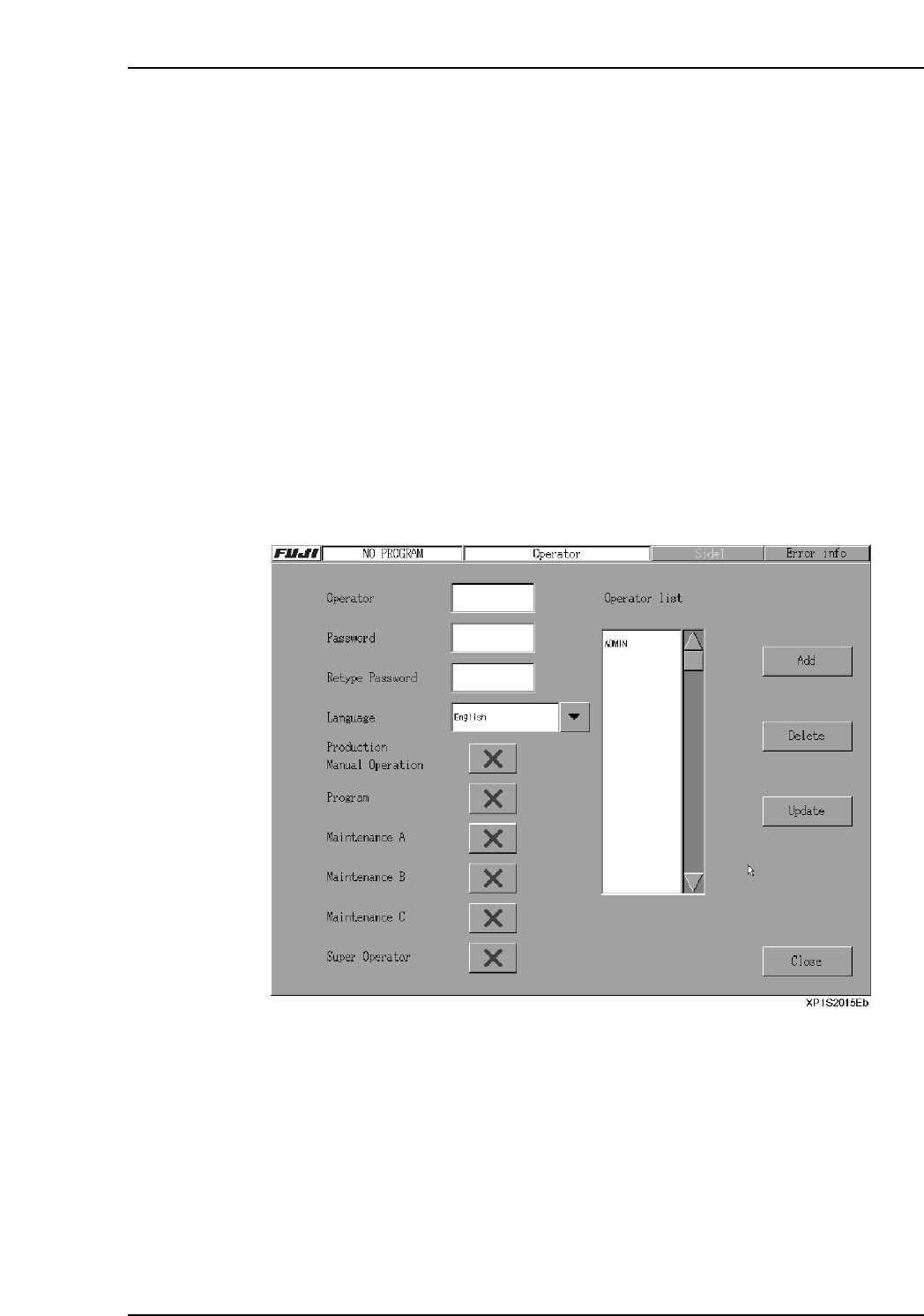
The access rights of each user name are customizable, and allow administrators to
identify which operator is using a machine, and when. The only user whose settings
cannot be changed is “Super Operator”. “Super Operator” is a special administration
level user name which is installed by default on every machine.
Procedure
1. At the [Main] screen, press [Operator Config] to display the [Operator Config]
screen.
2. Select the operator name (from the “Operator List” display) where a setting
change is desired. To delete the selected operator name, press [Delete].
3. Under the [Language] item, specify the “access rights” settings for the
[Production], [Program], [Maintenance A], [Maintenance B], [Maintenance C] then
[Super Operator] items. “Access rights” setting statuses are indicated by “O” and
“X” marks.
4. After selecting a setting item, [Update] can be pressed to show the updated results
onscreen.
5. After completing the setting procedure, press [Close] to return to the [Main]
screen.
Part 2 Chapter 8 System Administration
Edition 2.0 2-8-15 XP-142E System Reference
8.7 Setting the Date and Time
(ESR0225)
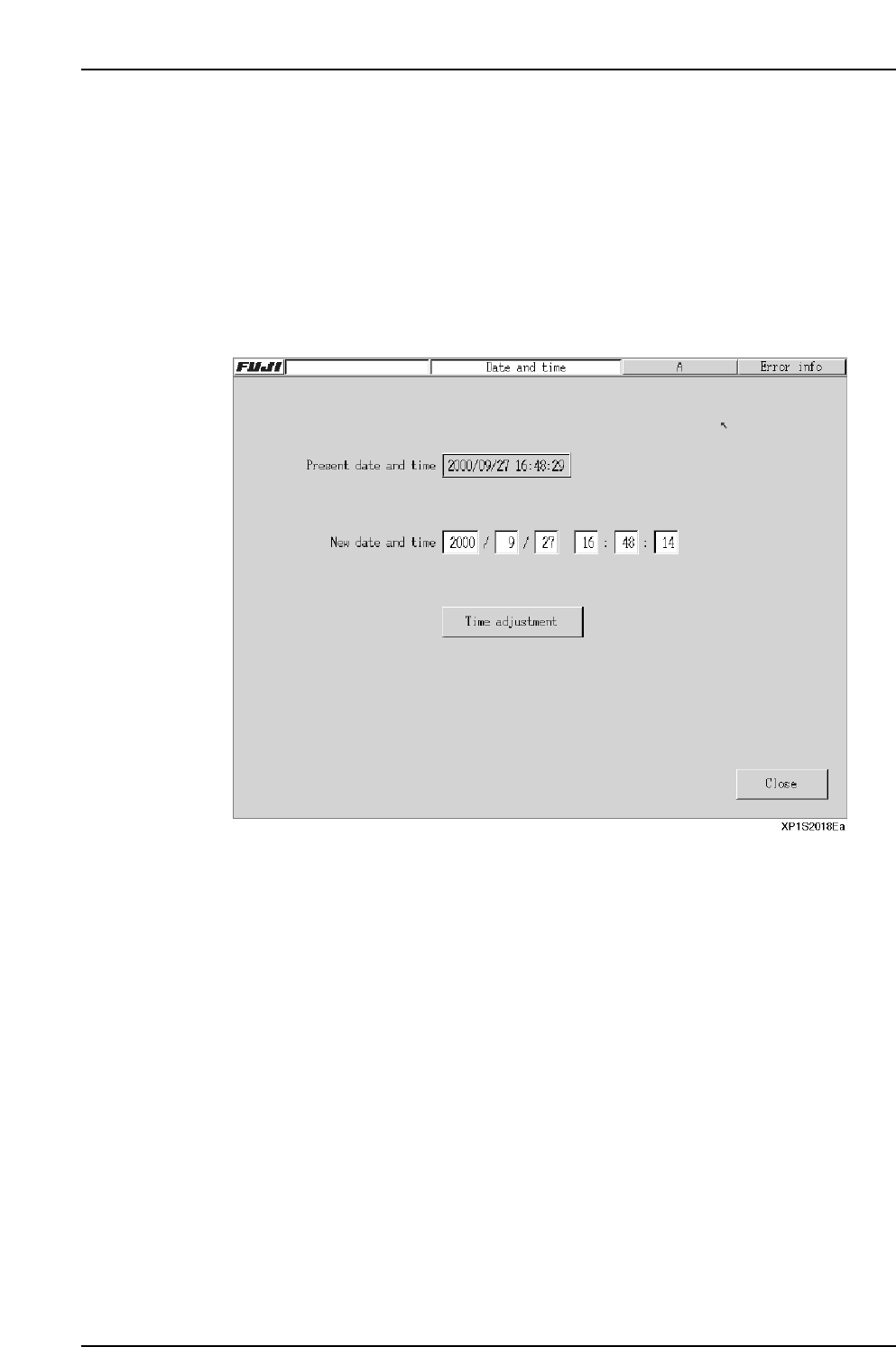
The date and time can be set from the machine menu.
Procedure
1. At the [Main] screen, press [Maintenance B] then [Date and Time] to display the
[Date and Time] setting screen.
2. Enter the desired date and time settings.
3. After verifying that the settings are correct, press [Time adjustment] then [Close]
to end the setting operation.
Part 2 Chapter 8 System Administration
Edition 2.0 2-8-16 XP-142E System Reference
8.8 Warranty Period
(ESR0231)
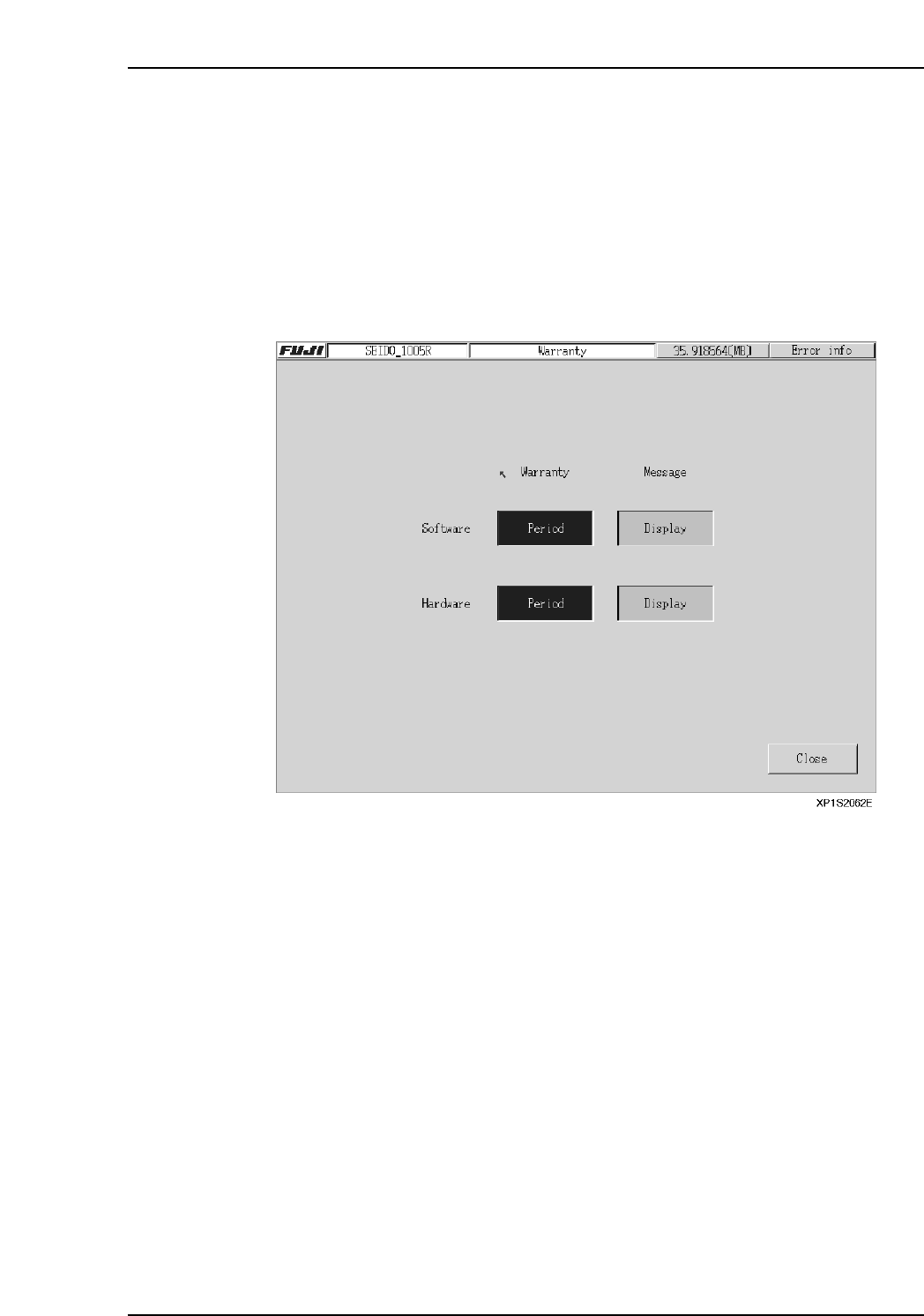
This screen indicates whether or not the machine and control software are still under
warranty.
Procedure
1. At the [Main] screen, press [Maintenance B] then [Warranty] to display the
[Warranty Period] screen.
2. When still under warranty, the display appears as shown below. The default
setting for the [Message] display is “Display”.
Part 2 Chapter 8 System Administration
Edition 2.0 2-8-17 XP-142E System Reference