XP-142E System Reference-SYS-XP142-2.0E.pdf.pdf - 第143页
8.8 W arranty Period (ESR0231) This screen indicates whether or not the machine and control software are still under warranty. Procedure 1. At the [Main] screen, press [Maintenance B] then [Warranty] to display the [Warr…
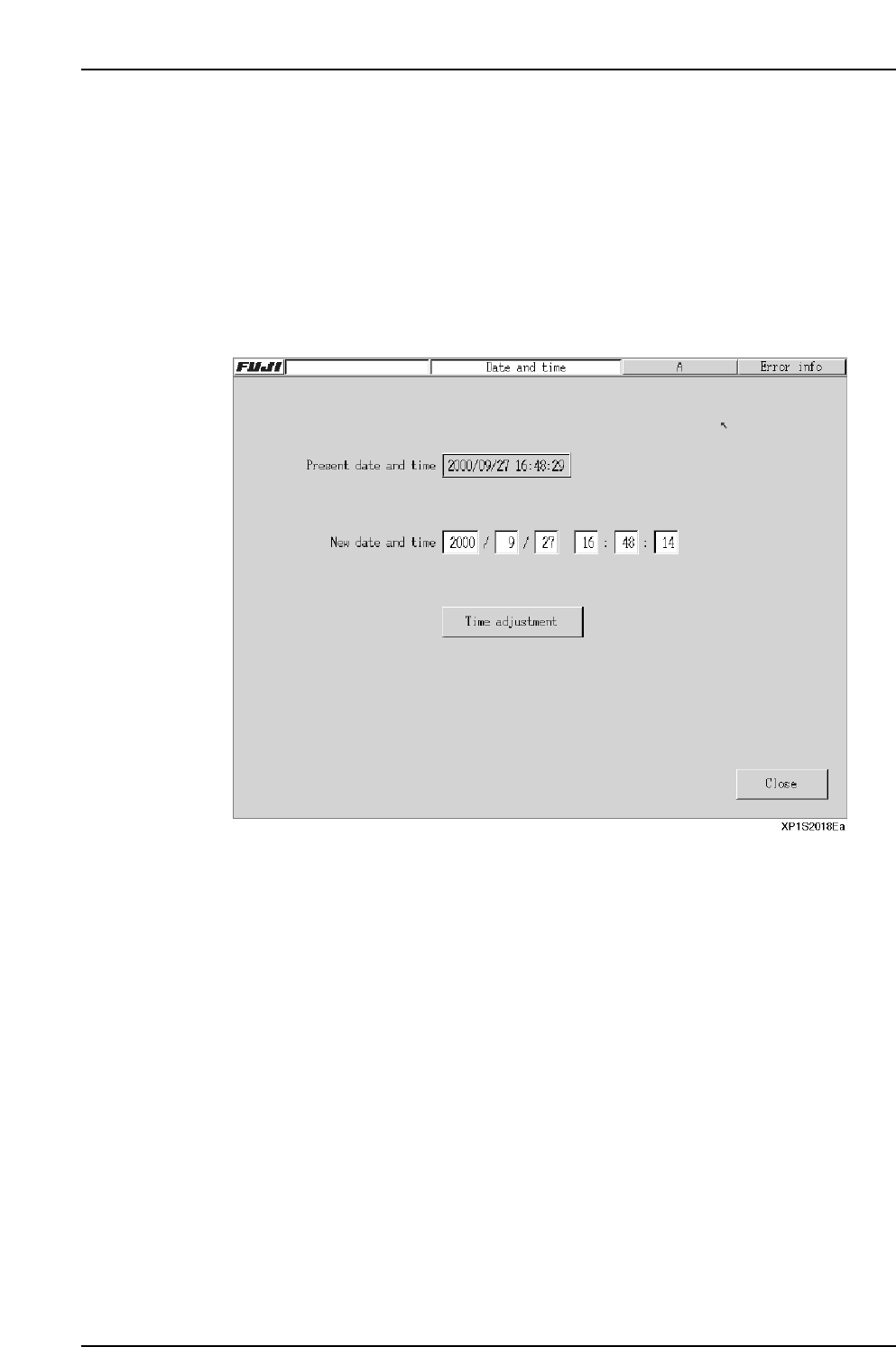
8.7 Setting the Date and Time
(ESR0225)
The date and time can be set from the machine menu.
Procedure
1. At the [Main] screen, press [Maintenance B] then [Date and Time] to display the
[Date and Time] setting screen.
2. Enter the desired date and time settings.
3. After verifying that the settings are correct, press [Time adjustment] then [Close]
to end the setting operation.
Part 2 Chapter 8 System Administration
Edition 2.0 2-8-16 XP-142E System Reference
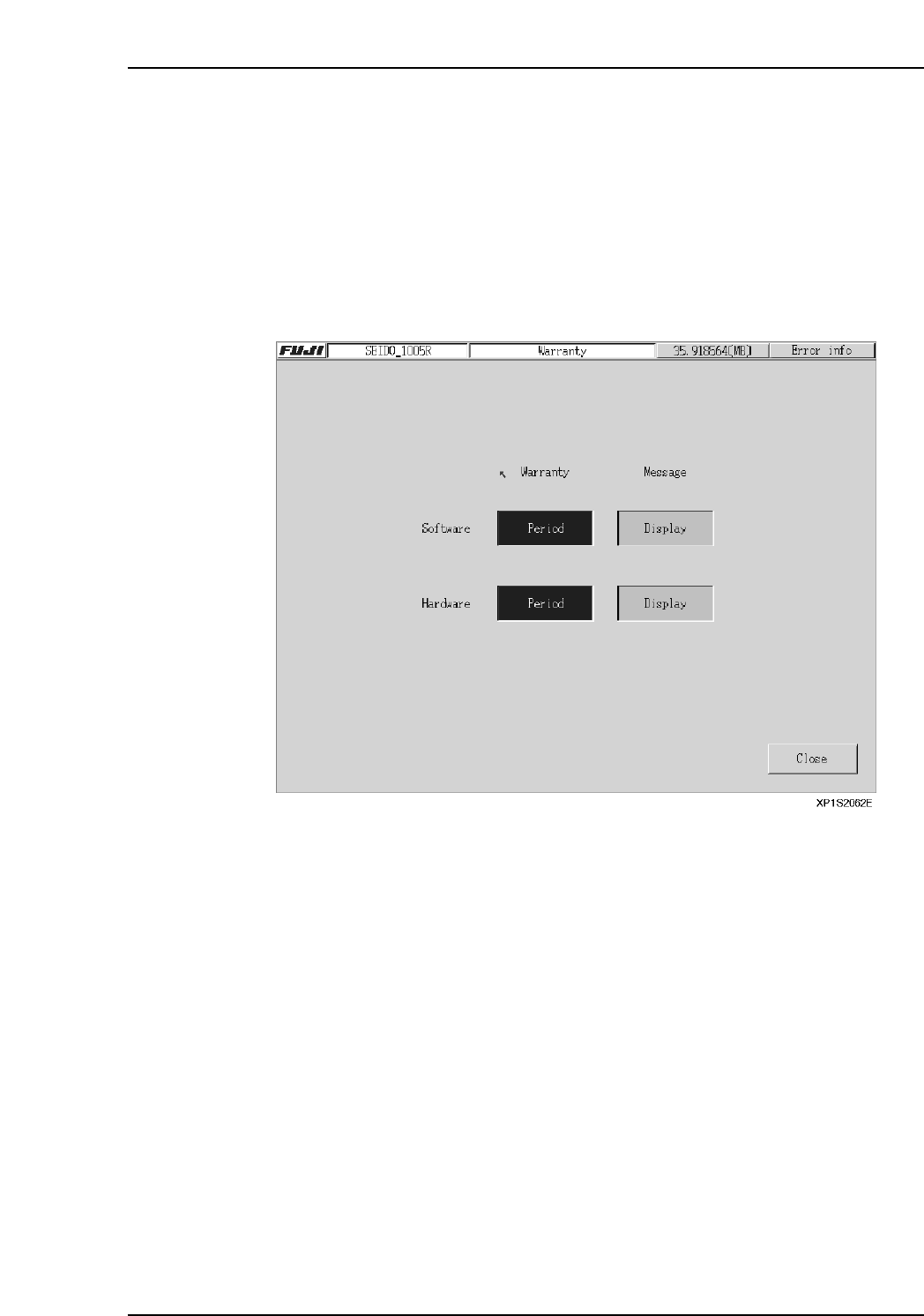
8.8 Warranty Period
(ESR0231)
This screen indicates whether or not the machine and control software are still under
warranty.
Procedure
1. At the [Main] screen, press [Maintenance B] then [Warranty] to display the
[Warranty Period] screen.
2. When still under warranty, the display appears as shown below. The default
setting for the [Message] display is “Display”.
Part 2 Chapter 8 System Administration
Edition 2.0 2-8-17 XP-142E System Reference

Notes:
Part 2 Chapter 8 System Administration
Edition 2.0 2-8-18 XP-142E System Reference