XP-142E System Reference-SYS-XP142-2.0E.pdf.pdf - 第174页
Part 3 Chapter 3 Editor Edition 2.0 3-3-19 XP-142E System Reference ■ Mark Size T able Notes: 1. Shaded area indicates the panel base. 2. The tolerance for mark dimensions A and B should be ± 10%. A A B A A 0.2 ≤ A ≤ 3.5…
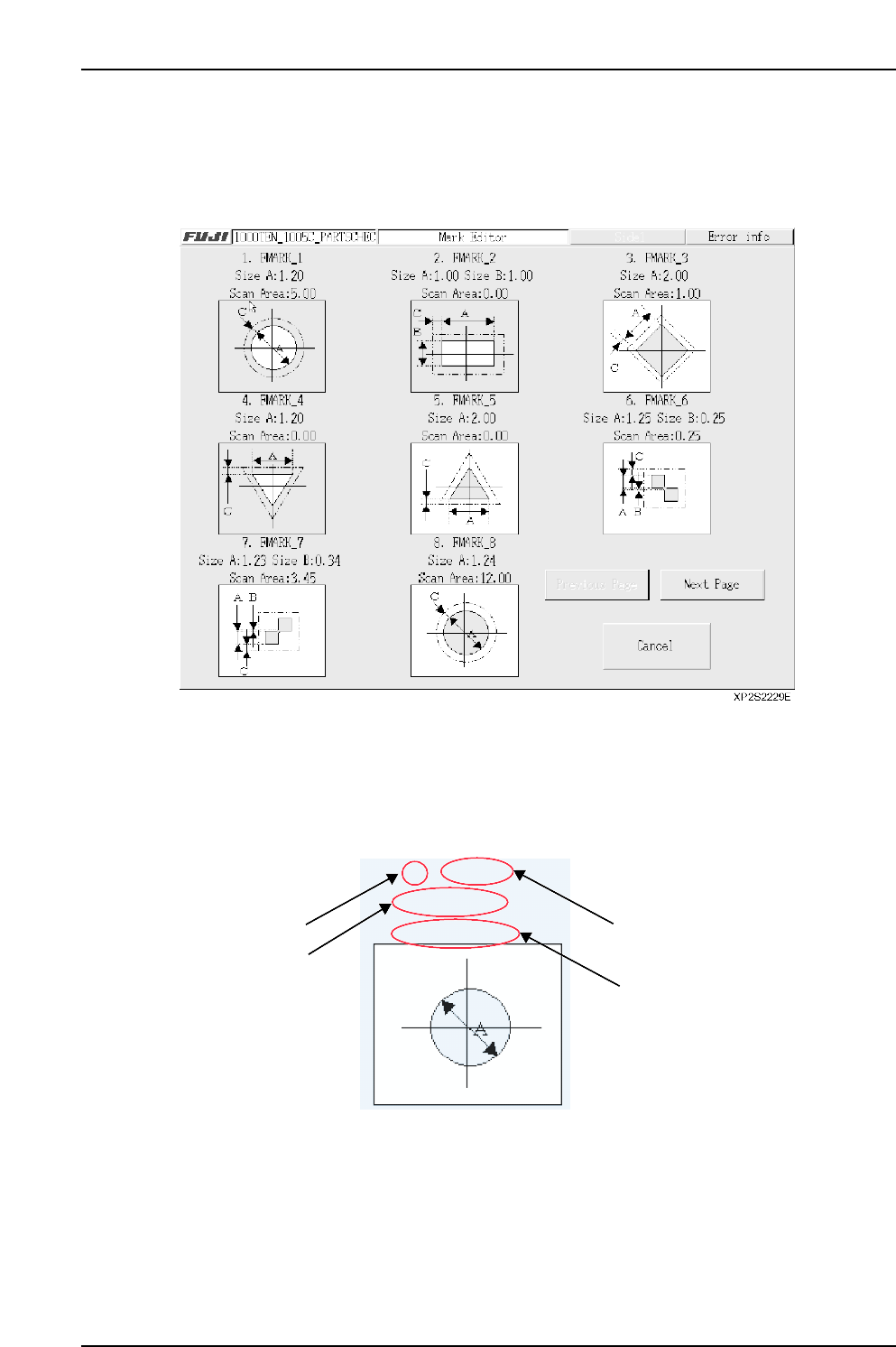
■ Fiducial Mark Editor Screen
A list of fiducial marks which are registered in the data currently being edited displays at
this screen.
[Example]
• Current editing mark data display
The fiducial mark number, “Mark Name”, “Size A” and “Size B” dimensions, and
“Scan Area” are displayed.
The pattern graphic (with “color” white/black indicated) displays below the 3rd line.
Click on this graphic to edit the selected mark data.
• [Cancel] button
Closes this screen.
• [Previous Page] / [Next Page] buttons
Press to switch display screens. If all the mark data is contained on a single screen,
these buttons do not display.
XP2S2230E
1. FMARK
Size A: 1.00
Scan Area: 0.00
No.
Size A
Fiducial mark name
Scan area
Part 3 Chapter 3 Editor
Edition 2.0 3-3-18 XP-142E System Reference
Part 3 Chapter 3 Editor
Edition 2.0 3-3-19 XP-142E System Reference
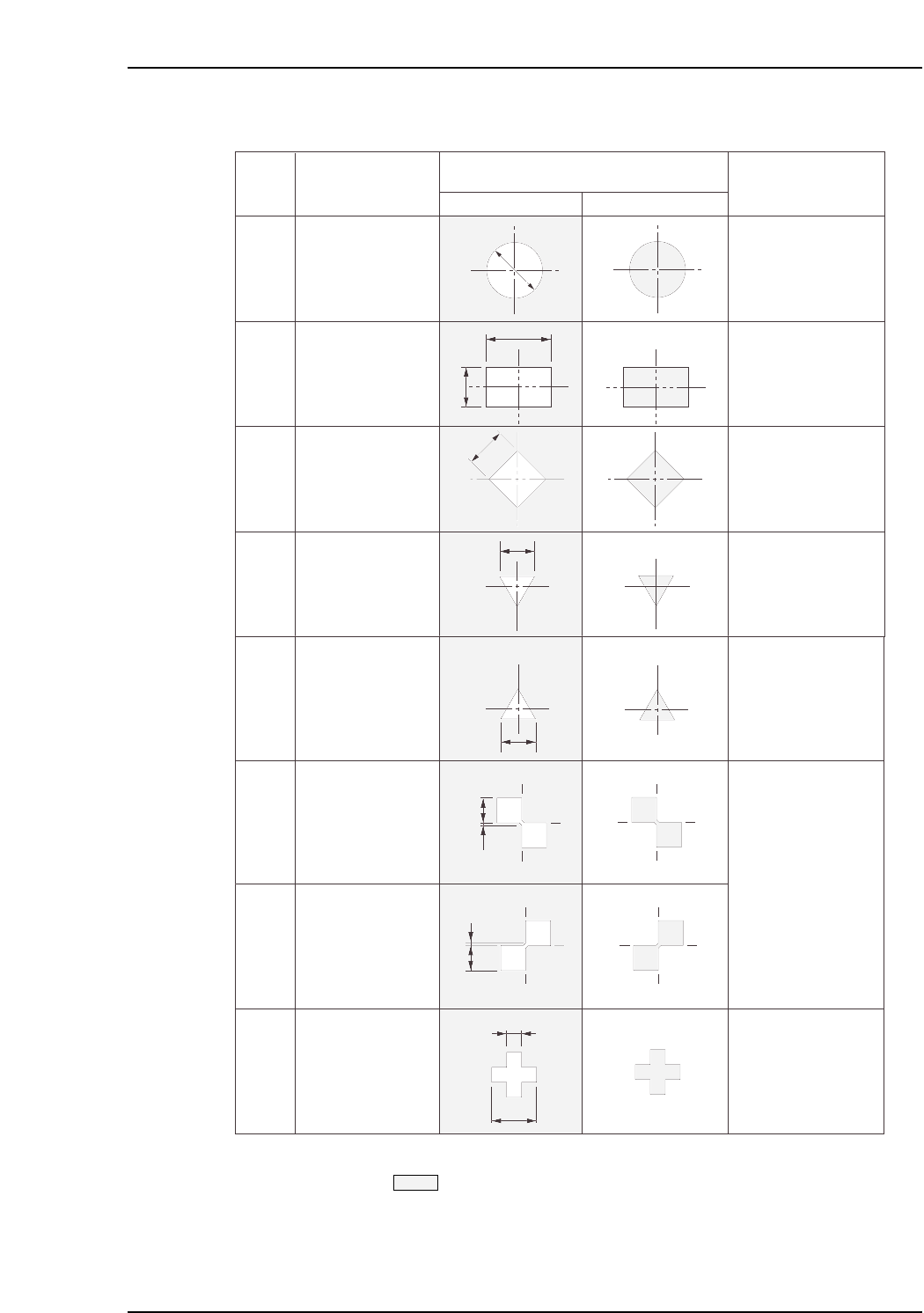
■ Mark Size Table
Notes: 1. Shaded area indicates the panel base.
2. The tolerance for mark dimensions A and B should be
±
10%.
A
A
B
A
A
0.2 ≤ A ≤ 3.5 mm
0.2 ≤ A ≤ 3.5 mm
0.2 ≤ B ≤ 3.5 mm
0.2 ≤ A ≤ 3.5 mm
0.2 ≤ A ≤ 3.5 mm
Ptn
XP2S2236Ea
0
1
2
3
Shape
Circle
Rectangle
Square diamond
Downward facing
equilateral triangle
Mark
White Black
Tolerance range
0.2 ≤ A ≤ 3.5 mm
A
B
A
B
0.2 ≤ A ≤ 3.5 mm
B ≤ 0.5 mm
4
5
6
A
B
7
0.2 ≤ A ≤ 3.5 mm
0.05 ≤ B ≤ 3.5 mm
Upward facing
equilateral triangle
Double square
(upper left)
Double square
(upper right)
Cross
A
Part 3 Chapter 3 Editor
Edition 2.0 3-3-20 XP-142E System Reference
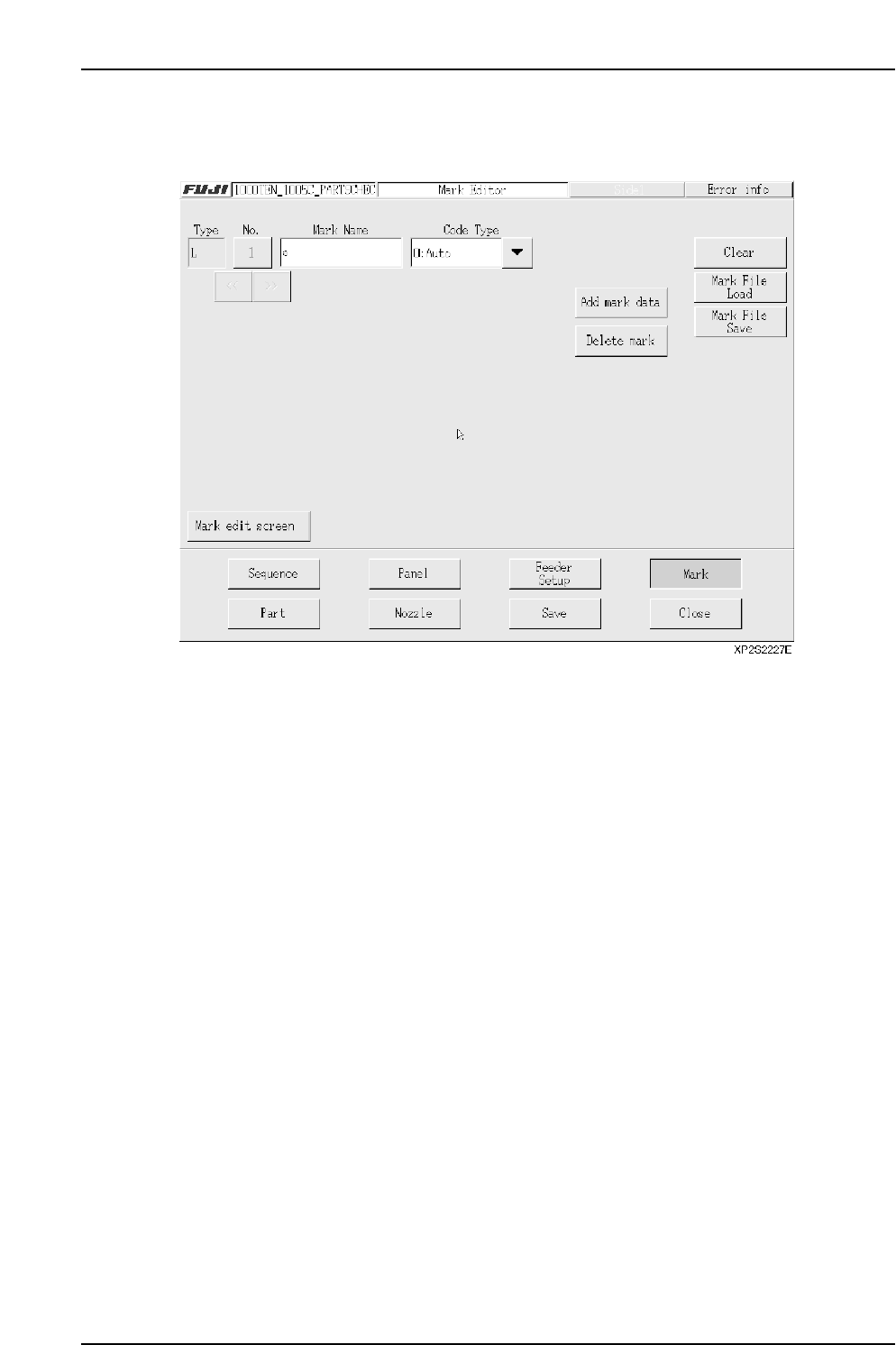
3.5.2 Panel ID (2D Code) Editor Screen
The functions in this screen are not currently supported by the machine.
• [Mark Name] textbox
Enter the mark name in this textbox. (Max. 23 characters)
Note: The following characters cannot be used in the mark name: (:¥/;*?”<>|). Also, a tilde (~)
cannot be used as the first character of the name.
• [>>] button
Displays the next mark data specified in the data being edited.
• [<<] button
Displays the previous mark data specified in the data being edited.
• [No.] button
Displays the panel ID number. A panel ID list screen displays when this button is
pressed. When a panel ID is selected from this list, the data for that panel ID
displays.
Note: This number is used only at the mark editor screen. It is not registered in the
production program.