XP-142E System Reference-SYS-XP142-2.0E.pdf.pdf - 第124页
<Copying a Machine File to a Floppy Disk> 6. Select the file to be copied from the list in the right pane (more than one file may be selected). 7. Press the [ ← ] key to copy the selected file to the floppy disk. A…
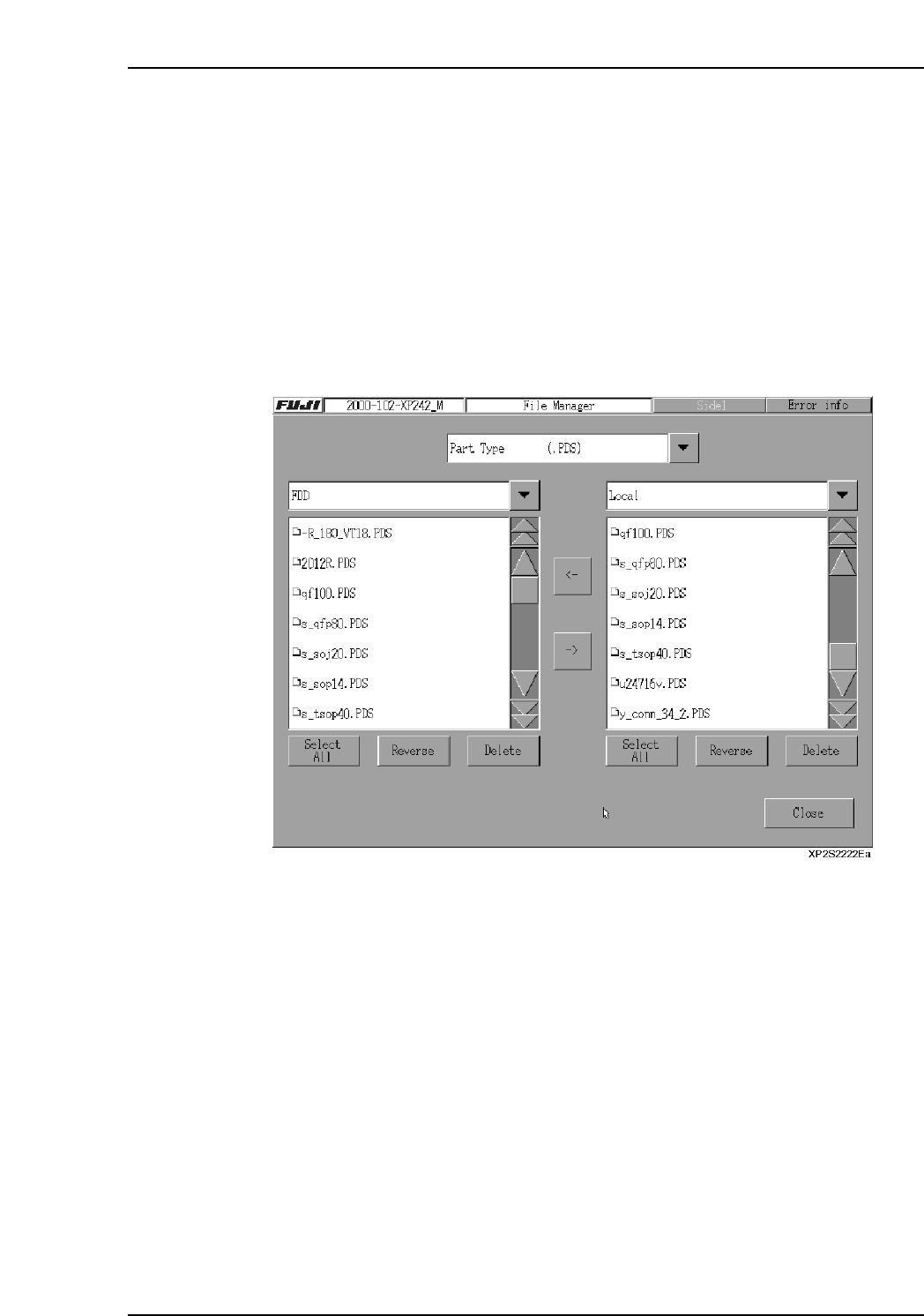
7.3.1 Copying Files To and From Floppy Disks
Procedure
1. Insert the copy source floppy disk into the floppy disk drive.
2. Press [Program] then [File] to display the [File Manager] screen.
3. Select the [▼] button at the top center of the screen to specify the type of file to be
copied.
4. Press the [▼] key at the left side, then select [FDD] from the displayed list.
“FDD” then displays in the left-side text box, and the names of files stored on the
floppy disk display in the left pane beneath the text box.
5. Select the [▼] button at the right of the screen to specify [Local] and the list of files
in the machine is displayed in the right column.
Part 2 Chapter 7 Data Administration
Edition 2.0 2-7-11 XP-142E System Reference
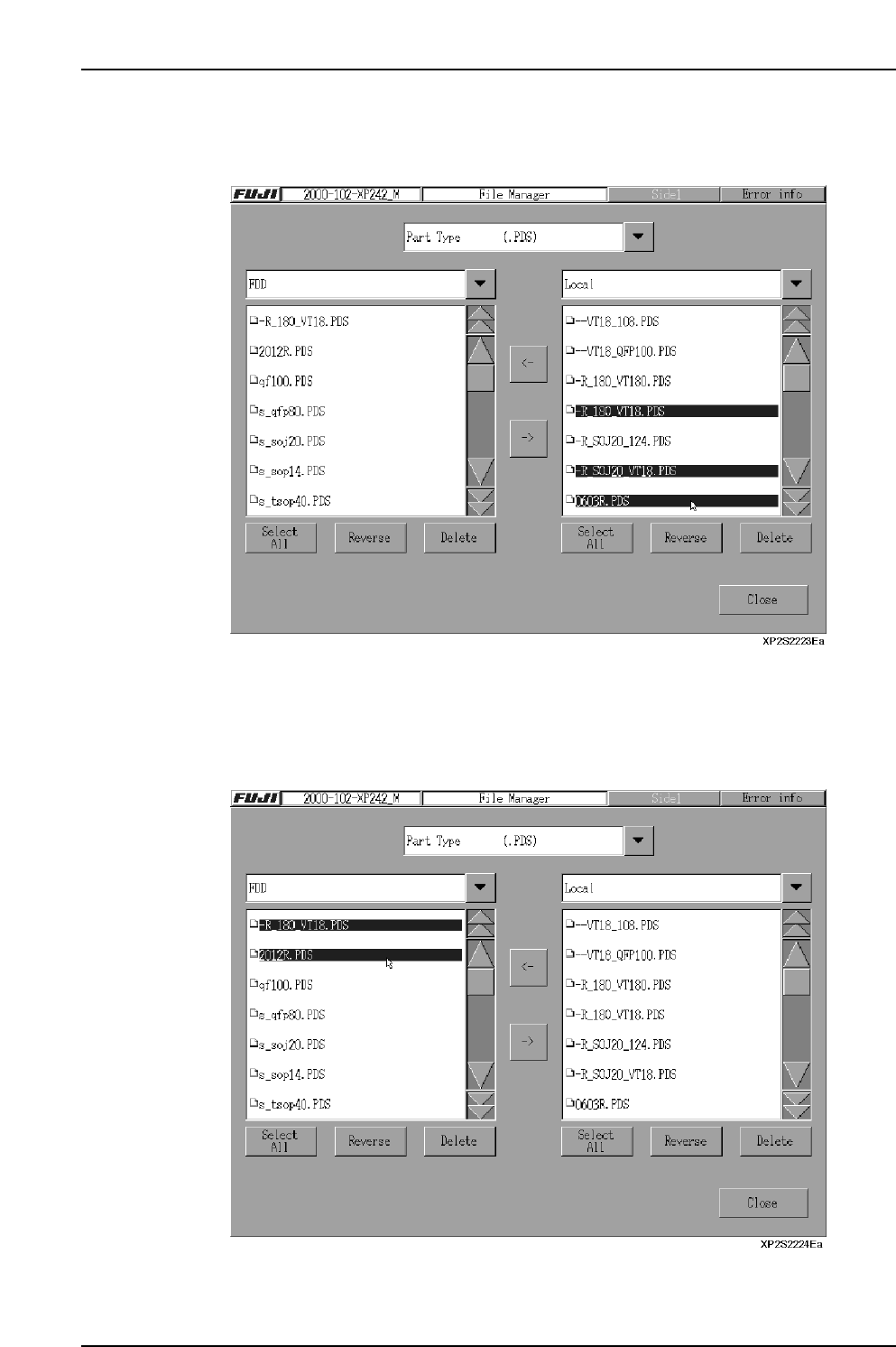
<Copying a Machine File to a Floppy Disk>
6. Select the file to be copied from the list in the right pane (more than one file may
be selected).
7. Press the [←] key to copy the selected file to the floppy disk. After verifying that
copying is completed, remove the floppy disk and press [Close].
<Copying a Floppy Disk File to the Machine>
6. Select the file to be copied from the list in the left pane (more than one file may be
selected).
7. Press the [→] key to copy the floppy disk to the machine file. After verifying that
copying is completed, remove the floppy disk and press [Close].
Part 2 Chapter 7 Data Administration
Edition 2.0 2-7-12 XP-142E System Reference
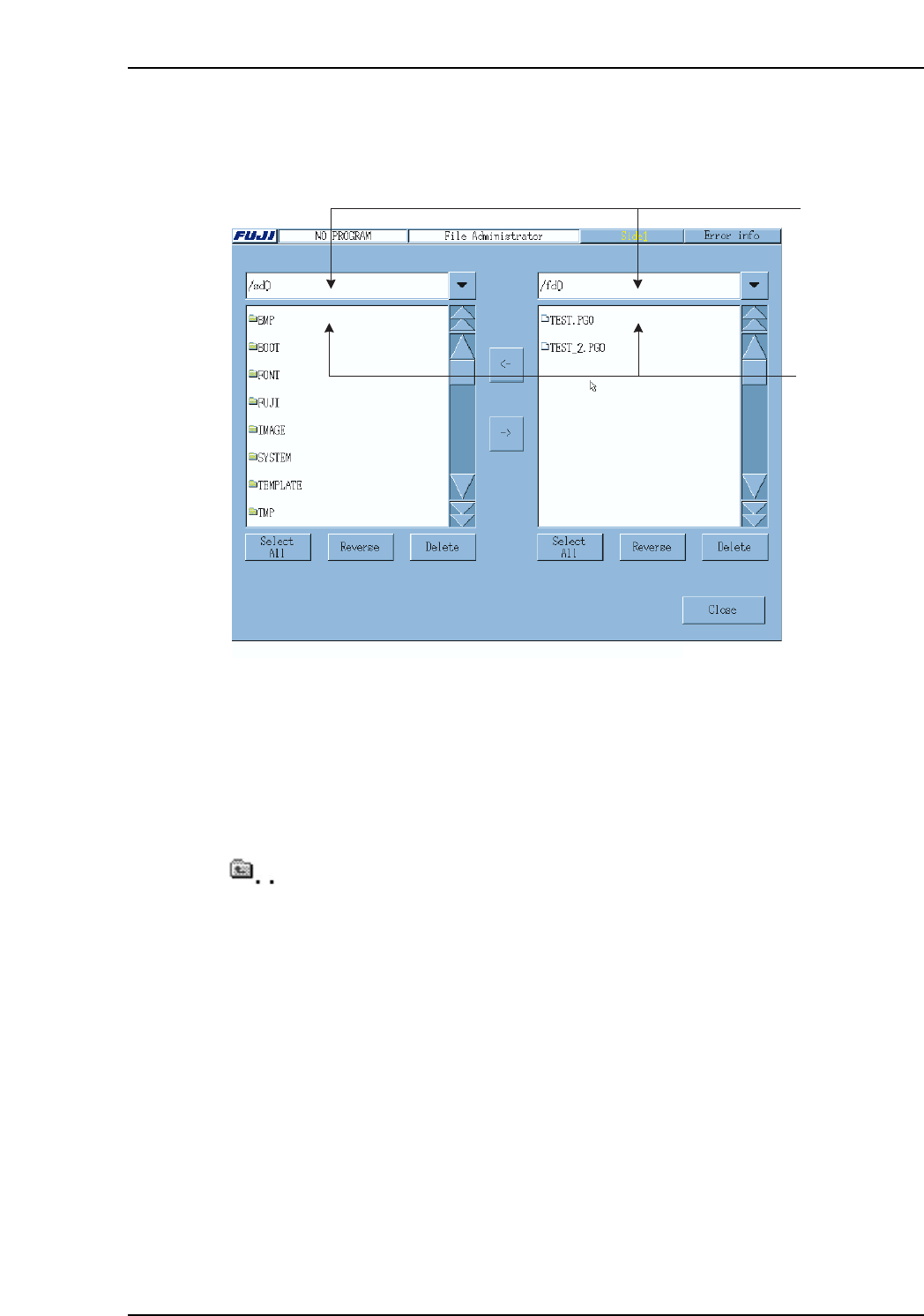
7.4 File Management (for the System Administrator)
At the [Maintenance B] screen, select [File Administrator] to display the [File
Administrator] screen.
Drive Selection Combo Box
Select the drive here.
/fd0: Floppy disk drive
/sd0: Machine hard disk drive
Drive/Directory File List
Double click any of the directory names to open that directory.
Double click this item to return to the upper directory.
Single click a file name to select a file. (Multiple selections are possible)
Drive/directory
file list
Drive selection
combo box
XP1S2175E
Part 2 Chapter 7 Data Administration
Edition 2.0 2-7-13 XP-142E System Reference