XP-142E System Reference-SYS-XP142-2.0E.pdf.pdf - 第56页
Part 2 Chapter 3 Changeover Edition 2.0 2-3-2 XP-142E System Reference If the nozzles mounted on the machine are different from those specified by the program, a dialog box displays, inquiring if the mounted nozzles are …
3. Changeover
3.1 Selecting a Production Program
(ESR0202i)
Production programs can be stored at the CPU board, on the machine’s hard disk, on a
floppy disk, or at the host computer. In order to use a stored program in production, an
“active” status (at CPU board memory) must be specified for that program. The name of
the program which is currently active displays on the task bar at the top of the screen.
3.1.1 Selecting a Production Program From the [Production]
Screen
Procedure
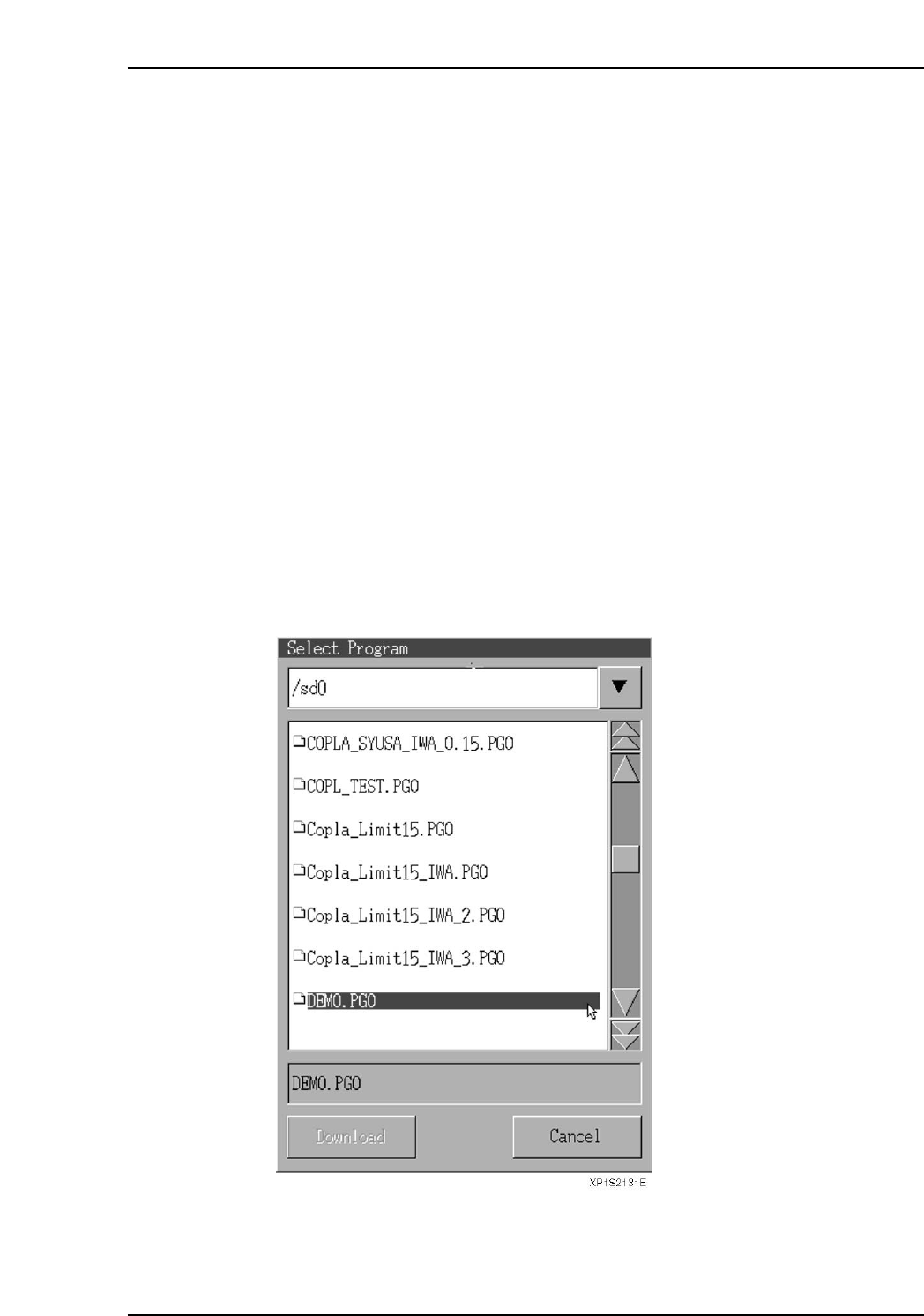
1. At the [Main] screen, press [Production] then [Program Select] to display a dialog
box showing a list of programs which are stored in the machine’s hard disk or on a
floppy disk.
Note: CCIMF format files created for FCP6(M), CP642(M), CP643(M), and XP-141E / XP-
142E machines can be read from a floppy disk. Because the XP-142E has only two
MFU units (100 slots / 8 mm tape width conversion), feeder setup data which
exceeds this capacity must not be used.
2. Select the desired production program from the list, then press the [Download]
button to load that program. The name of the loaded program displays on the
taskbar at the top of the screen, indicating that this program is now active.
Part 2 Chapter 3 Changeover
Edition 2.0 2-3-1 XP-142E System Reference
Part 2 Chapter 3 Changeover
Edition 2.0 2-3-2 XP-142E System Reference
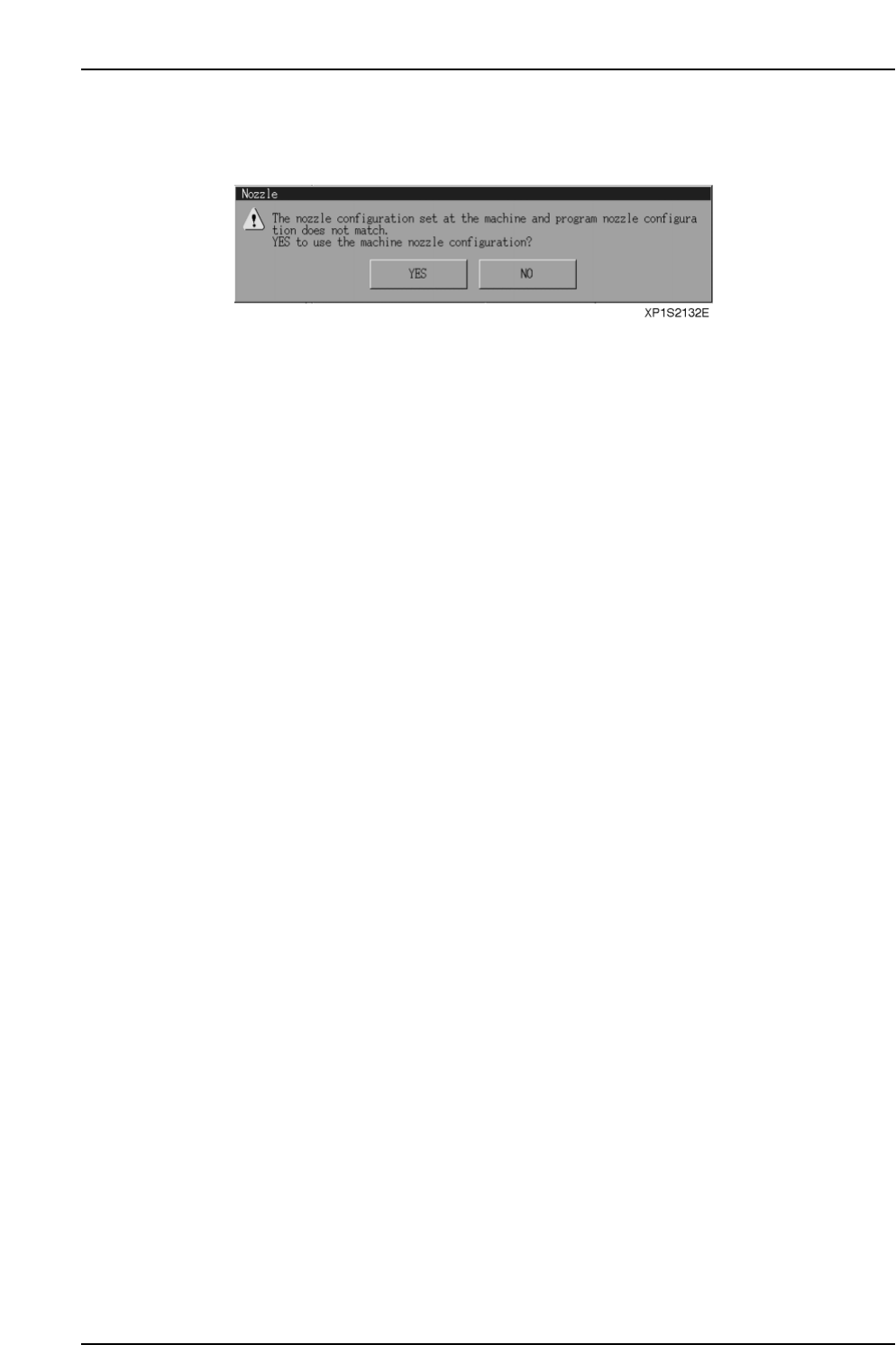
If the nozzles mounted on the machine are different from those specified by the program,
a dialog box displays, inquiring if the mounted nozzles are to be used in production.
If [Yes] is selected, “compile” processing is performed for the mounted nozzles, and an
error occurs if the required nozzles are not present.
If [No] is selected, the Nozzle Editor opens. Carry out the procedure described in the
“Nozzle Editor” section to change the nozzles. Press the [Nozzle Change Complete]
button when you have finished changing the nozzles. Select the production program
again.
Part 2 Chapter 3 Changeover
Edition 2.0 2-3-3 XP-142E System Reference
3.1.2 Selecting a Production Program From the [Program] Screen
A program can also be loaded from the program menu.
Note: This program selection is to edit the program. To use the target program in production you
must select the program again using the [Production] command.
Procedure
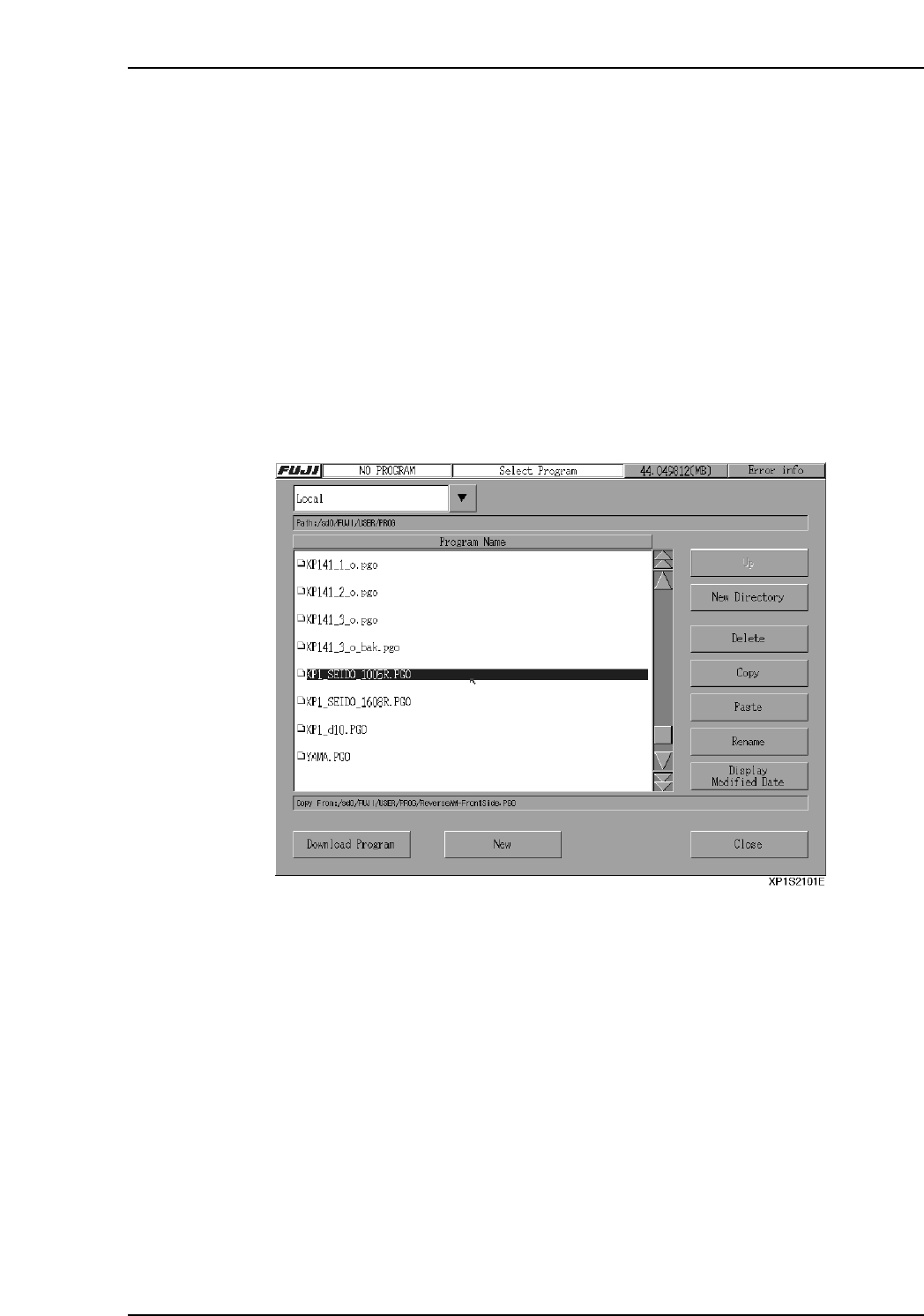
1. At the [Main] screen, press [Program] then [Program Select] to display a dialog
box showing a list of programs which are stored in the machine’s hard disk or on a
floppy disk.
2. Select the desired production program from the list, then press the [Download
Program] button to load that program. The name of the loaded program displays
on the taskbar at the top of the screen, indicating that this program is now active.
Note: CCIMF format files created for FCP6(M), CP642(M), CP643(M), and XP-141E / XP-142E
machines can be read from a floppy disk. Because the XP-142E has only two MFU units
(100 slots / 8 mm tape width conversion), feeder setup data which exceeds this capacity
must not be used.