XP-142E System Reference-SYS-XP142-2.0E.pdf.pdf - 第116页
4. A data file selection dialog box then displays. Select the file to be imported, then press [Open]. 5. The following message displays during the import operation. Part 2 Chapter 7 Data Administration Edition 2.0 2-7-4 …
7.2.2 Opertion Procedure
Import
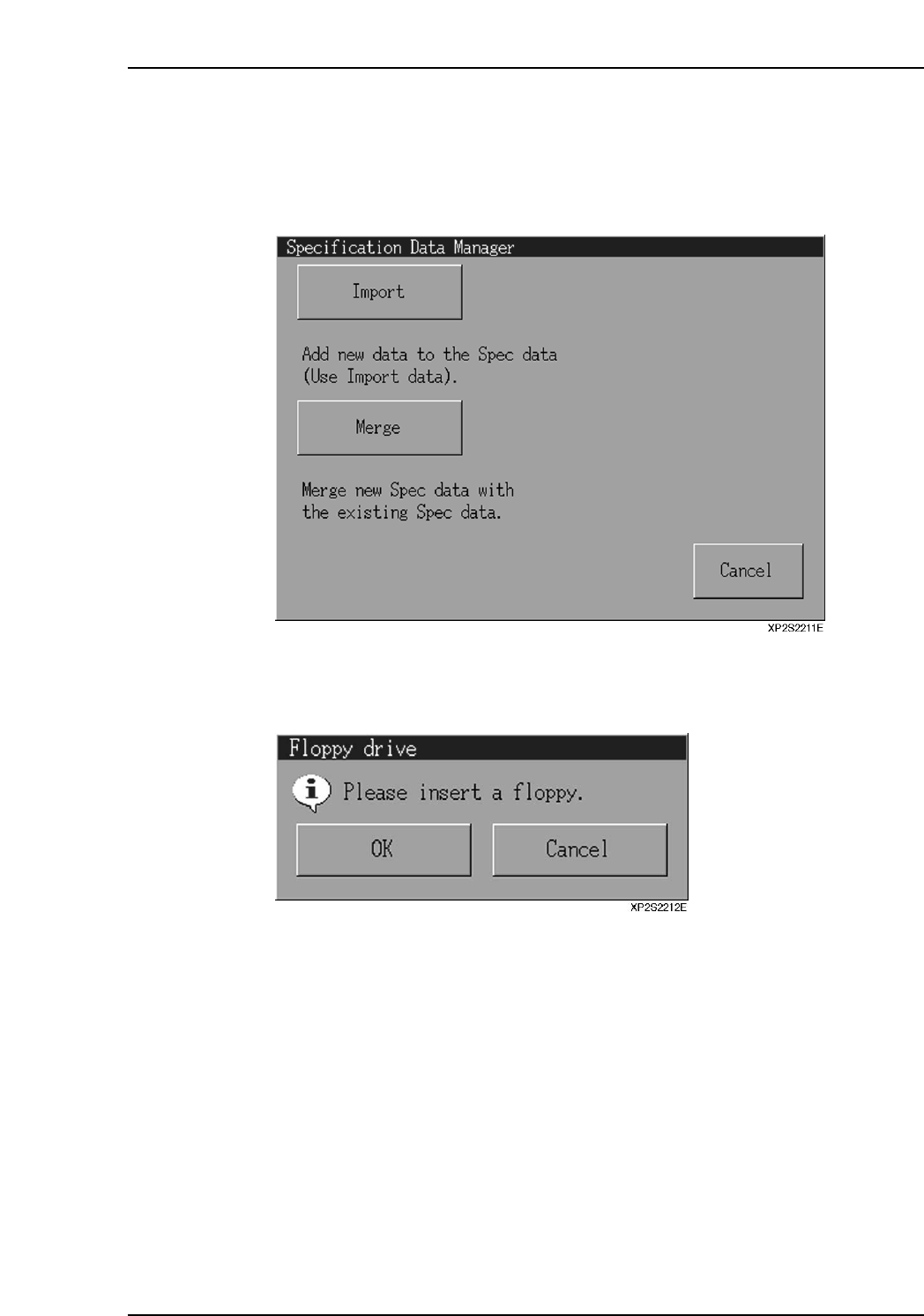
1. At the [Main] screen, select [Maintenance A] - [Specification Data Manager] to
display the [Specification Data Manager] dialog box.
2. Insert the floppy disk containing the data to be imported in the floppy disk drive,
then press the [Import] button.
3. Press [OK] at the floppy disk confirmation dialog box which displays.
Part 2 Chapter 7 Data Administration
Edition 2.0 2-7-3 XP-142E System Reference
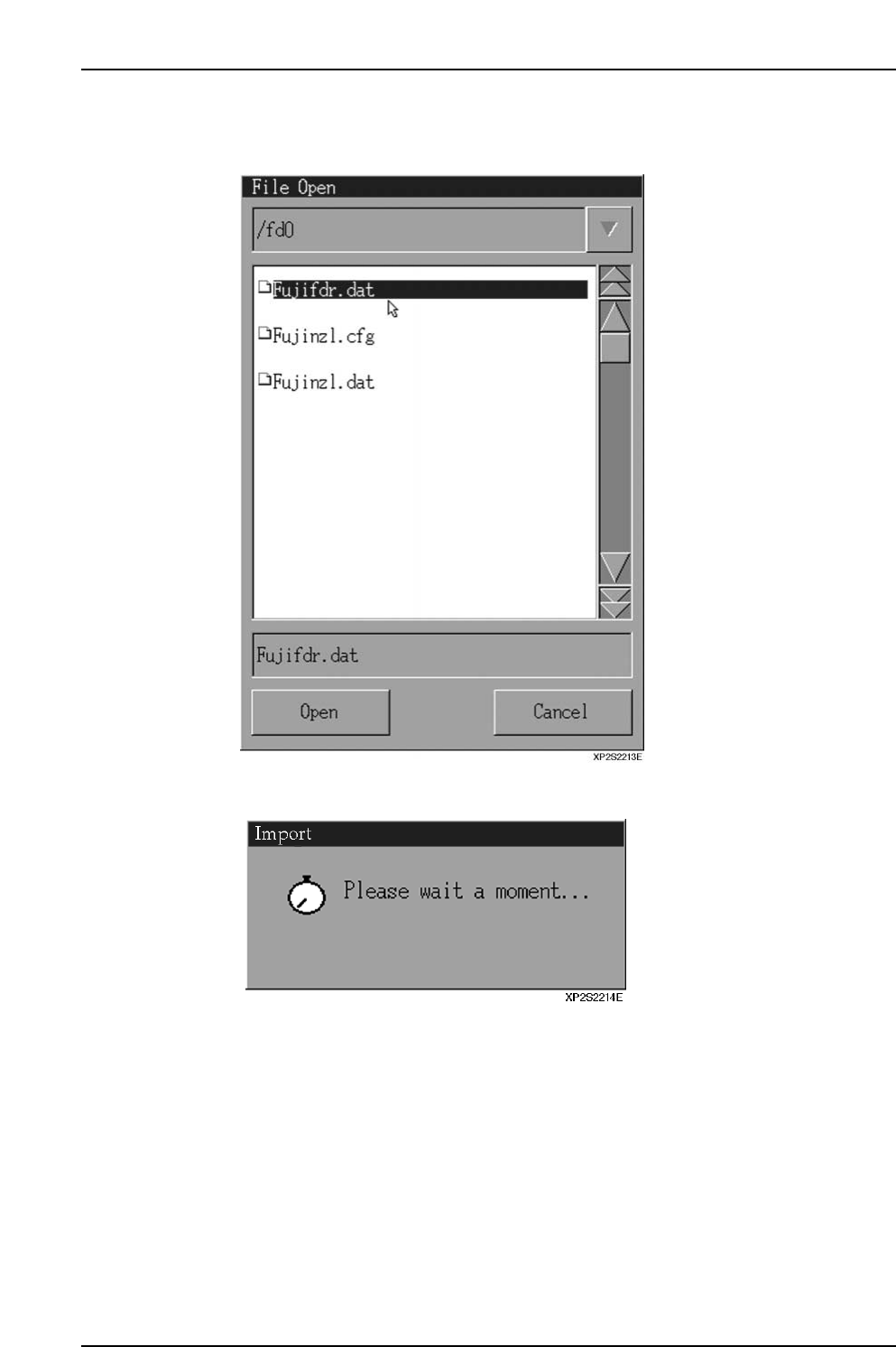
4. A data file selection dialog box then displays. Select the file to be imported, then
press [Open].
5. The following message displays during the import operation.
Part 2 Chapter 7 Data Administration
Edition 2.0 2-7-4 XP-142E System Reference
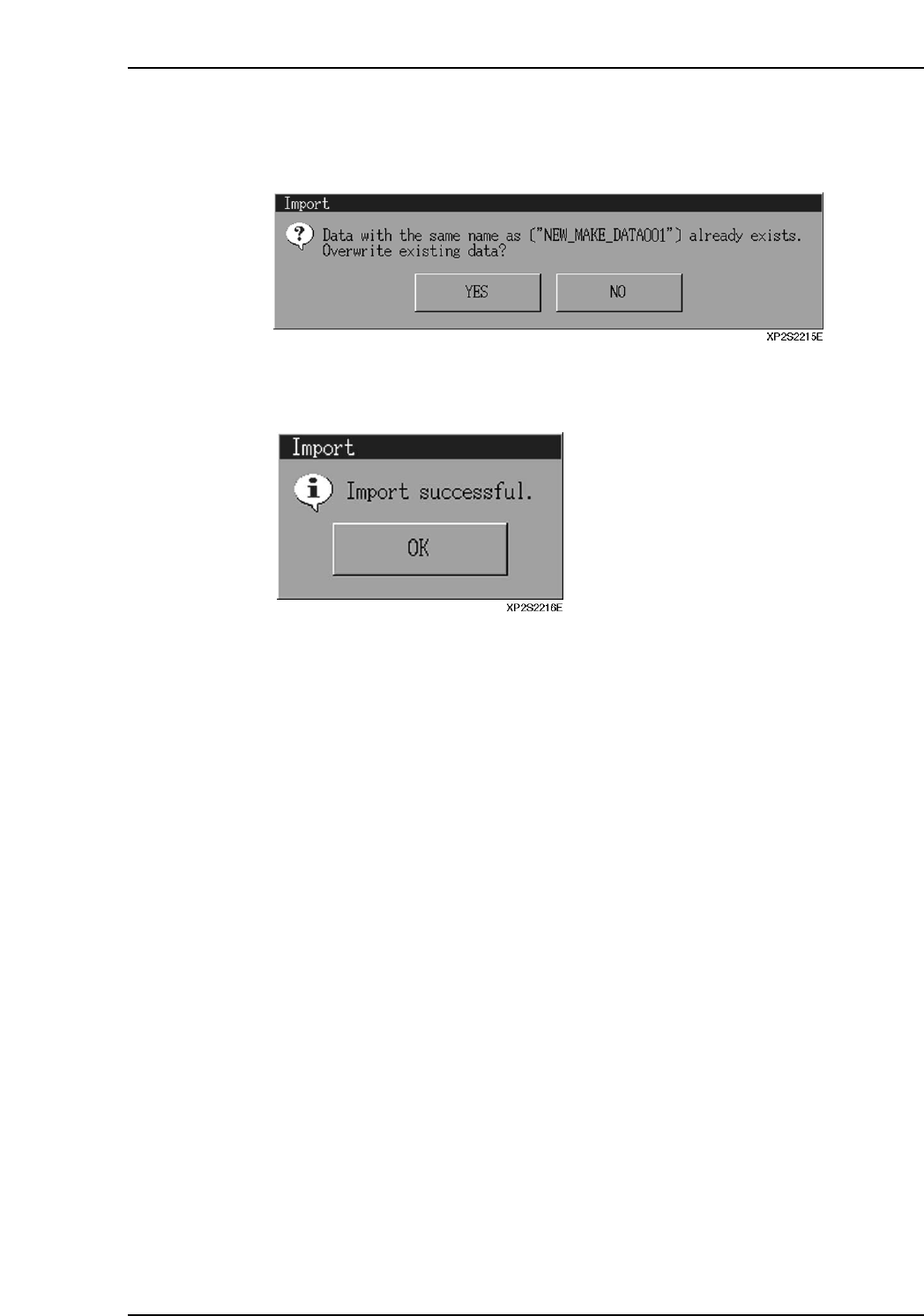
6. If specification data by the same name already exists, an “overwrite confirmation”
dialog box displays. Press [Yes] to overwrite the data in the machine’s file. Press
[No] to abort the import operation.
7. When the import operation is completed, the dialog box shown below displays.
Press [OK] to return to the specification data administration dialog box.
Part 2 Chapter 7 Data Administration
Edition 2.0 2-7-5 XP-142E System Reference