XP-142E System Reference-SYS-XP142-2.0E.pdf.pdf - 第110页
About Error Details Select the nozzle you would like to see from the list in the [Nozzle Info] screen and then click the [Error Detail] button. A screen with details of errors for that feeder will appear, as shown below.…
Error Rate
Displays the nozzle error rate which is calculated as follows:
Error count / consumed part count
Reject Count
Displays the reject count for nozzles which are in the log data which satisfies the
specified conditions, or registered in the selected log file. The number of the rejected
parts among the unplaced parts in the course of picking-up and placing movement.
Operation Button Explanations
Proceeds to the panel information screen.
Proceeds to the machine status information screen.
Proceeds to the nozzle information screen.
Displays error information for the selected nozzle.
(Refer to the following page.)
Proceeds to the nozzle information screen.
Proceeds to the error information screen.
Saves information data to a floppy disk.
If the standard feeder data screen is open, all tabulated feeder data
is saved to floppy disk. From the error details screen, only error
information from the currently displayed screen is saved to floppy
disk.
Closes this screen and returns to either the production information
display conditions setting screen, or the log file selection screen.
Part 2 Chapter 6 Production Information Display
Edition 2.0 2-6-19 XP-142E System Reference
About Error Details
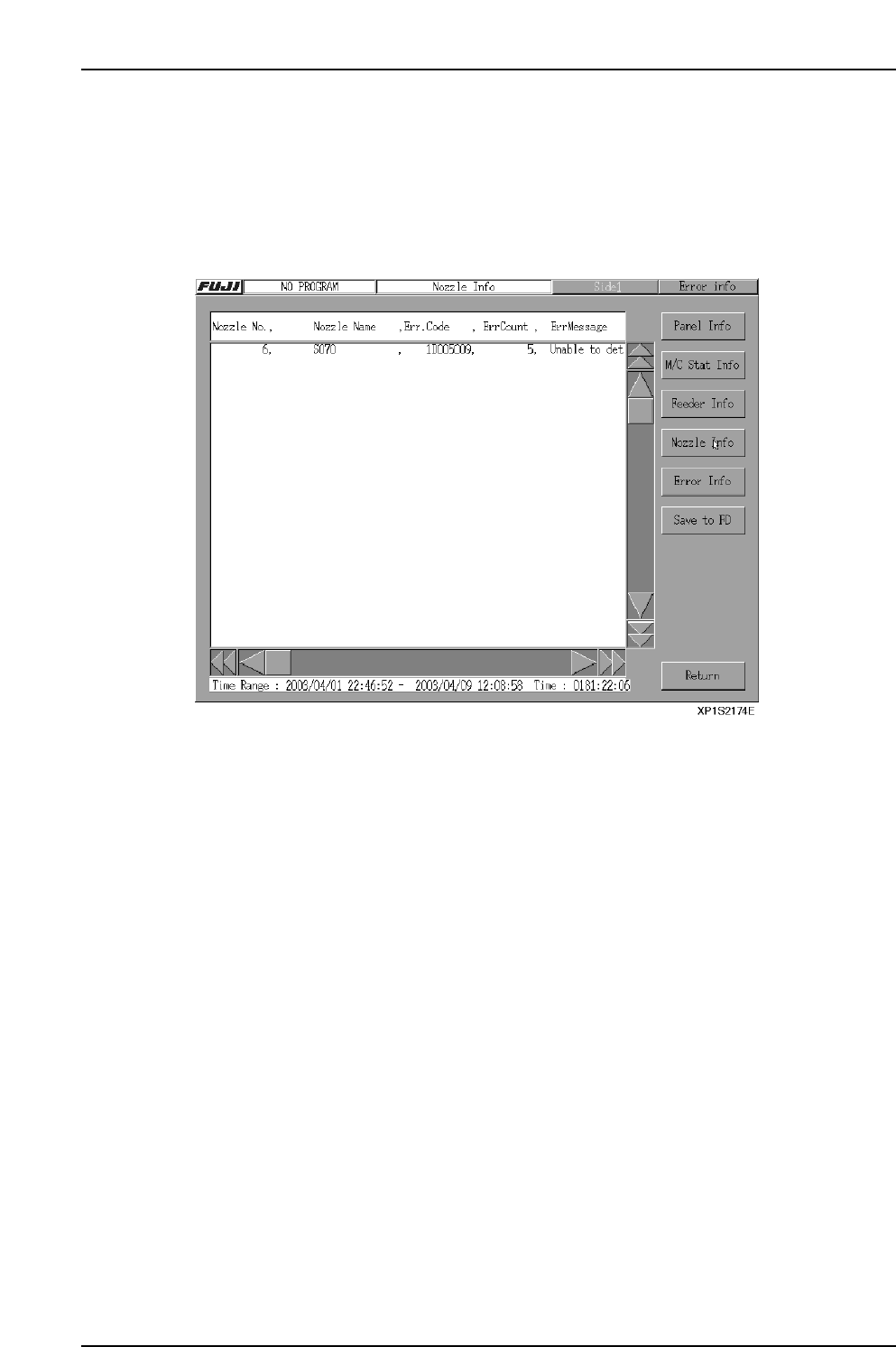
Select the nozzle you would like to see from the list in the [Nozzle Info] screen and then
click the [Error Detail] button. A screen with details of errors for that feeder will appear,
as shown below. The display toggles between [Nozzle Info] and [Error Detail] when
these buttons are selected.
Note: If a feeder with no errors is selected, no information will appear even if [Error Detail] is
selected. This is also true if the [TOTAL] column is selected.
Nozzle Number
The number of the specified nozzle
Nozzle Name
The name of the specified nozzle.
Error Code
The number of the error code that occurred.
Error Count
The number of errors for that nozzle.
Error Message
An explanation of the error.
Part 2 Chapter 6 Production Information Display
Edition 2.0 2-6-20 XP-142E System Reference
6.2.8 Error Information Screen
Data Explanation
The error count and error time are acquired from the event's "pT". However, less than 6
minutes is processed as a "stop", and 6 minutes or longer is processed as an "error".
Retry counts for vision processing, etc., are not included in this count.
If an error occurs and is followed by a another error, the entire time frame is allotted to
the original error unless it is canceled.
The count bit continues to register 1 count until the error bit is turned off.
Setting Item Explanations
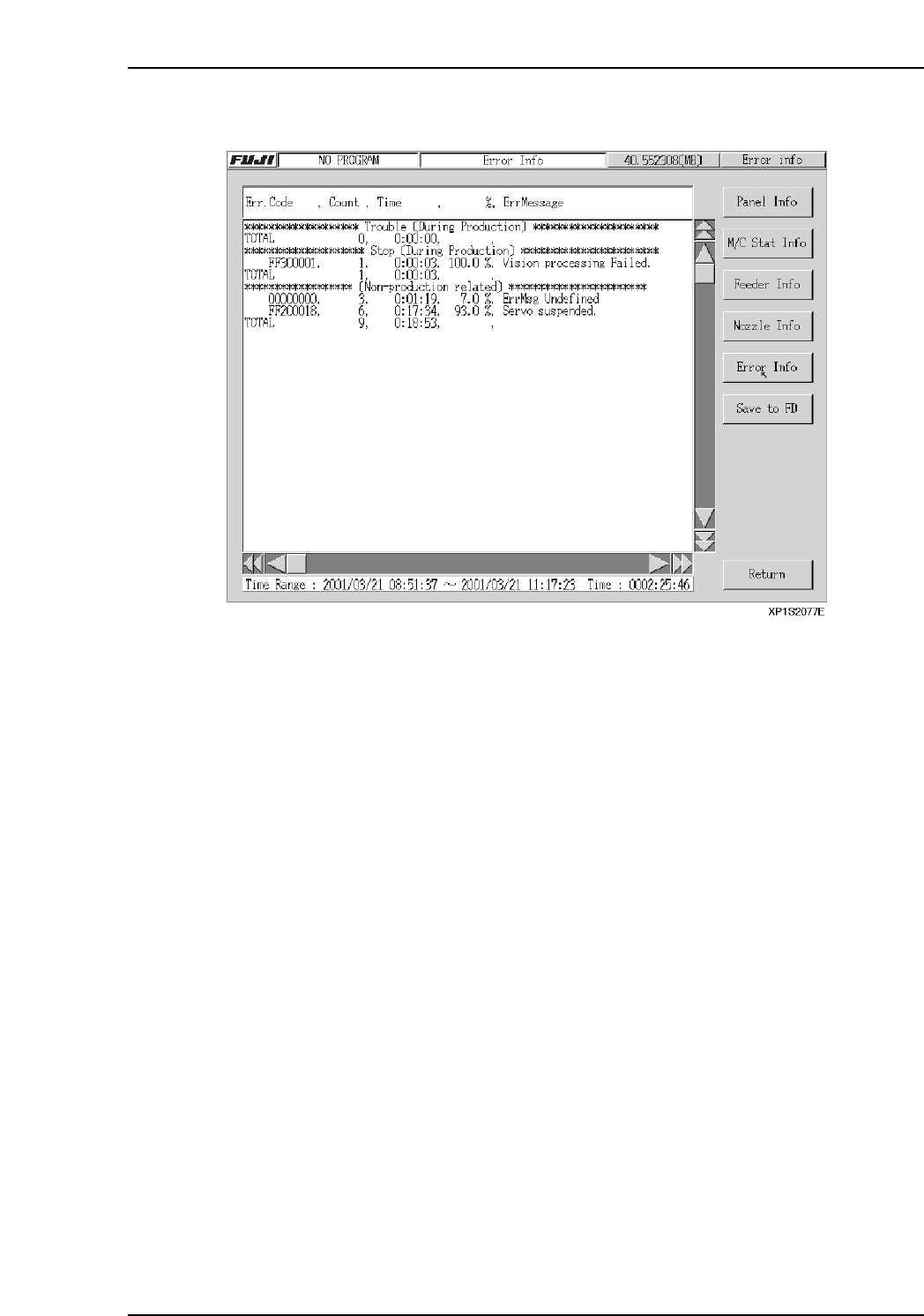
Error Code
Displays the code for the error which occurred.
Count
Displays the error occurrence count.
Time
Displays the total time during which the error was in effect.
%
Displays the time consumed by each error code as a percentage of the total error time.
Error Message
Displays an error message for the error code in question.
Part 2 Chapter 6 Production Information Display
Edition 2.0 2-6-21 XP-142E System Reference