XP-142E System Reference-SYS-XP142-2.0E.pdf.pdf - 第207页
11. An image of the picked up part is then captured. Click the arrow button at the [Edit Area] dialog box, drag the part image to the desired position, then press [Next]. 12. The lines which then display can be moved by …
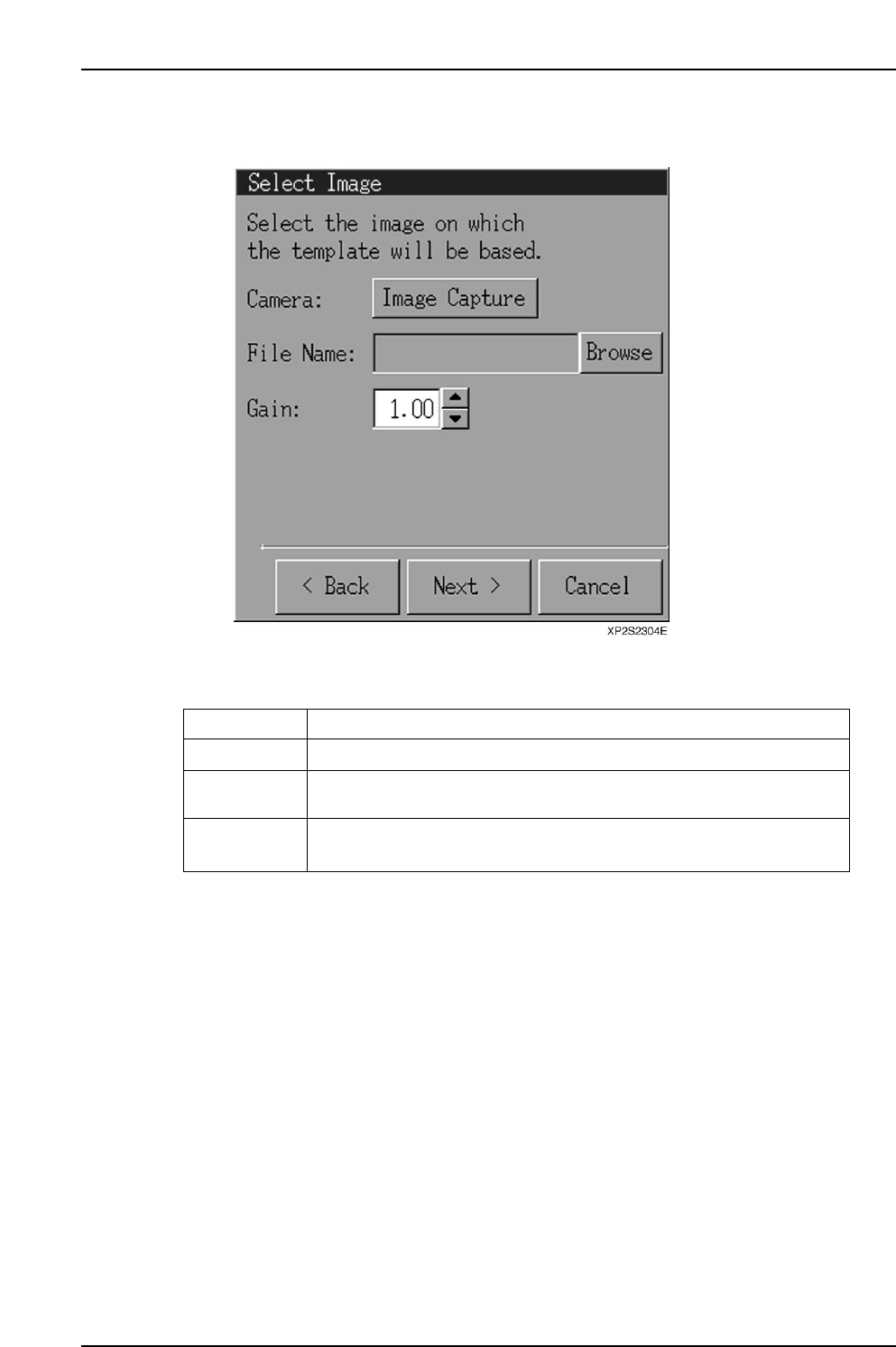
10. When the [Select Image] dialog box displays, select [Image Capture], then press
[Next].
Operation Button Explanations
Image capture
Browse
Gain
An image is captured by the camera.
Opens a file selection dialog box from which the desired image file can
be selected.
Changes the screen brightness in a virtual manner. The range is 0 ~ 255,
and the default setting is 1.00.
XP1S2317E
Display Function
Part 4 Chapter 2 Creating a Template From Existing Part Data
Edition 2.0 4-2-4 XP-142E System Reference
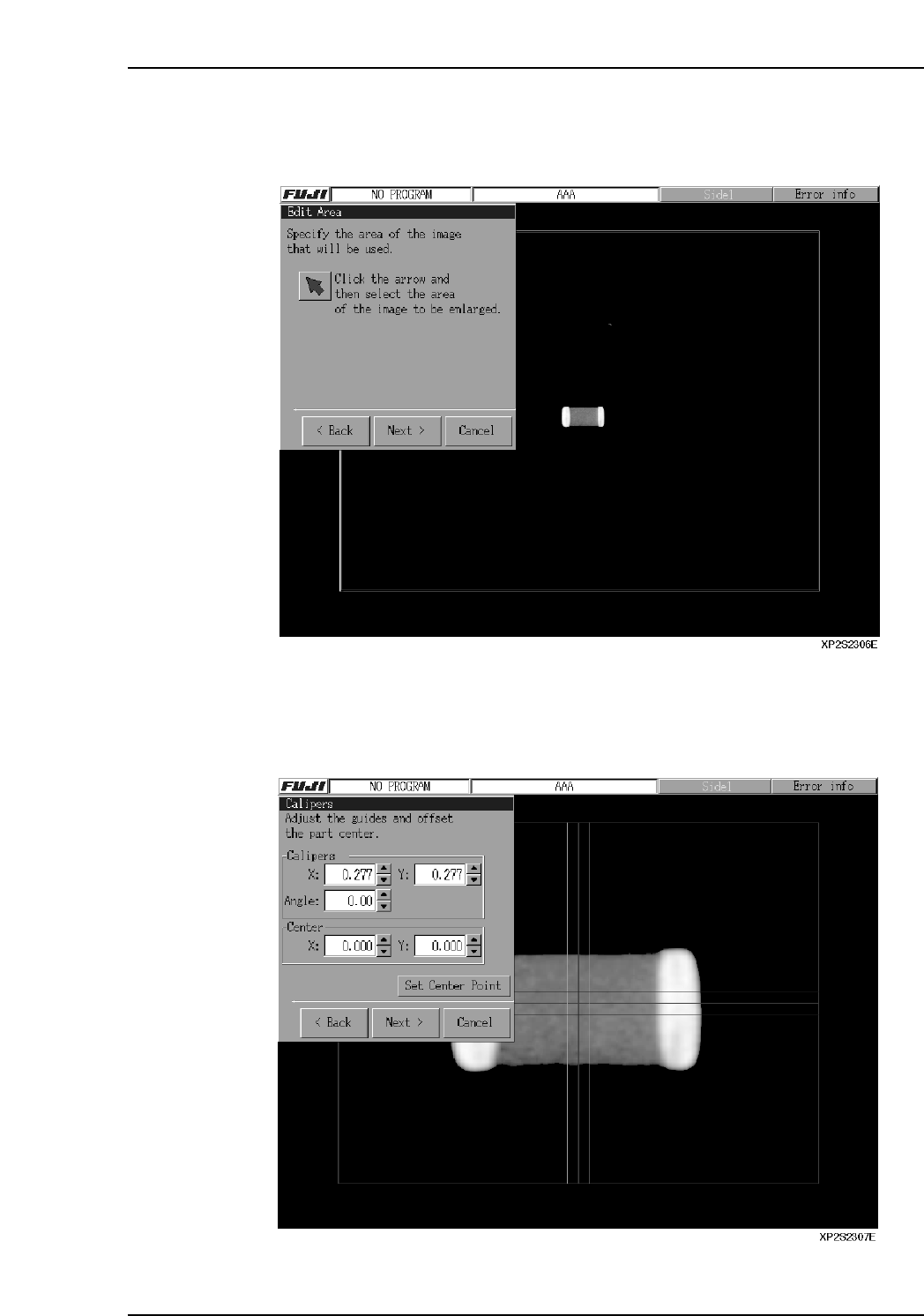
11. An image of the picked up part is then captured. Click the arrow button at the
[Edit Area] dialog box, drag the part image to the desired position, then press
[Next].
12. The lines which then display can be moved by dragging them, by entering the
coordinates in the [Calipers] textbox, or by pressing the arrow buttons beside the
textbox. Align the red lines with the part center by aligning the blue and green
lines with the part's top, bottom, left, and right sides. Press [Set Center Point] to
correct the image position, then press [Next].
Part 4 Chapter 2 Creating a Template From Existing Part Data
Edition 2.0 4-2-5 XP-142E System Reference
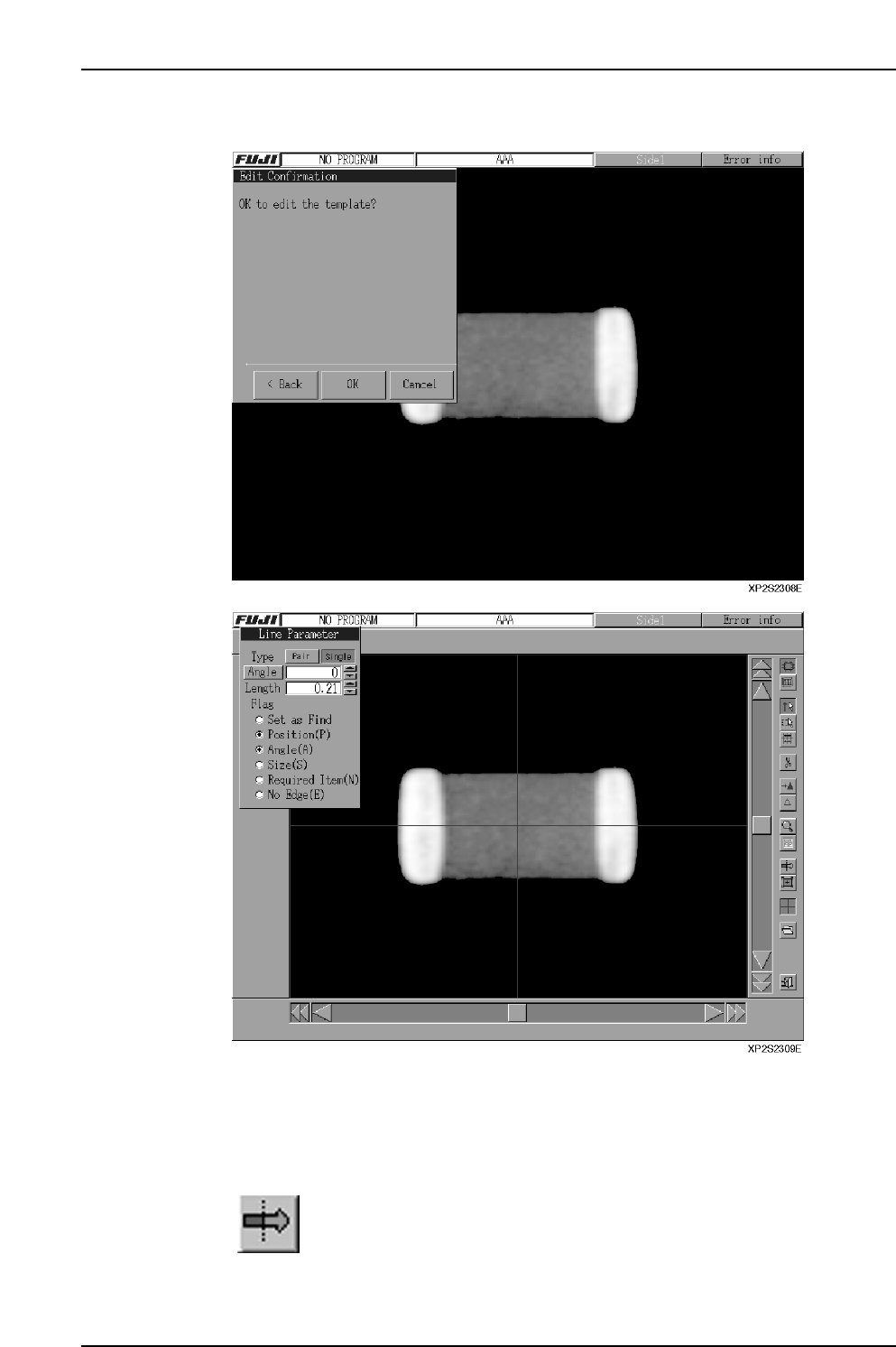
13. Press [OK] to proceed to the template editor screen.
Note: The buttons on the template creation screen are explained later.
14. Display the seek lines by selecting the required points. Refer to Part 2 (Template
Reference) of the MS Algorithm Vision Processing Reference manual for
information about drawing seek lines for representative part types.
15.
Select the edge position correction function, then correct the position
so that the edge is at the seek line center point. A triangle mark
displays at seek lines selected by the "Find Set" operation.
Part 4 Chapter 2 Creating a Template From Existing Part Data
Edition 2.0 4-2-6 XP-142E System Reference