XP-142E System Reference-SYS-XP142-2.0E.pdf.pdf - 第74页
Part 2 Chapter 4 Starting the Production Edition 2.0 2-4-2 XP-142E System Reference 4.2 Automatic Operation (ESR0208f) Pressing [Production], [Sequence] at the [Main] screen enables the START button. Production starts wh…
Part 2 Chapter 4 Starting the Production
Edition 2.0 2-4-1 XP-142E System Reference
4. Starting Production
4.1 Checking Start Conditions
(ESR0206d)
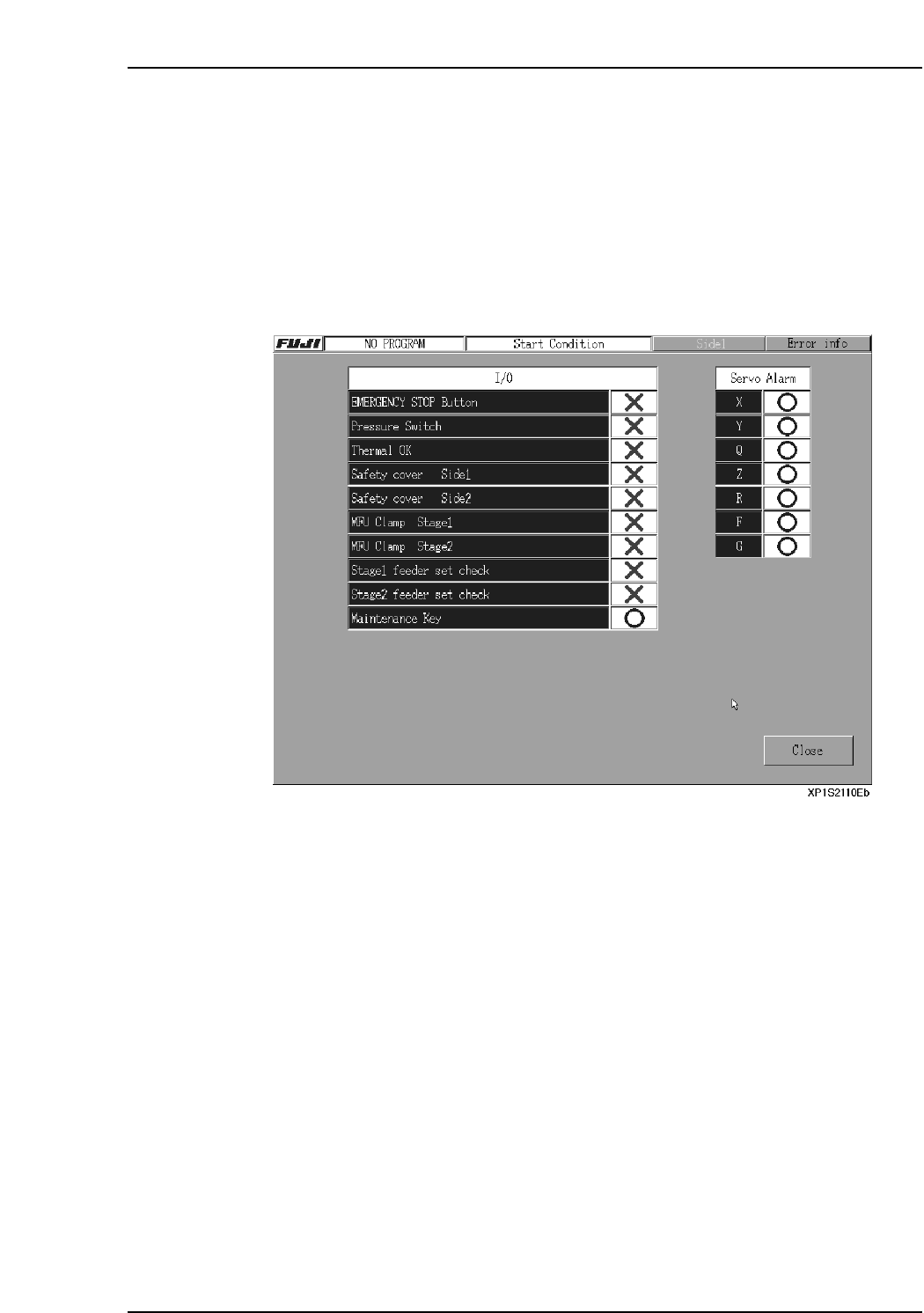
The required startup conditions must be satisfied before the machine can proceed with
automatic operation. Use the following procedure to check the startup conditions.
Procedure
1. At the [Main] screen, press [Production] then [Start Condition] to display a screen
like that shown below.
Part 2 Chapter 4 Starting the Production
Edition 2.0 2-4-2 XP-142E System Reference
4.2 Automatic Operation
(ESR0208f)
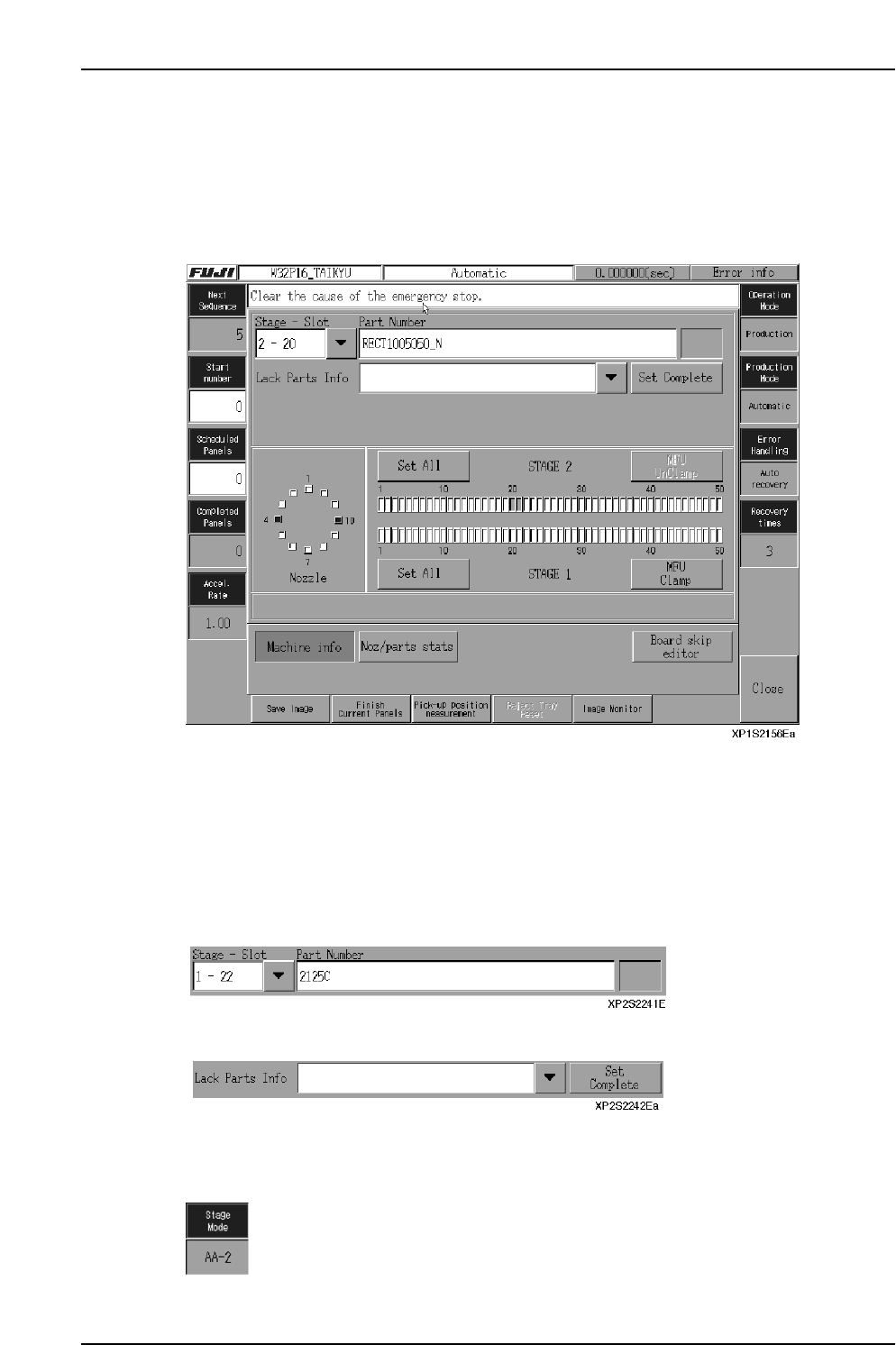
Pressing [Production], [Sequence] at the [Main] screen enables the START button.
Production starts when the START button is pressed.
[Example]
Display/Editing Procedure
Next Sequence: No. of next sequence to be executed.
Start No.: Edit the start sequence No. as necessary.
(The placing sequences prior to the starting sequence are ignored,
as if they were finished.)
Scheduled Panels: Change the production quantity as necessary
Completed Panels: Number of completed panels.
Accel. Rate: This is the servo motor acceleration.
Displays information about the stage and slot used in production.
Displays the Slot where a “parts out” condition has been identified by the machine.
A “Parts Set” status is established when the [Set Complete] button is pressed.
[Stage Change]: (Only in AA Mode) Use to change the stage used.
The current stage is displayed here . (Only in AA Mode)
Part 2 Chapter 4 Starting the Production
Edition 2.0 2-4-3 XP-142E System Reference
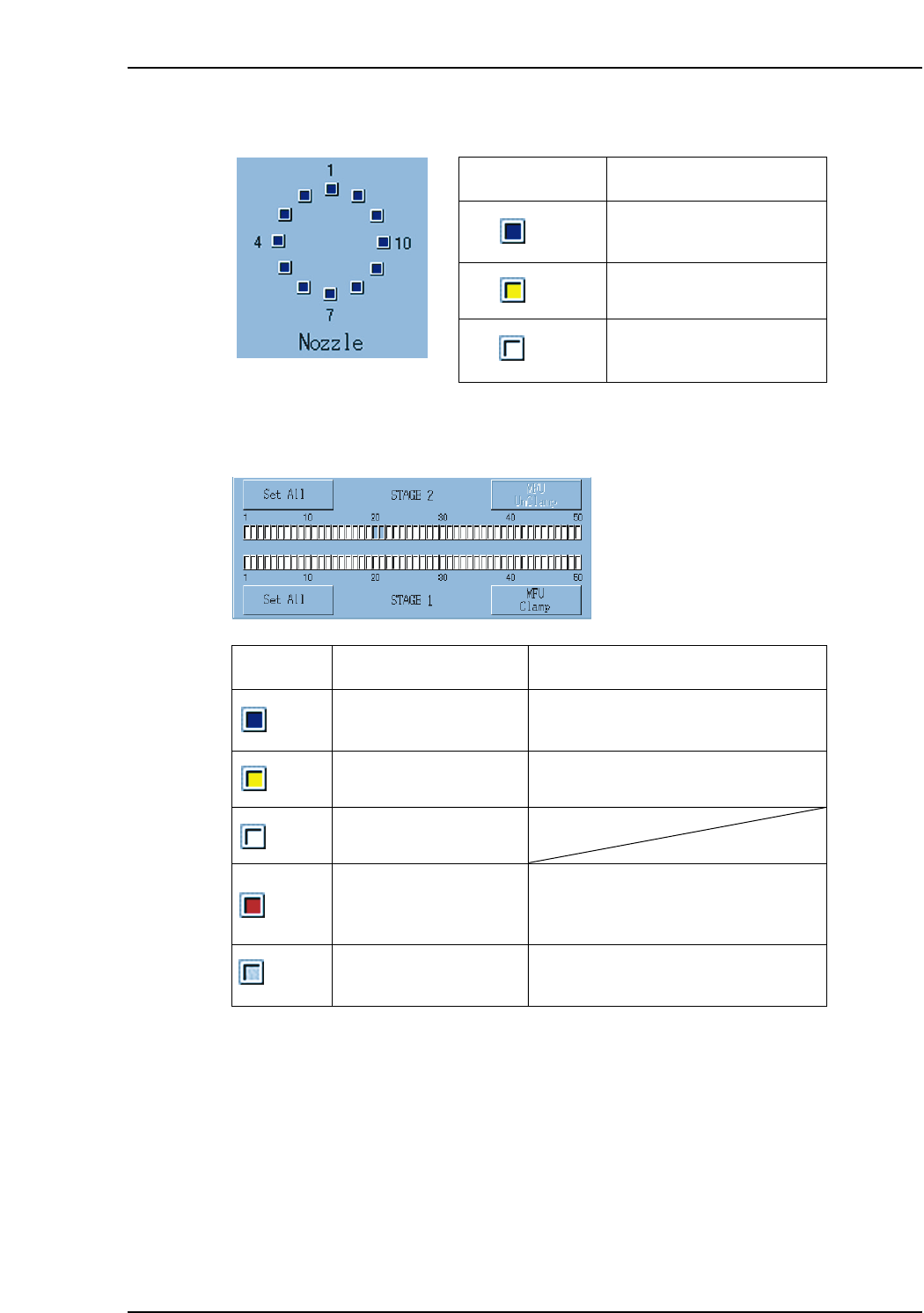
Nozzle status is displayed in the area shown below.
Stage and slot status are displayed in the area shown below.
Display Explanation Click Operation
Slot used in production
(during operation)
Caution slot based on
statistical processing
Unused slot(white)
(blue)
(yellow)
(red)
(gray)
Parts-out slot
Slot used in production
(operation not in progress)
1. "Parts Information" data displays.
2. Error rate displays at bottom of screen.
1. "Parts Information" data displays.
2. Error rate displays at bottom of screen.
1. "Parts Information" data displays.
2. Error rate displays at bottom of screen.
3. "Parts out information" data displays.
1. "Parts Information" data displays.
2. Error rate displays at bottom of screen.
XP1S2244Ea
Display Explanation
Nozzle used in production
Unused nozzle
Warning nozzle based on
statistical processing
(blue)
(white)
(yellow)
XP1S2243E