XP-142E System Reference-SYS-XP142-2.0E.pdf.pdf - 第113页
7. Data Administration 7.1 System Data Backup and Recovery (ESR0602a) The system data can be backed up as a measure against system data crashes. Should such a crash occur, the backed up system data can be used to perform…
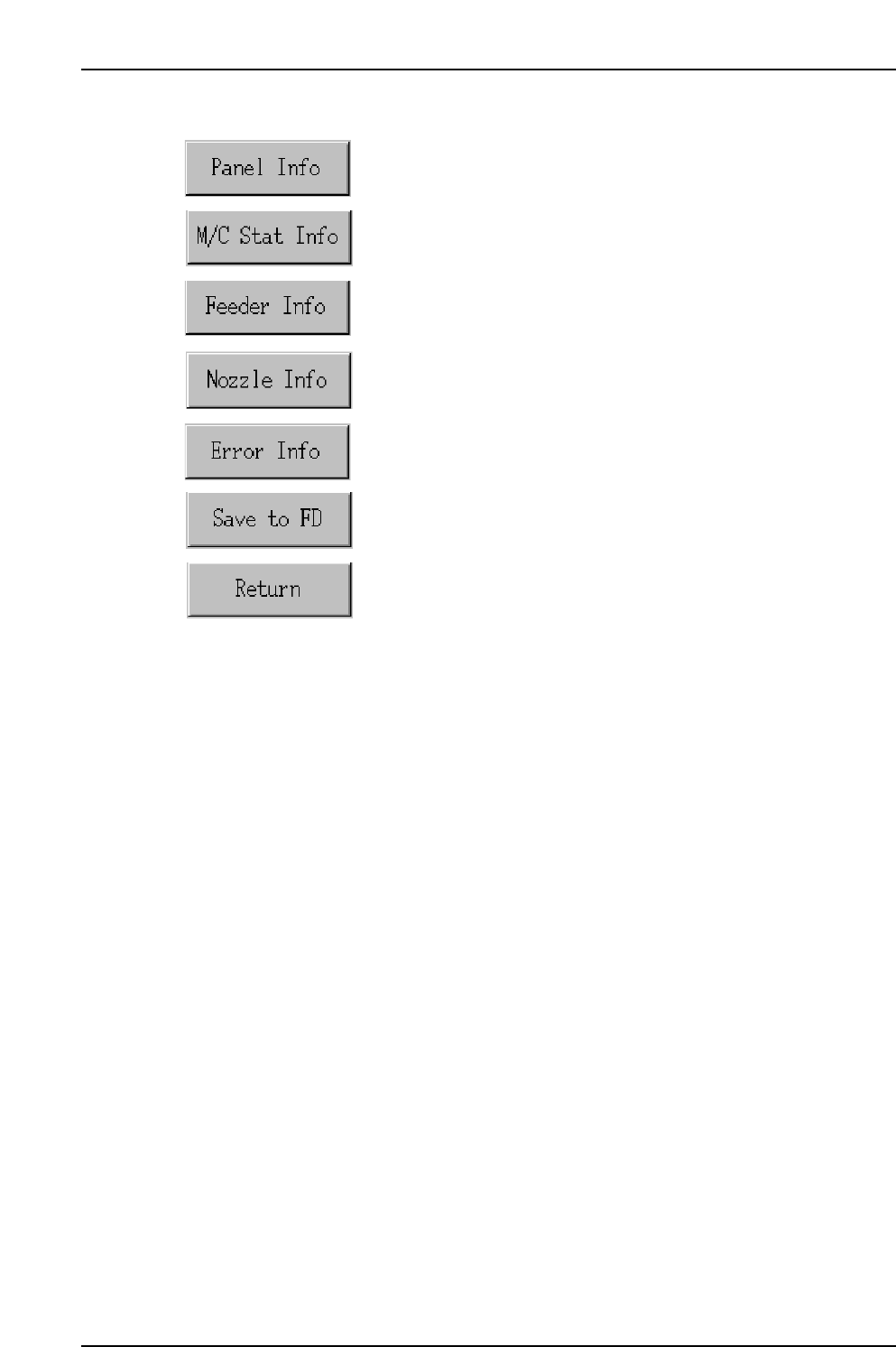
Operation Button Explanations
Proceeds to the panel information screen.
Proceeds to the machine status information screen.
Proceeds to the feeder information screen.
Proceeds to the nozzle information screen.
Proceeds to the error information screen.
Saves all the tabulated production information in the screen to a
floppy disk.
Closes this screen and returns to either the production information
display conditions setting screen, or the log file selection screen.
Part 2 Chapter 6 Production Information Display
Edition 2.0 2-6-22 XP-142E System Reference
7. Data Administration
7.1 System Data Backup and Recovery
(ESR0602a)
The system data can be backed up as a measure against system data crashes. Should
such a crash occur, the backed up system data can be used to perform a recovery.
<System Data Contents>
• Proper data
• Language settings
• Vision processing data
• Calibration data
• User account information
• Touch panel calibration data
• Matrix compensation data
• Nozzle compensation data
• Device compensation data
• System data such as a specification data
Note: It is not possible to back up production programs, part data, or templates which created by
the user.
Procedure
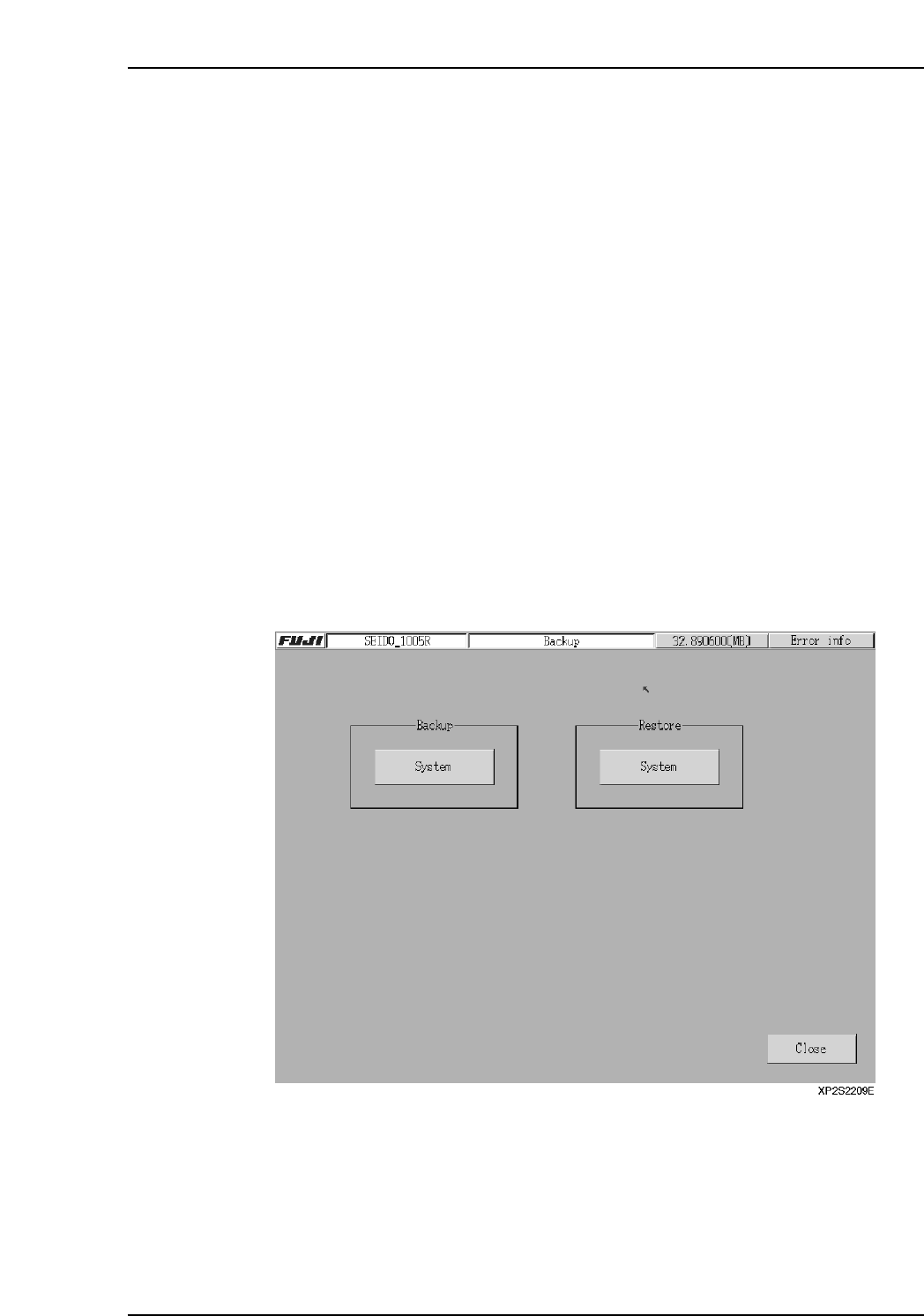
1. At the [Main] screen, select [Maintenance B] then [Backup] to display the [Backup]
screen.
2. To create a backup system file, insert a floppy disk into the floppy disk drive, then
press [System] at the “Backup” side.
3. To perform a recovery, insert the floppy disk containing the backup system file,
then press [System] at the “Recovery” side.
Note: After restoring the system, turn off the main machine power and restart the machine. Do not
shut down the machine.
Part 2 Chapter 7 Data Administration
Edition 2.0 2-7-1 XP-142E System Reference
7.2 Specification Data Administration Function
(ESR0604a)
The specification data administration function is used on XP machines to import and
merge specification data. The specification data is a file which contains the specifications
for the nozzles and feeders being used. When new nozzles or feeders are added, the new
specification data for those items must be imported/merged.
Note: If using a Fuji Machine host system or MCS-X, complete the merge or import at the host or
MCS-X before transmission to the XP machine.
Import: A specification data file is imported and added to the specification data in the
machine.
Merge: Specification data created off the machine is merged with the specification
data in the machine, to create a single specification data file.
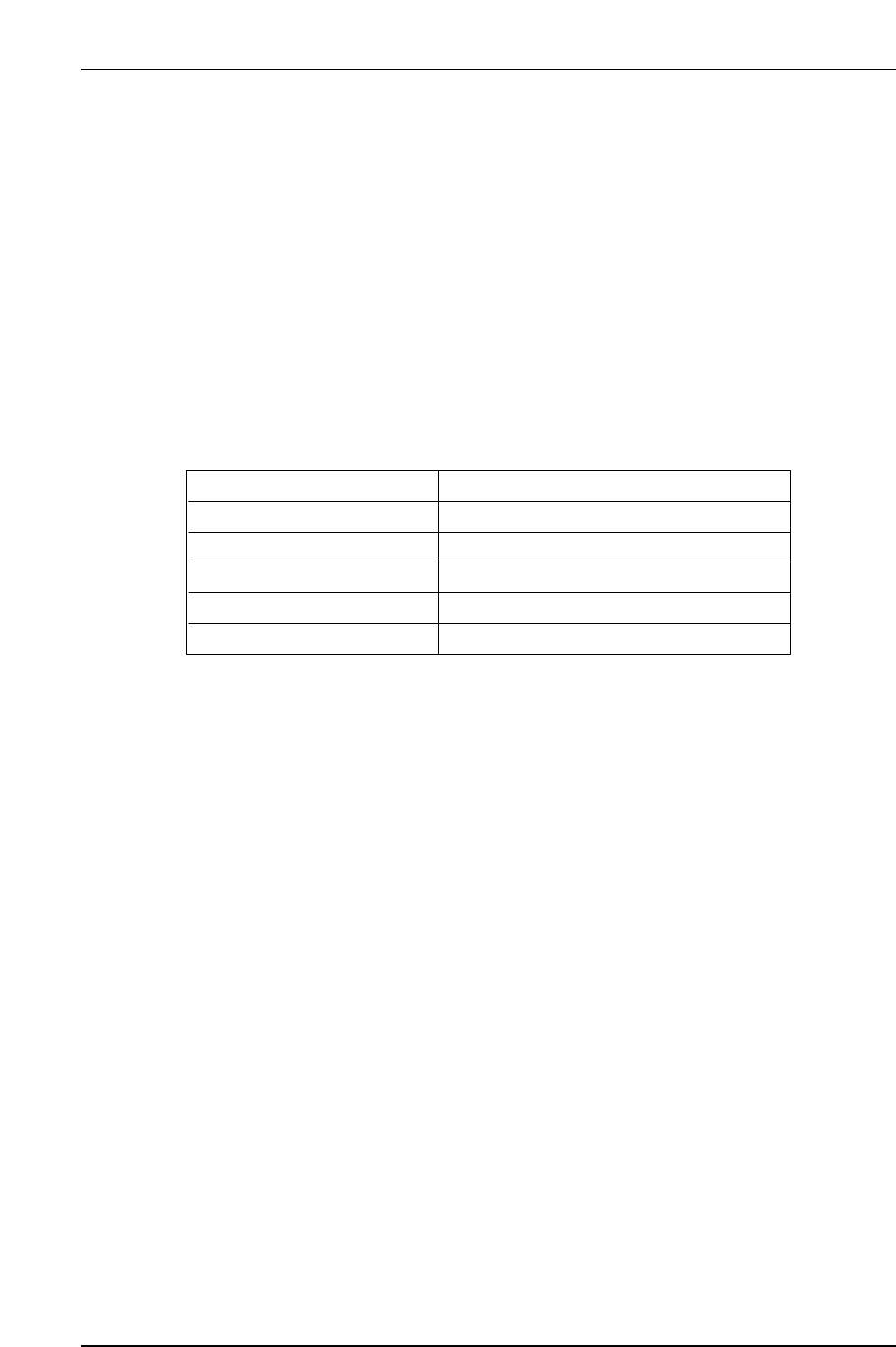
7.2.1 File Types Which Are Handled
Note: Other than imported data, file names differing from those listed above will not be accepted.
Only imported file names for data selected at the file selection screen will be accepted.
FUJINZL.DAT
FUJINZL.CFG
FUJIFDR.DAT
File selection available (IN_NZL.DAT etc.)
File selection available (IN_FDR.DAT etc.)
SKDEF.INI
Nozzle spec. data
Nozzle configuration data
Feeder spec. data
Nozzle data for import
Feeder data for import
Definition settings file
XP2S2220Ea
Part 2 Chapter 7 Data Administration
Edition 2.0 2-7-2 XP-142E System Reference