XP-142E System Reference-SYS-XP142-2.0E.pdf.pdf - 第38页
Part 2 Operation (ESR02AA) This part of the manual explains how to operate the machine. 1. Basic Operation . . . . . . . . . . . . . . . . . . . . .2-1-1 2. Settings Prior to Start Production . . . . . . .2-2-1 3. Change…

Notes:
Part 1 Chapter 2 Glossary
Edition 2.0 1-2-2 XP-142E System Reference

Part 2
Operation
(ESR02AA)
This part of the manual explains
how to operate the machine.
1. Basic Operation . . . . . . . . . . . . . . . . . . . . .2-1-1
2. Settings Prior to Start Production . . . . . . .2-2-1
3. Changeover . . . . . . . . . . . . . . . . . . . . . . . .2-3-1
4. Starting Production . . . . . . . . . . . . . . . . . .2-4-1
5. Stopping and Resuming Production . . . . .2-5-1
6. Production Information Display . . . . . . . . .2-6-1
7. Data Administration . . . . . . . . . . . . . . . . . .2-7-1
8. System Administration . . . . . . . . . . . . . . . .2-8-1
9. Other Settings . . . . . . . . . . . . . . . . . . . . . .2-9-1
10. When Trouble Occurs . . . . . . . . . . . . . . .2-10-1
1. Basic Operation
(ESR02AB)
This chapter explains basic procedure of the machine operation. Ensure you are familiar with all the
parts of the machine, which have been described in Part 1, before attempting the procedures
described in this chapter. Most of the explanations start from the [Main] screen shown below.
1.1 Starting Up and Shutting Down the Machine
(ESR0201i)
1.1.1 Starting the Machine and Displaying the [Main] Screen
Although most of the explanations in this chapter start from the [Main] screen, this is not
the first screen that displays when the machine is started. Carry out the following
procedure to start the machine and display the [Main] screen.
Procedure
1. Start the host system connected to the machine.
2. Set the circuit breaker on the machine to the ON position.
3. Push the SYSTEM ON button to start the machine.
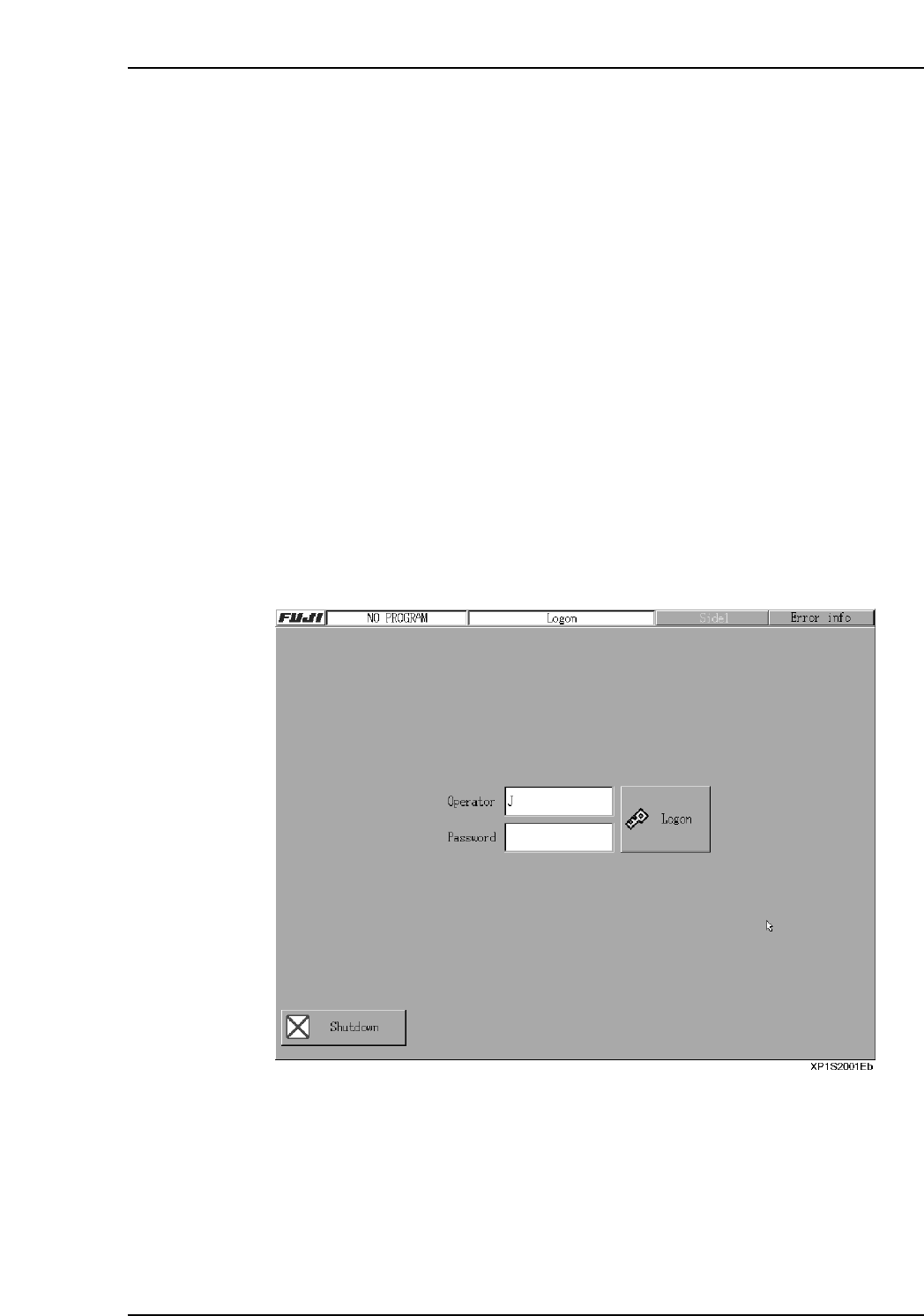
The machine boots up and the red [Logon] screen displays.
4. Pressing the [Operator] or [Password] fields displays a keyboard.
5. Using the displayed keyboard, enter the [Operator] (operator name) and
[Password], then press [Logon] to log on.
Part 2 Chapter 1 Basic Operation
Edition 2.0 2-1-1 XP-142E System Reference