XP-142E System Reference-SYS-XP142-2.0E.pdf.pdf - 第150页
10.2 T race Data Output Procedure (ESR0230b) When a problem occurs due to an unknown cause, the processing details must be obtained in order to identify the cause and correct the problem. To do this, and to enable Fuji t…
10.When Trouble Occurs
10.1 I/O Check
(ESR0228b)
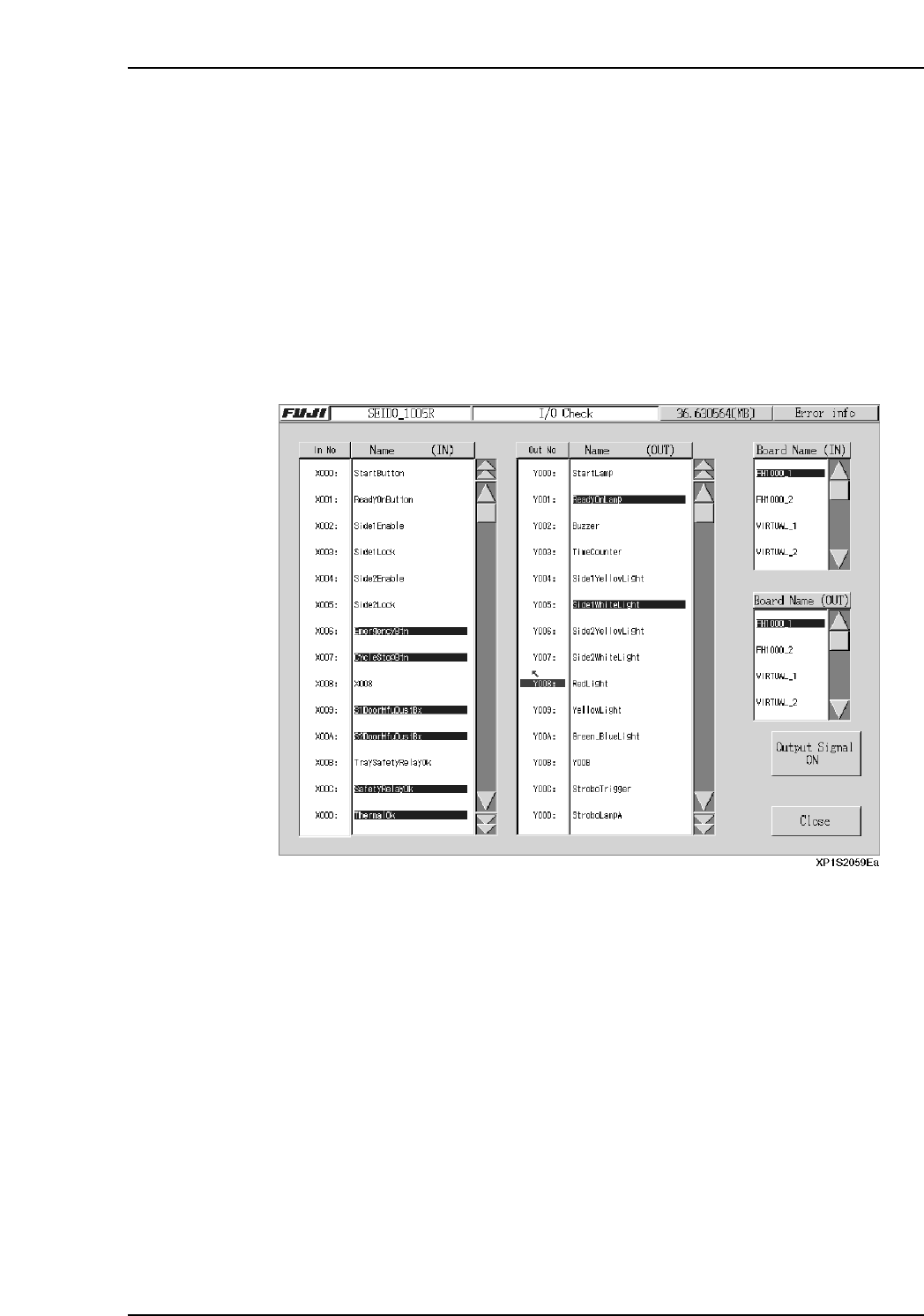
The I/O Check screen is used to monitor input/output signal statuses. Lamps and air
cylinders, etc., can also be operated manually from this screen.
Procedure
1. At the [Main] screen, press [Maintenance A] then [I/O Check] to display the [I/O
Check] screen.
2. To perform manual operations at the output side, select an item in the “Out No.”
column (the item then displays in blue), then press [Output Signal ON]. To stop
an output signal, press [Output Signal OFF].
3. Press [Close] to return to the [Main] screen.
Part 2 Chapter 10 When Trouble Occurs
Edition 2.0 2-10-1 XP-142E System Reference
10.2 Trace Data Output Procedure
(ESR0230b)
When a problem occurs due to an unknown cause, the processing details must be
obtained in order to identify the cause and correct the problem.
To do this, and to enable Fuji to analyze the conditions which were in effect when the
problem occurred, the trace data (a record of the software processing) must be output.
This output can be performed in either of the following two ways.
Procedure A
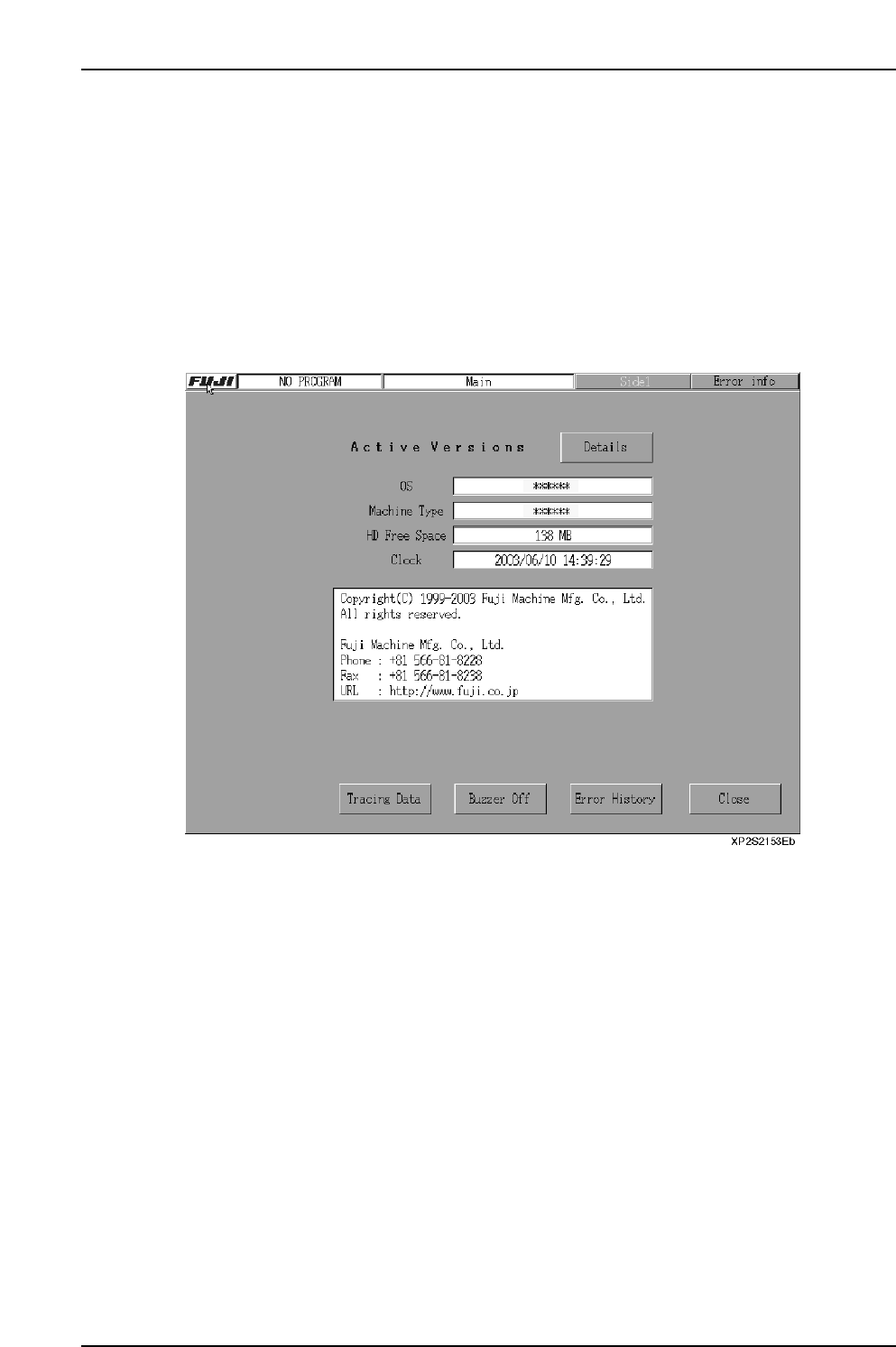
• Insert a floppy disk in the floppy disk drive. Click the [FUJI] logo at the top left of
the screen to display the screen shown below, then press [Tracing Data].
Procedure B
• When a system error occurs, [Tracing Data] displays onscreen. Insert a floppy
disk in the floppy disk drive, then press [Tracing Data]. After the trace data has
been written to the floppy disk, restart the machine.
Caution: When reading and writing data from a floppy disk, ensure this task is complete
before writing the trace data. Reading and writing to and from the floppy disk may
fail if trace data writing is attempted before the task is complete.
Part 2 Chapter 10 When Trouble Occurs
Edition 2.0 2-10-2 XP-142E System Reference

Part 3
On-Machine
Programming
(ESR07AA)
This part explains the editing and
creation of production programs at
the machine.
1. Function Overview . . . . . . . . . . . . . . . . . . .3-1-1
2. Program Menu . . . . . . . . . . . . . . . . . . . . . .3-2-1
3. Editor . . . . . . . . . . . . . . . . . . . . . . . . . . . . .3-3-1
4. Expander . . . . . . . . . . . . . . . . . . . . . . . . . .3-4-1