XP-142E System Reference-SYS-XP142-2.0E.pdf.pdf - 第194页
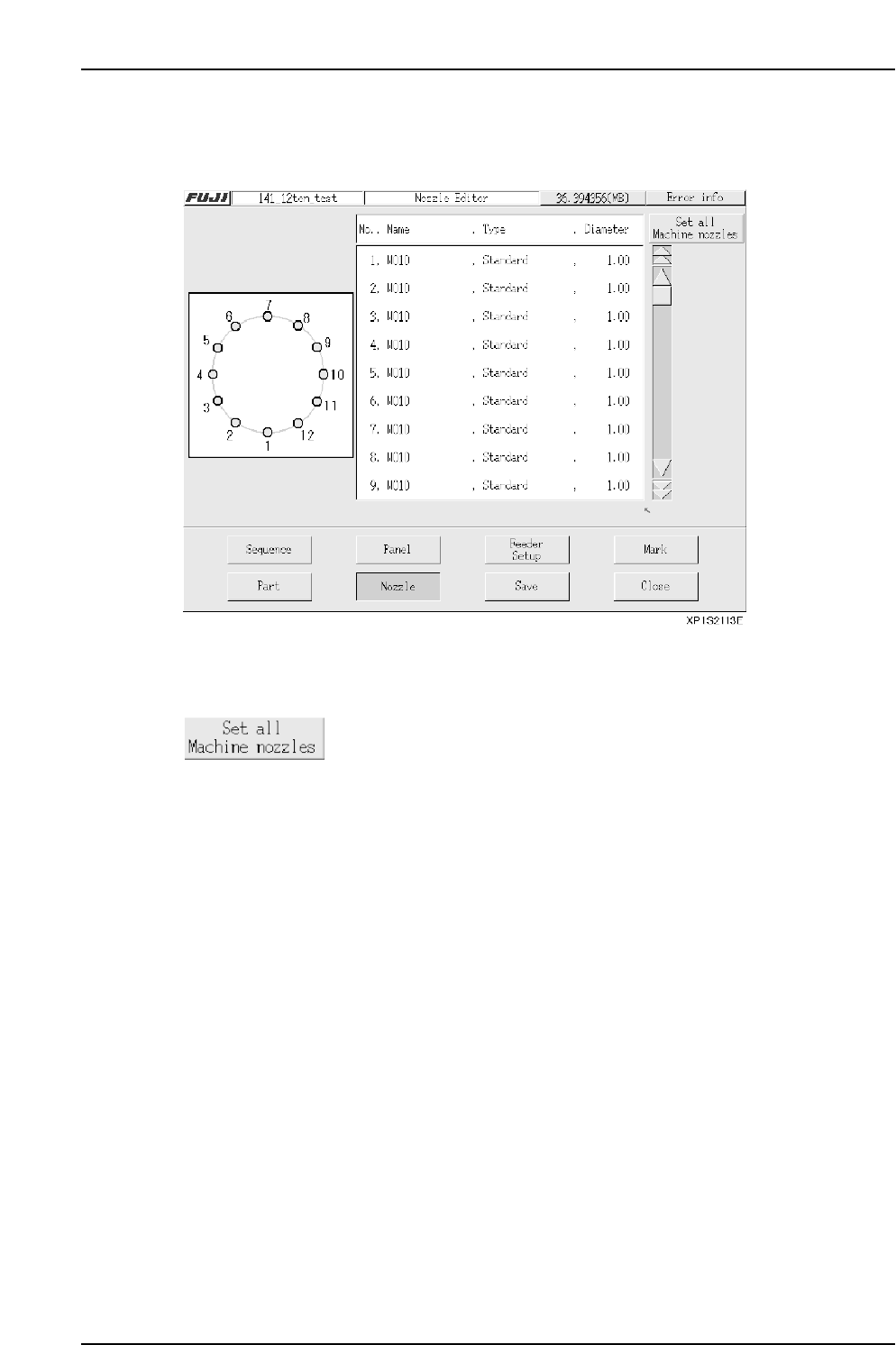
To perform editing, press the number of the nozzle station where editing is desired, then select 1 nozzle from the nozzle selection screen which then displays. Continue in the same manner to edit nozzles in other nozzle …
Part 3 Chapter 3 Editor
Edition 2.0 3-3-38 XP-142E System Reference
3.7 Nozzle Editing
(ESR0709d)
This editor is used to edit nozzle assignments.
Operation Button Explanations
Press to perform batch reading of the machine’s nozzle information.
When performing a batch input, verify that all the required
production program nozzles are present.
Setting Item Explanations
No.
Specifies the number of the nozzle station.
Name
Specifies the nozzle name.
Type
Specifies the nozzle type. (Standard: standard nozzles, Custom: special nozzles)
Diameter
Specifies diameter of the nozzle. (unit: mm)
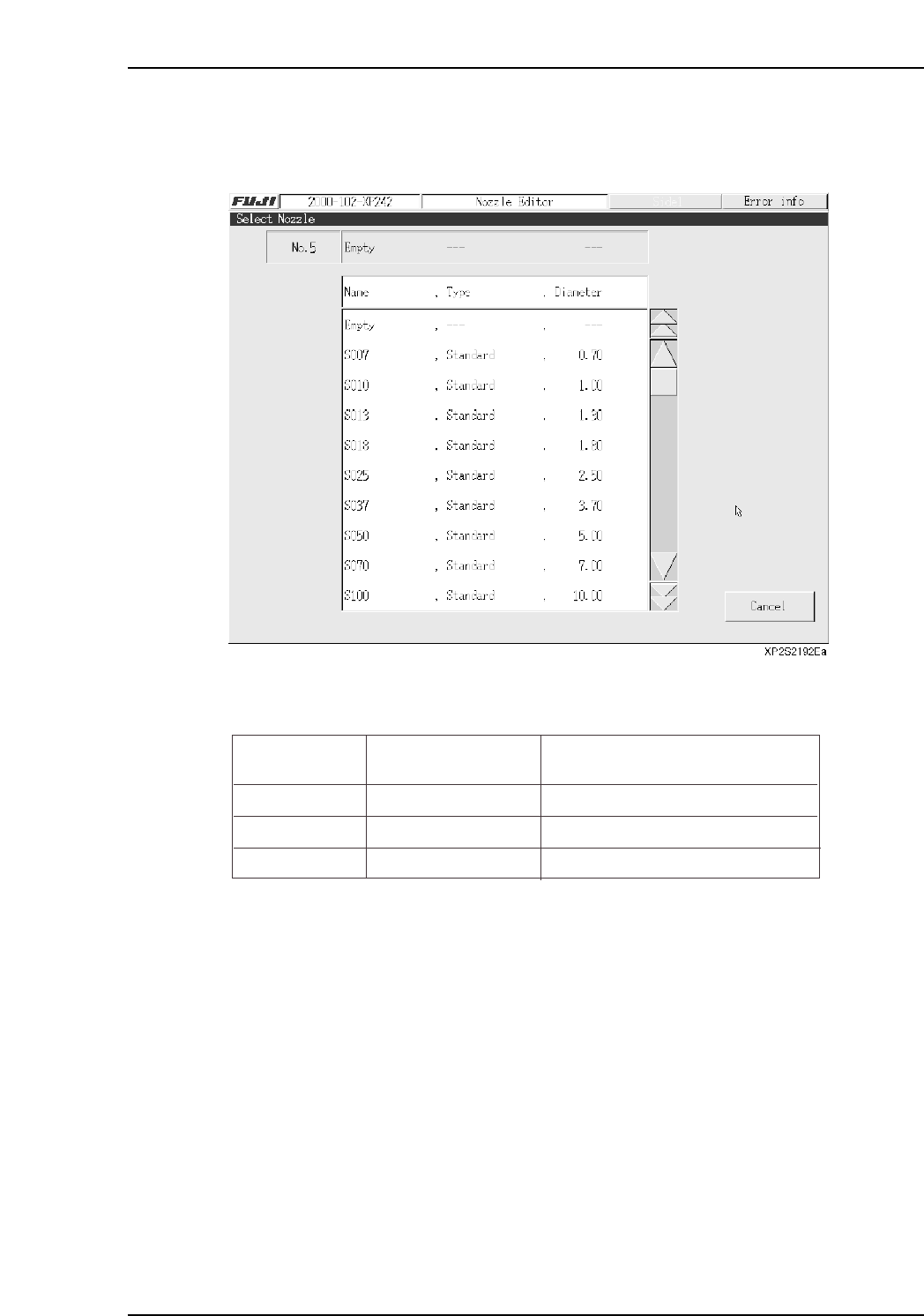
To perform editing, press the number of the nozzle station where editing is desired, then
select 1 nozzle from the nozzle selection screen which then displays. Continue in the
same manner to edit nozzles in other nozzle stations.
The nozzle position where pickup is possible varies according to the part size. Edit the
data so that the pickup nozzle is positioned correctly.
Notes:
1. The part size includes the leads.
2. This applies when the “Direction”, “Pickup Point Offset X,Y”, and “Scan Area X,Y” items are
all set to “0”.
3. The nozzle “Name” appears as “Empty” when no nozzle selection is made.
Name
Max. Part Size
Nozzle Positions Where Pickup
is Possible
Small parts
Medium parts
Large parts
5.00 X 6.20 (mm)
10.00 X 10.00 (mm)
20.00 X 20.00 (mm)
1, 2, 3, 4, 5, 6, 7, 8, 9, 10, 11, 12
1, 4, 7, 10
4, 10
XP1S2156E
Part 3 Chapter 3 Editor
Edition 2.0 3-3-39 XP-142E System Reference

3.8 Options When Ending Editor Operation
(ESR0716a)
The following editor ending options are available when the editor [Close] button is
pressed after editing a program.
Program name: The name under the which the edited production program file
is to be saved can be entered using the keyboard which
displays when this textbox is selected.
Data check: The edited production program is checked to verify that its
data is appropriate.
Save to file and Close: The edited production program is saved to the file.
Close without saving: The edited content of the production program file is
abandoned (cleared), and the file is saved in its original pre-
edited form.
Cancel: Cancels the “Close editing” command, and returns to an
editing status.
Part 3 Chapter 3 Editor
Edition 2.0 3-3-40 XP-142E System Reference