XP-142E System Reference-SYS-XP142-2.0E.pdf.pdf - 第191页
3.6.2 Packaging Editing This editor is used to specify part supply related settings for feeders, etc. Operation Button Explanations Displays a list of packaging types for the parts used in the production program which ha…

Threshold Offset
Binary vision processing occurs if a setting other than “0” is specified. The
recommended setting range is 5 ~ 20. This function is useful for performing vision
processing only on the outer shape of parts with complex interiors. (0 ~ 255).
Note: This function cannot be used for parts having part data Vision Type settings of 10, 130, and
230.
Gain of Contrast Offset
This setting is used to offset the image contrast. If the image is dull, this setting value
can be increased to increase the recognition rate at vision processing. When set to “0”,
the original image contrast is used. (0 ~ 255). (Default value: 1.0)
Part 3 Chapter 3 Editor
Edition 2.0 3-3-35 XP-142E System Reference
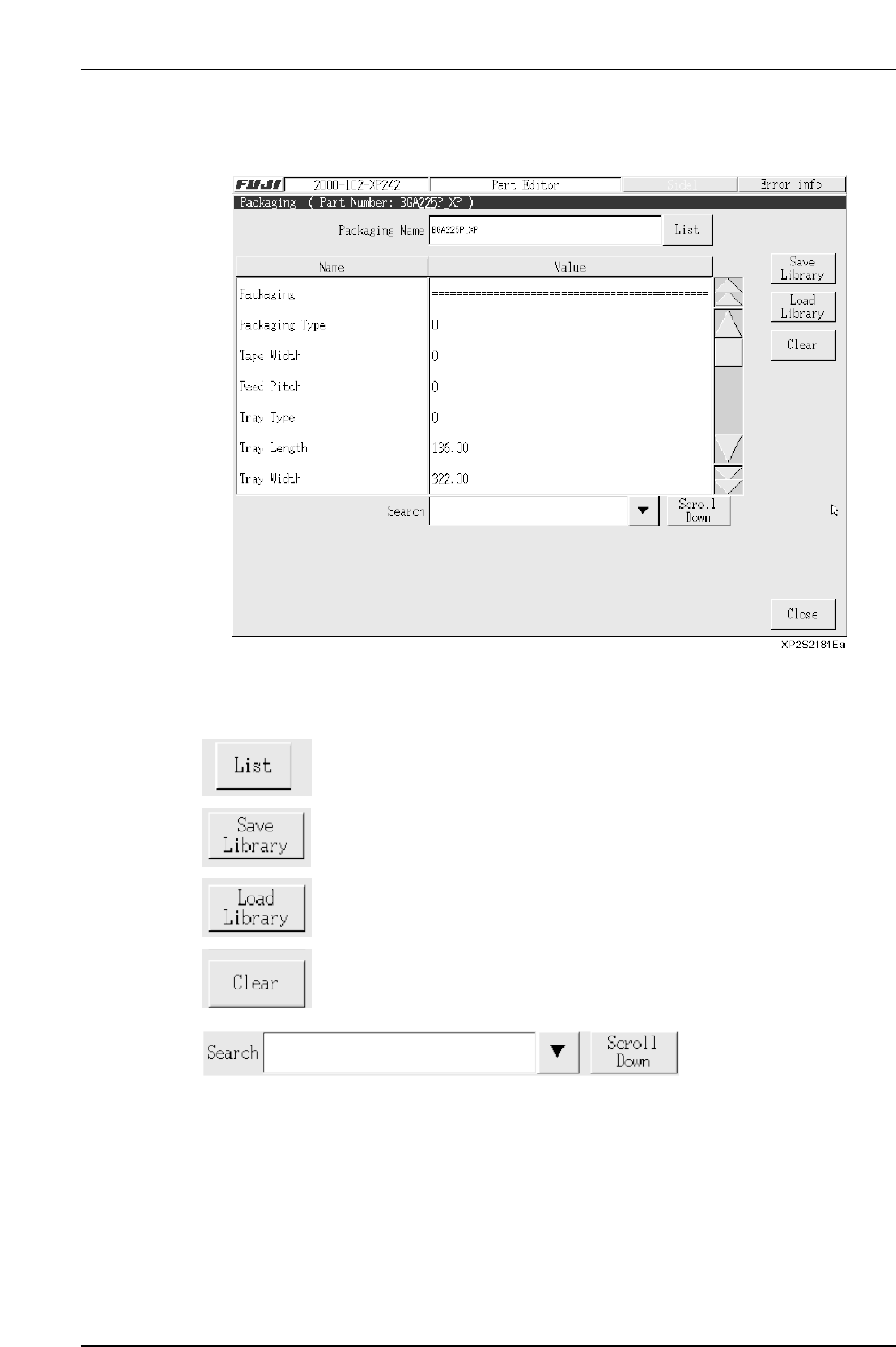
3.6.2 Packaging Editing
This editor is used to specify part supply related settings for feeders, etc.
Operation Button Explanations
Displays a list of packaging types for the parts used in the production
program which has been opened in the editor.
After a confirmation message, the package data is saved to the library.
Loads package data which is saved in the library.
Clears the specified data.
Item searches display the specified data name. Press the black arrow-mark key to
display a classification list. A search can also be performed by entering the data name
directly from the keyboard. Press the [Scroll Down] key to execute a search in the “top to
bottom” direction.
Part 3 Chapter 3 Editor
Edition 2.0 3-3-36 XP-142E System Reference
Part 3 Chapter 3 Editor
Edition 2.0 3-3-37 XP-142E System Reference
Setting Item Explanations
Packaging Name
Specifies the packaging name. No more than 30 characters may be used in this name.
Note: The following characters may not be used in file names: ( : \ / ; * ? “ < > | ) Also, characters
(˜ .) may not be used at the beginning of the file names.
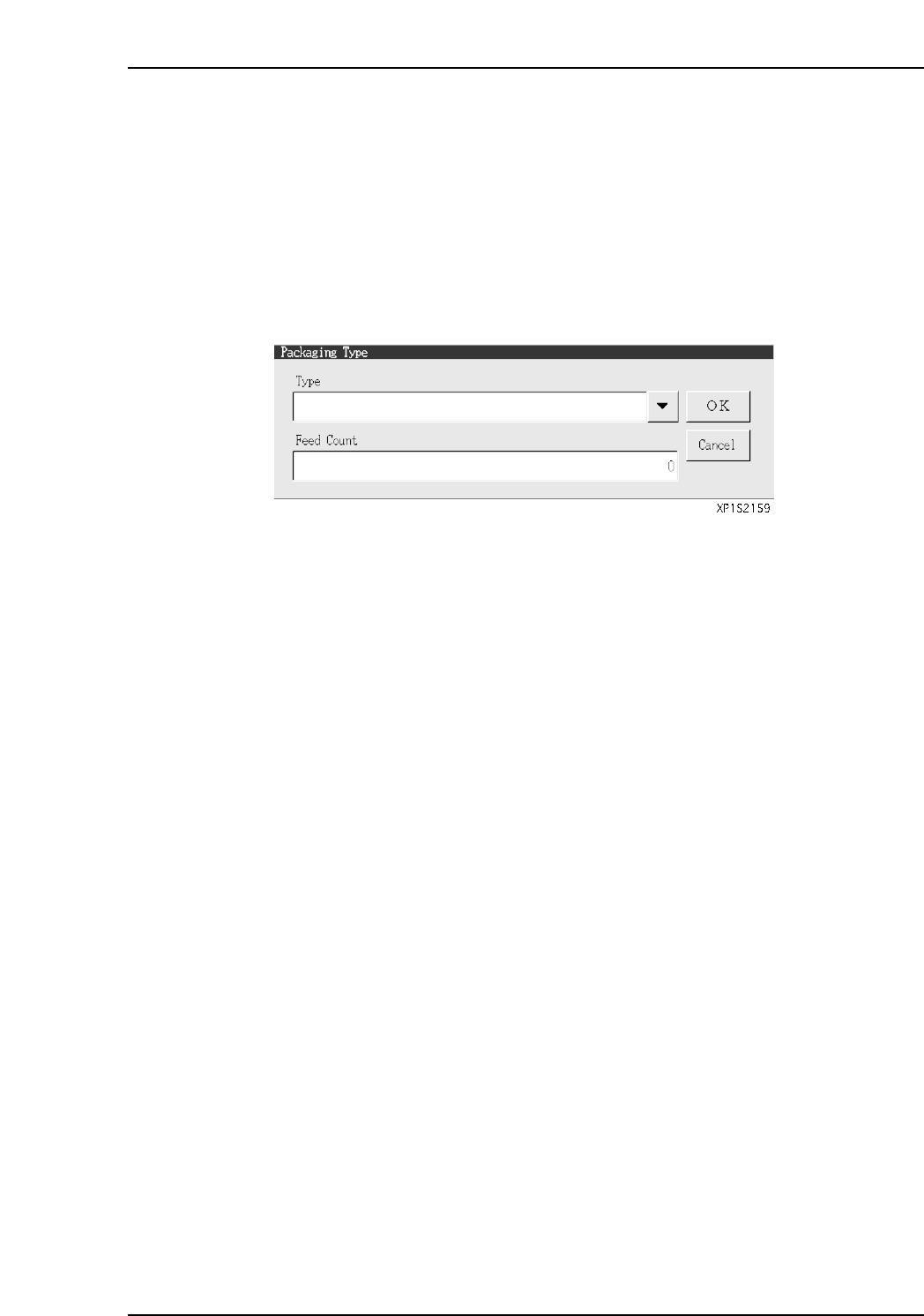
Packaging Type
Click in this field to display the window shown below. Click the [▼] button at this
window, then select the desired part supply method (packaging type) from the drop-
down list. Specify a “Feed Count” (part feed count) setting.
Tape Width
Specifies the tape width. (0 mm ~ 255 mm)
Feed Pitch
Specifies the tape feed distance. (2 mm ~ 100 mm)