XP-142E System Reference-SYS-XP142-2.0E.pdf.pdf - 第72页
Part 2 Chapter 3 Changeover Edition 2.0 2-3-18 XP-142E System Reference 3.9.2 Changing the Inching Speed Although inching is normally performed at low speed, the speed can be changed in order to perform adjustments, etc.…
Part 2 Chapter 3 Changeover
Edition 2.0 2-3-17 XP-142E System Reference
3.9 Inching
(ESR0219c)
3.9.1 Moving an Axis with the Inching Keys
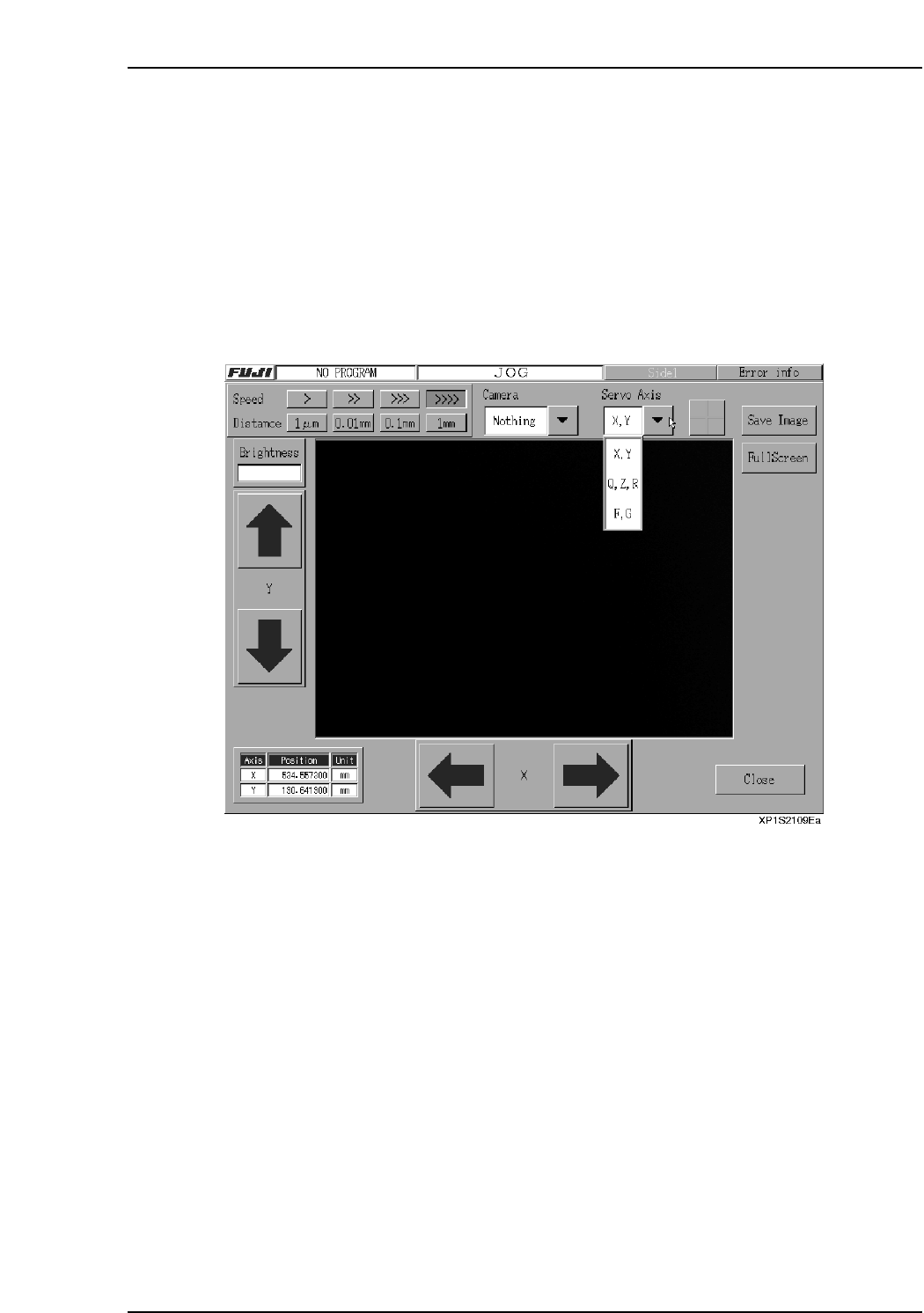
The inching keys on the touch screen can be used to move each axis manually. Inching
can be performed at any time except under the following conditions:
• When the machine is in START ready status
• During operation
• Before the cause of an emergency stop has been cleared
• When the inching screen is not displayed.
The axis where inching is to occur is selected at the following screen.
Note: The screen shown above is the inching screen used for the following command sequence:
[Main], [Maintenance A], [JOG].
Procedure
1. At the [Main] screen, press [Maintenance A] then [JOG] to display the inching
screen.
2. Press the [▼] servo axis selection button to select the axis where movement is
desired, then press [Change].
3. To move the axis (inching), press the arrow buttons for the axis in question.

Part 2 Chapter 3 Changeover
Edition 2.0 2-3-18 XP-142E System Reference
3.9.2 Changing the Inching Speed
Although inching is normally performed at low speed, the speed can be changed in
order to perform adjustments, etc.
Procedure
1. At the [Main] screen, press [Maintenance A] and then [JOG].
2. Press the “▼” servo axis selection button, select the desired servo axis.
3. At the [Setting] item, press the desired [>], [>>], [>>>], [>>>>] button to select the
desired inching speed.
3.9.3 Changing the Inching Travel Amount
Although inching is normally performed in a continuous manner, a desired inching
amount can be specified in order to perform adjustments, etc.
Procedure
1. At the [Main] screen, press [Maintenance A] then [JOG] to display the inching
screen.
2. Press the “▼” servo axis selection button, select the desired servo axis.
3. At the [Travel Amount] item, press the desired [1 µm], [0.01 mm], [0.1 mm],
[1 mm] button to select the desired inching travel amount.
Part 2 Chapter 4 Starting the Production
Edition 2.0 2-4-1 XP-142E System Reference
4. Starting Production
4.1 Checking Start Conditions
(ESR0206d)
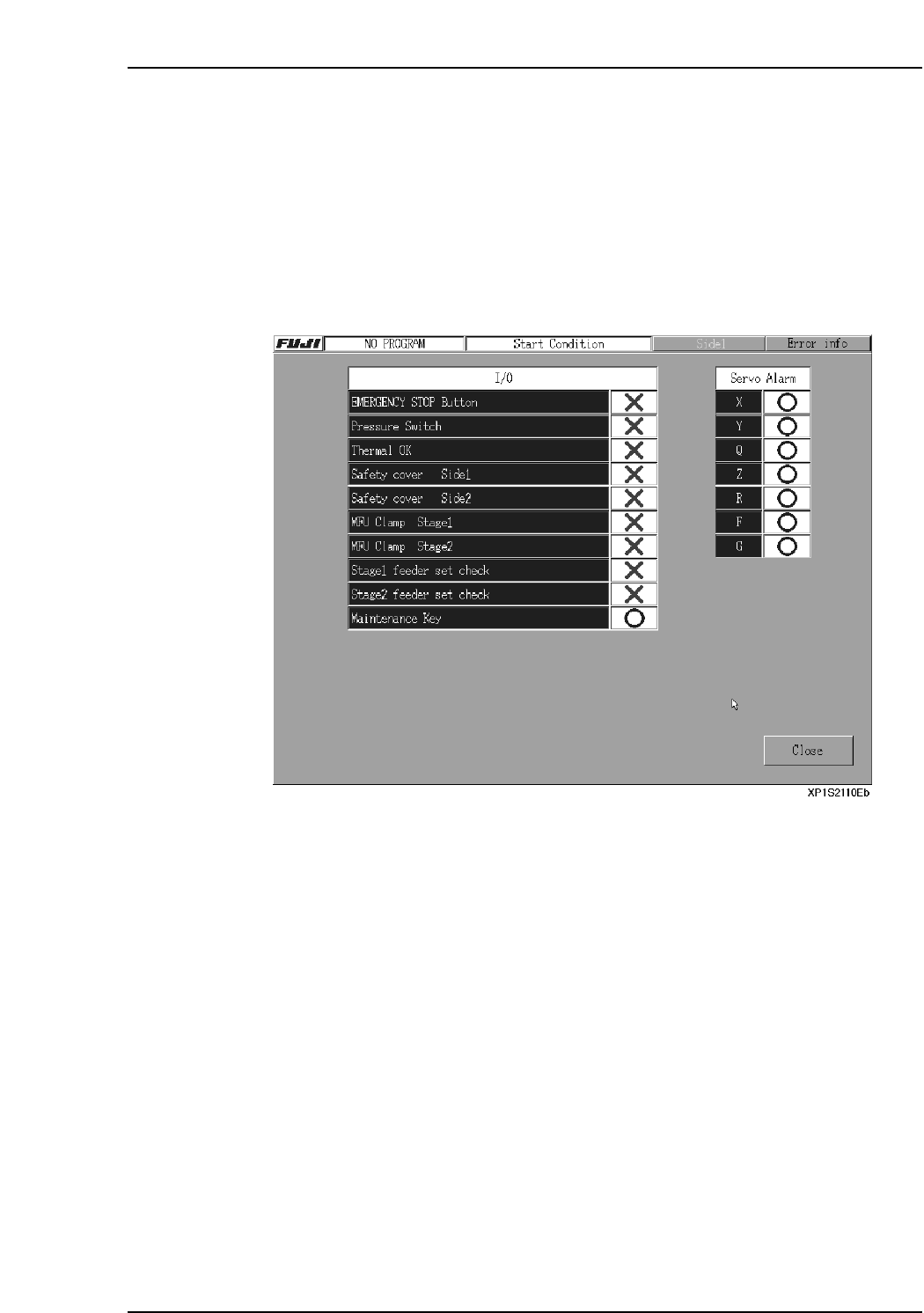
The required startup conditions must be satisfied before the machine can proceed with
automatic operation. Use the following procedure to check the startup conditions.
Procedure
1. At the [Main] screen, press [Production] then [Start Condition] to display a screen
like that shown below.