XP-142E System Reference-SYS-XP142-2.0E.pdf.pdf - 第42页
1.4 Stopping the Buzzer (ESR0232a) The method for stopping a sounding buzzer is described below. Procedure A • Click the [FUJI] logo at the top left of the screen to display the screen shown below, then click the [Buzzer…

1.1.2 Logging Off (without shutting off the power)
Select [Logoff] at the [Main] screen to return to the [Logon] screen.
1.1.3 Shutting Down
Carry out the following procedure to turn off the machine after production.
Procedure
1. Press [Shutdown] at the [Main] screen.
A “Shutting down” message is displayed.
2. Press [OK].
The machine begins its shutdown sequence.
3. Turn off the power switch.
This step is necessary if the machine is to be left unused for a considerable period
of time, or if work is to be carried out at the servo or control boxes.
1.2 Stopping the Machine in an Emergency
• Push any of the EMERGENCY STOP buttons on the machine.
When an EMERGENCY STOP button is pushed the 200V power supply to the
servo system is cut, and the machine stops immediately. When pushed, the button
locks in position and must be turned clockwise to release it.
• To resume operation, release the EMERGENCY STOP button, and then press
READY ON and START.
1.3 Safety Sensor Test Switch
• As a machine safety check, stop the machine and push the safety sensor test switch
button to test sensor operation at least once a day. While the button is pressed, the
switch is in the same status as when a safety cover is open, and the 200V servo
power is shut off.
• If the switch is functioning properly, when it is released its returns to the same
status as when the covers are closed, and the READY ON button can be pushed
and production resumed.
Part 2 Chapter 1 Basic Operation
Edition 2.0 2-1-3 XP-142E System Reference
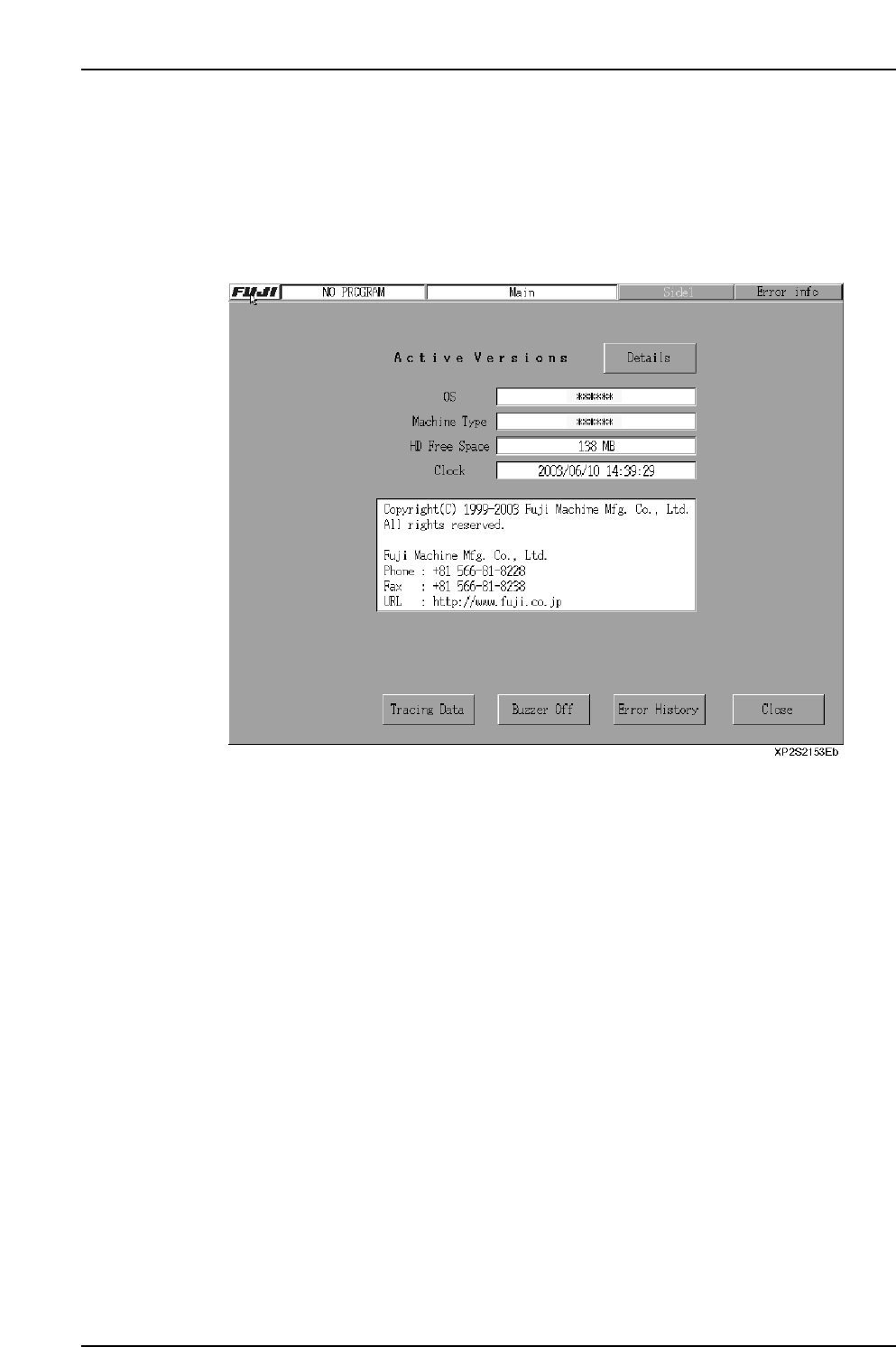
1.4 Stopping the Buzzer
(ESR0232a)
The method for stopping a sounding buzzer is described below.
Procedure A
• Click the [FUJI] logo at the top left of the screen to display the screen shown
below, then click the [Buzzer Off] button.
Procedure B
• The buzzer is turned off when the CYCLE STOP switch is pressed.
Part 2 Chapter 1 Basic Operation
Edition 2.0 2-1-4 XP-142E System Reference
2. Settings Prior to Start Production
2.1 Operation Settings
(ESR0203h)
The machine operation conditions are specified by the following 5 setting items
(4 settings when “local verify” is not used).
• Mode selection: Specifies the mode of machine operation (Production mode,
operation mode, etc.)
• Tape cutter: Settings for the upper tape cutter used when supplying parts
on tape reels.
• Statistical information: Settings which determine how nozzle & slot error data are
collected.
• Local verify (optional): Settings for the parts set position verify operation performed
by the barcode reader.
• Other: Settings related to panel vacuum and nozzle size checks.
Display example
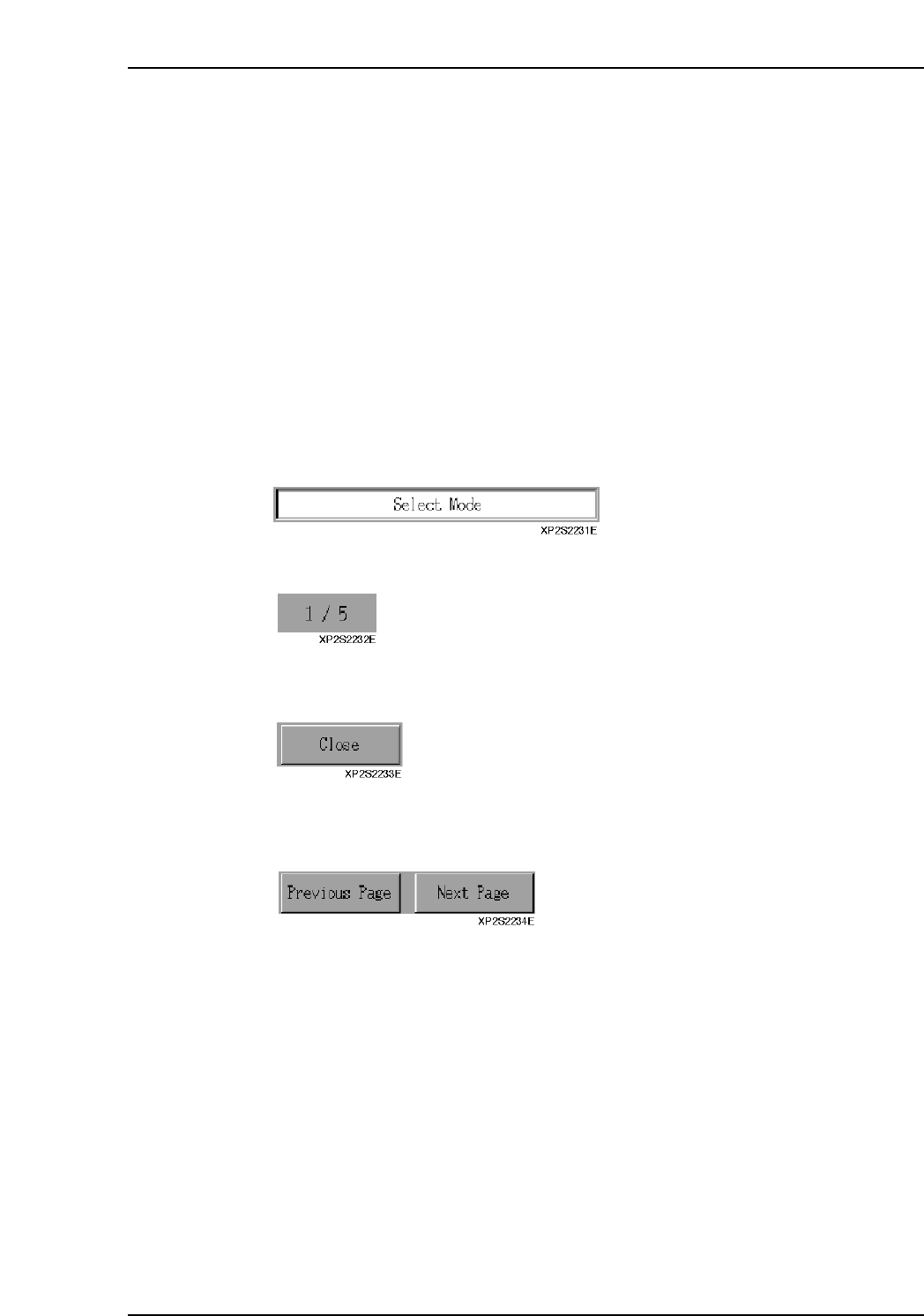
1. Displays the currently opened page name.
The “page count / total number of pages” of the currently opened page displays.
2. [Close]
Press to close the [Operation Settings] screen and return to the [Main] screen.
3. Page switching buttons
Press [Previous page] to go back 1 page. If [Previous page] is pressed at page 1,
the final page displays. Press [Next page] to advance 1 page. If [Next page] is
pressed at the final page, the first page (page 1) displays.
Part 2 Chapter 2 Settings Prior to Start Production
Edition 2.0 2-2-1 XP-142E System Reference