XP-142E System Reference-SYS-XP142-2.0E.pdf.pdf - 第53页
2.2 Signal T ower Settings (ESR0224b) Signal tower lamp ON / BLINKING settings can be specified from the machine menu. Procedure 1. At the [Main] screen, press [Maintenance B] then [Signal Tower] to display the [Signal T…
2.1.12 Other Operation Settings
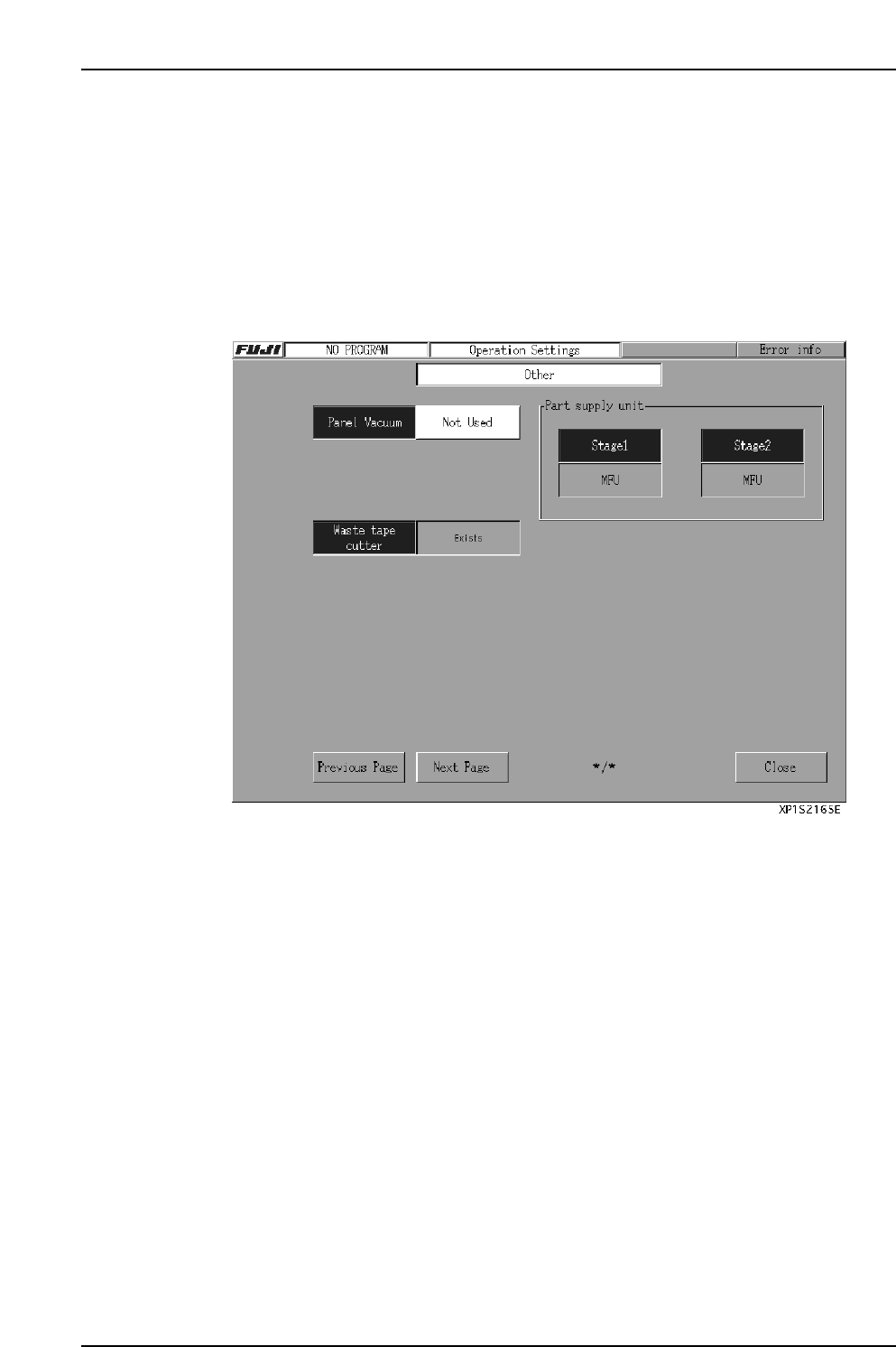
The procedure for setting other operation settings is given below.
Procedure
1. At the [Main] screen, select [Maintenance A] - [Operation Settings] to display the
[Operation Conditions Settings] screen.
2. If the local verify function is not being used, press the [Next Page] button 3 times
to display the [Other] screen. If the verify function is being used, press the [Next
Page] button to display the [Other] screen.
3. In the textbox beside the “Panel Vacuum” item, specify whether or not the panel
vacuum function is to be used.
The default setting is “Not Used”.
4. If the operation mode is “Production”, specify (in the text box beside the “Nozzle
Size Check” item) whether or not the nozzle size check is to occur.
The default setting is “Not Executed”.
5. The current machine configuration also displays on this page.
• Indicates whether or not the waste tape cutter is present.
• Indicates whether or not the part pickup unit is present.
The display content changes as follows, depending on the part pickup unit
mounting status.
[MFU] : MFU is present.
[None] : No part supply unit is present at one of the sides.
[Fixed Device] : Fixed feeder table is being used.
Part 2 Chapter 2 Settings Prior to Start Production
Edition 2.0 2-2-10 XP-142E System Reference
2.2 Signal Tower Settings
(ESR0224b)
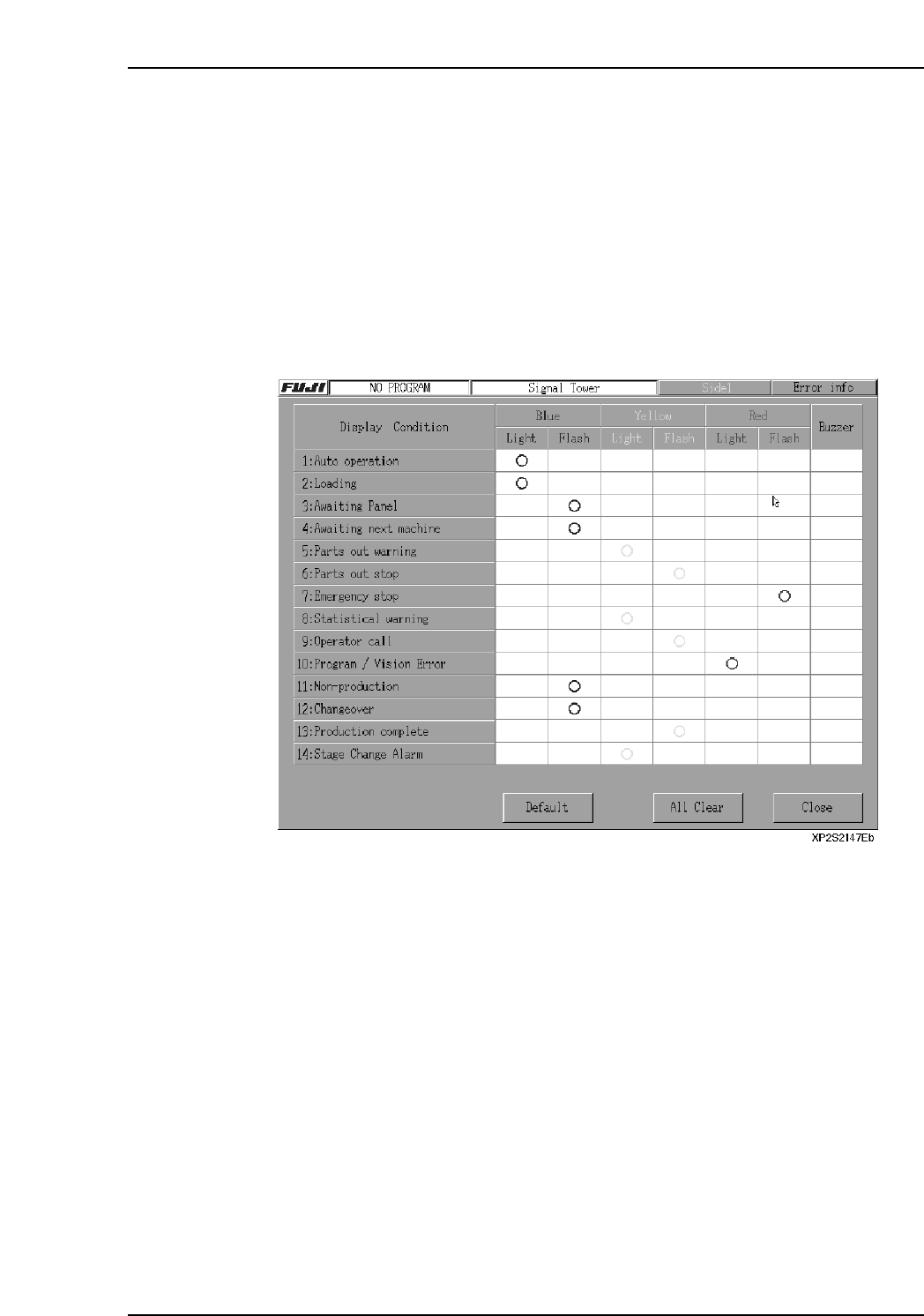
Signal tower lamp ON / BLINKING settings can be specified from the machine menu.
Procedure
1. At the [Main] screen, press [Maintenance B] then [Signal Tower] to display the
[Signal Tower] screen.
2. Specify the signal tower color, lamp status (on/blinking), and buzzer, etc., settings
for each item. “O” marks indicate the specified settings.
3. After verifying that the settings are correct, press [Close] to end the setting
operation.
Note: Item 14: “Stage Change Alarm” is option.
Part 2 Chapter 2 Settings Prior to Start Production
Edition 2.0 2-2-11 XP-142E System Reference

Notes:
Part 2 Chapter 2 Settings Prior to Start Production
Edition 2.0 2-2-12 XP-142E System Reference