XP-142E System Reference-SYS-XP142-2.0E.pdf.pdf - 第213页
■ T emplate Creating Screen Explanations Operation Button Explanations Press to select the desired stage when picking up parts or when manually discarding parts. Press to select the desired slot when picking up parts or …

25. The vision processing "Success" or "Fail" result displays in the [Results] dialog box,
together with the part's center coordinates and angle.
The seek line display colors are as follows:
SUCCESS FAIL
Position line Green/red Red/red
Inspection lineGreen Red
26. Press [OK] at the [Results] dialog box, then press [Close] to close the template
vision processing test screen. To discard the part, select [Part Auto Rejection] or
[Part Manual Rejection] button.
Part 4 Chapter 2 Creating a Template From Existing Part Data
Edition 2.0 4-2-10 XP-142E System Reference
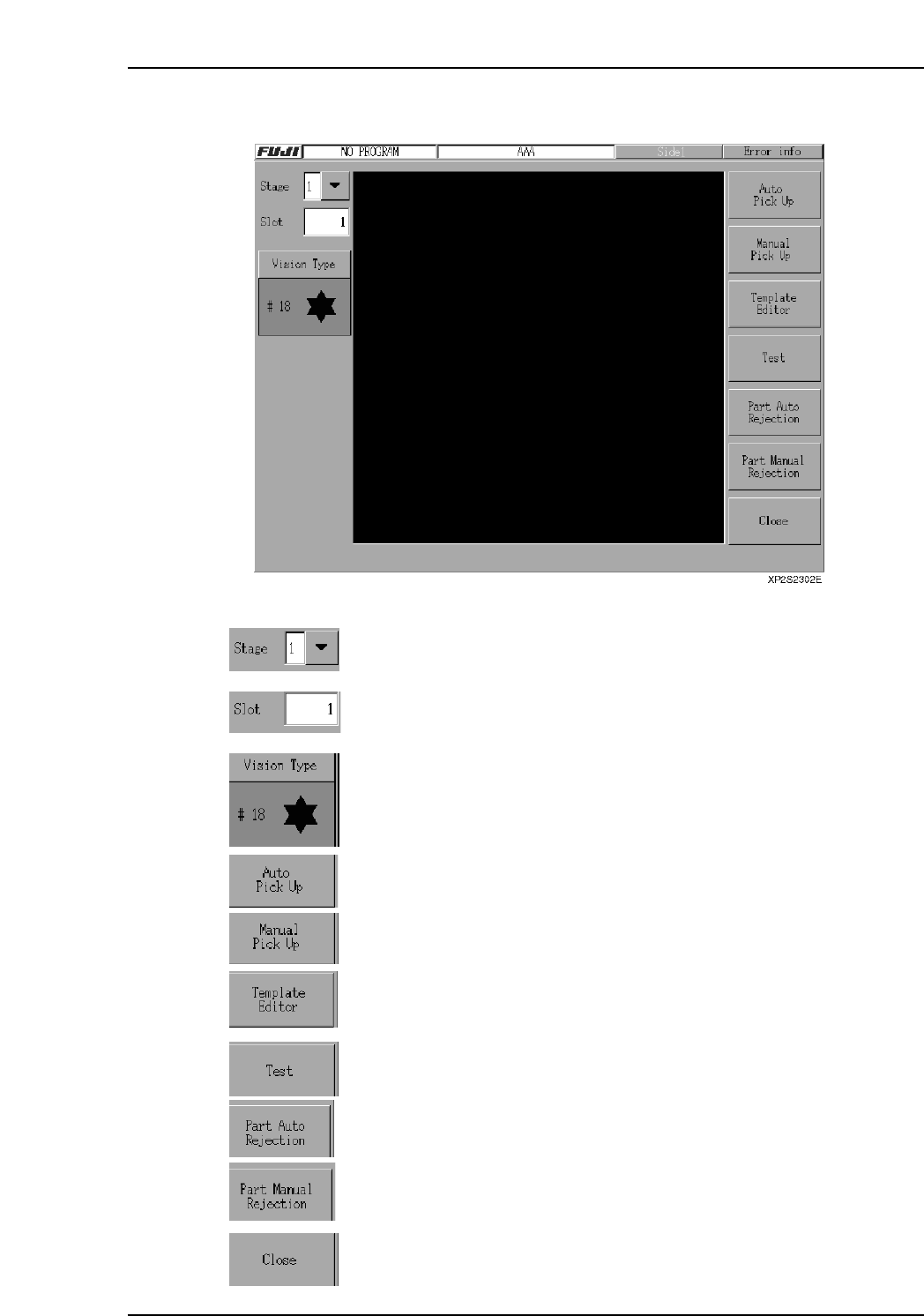
■ Template Creating Screen Explanations
Operation Button Explanations
Press to select the desired stage when picking up parts or when
manually discarding parts.
Press to select the desired slot when picking up parts or when
manually discarding parts.
Specifies the Vision Type for the selected part.
Press to automatically pick up a part from the specified stage and slot.
Press to manually (by hand) pick up a part from the specified stage and
slot.
Press to open the template wizard.
Press to open the test screen.
Press to automatically discard the picked up part.
Press to manually (by hand) discard the picked up part.
Closes the screen.
Part 4 Chapter 2 Creating a Template From Existing Part Data
Edition 2.0 4-2-11 XP-142E System Reference
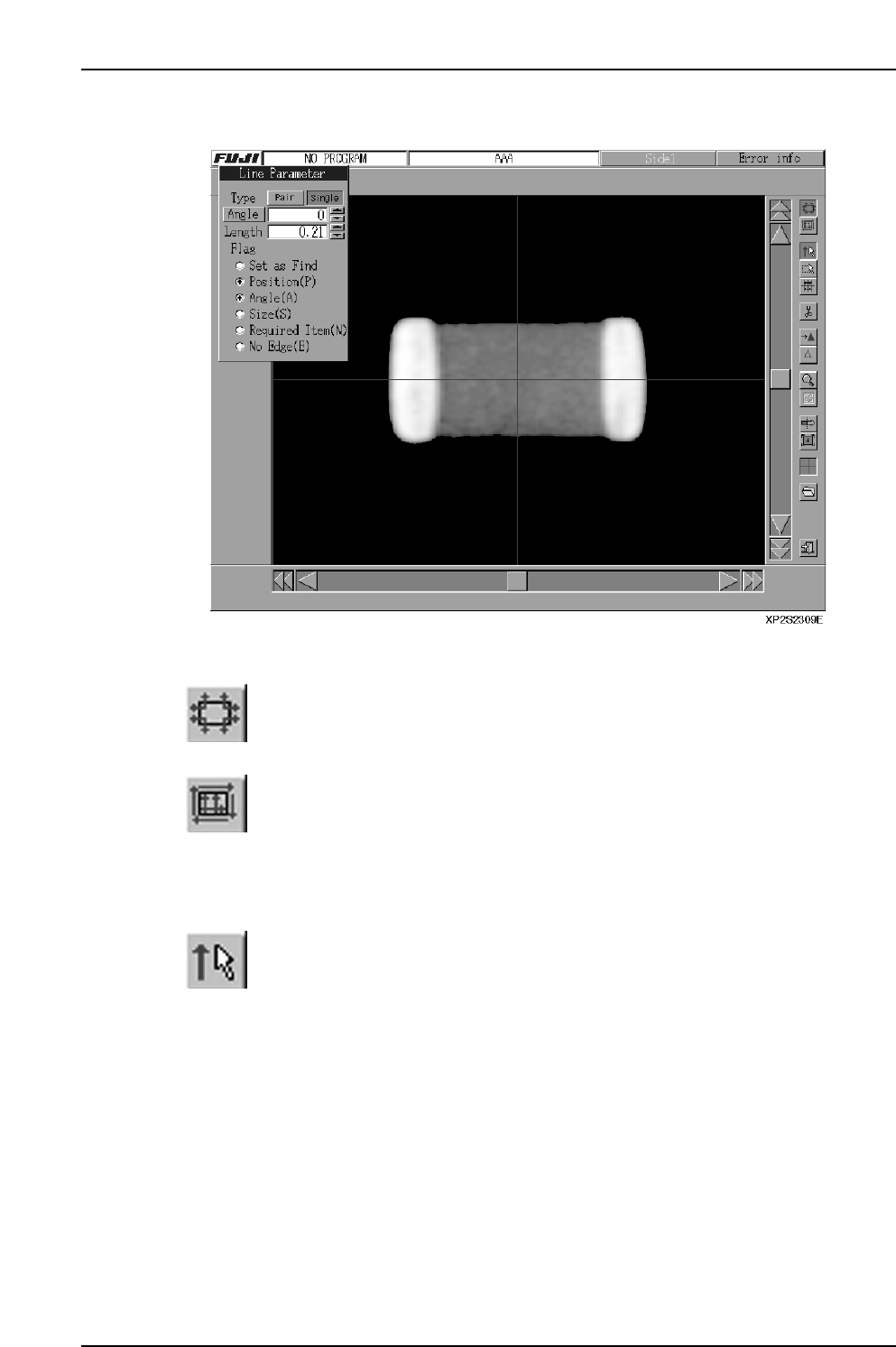
■ Template Editor
Operation Button Explanations
Position line display mode
Press to display and edit positioning lines. The position line parameters
display in the line editor mode.
Inspection line display mode
Press to display and edit inspection lines. The inspection line parameters
display in the line editor mode.
As the "Find Set" function cannot be used for inspection lines, the [Find All
Cancel] and [Find Set Mode] buttons are disabled when in the inspection line
display mode.
Line editor mode (Input)
This mode is used for line editing (inputs).
Part 4 Chapter 2 Creating a Template From Existing Part Data
Edition 2.0 4-2-12 XP-142E System Reference