XP-142E System Reference-SYS-XP142-2.0E.pdf.pdf - 第120页
6. If specification data by the same name already exists, an “overwrite confirmation” dialog box displays. Press [Yes] to overwrite the data in the machine’s file. Press [YES to ALL] to overwrite all subsequent data. Pre…
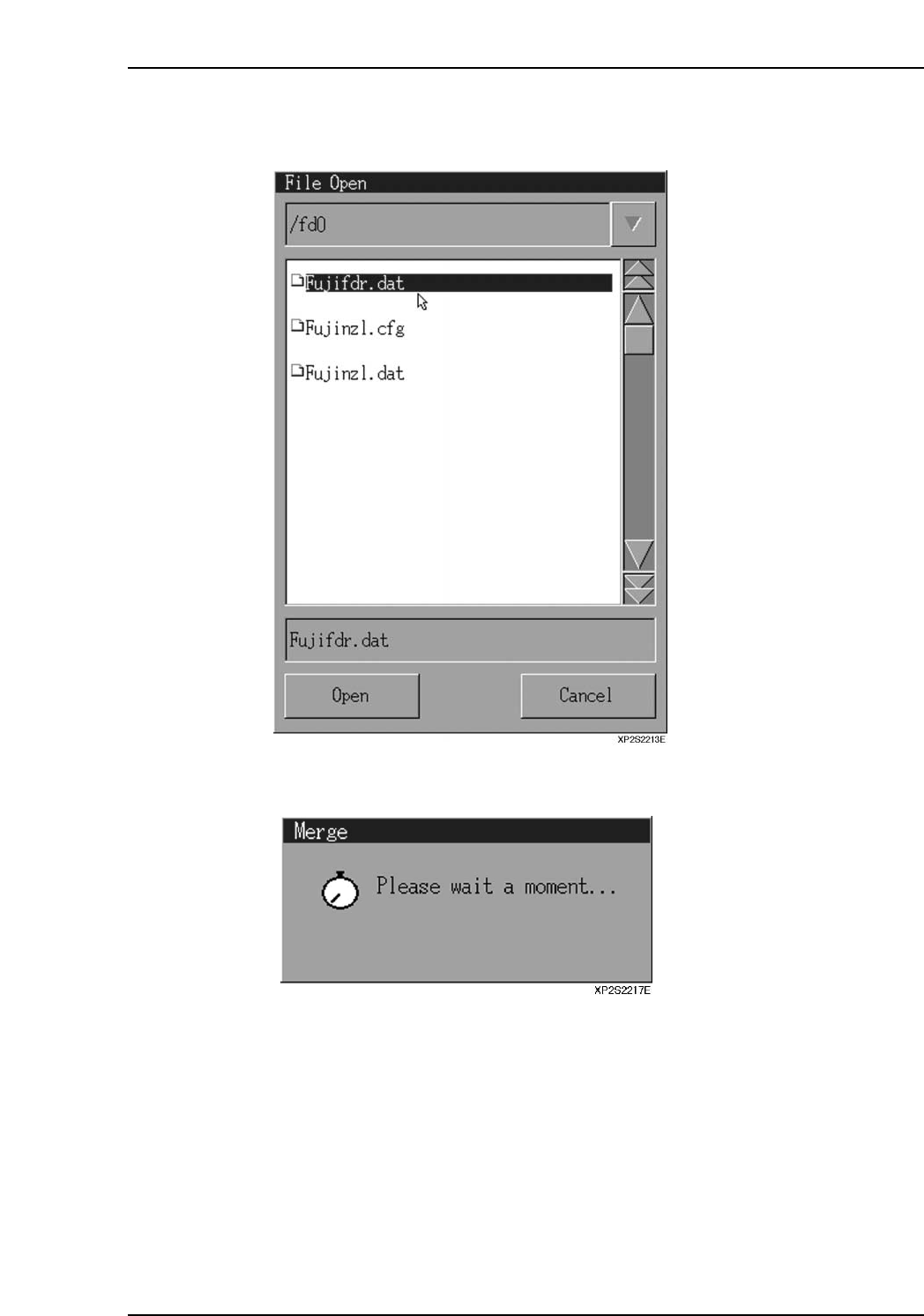
4. A data file selection dialog box then displays. Select the file to be merged, then
press [Open].
5. The following message displays during the merge operation.
Part 2 Chapter 7 Data Administration
Edition 2.0 2-7-7 XP-142E System Reference
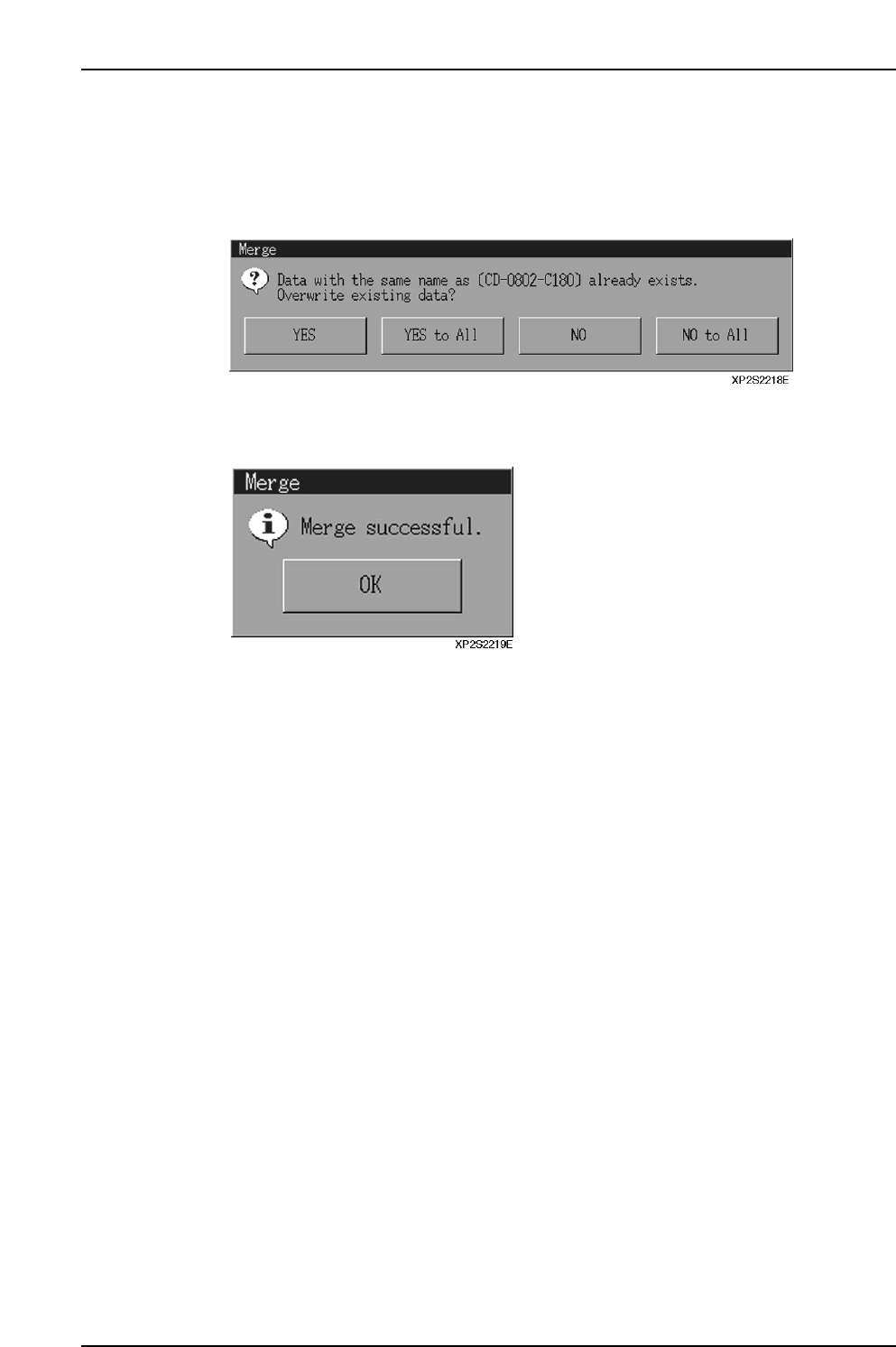
6. If specification data by the same name already exists, an “overwrite confirmation”
dialog box displays. Press [Yes] to overwrite the data in the machine’s file. Press
[YES to ALL] to overwrite all subsequent data.
Press [No] to prevent overwriting of the file in question.
Press [NO to ALL] to prevent overwriting of all subsequent data.
7. When the merge operation is completed, the dialog box shown below displays.
Press [OK] to return to the specification data administration dialog box.
Part 2 Chapter 7 Data Administration
Edition 2.0 2-7-8 XP-142E System Reference
7.3 File Operations
(ESR0712b)
This function is used to copy and delete files. Production programs and part data files
which were created on the machine can be copied to floppy disks, and unnecessary files
can be deleted. Moreover, files saved on floppies can be copied to the machine.
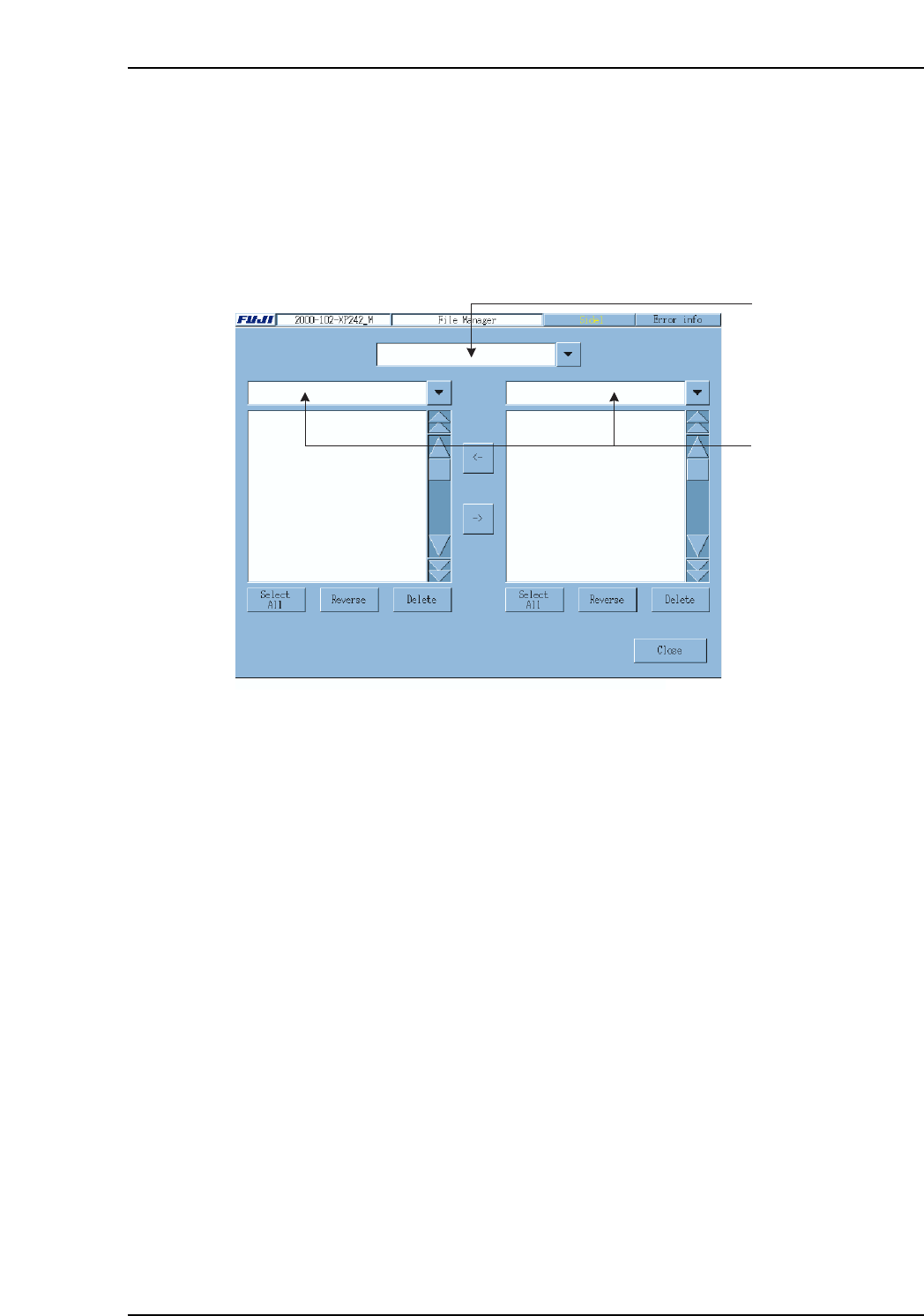
Selecting [Program], then [File Manager] to display the following screen.
Note: File overwriting will occur if a file already exists with the same name as that being copied.
Be sure to verify the file name before copying.
File Type Selection Combo Box
Select the required file type in this box. File type and extensions are described below.
Program (.PGO)
Production program file.
Part Number (.PDH)
Part Number file.
Part Type (.PDS)
Part Type file.
Packaging (.PDP)
Packaging file.
Fiducial Mark (.FMK)
Fiducial Mark file.
Board Skip Mark (.BMK)
Board Skip Mark file.
Label Mark (.LMK)
Label Mark file.
Template (.TPL)
Template file.
Image.PNG
Image file for template.
Browse destination
combo box
File type selection
combo box
XP2S2214Ea
Part 2 Chapter 7 Data Administration
Edition 2.0 2-7-9 XP-142E System Reference