XP-142E System Reference-SYS-XP142-2.0E.pdf.pdf - 第62页
3.5 Nozzle Related Operations (ESR0220h) 3.5.1 Nozzle Changes This machine has a function that simplifies nozzle changes. Procedure 1. At the [Main] screen, select [Manual Operation], then [Move to nozzle change position…
Part 2 Chapter 3 Changeover
Edition 2.0 2-3-7 XP-142E System Reference
3.4 Loading and Unloading Boards
(ESR0218)
Boards are loaded into the machine automatically during operation, however it is also
possible to load or unload boards using commands at the machine. Manual loading or
unloading may be required in order to check the width of the conveyors, to check sensor
operation, or to unload a faulty board from the machine.
Procedure
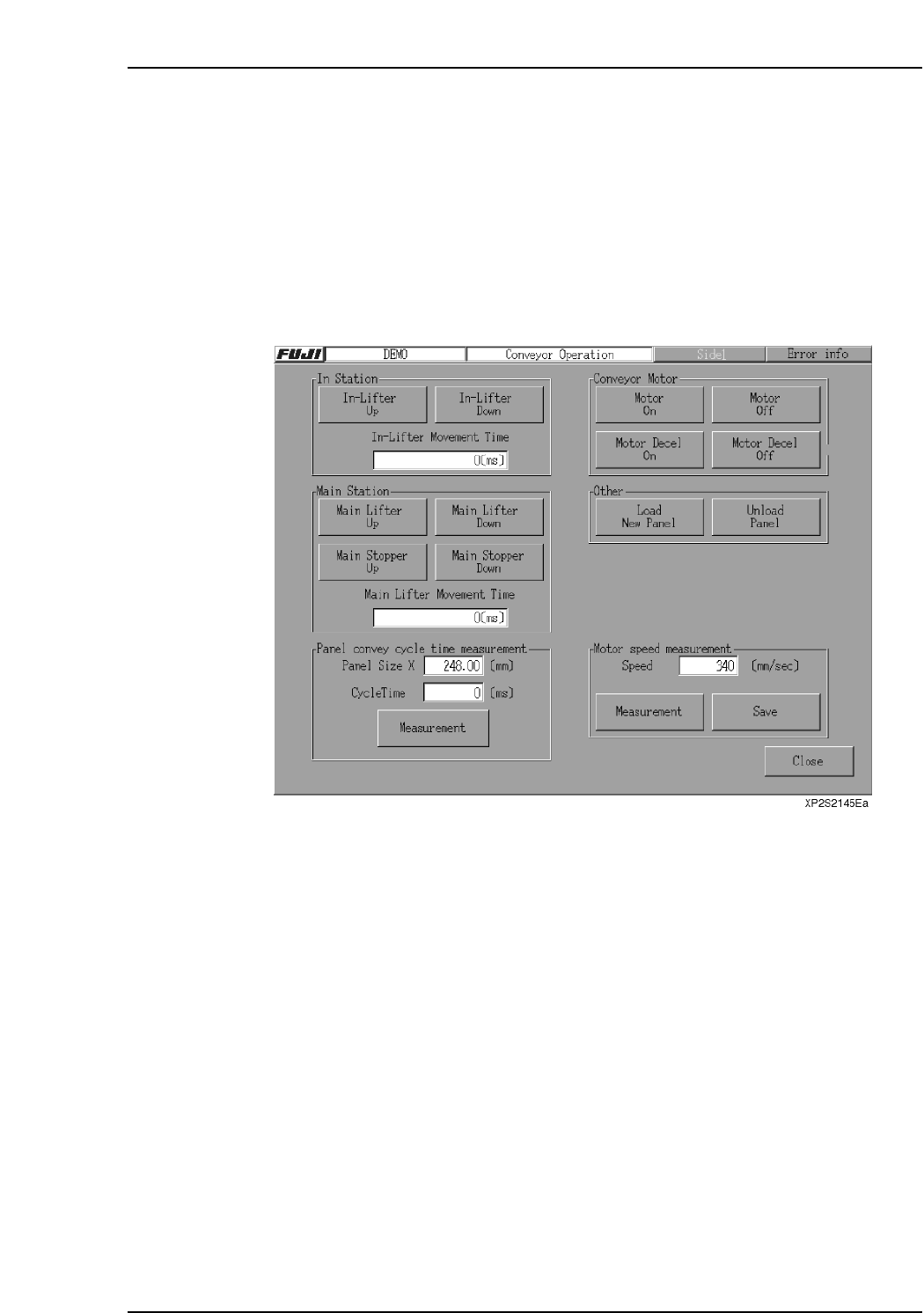
1. Press [Manual Operation] then [Conveyor] at the [Main] screen. The [Conveyor]
screen displays.
2. To load a new panel, press [Load New Panel] in the [Other] section. To unload a
panel from the machine, press [Unload Panel]. For each of these actions, a start
confirmation dialog box displays. Press the START button to execute the loading
or unloading of a panel.
3.5 Nozzle Related Operations
(ESR0220h)
3.5.1 Nozzle Changes
This machine has a function that simplifies nozzle changes.
Procedure
1. At the [Main] screen, select [Manual Operation], then [Move to nozzle change
position] to display the nozzle change position dialog box.
2. Specify the change position (Stage and Slot No.), and push the START button.
3. The head will move to the specified position. The MFU will automatically
unclamp (if the machine does not have fixed devices.)
4. Remove the MFU from the machine.
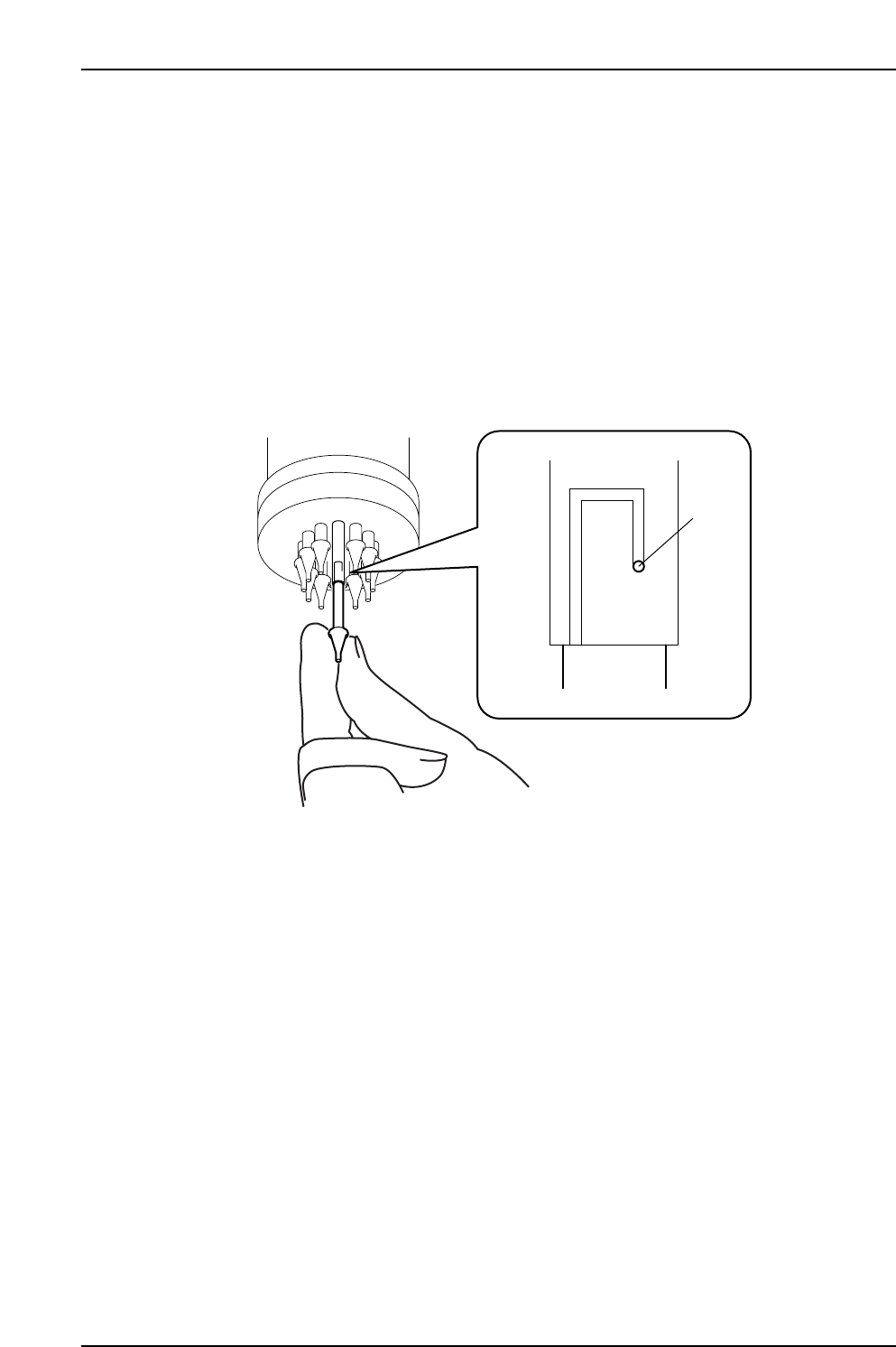
5. Push the nozzle up, rotate, and remove.
6. Insert the new nozzle and rotate it while pushing up.
7. Return and clamp the MFU to the machine.
XP1T3002Ea
Pin
Part 2 Chapter 3 Changeover
Edition 2.0 2-3-8 XP-142E System Reference
Nozzle Change Support Mode
This mode is restricted to operators who have Maintenance C access permission.
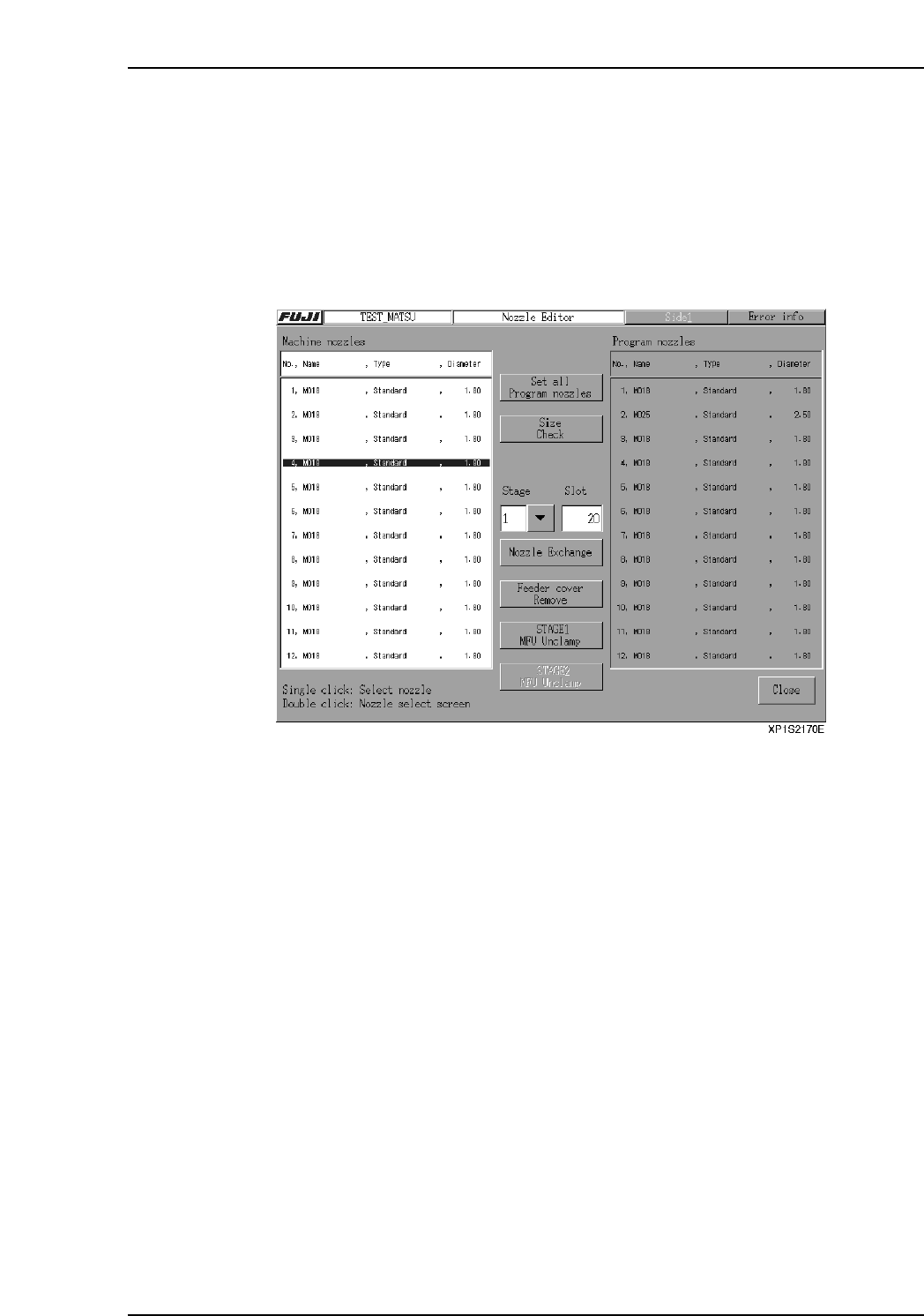
1. At the [Main] screen, select [Production], then [Nozzle Editor] to display the
[Nozzle Editor] screen. Select the [Nozzle change support] button.
2. The [Check maintenance key] confirmation dialog box appears, so open the safety
cover and turn the maintenance key ON. Close the error information screen that
appears when the cover is opened.
3. Select one of the 12 nozzles in the [Machine nozzles] area and specify the nozzle
change position (Stage and Slot No.).
4. Select the [Nozzle change support] button.
5. Push and hold the START button. The button must be held down until the servo
motion is complete.
6. The head moves to the nozzle change position, and the specified nozzle is
lowered. Replace the nozzle. To replace another nozzle, select that nozzle in the
[Machine nozzles] area and repeat the process.
7. When finished changing nozzles, select the [Close] button.
Part 2 Chapter 3 Changeover
Edition 2.0 2-3-9 XP-142E System Reference