XP-142E System Reference-SYS-XP142-2.0E.pdf.pdf - 第93页
6.2 Screen Operations 6.2.1 Switching Between Screens To display the production information, select [Production] at the main menu, then select [Display Production Information] at the sub-menu to display the production in…
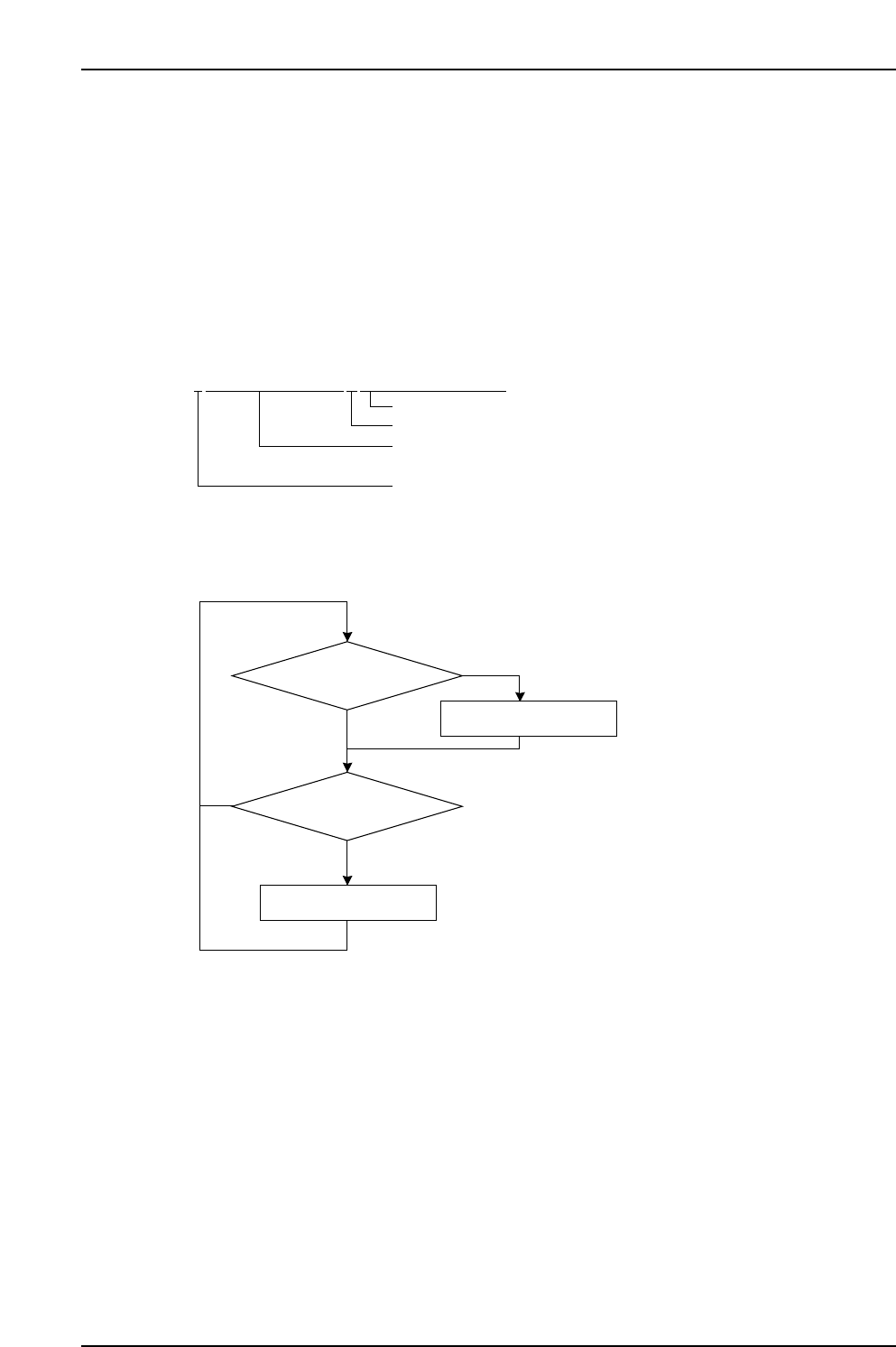
6.1.1 Log Registration Steps
Events are constantly registered in the log, with the log being saved as a file. File change
coours at the following timings.
• When user clicks [Save Production Information] button.
• At machine shutdown.
• When a program is selected (at program changes).
• When the date changes.
The log file is saved in the "sd0/FUJI/USER/PRODUCT/" folder using the following file
name format:
File name example: L010513152903_VISIONXP241.PRD
6.1.2 Log Display Hint
Depending upon these settings, the number of log files may increase and delay the
display when the [Production] - [Production Data] buttons are selected.
To minimize this delay, specify the number of [Days] that files will be saved or a limit to
the total [Size] of the log file memory, at the [Production] - [Production Data] - [Deletion
Settings] screen.
Close log file
Register event in log
Machine event occurs
NO
NO
YES
Constantly executed, beginning
from machine startup
YES
[Save] button clicked
XP1S066E
LYYMMDDHHMMSS_XXXXXXXXXX.PRD
XP1S2065E
File name (name specified when saved)
"_" (underbar) fixed
Year/month/day/hour/minute/second
(2 digits each, decimal) when log began.
"L" fixed
Part 2 Chapter 6 Production Information Display
Edition 2.0 2-6-2 XP-142E System Reference
6.2 Screen Operations
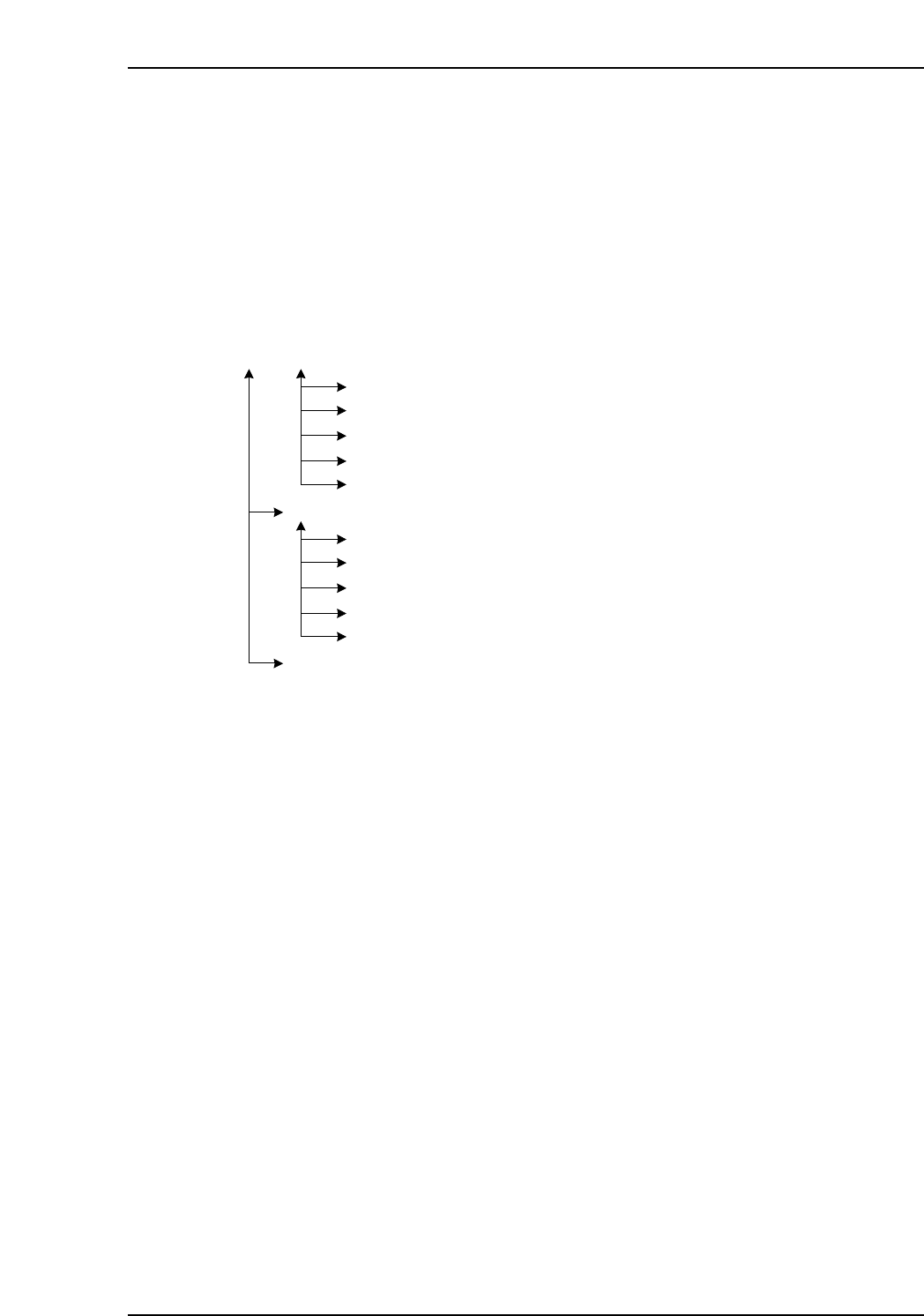
6.2.1 Switching Between Screens
To display the production information, select [Production] at the main menu, then select
[Display Production Information] at the sub-menu to display the production information
display conditions setting screen where the display conditions can be set. After
specifying these settings, select the production program to be displayed, and then click
the various buttons to proceed to the corresponding information screens.
Click [Log File] to display the log file selection screen. Select the desired log file(s), then
press the various buttons to proceed to the corresponding information screens.
Production Information Display Conditions Setting screen
Log File Selection screen
Automatic Deletion Function Setting screen
Panel Information screen
Machine Status Information screen
Feeder Information screen
Nozzle Information screen
Error Information screen
Panel Information screen
Machine Status Information screen
Feeder Information screen
Nozzle Information screen
Error Information screen
XP1S2067E
Part 2 Chapter 6 Production Information Display
Edition 2.0 2-6-3 XP-142E System Reference
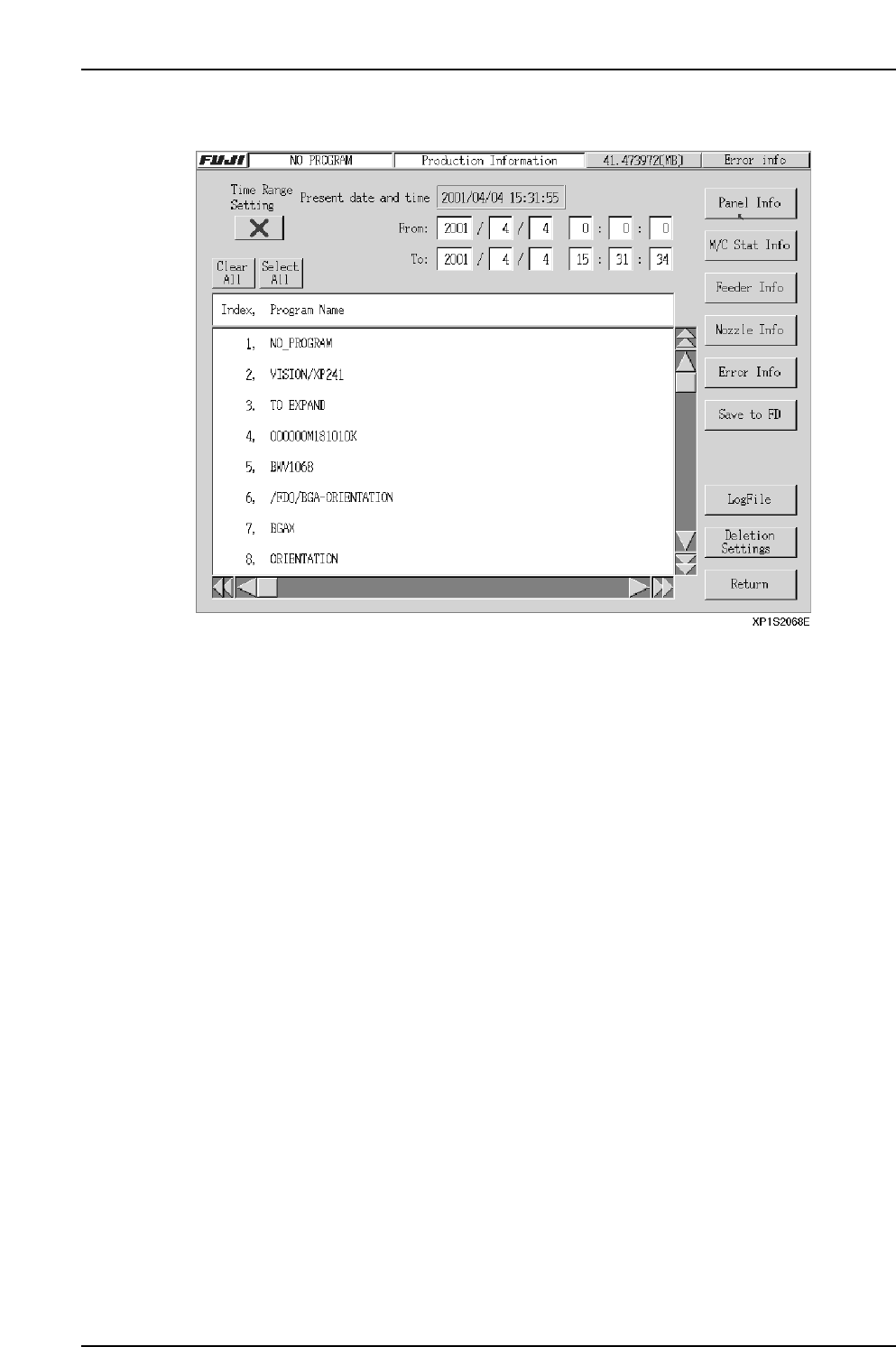
6.2.2 Production Information Display Conditions Setting Screen
Data Explanation
This screen can be used to specify the time frame for the development of production
information, and to select programs. Click the [X] button to enable a time frame (the
button indicator changes to [O]). If no time frame is to be set, click the button again to
change the button indicator to [X].
The names of production programs are obtained from a log file stored in the
current/sd0FUJI/USER/PRODUCT folder, and display in the window shown above.
From this list, select the name of the program which contains the information to be
displayed.
When a program is selected, the program operation time for the unselected programs
becomes "power off time". To make selections in log file units, click [Log File] to change
to the Log File selection screen.
Part 2 Chapter 6 Production Information Display
Edition 2.0 2-6-4 XP-142E System Reference