XP-142E System Reference-SYS-XP142-2.0E.pdf.pdf - 第160页
Terminate (Presently not supported) In cases where part placement is occurring as shown in the illustration below, a 3216 part placing error occurs, and the 3216 part cannot be placed if the SOIC part is placed first. To…
Main Mark No.
Specifies the mark number which serves as the main reference for the part to be placed.
(1 ~ 255)
Sub-Mark No.
Specifies the mark number which serves as the sub-reference for the part to be placed.
(1 ~ 255)
Mark Name
Enter the name of the mark to be read. Be sure and enter the mark name when multiple
mark types exist. Valid only at the mark reading sequence. (Max. 23 characters)
Board Skip
Set this item to “1” when no parts are to be placed on a given board.
0: Not skipped 1: Execute board skip
Feeder Skip
Set this item to “1” when no parts are to be placed from a given feeder. When a feeder
skip is specified, all the relevant sequences are skipped if a skip is specified for any one
sequence at the slot in question.
0: Not skipped 1: Execute feeder skip
Sequence Skip
Select “1” when the sequence in question must be skipped.
0: Not skipped 1: Execute sequence skip
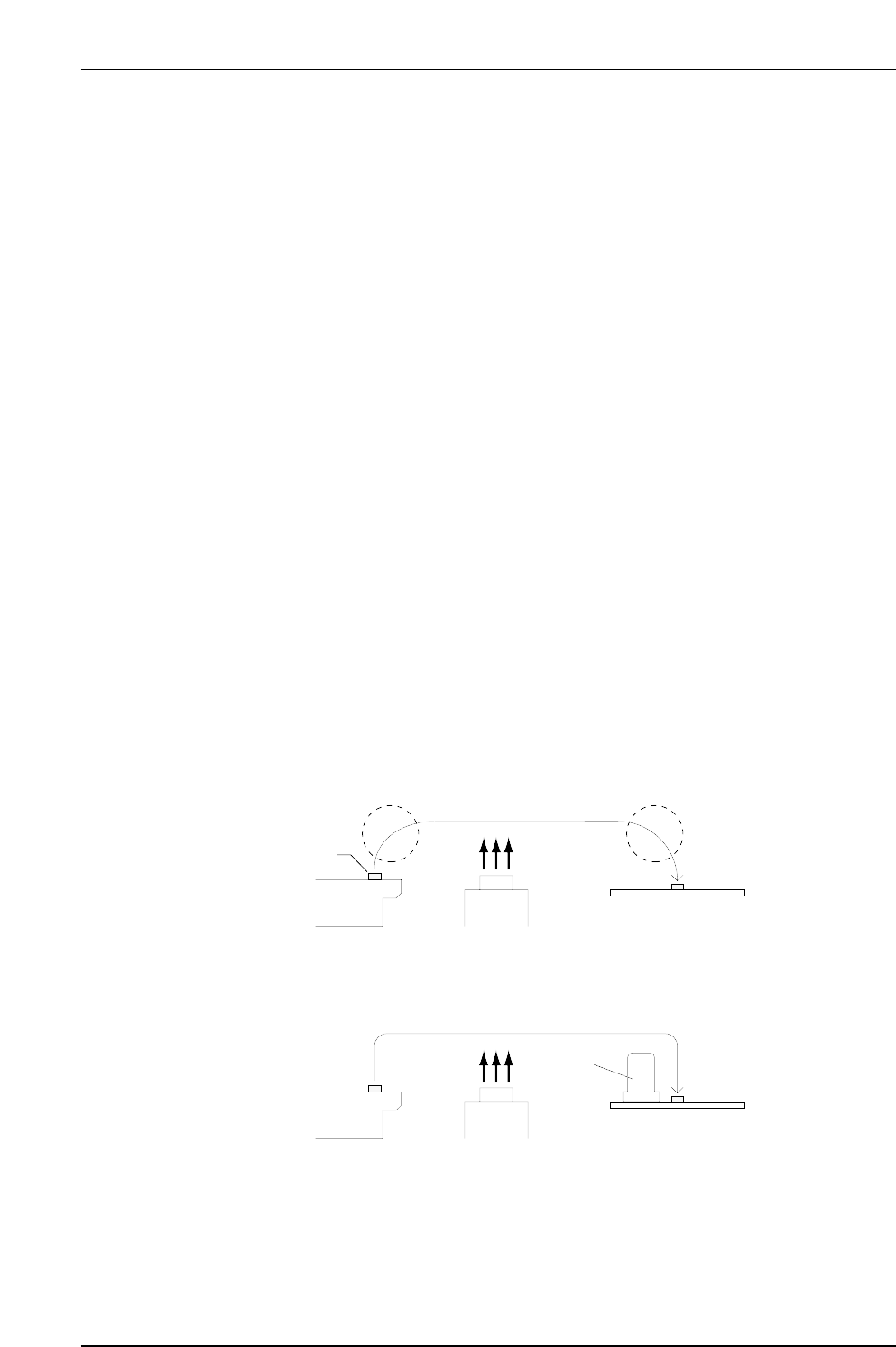
Transport Mode
With reference to the illustration below, select the axis motion desired when placing the
part. (Select a setting of “1” to decrease the chance of interference in placing sequences
where tall or large parts have been placed in advance.)
0: Arch motion 1: Gate motion
When "0" is input
When "1" is input
Part
Feeder
Camera
Panel
Feeder
Camera
Panel
Tall part
MCSX312Ec
Part 3 Chapter 3 Editor
Edition 2.0 3-3-4 XP-142E System Reference
Terminate (Presently not supported)
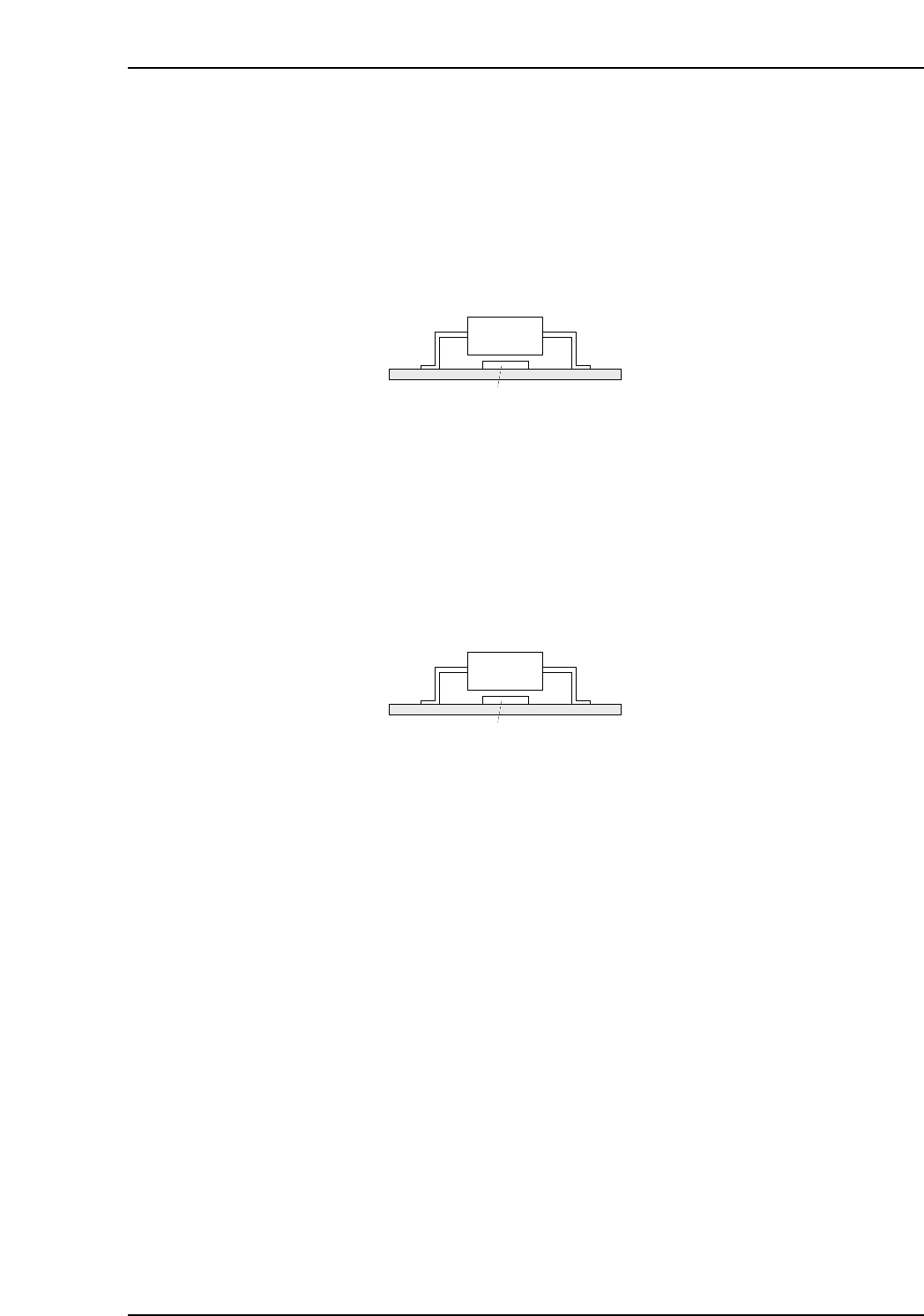
In cases where part placement is occurring as shown in the illustration below, a 3216 part
placing error occurs, and the 3216 part cannot be placed if the SOIC part is placed first.
To avoid this problem, set the “Terminate” item of the SOIC placing sequence to “1”
(terminate sequence enabled) so that the SOIC part will not be placed until all other
placing sequences are completed.
As a result, even when an error occurs at the previous sequence, the part for the next
sequence will not be placed.
0: No terminate sequence 1: Execute terminate sequence
Place Before
Enter the comment for the placement sequence which is to occur later (max. 256
characters). If an error occurs at the 3216 part placement when placing parts as shown in
the illustration below, it will no longer be possible to place the 3216 part if the SOIC part
is placed first. Entering the SOIC sequence comment in this 3216 placement sequence
textbox ensures that the SOIC part will not be placed until after the 3216 part has been
placed.
Comment
Up to 256 characters can be used for the sequence comment input. In order to specify a
“Place Before” sequence comment, unique sequence comments must be specified for
each board. When a “Place Before” entry is made, there must be other parts with the
same sequence comment on that board.
Panel
SOIC
3216
MCSX313E
Panel
SOIC
3216
MCSX313E
Part 3 Chapter 3 Editor
Edition 2.0 3-3-5 XP-142E System Reference
3.2.1 Position Offset
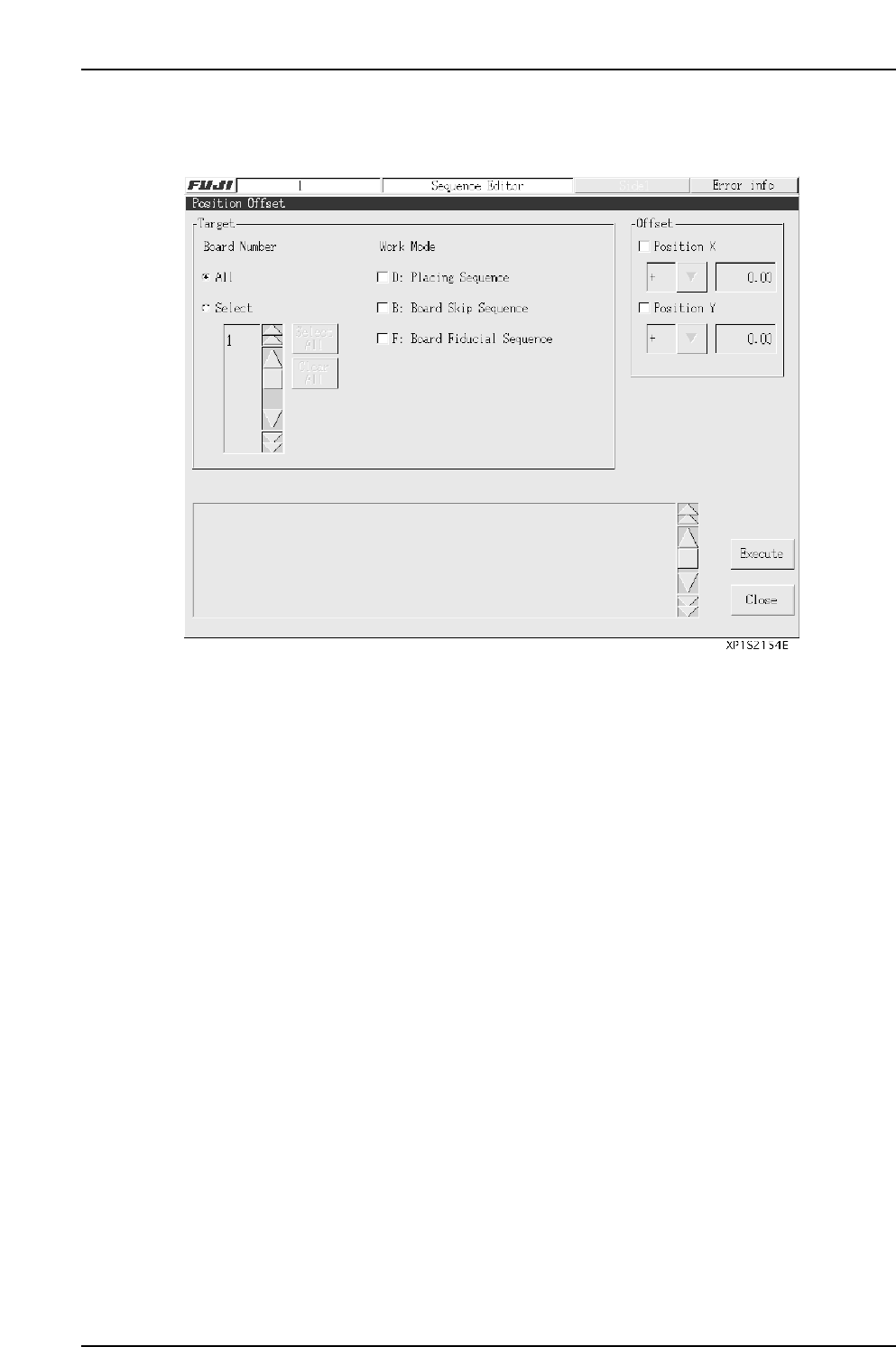
Use this function to offset coordinate settings for single boards.
Board Number
Specify the number of the board whose coordinates will be offset.
All: Position offset will apply to all boards on a panel.
Select: Specify single boards whose position will be offset.
Work Mode
Specify the type of coordinate to offset.
D: Part placement coordinates
B: Board skip mark coordinates
F: Board fiducial mark coordinates
Offset
Specify the offset axis, direction (+ or –), and distance.
(Input range: 0.00 - 650.00 mm)
Execute A confirmation message is displayed.
[Yes]: Execute the offset and return to the [Position Offset] screen.
[No]: Return to the [Position Offset] screen without executing the offset.
[Close]: Close the [Position Offset] screen to return to the [Sequence Editor]
screen.
Note: The above offset conditions are saved when an offset is executed successfully.
Part 3 Chapter 3 Editor
Edition 2.0 3-3-6 XP-142E System Reference