XP-142E System Reference-SYS-XP142-2.0E.pdf.pdf - 第205页
9. Press [Template Editor] to open the [Edit Options] dialog box. Select "Acquire new image and edit PartType data", then press [Next]. Operation Button Explanations Acquire new image and edit PartType data. Ed…
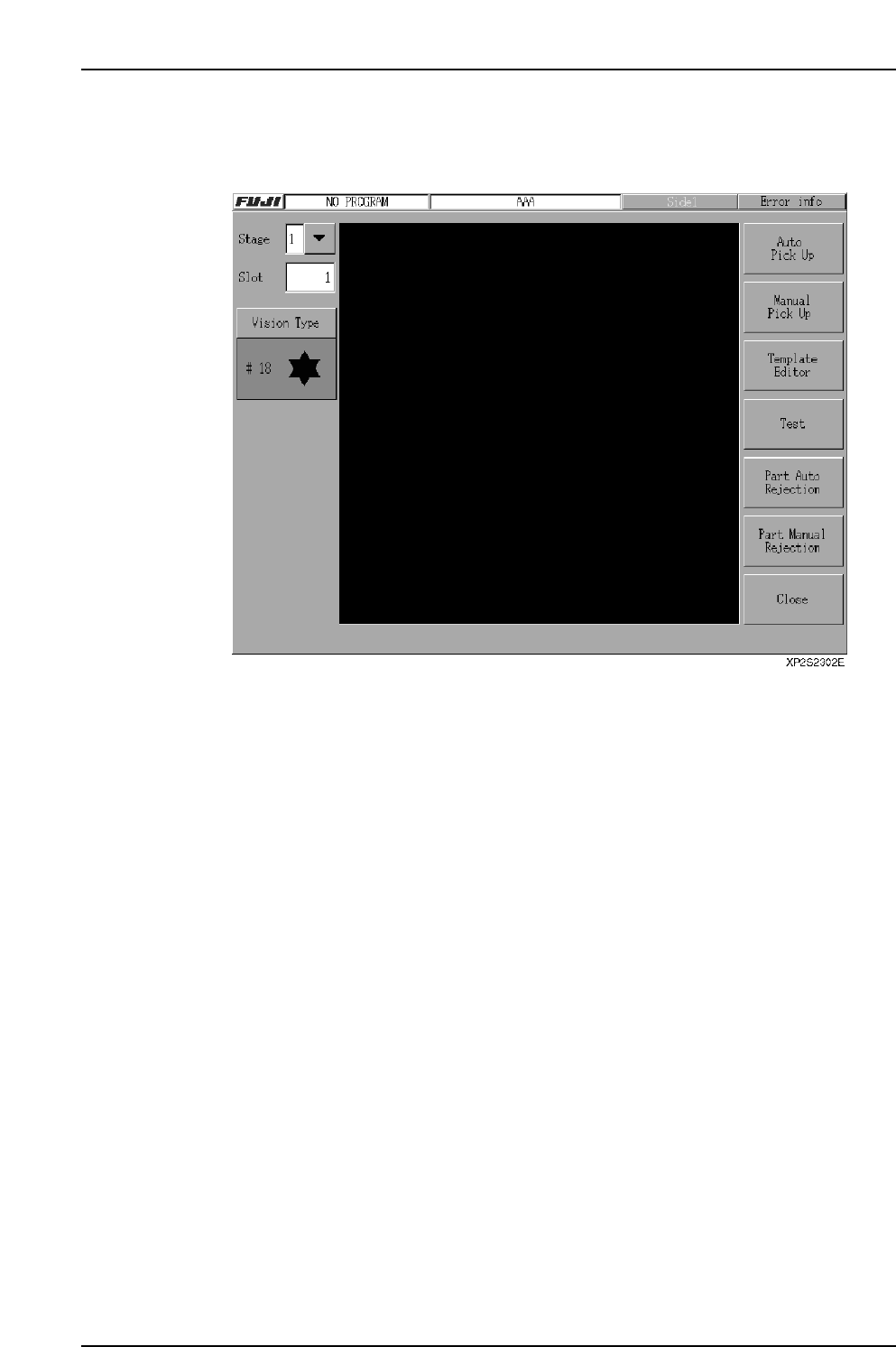
8. Press [Auto Pick Up] at the top of the screen, then press [START] to pick up the
part from the stage and slot indicated at the upper left of the screen. (This pickup
operation will not occur if no packaging name has been specified.)
Note: The buttons on the template creation screen are explained later.
Part 4 Chapter 2 Creating a Template From Existing Part Data
Edition 2.0 4-2-2 XP-142E System Reference
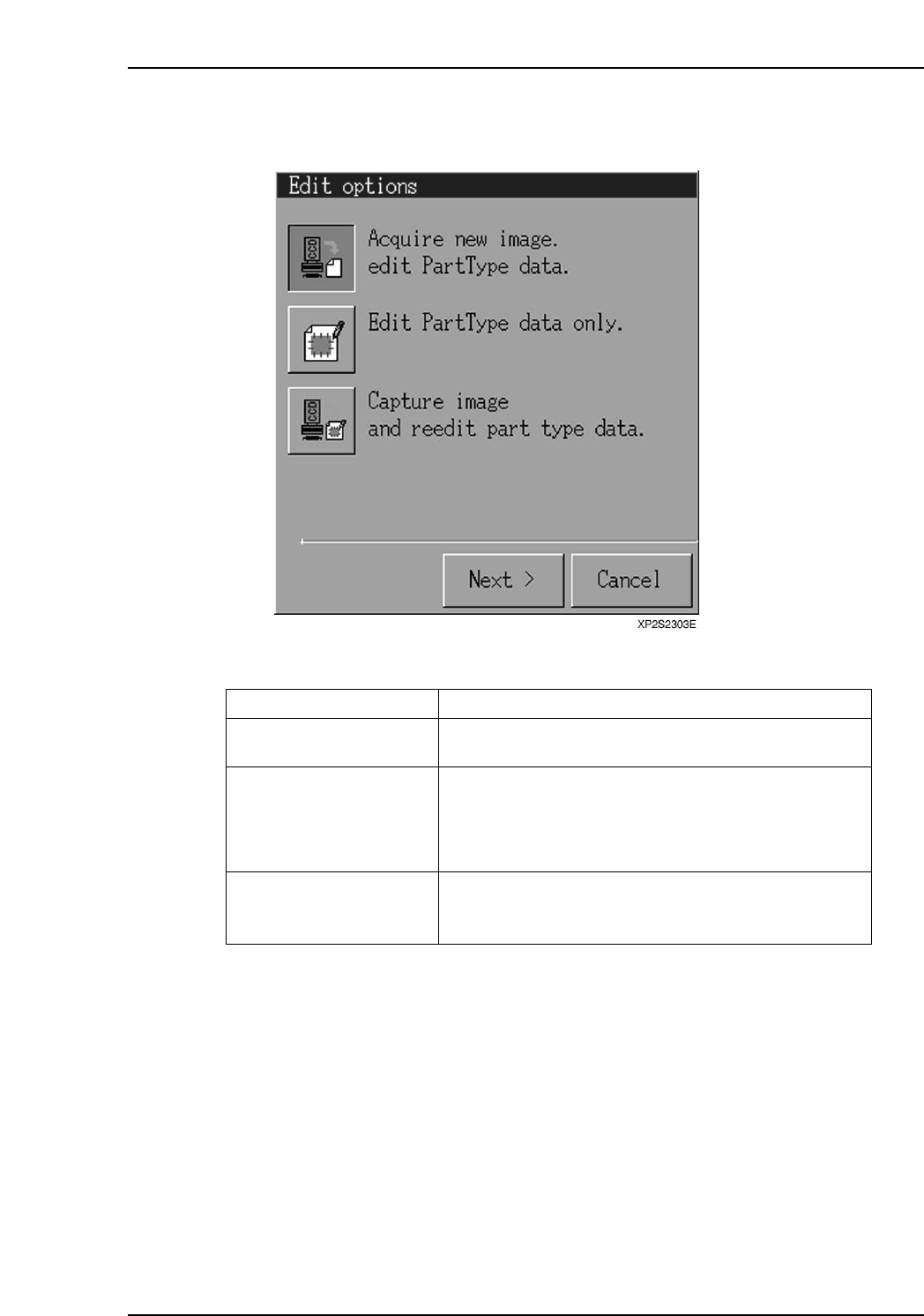
9. Press [Template Editor] to open the [Edit Options] dialog box. Select "Acquire
new image and edit PartType data", then press [Next].
Operation Button Explanations
Acquire new image and edit
PartType data.
Edit PartType data only.
Capture image and reedit
part type data.
Creates a new template based on the acquired image or
the specified image file.
Re-edits an existing template using a previously created
image file. This function is only operative when there is
an image file with the same name as the PartTypeName
or PartNumber being edited, when editable template data
exists, or when no template data exists.
Re-edits a template based on the acquired image or the
specified image file. This function is only operative
when editable template data exists.
XP1S2316E
Display Function
Part 4 Chapter 2 Creating a Template From Existing Part Data
Edition 2.0 4-2-3 XP-142E System Reference
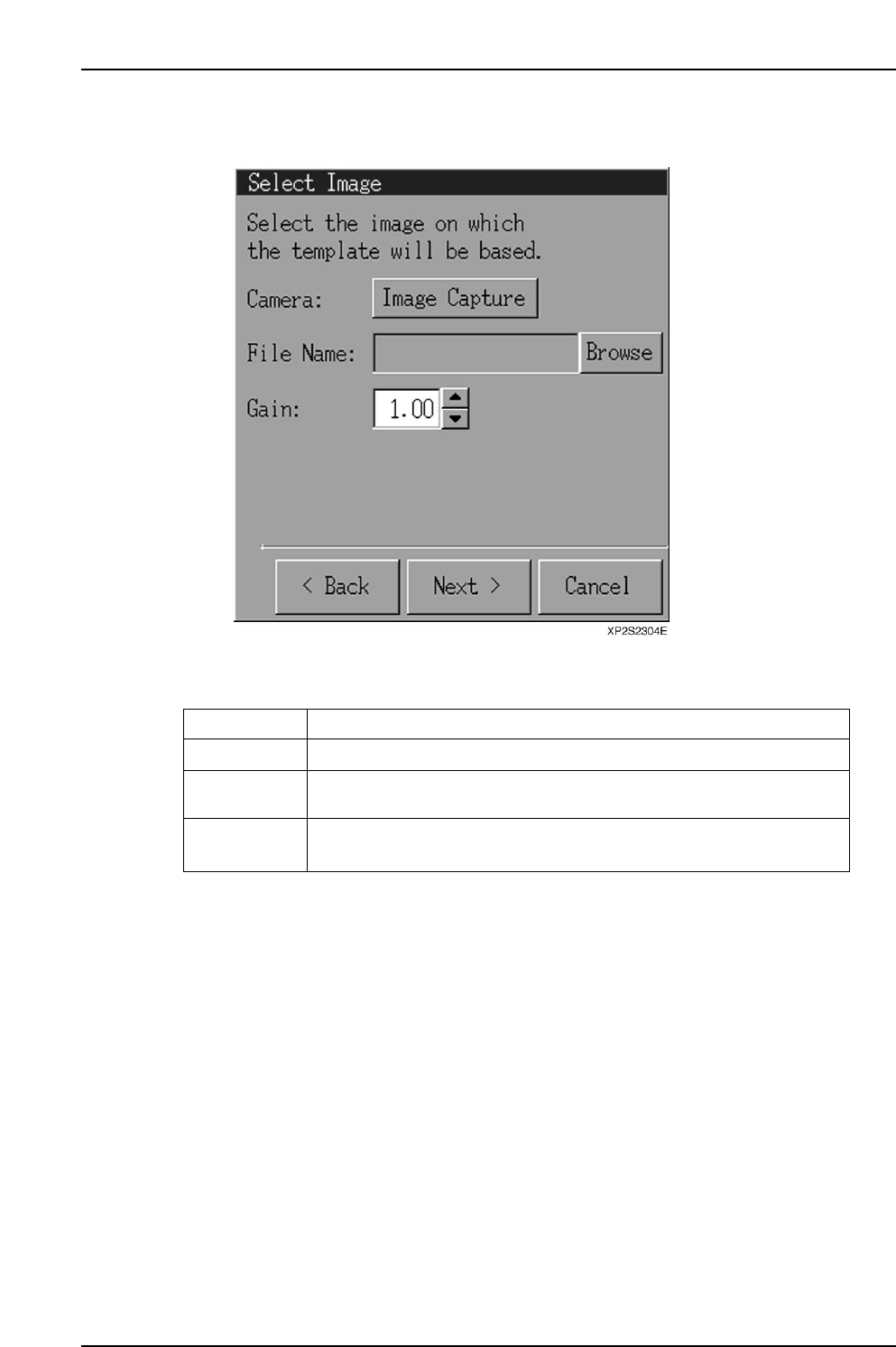
10. When the [Select Image] dialog box displays, select [Image Capture], then press
[Next].
Operation Button Explanations
Image capture
Browse
Gain
An image is captured by the camera.
Opens a file selection dialog box from which the desired image file can
be selected.
Changes the screen brightness in a virtual manner. The range is 0 ~ 255,
and the default setting is 1.00.
XP1S2317E
Display Function
Part 4 Chapter 2 Creating a Template From Existing Part Data
Edition 2.0 4-2-4 XP-142E System Reference