XP-142E System Reference-SYS-XP142-2.0E.pdf.pdf - 第181页
3.6.1 Part T ype Editing The part type editor is used to set part information. Operation Button Explanations Displays a list of part types used by the production program which is currently opened in the editor. Saves edi…

Barcode
The barcode label may contain up to 30 characters other than double-quotation marks.
Part Type Name
Select the part type name from among the registered part type names.
Packaging Name
Select the packaging name from among the registered packaging names.
Part 3 Chapter 3 Editor
Edition 2.0 3-3-25 XP-142E System Reference
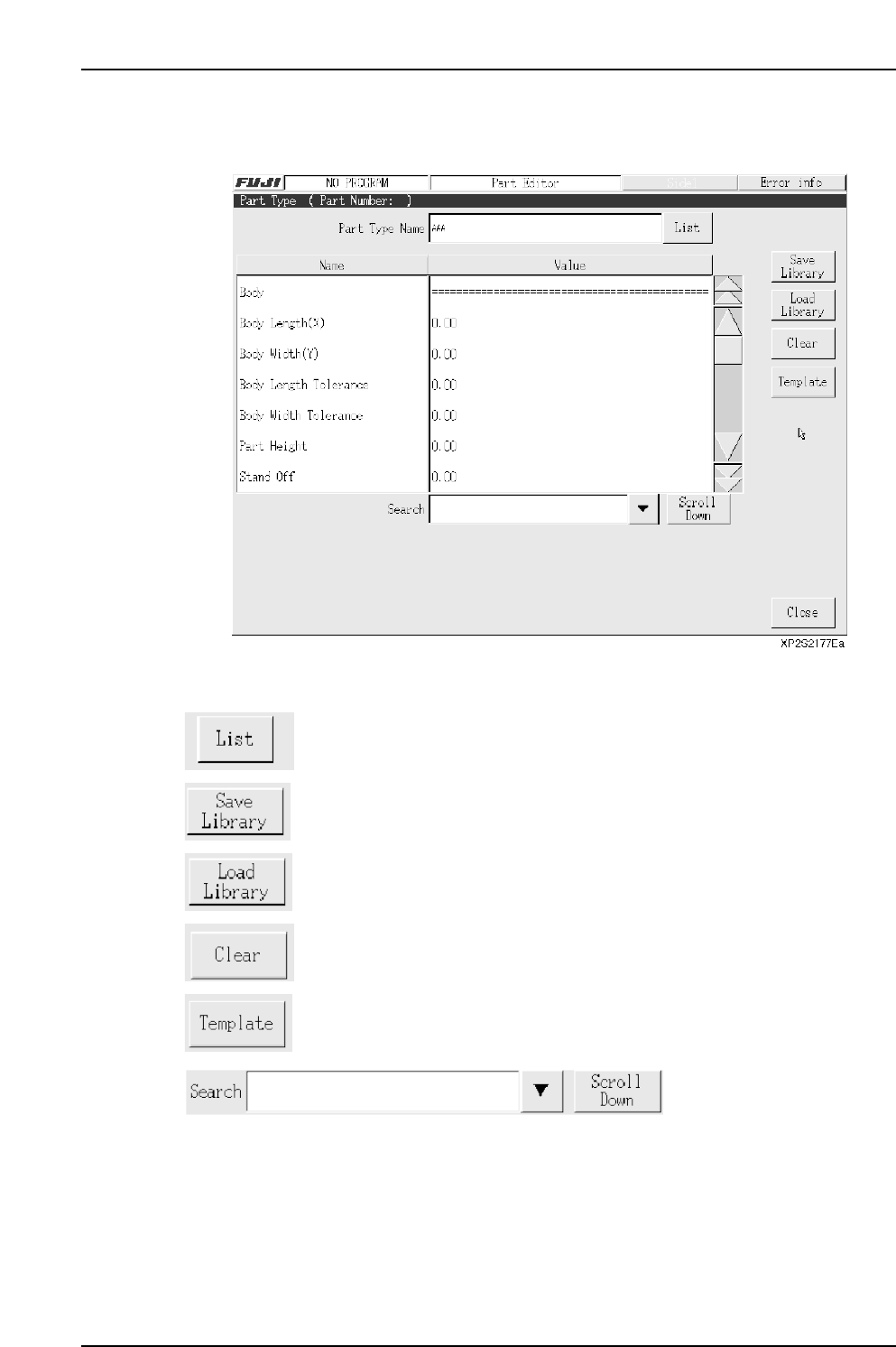
3.6.1 Part Type Editing
The part type editor is used to set part information.
Operation Button Explanations
Displays a list of part types used by the production program which is
currently opened in the editor.
Saves edited part type data to the library.
Loads a part type which is saved in the library.
Clears the setting data.
Press to perform template editing using the template editor.
Item searches display the specified data name. Press the black arrow-mark key to
display a classification list. A search can also be performed by entering the part number
name directly from the keyboard. Press the [Scroll Down] key to execute a search in the
“top to bottom” direction.
Part 3 Chapter 3 Editor
Edition 2.0 3-3-26 XP-142E System Reference

Setting Item Explanations
Part Type Name
Specifies the part type name. No more than 30 characters may be used in this name.
Note: The following characters may not be used in file names: ( : \ / ; * ? “ < > | ) Also, characters
(˜ .) may not be used at the beginning of the file names.
Part type data consists of the following five categories.
• Body
• Lead
• Element
• Process
• Vision
Body
Body Length (X)
Specifies the X-direction length of the part’s basic shape. (0.01 mm ~ 20.00 mm)
Body Width (Y)
Specifies the Y-direction length of the part’s basic shape. (0.01 mm ~ 20.00 mm)
Body Length Tolerance
Specifies the body’s Y-direction size tolerance. Specify this setting only for parts
(without leads as 2125, 3216, etc.) inspected using vision type 10 (Rect). It is not required
for parts (with leads SOP, QFP, etc.) inspected using vision type other than 10. A
tolerance error occurs when the detected part size exceeds this tolerance value. This
tolerance value should generally be about 10% of the body size. (0.00 mm ~ 9.99 mm)
The Body Length Tolerance check is not completed if the value is set to 0.0.
Body Width Tolerance
Specifies the body’s Y-direction size tolerance. Specify this setting only for parts
(without leads as 2125, 3216, etc.) inspected using vision type 10 (Rect). It is not required
for parts (with leads SOP, QFP, etc.) inspected using vision type other than 10. A
tolerance error occurs when the detected part size exceeds this tolerance value. This
tolerance value should generally be about 10% of the body size. (0.00 mm ~ 9.99 mm)
The Body Width Tolerance check is not completed if the value is set to 0.0.
Part 3 Chapter 3 Editor
Edition 2.0 3-3-27 XP-142E System Reference