XP-142E System Reference-SYS-XP142-2.0E.pdf.pdf - 第127页
8. System Administration 8.1 Displaying the Software V ersions (ESR0242a) Users can access the following dialog box which displays software versions by pressing the [FUJI] button in the top left of the touch panel. Press…
Operation Button Explanations
Click these buttons to copy files in the direction of the arrow.
Note: A file cannot be copied to the directory it is already in.
Select all displayed files.
Reverse all file selections/deselections.
Delete all selected files. A confirmation message appears before
deleting the file.
Note: When deleting files from the machine’s disk drive (/sd0), be certain
not to delete any files required by the system. If system files are
deleted the machine will not start.
Close this screen.
Part 2 Chapter 7 Data Administration
Edition 2.0 2-7-14 XP-142E System Reference
8. System Administration
8.1 Displaying the Software Versions
(ESR0242a)
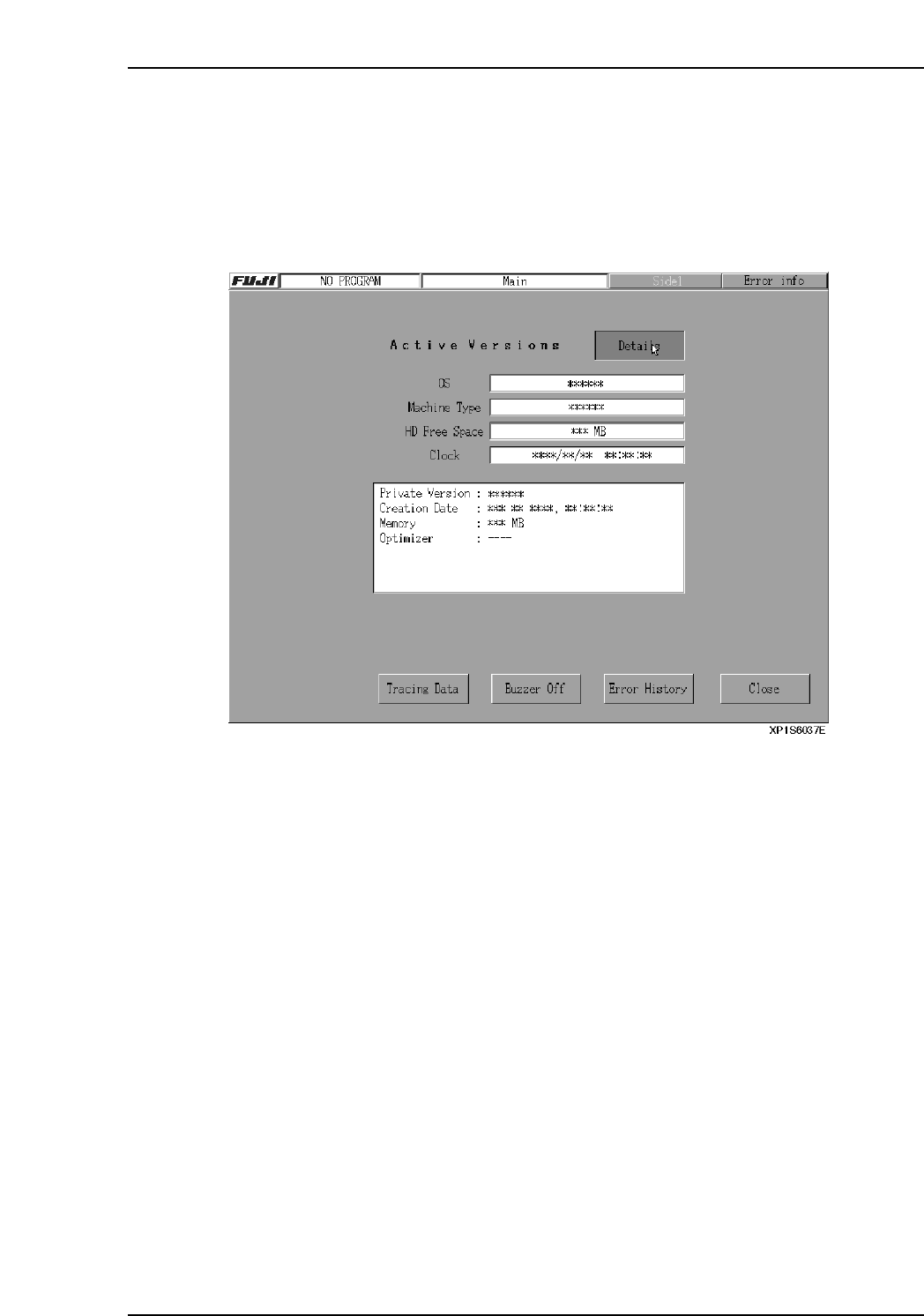
Users can access the following dialog box which displays software versions by pressing
the [FUJI] button in the top left of the touch panel. Press [Details] to display detailed
information such as Private Versions, etc. Press [Close] to clear the version display.
Part 2 Chapter 8 System Administration
Edition 2.0 2-8-1 XP-142E System Reference
8.2 Application Software Version Upgrades
(ESR0601b)
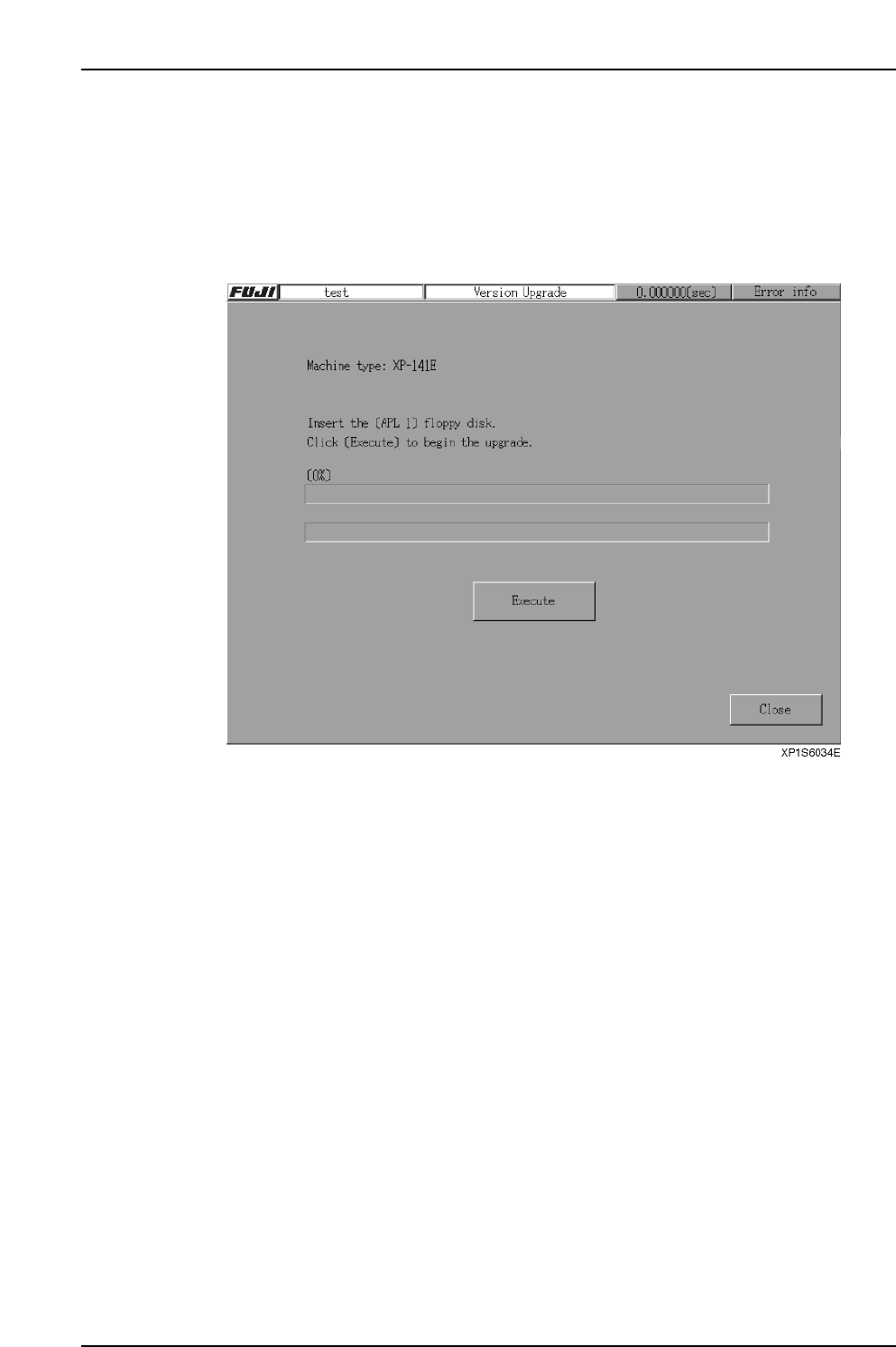
Carry out the following procedure to upgrade the machine control software.
Procedure
1. From the [Main] screen, select [Maintenance B] - [Upgrade] to display the
following screen.
Part 2 Chapter 8 System Administration
Edition 2.0 2-8-2 XP-142E System Reference