XP-142E System Reference-SYS-XP142-2.0E.pdf.pdf - 第138页
8.3.6 Error Message Dialog Box The error dialog box shown below displays at any of the above steps if the wrong floppy disk is inserted. Click [OK] to close this dialog box and return to the dialog box requesting that th…
8.3.4 Copying Boot Parameters
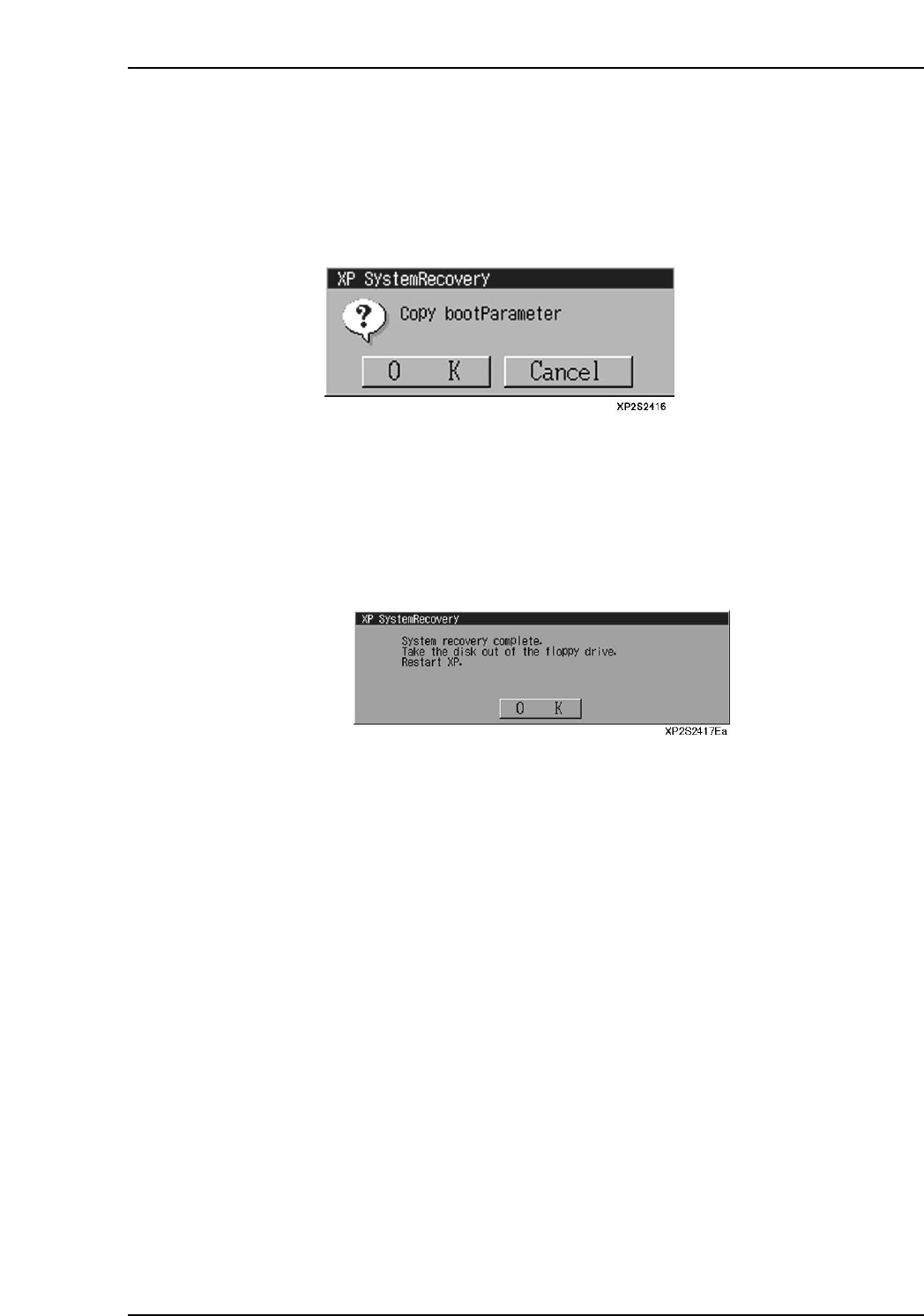
As the XP machine cannot be booted up without the proper boot parameters data, the
boot parameters must be set. In this step, the default boot parameters will be copied to
enable XP machine boot up.
The following dialog box displays after the system backup data recovery step, inquiring
if boot parameters are to be copied.
Press [OK] to copy the default boot parameter settings.
Press [Cancel] to skip this boot parameter copying step.
8.3.5 Rebooting
When the user backup data recovery operation is completed, the following "recovery
complete" dialog box displays.
Remove the disk from the floppy disk drive. Press [OK] to shut down and restart the XP
machine.
Part 2 Chapter 8 System Administration
Edition 2.0 2-8-11 XP-142E System Reference
8.3.6 Error Message Dialog Box
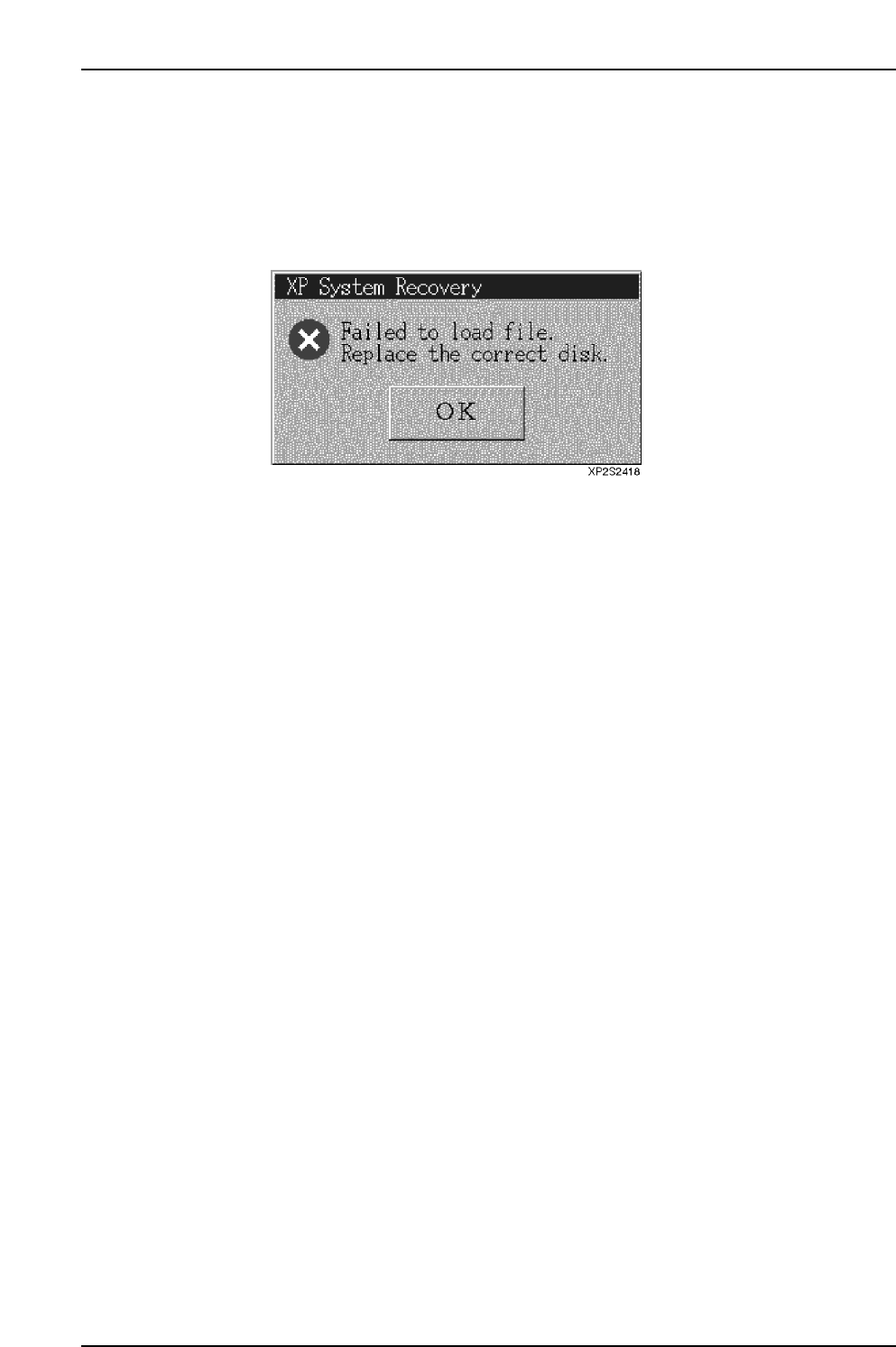
The error dialog box shown below displays at any of the above steps if the wrong floppy
disk is inserted.
Click [OK] to close this dialog box and return to the dialog box requesting that the disk
be inserted.
Part 2 Chapter 8 System Administration
Edition 2.0 2-8-12 XP-142E System Reference
8.4 Boot-up Settings
(ESR0605)
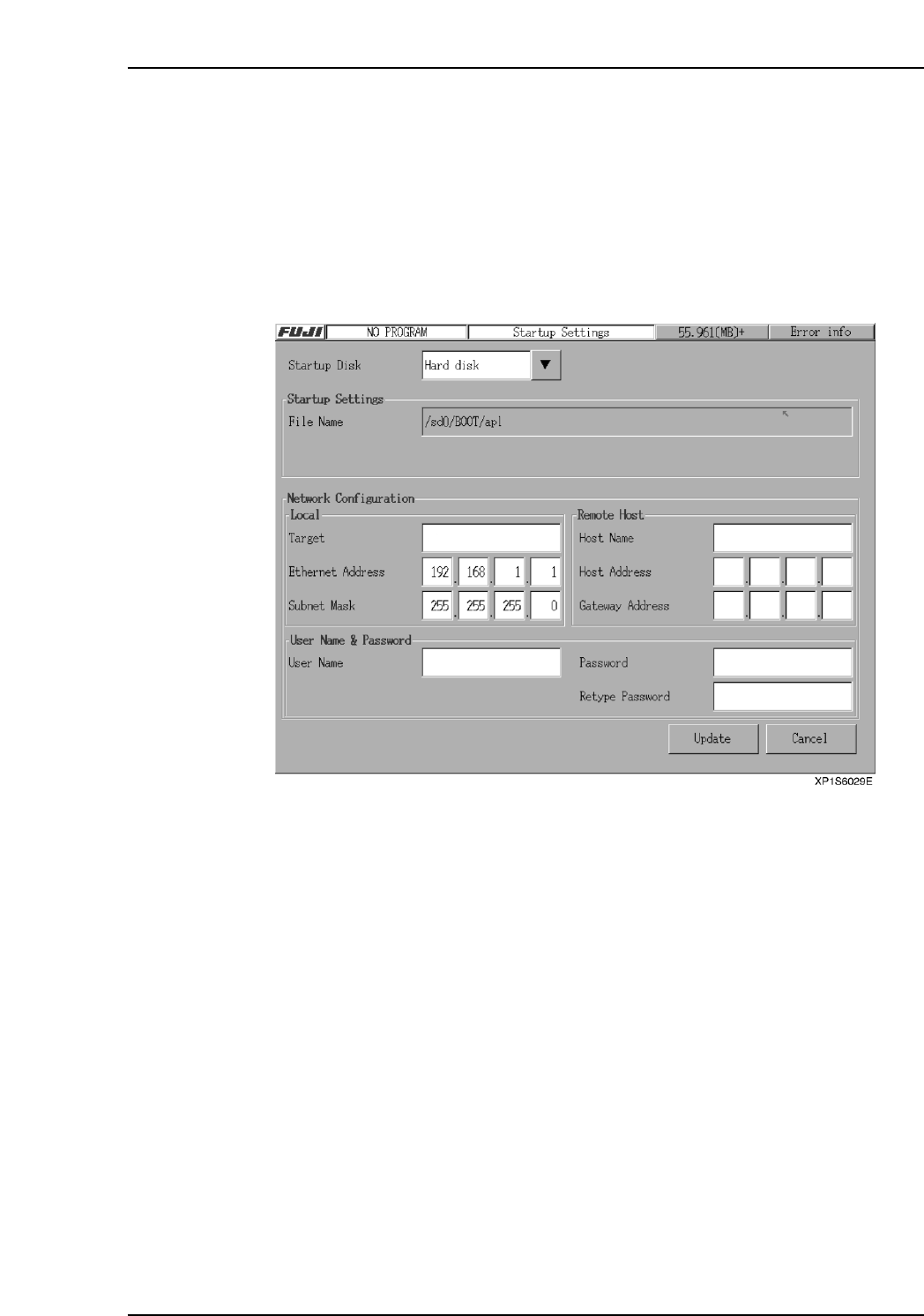
The machine accesses the “Boot file” when the machine boots up. It is possible to specify
the location of the boot-up file on the machine’s hard disk or even a computer on the
network.
Procedure
1. At the [Main] screen, press [Maintenance B] then [Boot Up Configuration] to
display the [Boot Up Configuration] screen.
2. After all settings are made, press [Update] to return to the [Main] screen.
3. Press [Shutdown] at the [Main] screen then restart the machine.
Note: If the [Network] setting is specified, the following three additional settings must be specified:
[Local Configuration (Machine)], [Remote Host Configuration (Network Computer)], [User
Identification (For FTP Server Connection)].
Part 2 Chapter 8 System Administration
Edition 2.0 2-8-13 XP-142E System Reference