XP-142E System Reference-SYS-XP142-2.0E.pdf.pdf - 第156页
3. Editor Note: The value entry fields where settings can be changed are enclosed in brackets here. However, the settings shown in this manual are not necessarily the same as your machine specifications, so confirm the v…

Notes:
Part 3 Chapter 2 Program Menu
Edition 2.0 3-2-2 XP-142E System Reference
3. Editor
Note: The value entry fields where settings can be changed are enclosed in brackets here. However, the
settings shown in this manual are not necessarily the same as your machine specifications, so confirm the
value before making any setting changes.
3.1 Editor Screen
(ESR0703a)
This screen is used to edit sequence, panel, feeder setup, mark, part, and nozzle data.
Procedure
1. At the [Main] screen, press [Program], [Select Program], then select the program
where editing is to occur.
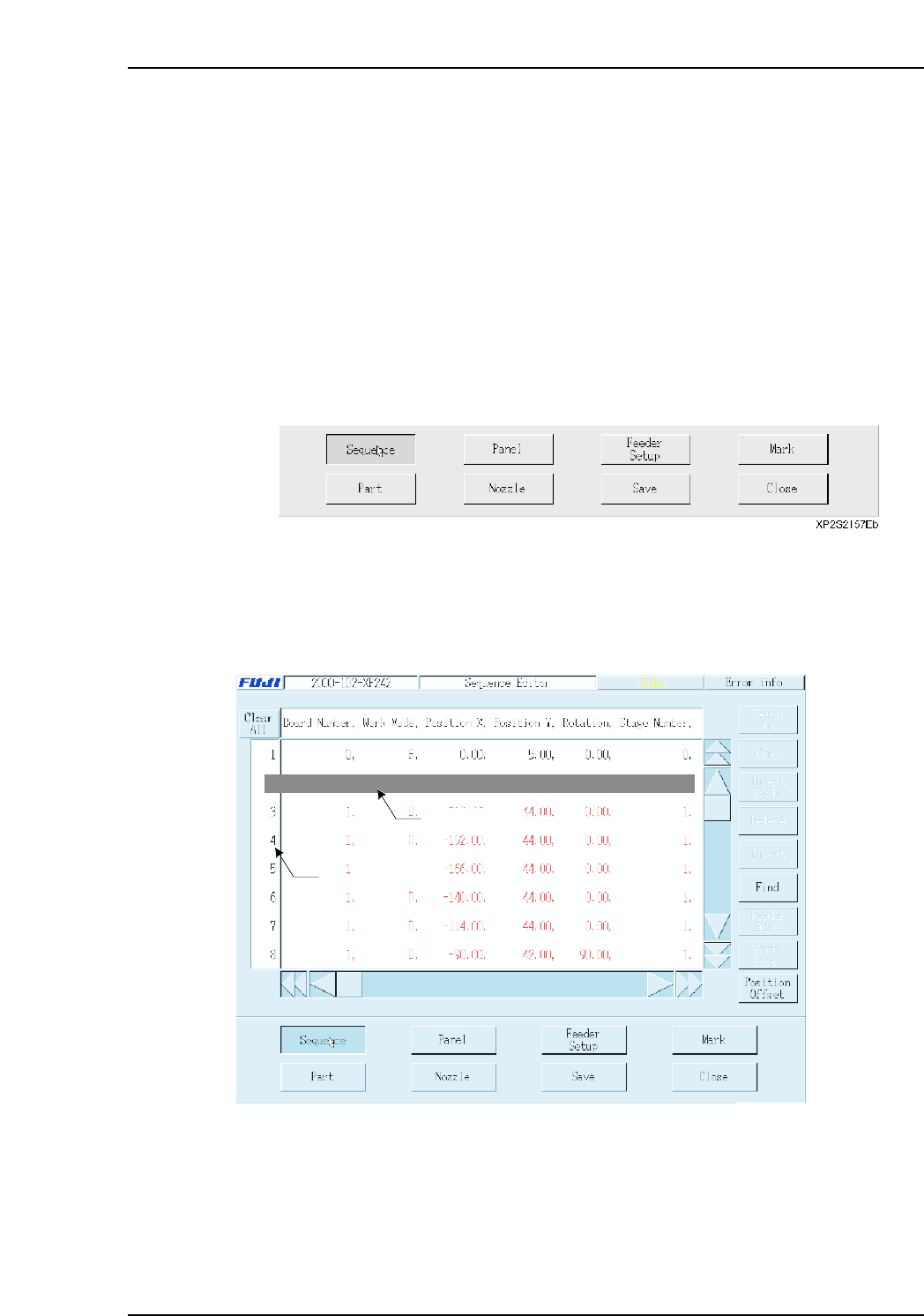
2. Press [Editor] to display the following buttons at the bottom of the touch screen.
3.2 Sequence Data
(ESR0704f)
Press [Sequence] to display the following screen.
Note: When a setting is made to skip a sequence, the letters in that row appear in red.
2 0, F, -99.59, 82.96, 0.00, 0,
Data input line
Selecting area
XP2S2157Eb
Part 3 Chapter 3 Editor
Edition 2.0 3-3-1 XP-142E System Reference
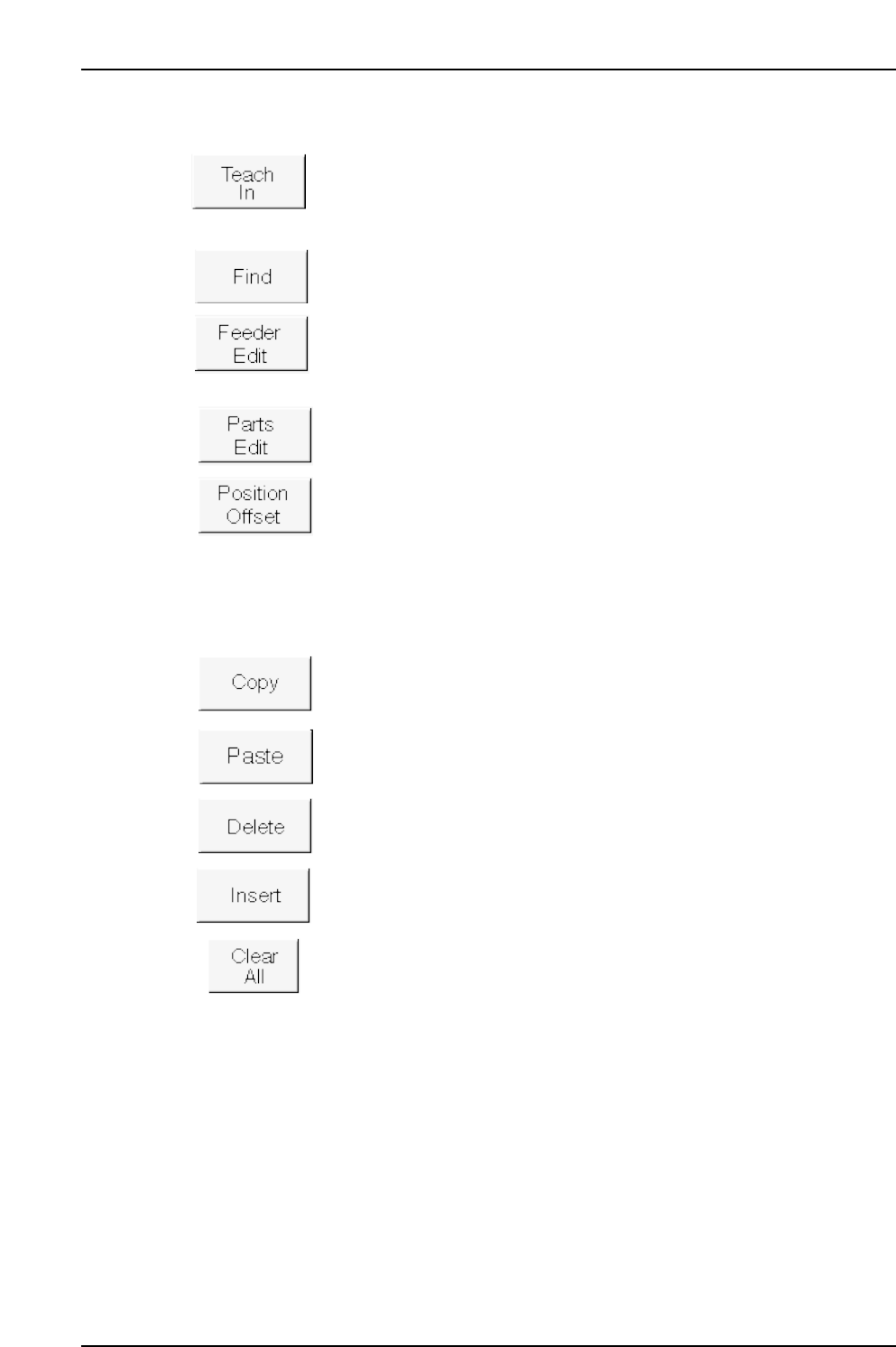
Operation Button Explanations
Press this button to perform sequence data editing using the teaching
function with actual machine operation.
Searches the sequence data for a specified character string.
Edits (at feeder setup screen) the feeder used at the selected line.
Edits (at part editor screen) the part to be placed at the selected line.
Offset coordinates for single boards.
The following buttons apply to the line which has been selected in the selection area at
the left side of the screen.
Copies the selected line to the clipboard.
Pastes the clipboard data above the selected line.
Deletes the selected line, and moves the subsequent lines up to fill the
vacated space.
Inserts a new (blank) line above the selected line.
Cancels all selections.
Part 3 Chapter 3 Editor
Edition 2.0 3-3-2 XP-142E System Reference