XP-142E System Reference-SYS-XP142-2.0E.pdf.pdf - 第133页
4. If [Yes] is pressed, a dialog box displays, and formatting begins. If [No] is pressed, the formatting operation is skipped, and the system proceeds to the next step. When only a section of the data or files in the har…
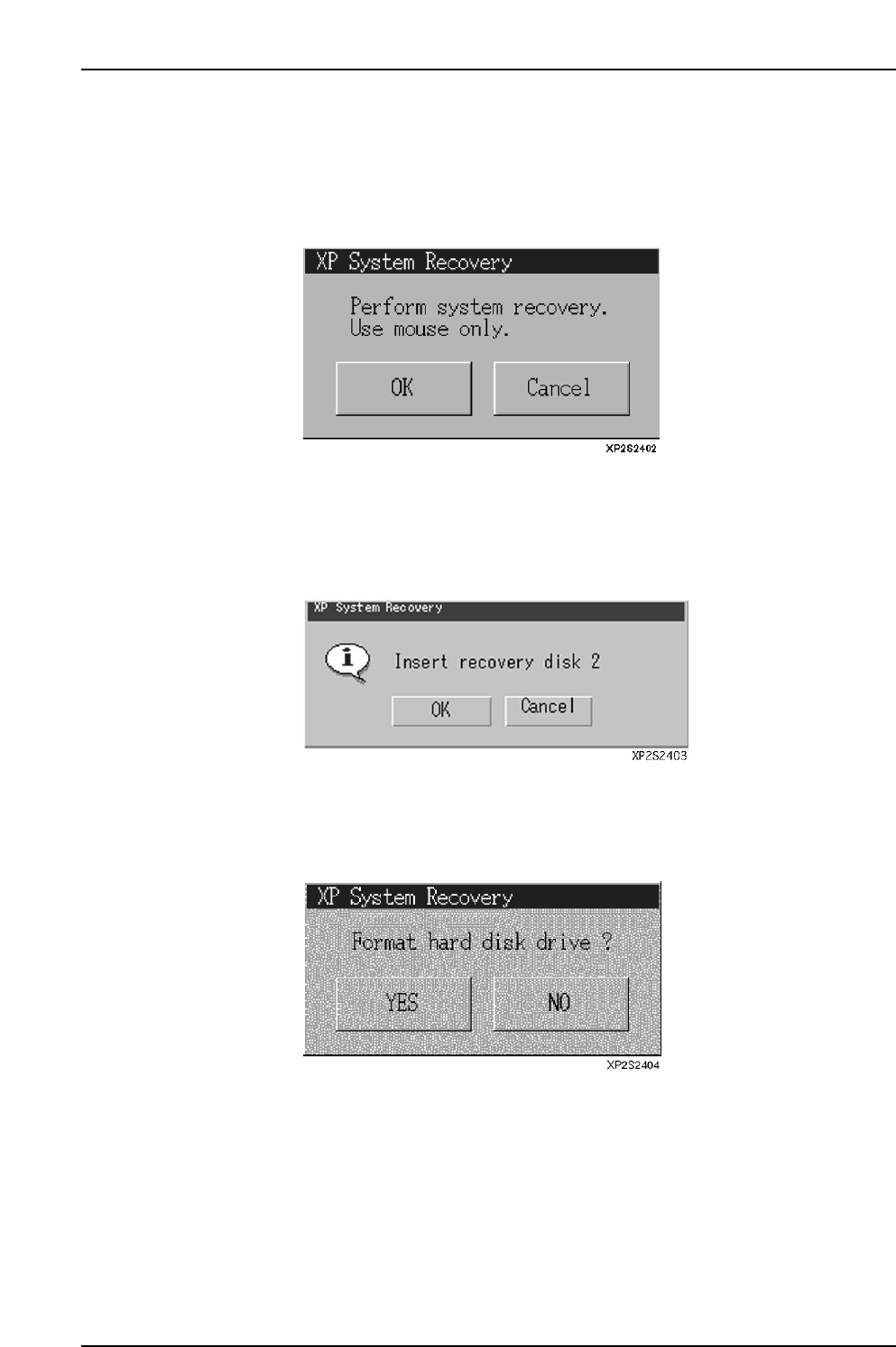
8.3.1 Booting Up the XP With the Recovery Boot-Up Disk
Procedure
1. Insert the recovery boot-up disk into the floppy drive, then turn the XP power on.
The following dialog box displays when the machine boots up.
2. Press [OK] to display the dialog box shown below, or Press [Cancel] to abort the
recovery operation and shut down the machine. When [OK] is pressed the
following dialog box displays. Insert “recovery boot-up disk 2” into the floppy
drive.
3. When [OK] is pressed, a progress dialog box displays, and the required files are
copied. To abort the recovery operation and shut down the machine, press
[Cancel]. Select whether or not the hard disk is to be formatted.
Part 2 Chapter 8 System Administration
Edition 2.0 2-8-6 XP-142E System Reference
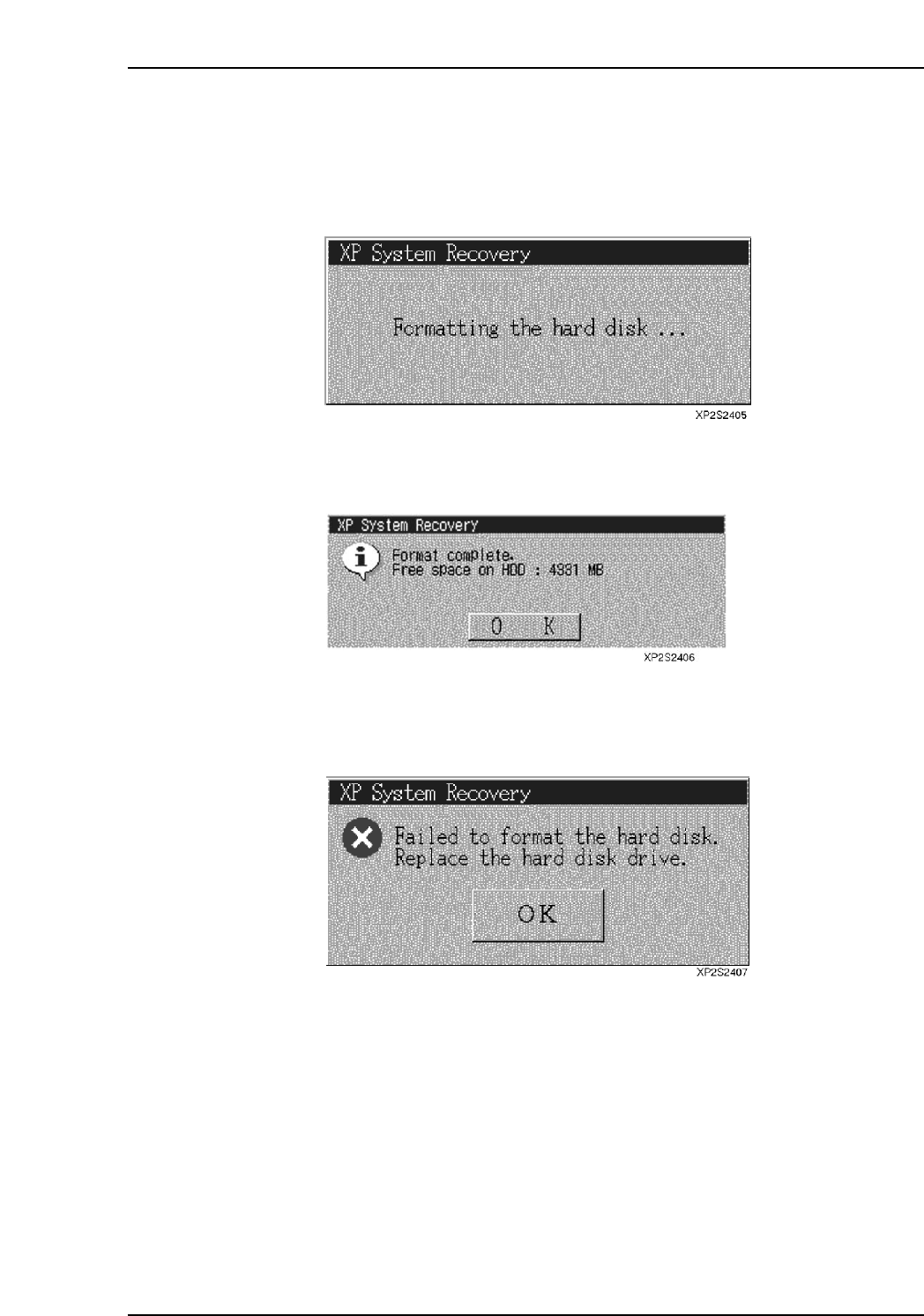
4. If [Yes] is pressed, a dialog box displays, and formatting begins. If [No] is pressed,
the formatting operation is skipped, and the system proceeds to the next step.
When only a section of the data or files in the hard disk are corrupted, it is possible
to restore the application by overwriting it. Therefore, if the status of the corrupt
data in the hard disk can be verified, the formatting step can be skipped.
5. After formatting is completed, the amount of vacant space on the formatted hard
disk is shown. Click [OK] to proceed to the next step.
6. If formatting fails, the following dialog box displays. Click [OK] to shut down the
XP machine.
Part 2 Chapter 8 System Administration
Edition 2.0 2-8-7 XP-142E System Reference
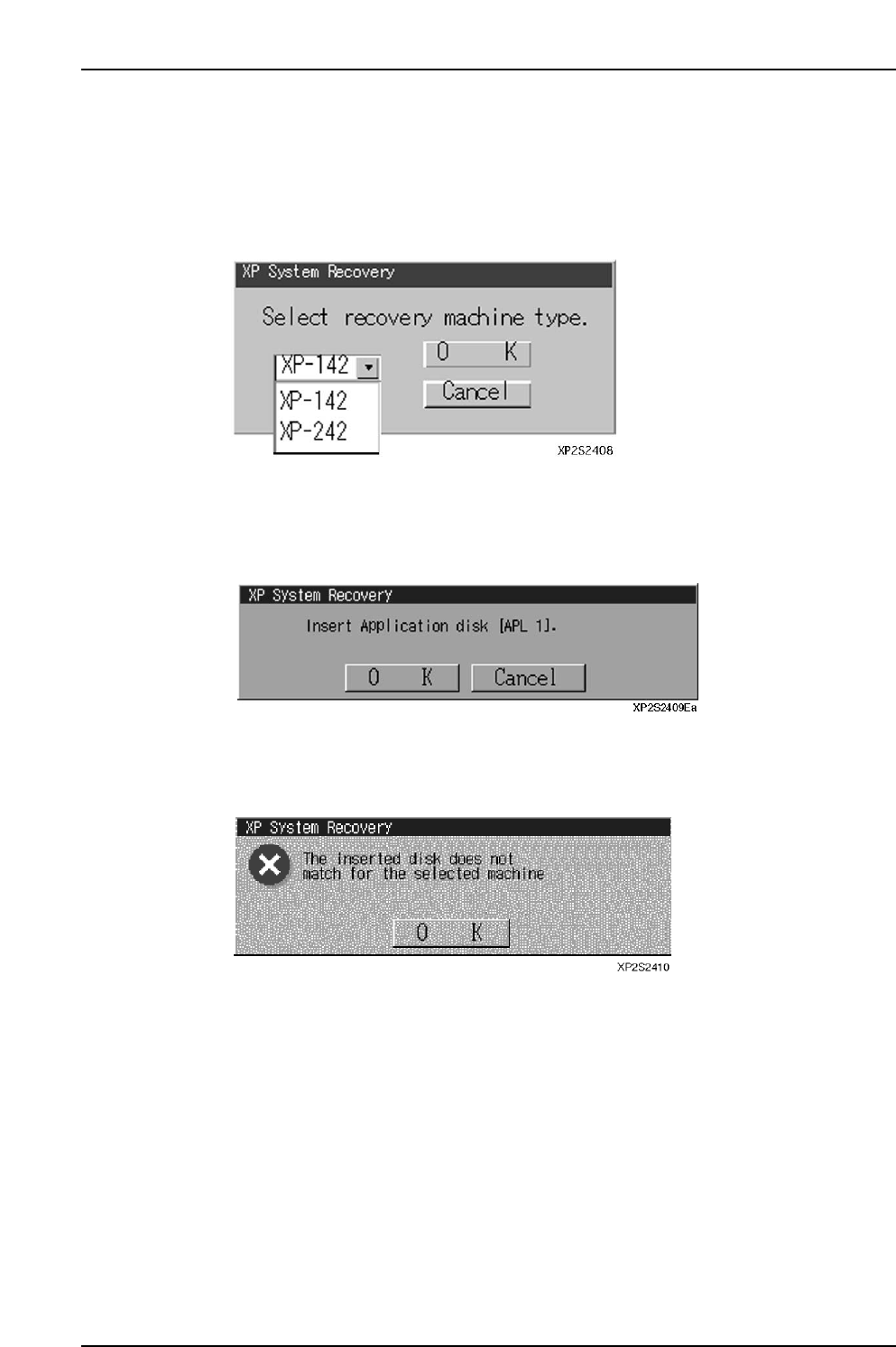
8.3.2 Copying From the Application Disk
Procedure
1. After formatting is completed (or skipped), the following dialog box displays
requesting the user to select the machine type where the recovery is to occur.
Select the appropriate machine type.
2. Press [OK] to display the following dialog box requesting the user to insert
application disk APL 1 in the floppy drive. To abort the recovery operation and
shut down the machine, press [Cancel].
3. If the wrong disk has been inserted (other than application disk APL 1), an error
message displays. The error dialog box shown below displays if an application
disk for another machine type has been inserted.
Part 2 Chapter 8 System Administration
Edition 2.0 2-8-8 XP-142E System Reference