XP-142E System Reference-SYS-XP142-2.0E.pdf.pdf - 第40页
6. The [Main] screen displays. Cautions when logging on: (1) Polarity flag converter message Always select [No] if the following message appears when logging on. “Convert polarity only?” Note: Executing the converter wil…
1. Basic Operation
(ESR02AB)
This chapter explains basic procedure of the machine operation. Ensure you are familiar with all the
parts of the machine, which have been described in Part 1, before attempting the procedures
described in this chapter. Most of the explanations start from the [Main] screen shown below.
1.1 Starting Up and Shutting Down the Machine
(ESR0201i)
1.1.1 Starting the Machine and Displaying the [Main] Screen
Although most of the explanations in this chapter start from the [Main] screen, this is not
the first screen that displays when the machine is started. Carry out the following
procedure to start the machine and display the [Main] screen.
Procedure
1. Start the host system connected to the machine.
2. Set the circuit breaker on the machine to the ON position.
3. Push the SYSTEM ON button to start the machine.
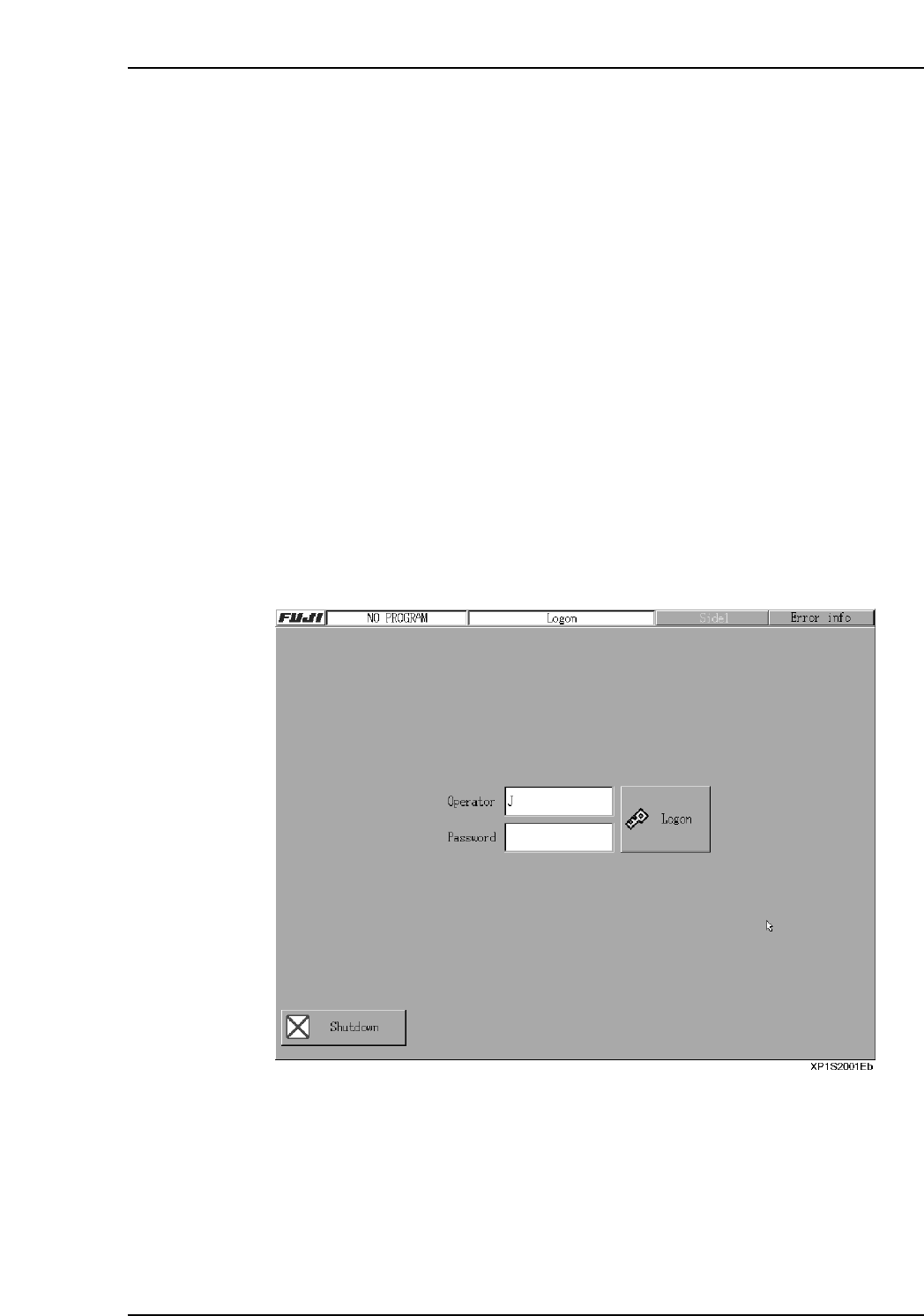
The machine boots up and the red [Logon] screen displays.
4. Pressing the [Operator] or [Password] fields displays a keyboard.
5. Using the displayed keyboard, enter the [Operator] (operator name) and
[Password], then press [Logon] to log on.
Part 2 Chapter 1 Basic Operation
Edition 2.0 2-1-1 XP-142E System Reference
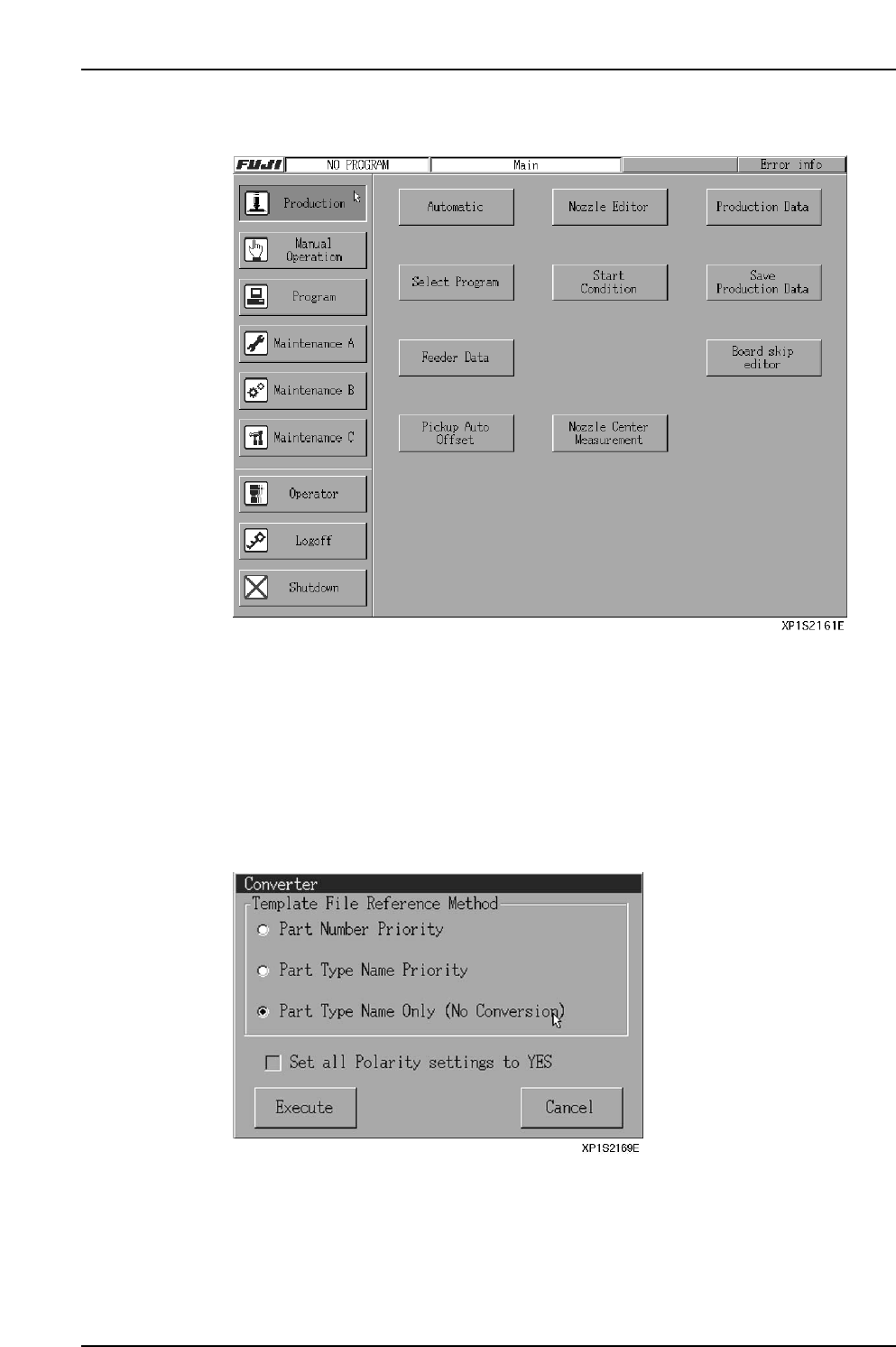
6. The [Main] screen displays.
Cautions when logging on:
(1) Polarity flag converter message
Always select [No] if the following message appears when logging on.
“Convert polarity only?”
Note: Executing the converter will change the production program, possibly preventing
normal production.
(2) Part data converter message
Always select [Part Type Name Only (No Conversion)] and [Execute] if the
following screen appears when logging on.
Note: Selecting and executing an option other than [Part Type Name Only (No
Conversion)] will change the production program, possibly preventing normal
production.
Part 2 Chapter 1 Basic Operation
Edition 2.0 2-1-2 XP-142E System Reference

1.1.2 Logging Off (without shutting off the power)
Select [Logoff] at the [Main] screen to return to the [Logon] screen.
1.1.3 Shutting Down
Carry out the following procedure to turn off the machine after production.
Procedure
1. Press [Shutdown] at the [Main] screen.
A “Shutting down” message is displayed.
2. Press [OK].
The machine begins its shutdown sequence.
3. Turn off the power switch.
This step is necessary if the machine is to be left unused for a considerable period
of time, or if work is to be carried out at the servo or control boxes.
1.2 Stopping the Machine in an Emergency
• Push any of the EMERGENCY STOP buttons on the machine.
When an EMERGENCY STOP button is pushed the 200V power supply to the
servo system is cut, and the machine stops immediately. When pushed, the button
locks in position and must be turned clockwise to release it.
• To resume operation, release the EMERGENCY STOP button, and then press
READY ON and START.
1.3 Safety Sensor Test Switch
• As a machine safety check, stop the machine and push the safety sensor test switch
button to test sensor operation at least once a day. While the button is pressed, the
switch is in the same status as when a safety cover is open, and the 200V servo
power is shut off.
• If the switch is functioning properly, when it is released its returns to the same
status as when the covers are closed, and the READY ON button can be pushed
and production resumed.
Part 2 Chapter 1 Basic Operation
Edition 2.0 2-1-3 XP-142E System Reference