XP-142E System Reference-SYS-XP142-2.0E.pdf.pdf - 第202页
Notes: Part 4 Chapter 1 Overview Edition 2.0 4-1-2 XP-142E System Reference

1. Overview
(ESR0801a)
Unlike previous Fuji machines, XP-142E supports only the following Vision types: 10 (rectangular
chip), 18 (general purpose), 20 (small outline transistor), 100 (QFP and connector), 124 (J-lead part),
180 (electrolytic capacitor).
If a vision processing problem occurs with the 10, 20, 100, 124, 180 Vision Types, and if the part is
created again using Vision Type 18, or, if the part data is initially created using Vision Type 18, follow
the procedure given in the following pages to create a vision processing template.
The steps for creating a template are shown below.
1. Editing content is selected.
2. Display image is selected.
3. The editing range is specified.
4. Center offset is specified using calipers.
5. Editing screen is checked.
6. Template is edited.
7. Body size is specified.
8. Camera position is set.
9. Edited data is saved / editing ended.
10. Vision processing test
Part 4 Chapter 1 Overview
Edition 2.0 4-1-1 XP-142E System Reference

Notes:
Part 4 Chapter 1 Overview
Edition 2.0 4-1-2 XP-142E System Reference
2. Creating a Template From Existing Part Data
(ESR0803d)
The procedure for creating a template from existing part data (with Vision Type 18) is explained
below.
Procedure
1. From the [Production] or the [Program] screen, load (read) the production
program which contains the part data to be edited.
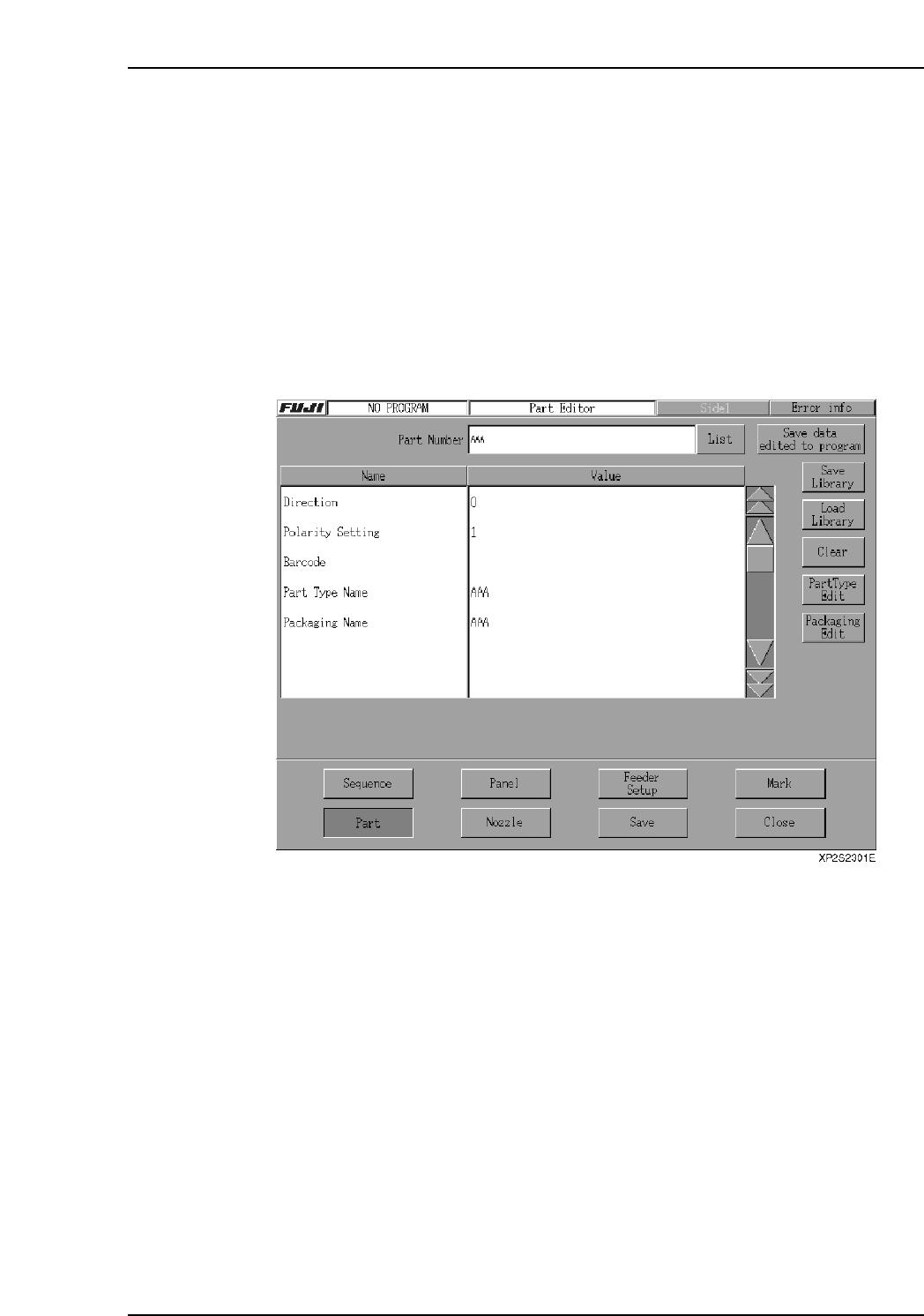
2. From the [Main] screen, press [Program], [Editor], [Parts] to display the [Part
Editor] screen.
3. Press the [List] button beside the [Part Number] textbox, then select the desired
part number from the list which displays.
4. Press [Part Type Edit] to display the [Part Type Editor] screen.
5. Use the [Item Search] function at the [Part Type Editor] screen to search for the
desired Vision Type.
6. Press [Vision Type] to display the selectable Vision Types, then select #18.
7. Select [Template] to display the template creation screen.
Part 4 Chapter 2 Creating a Template From Existing Part Data
Edition 2.0 4-2-1 XP-142E System Reference