XP-142E System Reference-SYS-XP142-2.0E.pdf.pdf - 第97页
Part 2 Chapter 6 Production Information Display Edition 2.0 2-6-7 XP-142E System Reference 6.2.3 Log File Selection Screen Data Explanation All log files saved in the current/sd0/FUJI/USER/PRODUCT folder display on this …
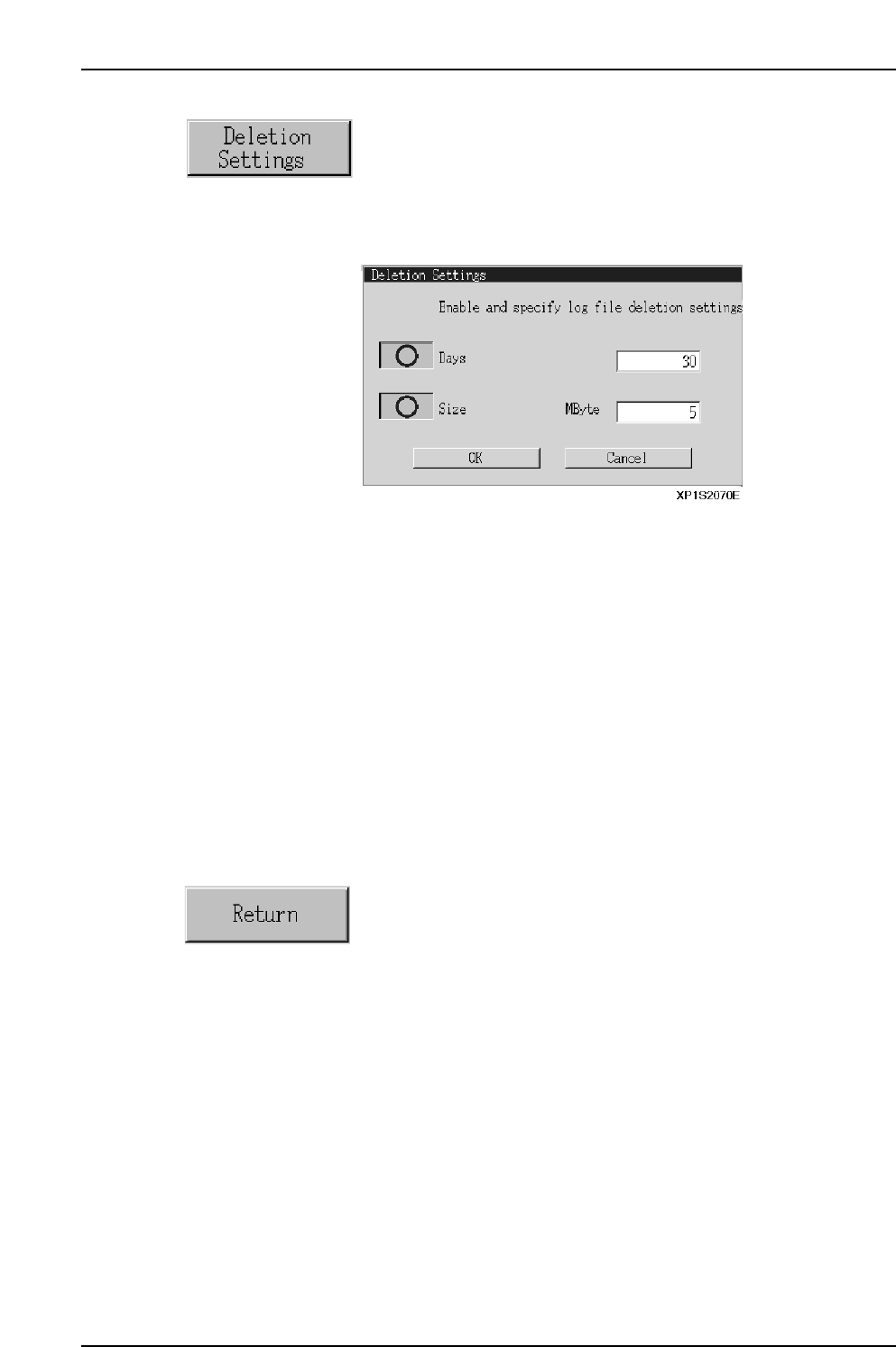
Displays the dialog box shown below.
The log file save conditions (automatically deleted) can be set at
this dialog box. The [O] and [X] buttons at the left enable and
disable the conditions settings which are specified by the numeric
values on the right.
Note: Even if these settings are changed, unnecessary log files will not
be deleted. Delete them manually from the log file selection
screen.
Save Period (Days): Specifies the number of days a log file is to
be saved. When a files "saved period"
reaches this value, the file is automatically
deleted.
Save Size: Specifies the total size of saved log files.
When this total size is exceeded, log files are
deleted, beginning from the oldest, until the
total size is less than the "Save Size" value.
However, log files which have been saved
for less than the "Save Period" are not
deleted. However, log files with the current
date will not be deleted even if the total log
file memory size exceeds the [Size] limit.
Returns to the main menu screen.
Part 2 Chapter 6 Production Information Display
Edition 2.0 2-6-6 XP-142E System Reference
Part 2 Chapter 6 Production Information Display
Edition 2.0 2-6-7 XP-142E System Reference
6.2.3 Log File Selection Screen
Data Explanation
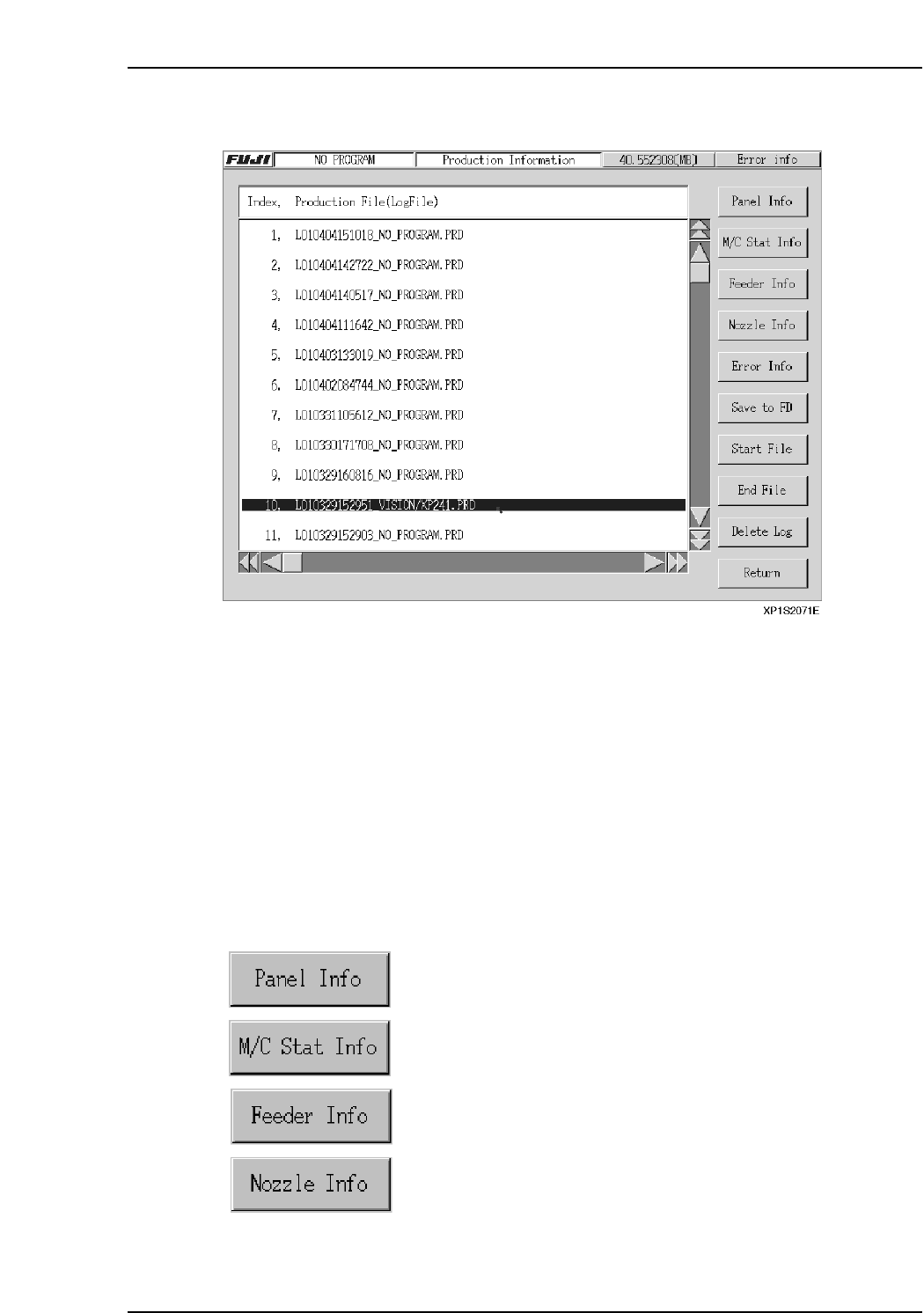
All log files saved in the current/sd0/FUJI/USER/PRODUCT folder display on this
screen.
Use the [Select Start] and [Select End] buttons to select the log files to be processed, then
press one of the following buttons to proceed to the relevant screen (or dialog box): [Log
-> FD], [Panel Info], [M/C Stat Info], [Feeder Info], [Nozzle Info], or [Error Info].
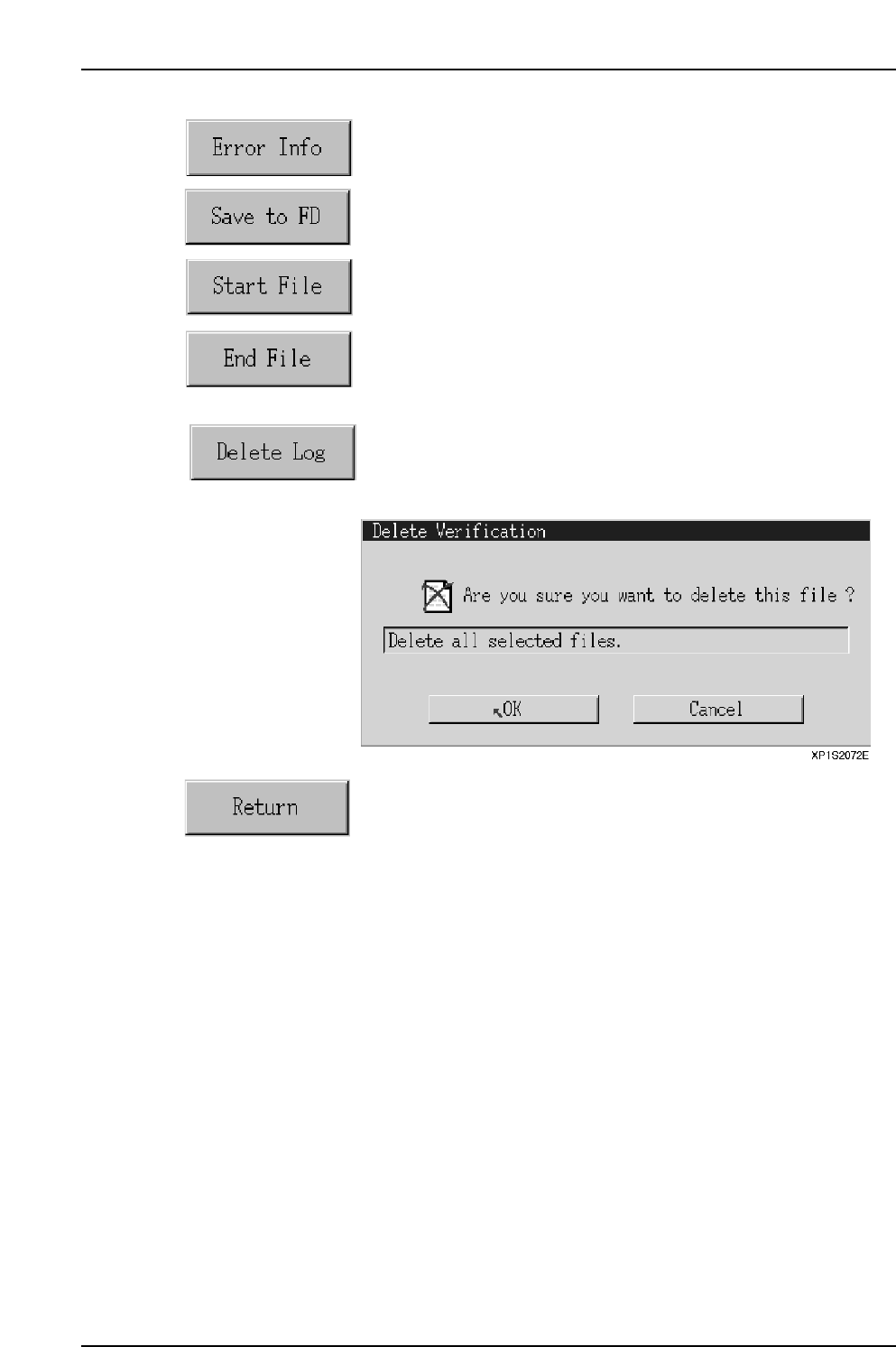
To delete log files, click [Delete Log], then select the most recent (top-most) of the files to
be deleted. All log files which are older than the selected file are also selected and a
deletion dialog box displays. Click [OK] to delete all the selected files.
The top-most file displays current data which is updated even while displayed.
Moreover this file cannot be deleted. A production program is required in order to
display each screen's information.
Operation Button Explanations
Proceeds to the panel information screen (For the selected log file).
Proceeds to the machine status information screen (For the selected
log file).
Proceeds to the feeder information screen (For the selected log
file).
Proceeds to the nozzle information screen (for the selected log file).
Proceeds to the error information screen.
Saves the selected log file to a floppy disk.
Specifies the beginning (first line) of a log file selection range.
Specifies the end (final line) of a log file selection range. All log
files between the [Select Start] and [Select End] lines will then be
selected.
After clicking this button, select the desired data line. The log file
on that line and on all subsequent lines displayed below that point
are then deleted.
Returns to the production information display conditions setting
screen.
Part 2 Chapter 6 Production Information Display
Edition 2.0 2-6-8 XP-142E System Reference