XP-142E System Reference-SYS-XP142-2.0E.pdf.pdf - 第118页
Merge 1. From the [Maintenance A] screen, select [Specification Data Administration] to display the specification data administration dialog box shown below. 2. Insert the floppy disk containing the data to be imported i…
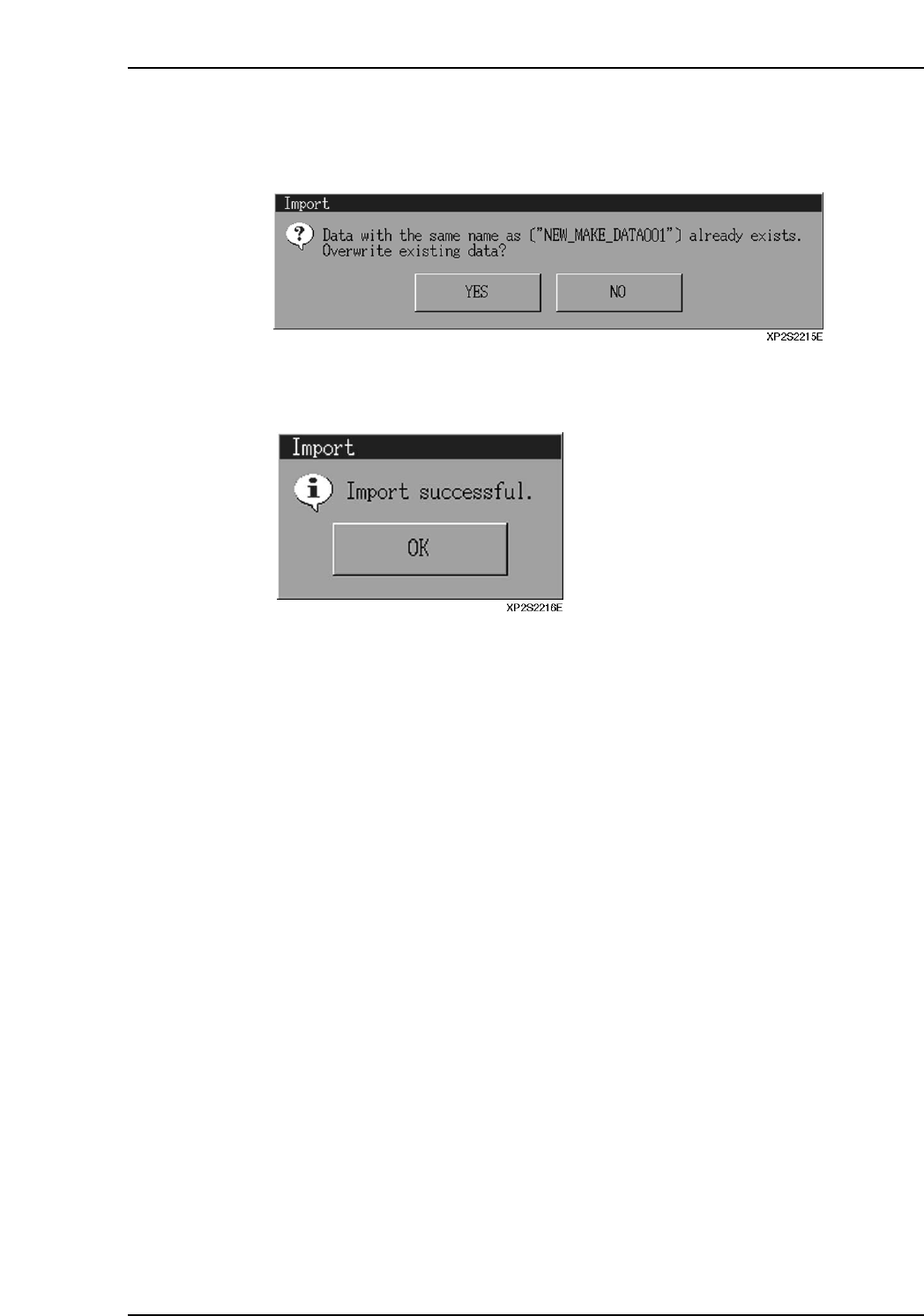
6. If specification data by the same name already exists, an “overwrite confirmation”
dialog box displays. Press [Yes] to overwrite the data in the machine’s file. Press
[No] to abort the import operation.
7. When the import operation is completed, the dialog box shown below displays.
Press [OK] to return to the specification data administration dialog box.
Part 2 Chapter 7 Data Administration
Edition 2.0 2-7-5 XP-142E System Reference
Merge
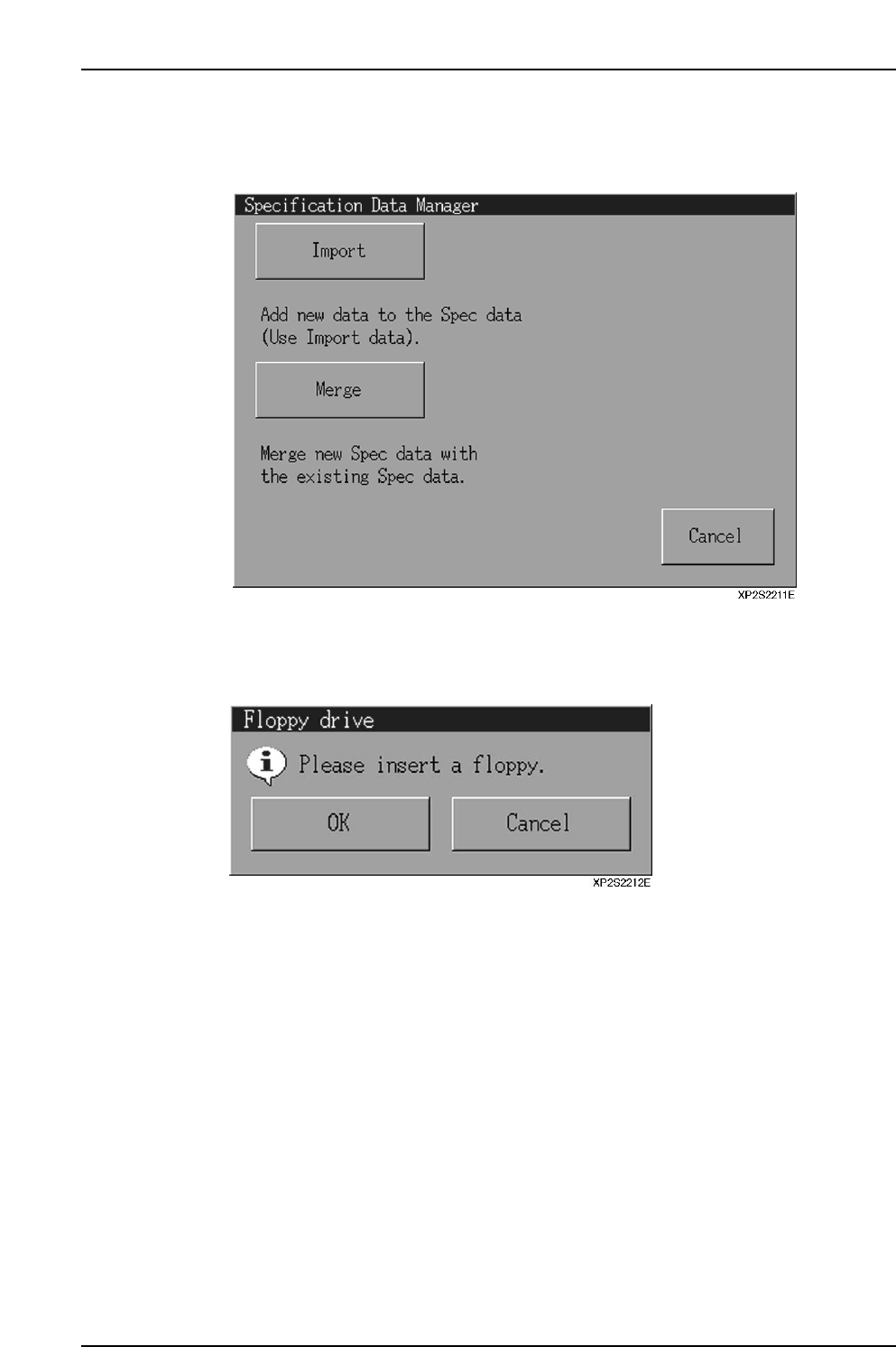
1. From the [Maintenance A] screen, select [Specification Data Administration] to
display the specification data administration dialog box shown below.
2. Insert the floppy disk containing the data to be imported in the floppy disk drive,
then press the [Merge] button.
3. Press [OK] at the floppy disk confirmation dialog box which displays.
Part 2 Chapter 7 Data Administration
Edition 2.0 2-7-6 XP-142E System Reference
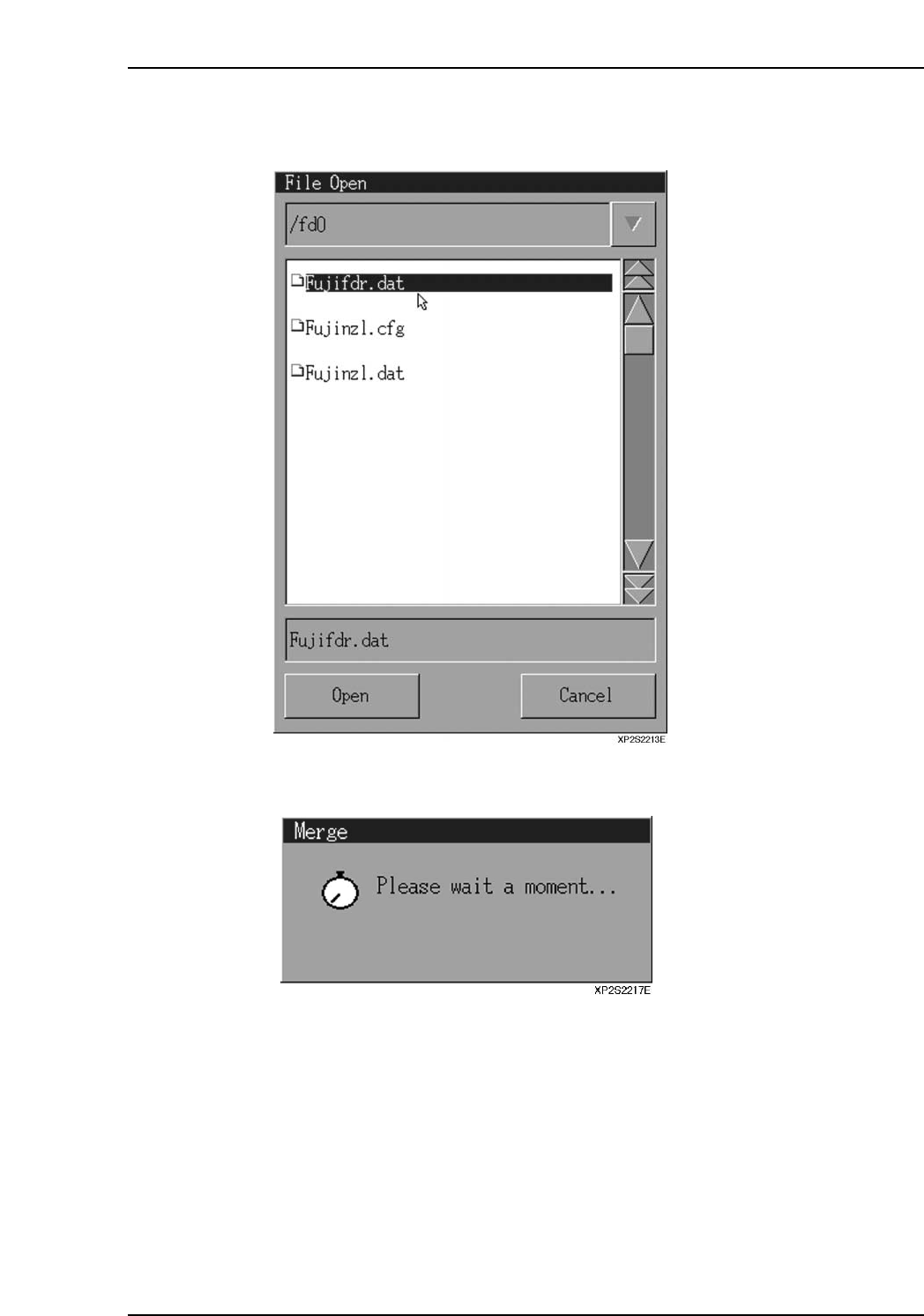
4. A data file selection dialog box then displays. Select the file to be merged, then
press [Open].
5. The following message displays during the merge operation.
Part 2 Chapter 7 Data Administration
Edition 2.0 2-7-7 XP-142E System Reference