KE2010.Instruction Manual.Ver.2.01,Rev.08.pdf - 第116页
4 − 9 Note: When reading a file, the machine checks to see if a position specified in Pick data is overlapped with the IC collection belt position. If the machine detects any overlap, it displays the w arning message as …
4 − 8
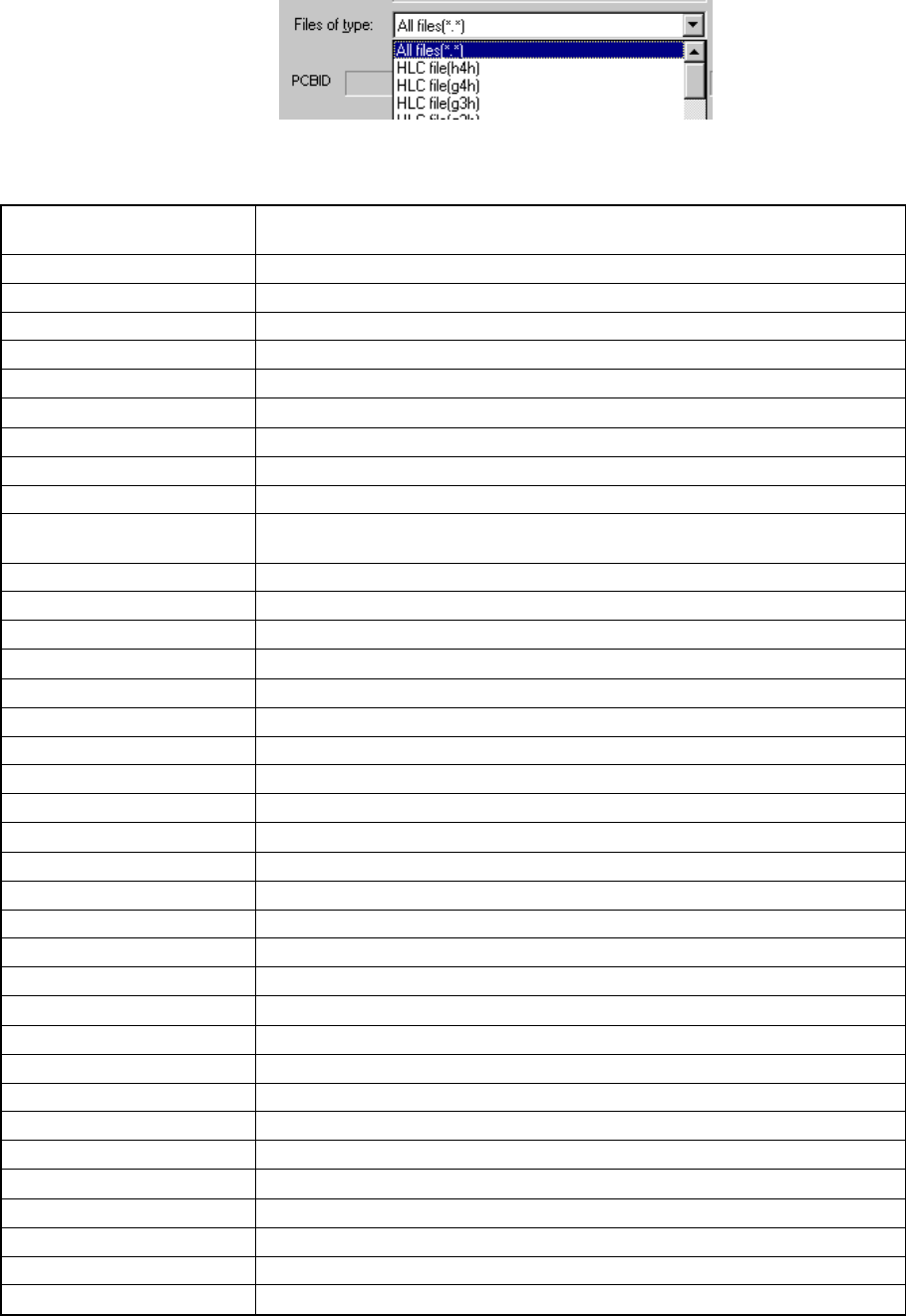
Specifying a file type
Change the file type to be displayed on the File name window.
A production program is saved with the file type specified when you created it.
See the "List of file types" below to select a file type.
List of file types
File types displayed in the
pull-down list box
Description of a program file
all the files (*.*) All the files stored in the folder
2010 format file (e41) Files created with a KE-2010 machine main unit
2020 format file (e42) Files created with a KE-2020 machine main unit
2030 format file (e43) Files created with a KE-2030 machine main unit
2040 format file (e44) Files created with a KE-2040 machine main unit
HLC file (g4h) Files created with HLC Version 4.5 and a KE-2000 series machine
HLC file (h4h) Files created with HLC Version 5.0 or later and a KE-2000 series machine
HLC file (g3h) Files created with HLC Version 4.0 to 4.4x.
HLC file (g2h) Files created with HLC Version 3 or earlier
730, 750 format file (g3c)
Files created with a KE-730/730plus/750 machine or EPU for a
KE-730/730plus/750 machine
740, 760 format file (g3g) Files created with a KE-740/760 machine or EPU for a KE-740/760 machine
775 format file (g3d) Files created with a KD-775 machine
710 format file (g2c) Files created with a KE-710 machine or EPU for a KE-710 machine.
720 format file (g2g) Files created with a KE-720 machine or EPU for a KE-720 machine.
770 format file (g2d) Files created with a KD-770 machine.
Opt. divided file #1 (h41) File divided for the No. 1 machine of the KE-2000 series MSL line
Opt. divided file #2 (h42) File divided for the No. 2 machine of the KE-2000 series MSL line
Opt. divided file #3 (h43) File divided for the No. 3 machine of the KE-2000 series MSL line
Opt. divided file #4 (h44) File divided for the No. 4 machine of the KE-2000 series MSL line
Opt. divided file #5 (h45) File divided for the No. 5 machine of the KE-2000 series MSL line
Opt. divided file #6 (h46) File divided for the No. 6 machine of the KE-2000 series MSL line
Opt. divided file #7 (h47) File divided for the No. 7 machine of the KE-2000 series MSL line
Opt. divided file #1 (g41) File divided for the No.1 machine of the HLC version 4.5 MSL line.
Opt. divided file #2 (g42) File divided for the No.2 machine of the HLC version 4.5 MSL line.
Opt. divided file #3 (g43) File divided for the No.1 machine of the HLC version 4.5 MSL line.
Opt. divided file #4 (g44) File divided for the No.1 machine of the HLC version 4.5 MSL line.
Opt. divided file #5 (g45) File divided for the No.1 machine of the HLC version 4.5 MSL line.
Opt. divided file #6 (g46) File divided for the No.1 machine of the HLC version 4.5 MSL line.
Opt. divided file #7 (g47) File divided for the No.1 machine of the HLC version 4.5 MSL line.
Opt. divided file #1 (g31) File divided for the No. 1 machine of the KE-700 or earlier series MSL line
Opt. divided file #2 (g32) File divided for the No. 2 machine of the KE-700 or earlier series MSL line
Opt. divided file #3 (g33) File divided for the No. 3 machine of the KE-700 or earlier series MSL line
Opt. divided file #4 (g34) File divided for the No. 4 machine of the KE-700 or earlier series MSL line
Opt. divided file #5 (g35) File divided for the No. 5 machine of the KE-700 or earlier series MSL line
Opt. divided file #6 (g36) File divided for the No. 6 machine of the KE-700 or earlier series MSL line
Opt. divided file #7 (g37) File divided for the No. 7 machine of the KE-700 or earlier series MSL line
4 − 9
Note: When reading a file, the machine checks to see if a position specified in Pick
data is overlapped with the IC collection belt position. If the machine
detects any overlap, it displays the warning message as shown below.
Note : When reading a file, the machine cannot read data associated with Vision
data or Adhesive data.
If data to be read includes such data, the machine cannot read any data.
Vision and adhesive data stored in Component data is changed.
Note : If any production program file created with another type of machine is loaded
to the system, the system may recalculate the component pick-up
coordinates saved in the Pick data since the reference coordinates are
unique to each type of machine. Therefore, be sure to check the
component pick-up coordinates when you load a production program created
with another type of machine.
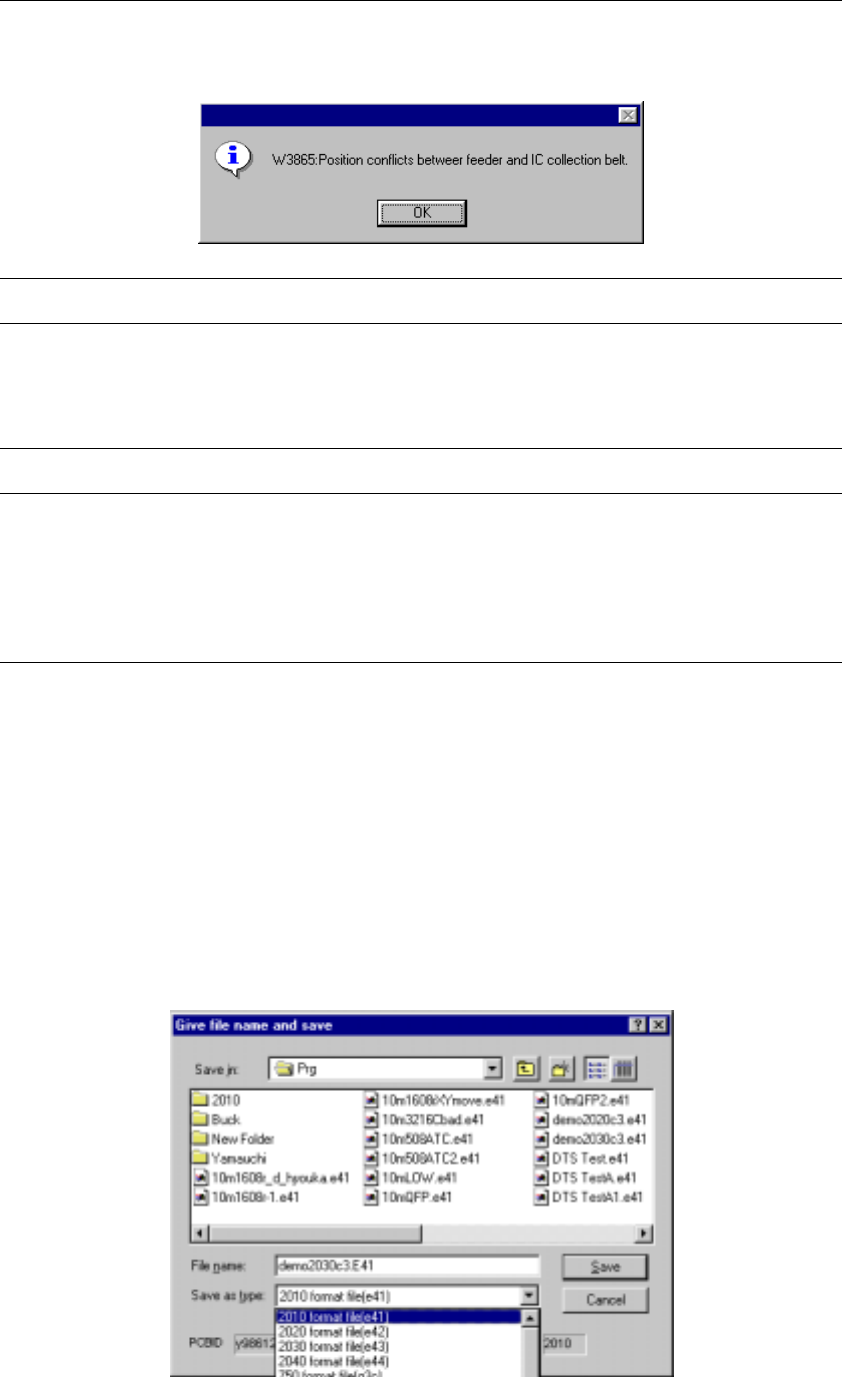
4.2.3 Overwrite & Save
This command stores the current program on a disk as a file. If the program name is
“UNTITLED”, the Save As dialog box appears as shown below. When a file name
other than “UNTITLED” is assigned to a program name, the program is immediately
stored.
4.2.4 Save As
This command stores the current program on a disk with another name.

4 − 10
File name
Initially, the name of a file which is being edited is set. To change it, directly enter a
name here.
You can change a directory or drive in the same manner as when you execute the
[Open] command.
Save as type
To change the file format, change it in the this “Save as type” column.
Note that you can convert a file only if you select the [Save As] command. If you
create a file, then execute the Optimization utility without saving it, the Save dialog
box appears on the screen. However, you cannot convert a file in this case. If
you select to perform the backward conversion to save a file, the saved file is not
read into the machine. Therefore, even though you change its title, and convert it,
the current title does not change.
File type list
File format Description of a program file
2010 format file (e41)
2020 format file (e42)
2030 format file (e43)
2040 format file (e44)
Specify a file name to be assigned to the file you want to save.
710 format file (g2c) Files for a KE-710 machine or EPU for a KE-710 machine
720 format file (g2g) Files for a KE-720 machine or EPU for a KE-720 machine
730 format file (g3c) Files for a KE-730/730plus machine or EPU for a KE-730/730plus machine
740 format file (g3g) Files for a KE-740 machine or EPU for a KE-740 machine
750 format file (g3c) Files for a KE-750 machine or EPU for a KE-750 machine
760 format file (g3g) Files for a KE-760 machine or EPU for a KE-760 machine
2010 format (e41) Files for a KE-2010 machine or EPU for a KE-2010 machine
2020 format (e42) Files for a KE-2020 machine or EPU for a KE-2020 machine
2030 format (e43) Files for a KE-2030 machine or EPU for a KE-2030 machine
2040 format (e44) Files for a KE-2040 machine or EPU for a KE-2040 machine
770 format file (g2d) Files for a KD-770 machine or EPU for a KD-770 machine
775 format file (g3d) Files for a KD-775 machine or EPU for a KD-775 machine