KE2010.Instruction Manual.Ver.2.01,Rev.08.pdf - 第358页
5 − 5 5.3 Teaching Coordinates 5.3.1 Basic operating procedure Coordinates teaching is basically done by the following procedur e. ① Move the cursor t o the desired dat a position. For X- and Y- axes, the coordinates of …
5 − 4
CAUTION
If the feeder bank is never recognized (since the machine is zeroing, or
the bank moves down then up), it may be recognized automatically
before the machine moves to the pick position. Since the head moves
across the feeding device while the bank mark is being recognized, do
not place your hand in the machine, nor move your face or head close
to the machine. Especially, take care when the feeder bank is
recognized not from the menu but while the machine is teaching or
tracking a pick position.
(2) Teaching recognition
The data obtainable by teaching recognition is shown below.
①
BOC mark shape, mark size, data required for projection data recognition, and
area window for balance detection
②
IC mark shape, mark size, data required for projection data recognition, and
area window for balance detection
Notes: 1) During recognition teaching, the device is set for a camera only, and it
cannot be changed.
2) When Zeroing has not been performed yet or the machine is in servo
free state, recognition teaching cannot be performed.
3) XY coordinates for the mark shall be entered beforehand.
5 − 5
5.3 Teaching Coordinates
5.3.1 Basic operating procedure
Coordinates teaching is basically done by the following procedure.
①
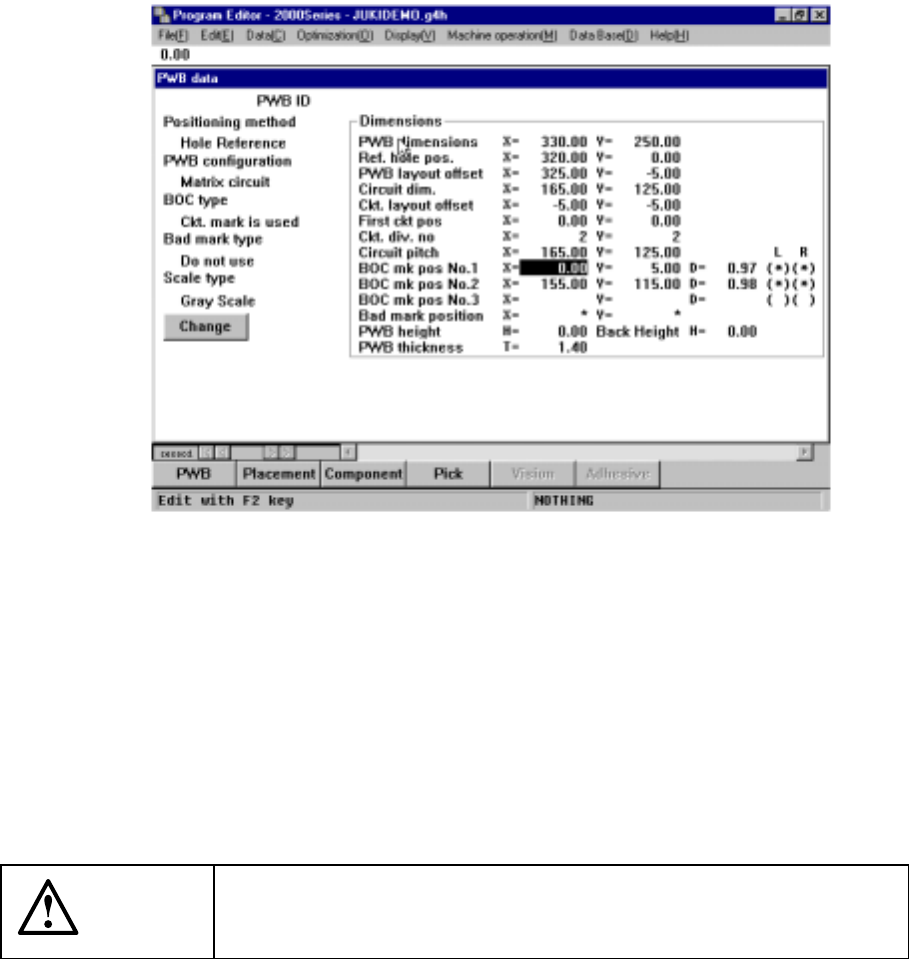
Move the cursor to the desired data position.
For X- and Y-axes, the coordinates of both axes can be taught, while Z-axis must
be individually taught.
Figure 5.3.1 Teaching coordinates (1)
②
Using the HOD device selection keys, select the device to be taught.
If an illegal device is selected, an alarm beeps, prompting the operator to reselect
the device.
If coordinates have previously been entered, the selected device moves to this
coordinates position.
If not, the device does not move.
CAUTION
To avoid a risk of injury, do not place your hand in the machine, nor
move your face or head close to the machine while operating the
HOD.
5 − 6
If the head is selected and a different nozzle is installed other than that used in
teaching, the nozzle is replaced.
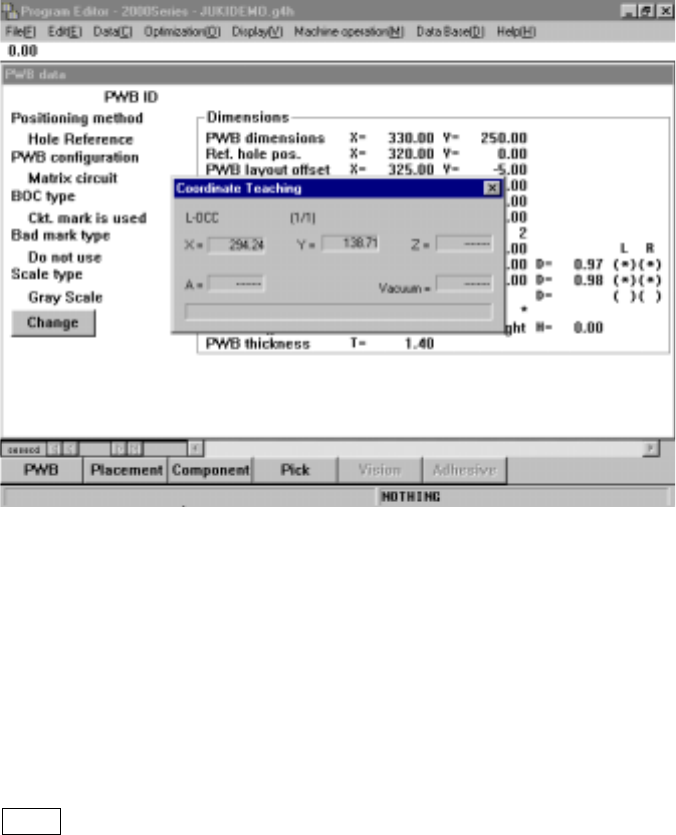
In this case, the following information is shown on the screen.
− Selected device name
− X/Y coordinates of the selected device
− Z coordinate of the selected device
− θ-axis value of the selected device
− Vacuum value of the selected device
The name of the device you selected appears on the LCD of the HOD so that you
can make sure of which device is to be taught.
Figure 5.3.2 Teaching coordinates (2)
③
Using the axis drive keys on the HOD (XY, Z and θ), move the selected device.
As the device is moved, the numerals (coordinate values, etc.) shown on the
screen change.
An alarm beeps when the device reaches its motion limit, warning that the device
cannot be moved further.
The FAST key on the HOD may be used to change the motion speed of the X-
and Y-axes.