KE2010.Instruction Manual.Ver.2.01,Rev.08.pdf - 第172页
4 – 65 4.7 Component Data 4.7.1 Data entry procedure The working screen f or the component data is shown whether in the for m ① or list format ② . ① ① ① ① Component form screen The component f orm f ormat displays data o…
4 – 64
●
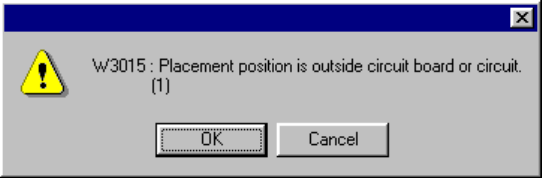
Since Placement data over range error may occur, the machine performs the
range check. If an error is detected, the following warning dialog box appears
on the screen.
• OK Continues the data type switching operation.
• Cancel Terminates the data type switching operation.
●
When the machine switches the data type to Placement data
The over range mark is displayed at the over range placement data.
4 – 65
4.7 Component Data
4.7.1 Data entry procedure
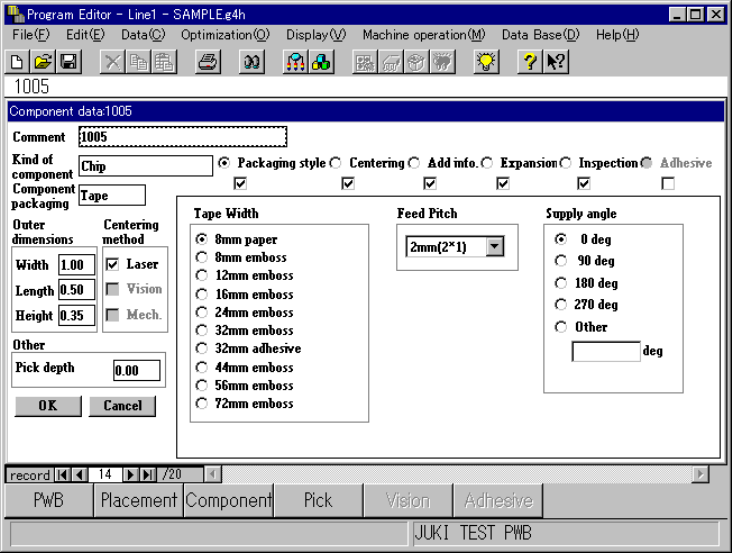
The working screen for the component data is shown whether in the form ① or list
format ②.
①
①①
① Component form screen
The component form format displays data on a component on one screen.
Enter data on this component form screen.
4 – 66
②
②②
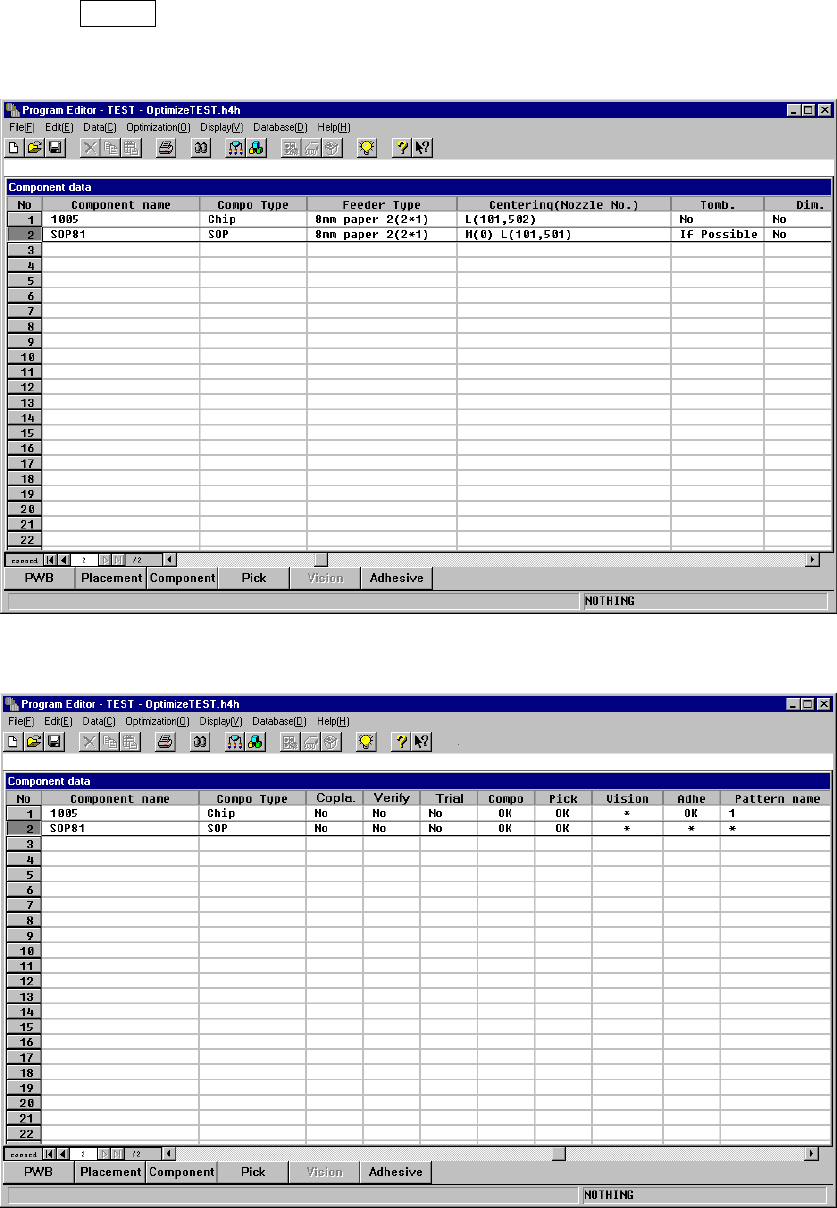
② Component list screen
The component list format displays the summary of data on several components
in a list. You cannot enter any data in this screen, but can see how much of
Component data is completed. When you move the highlight cursor, and press
the ENTER key or double-click the left button of the track ball, the form screen of
the selected component appears.