KE2010.Instruction Manual.Ver.2.01,Rev.08.pdf - 第308页
4 – 201 − If the laser heig ht that is calculated based on the dim ensions is differ ent f rom t he original value, the f ollowing messag e appears on the scr een. Figure 4.12.2. 4.2.6 Laser height overwrite confirmati o…
4 – 200
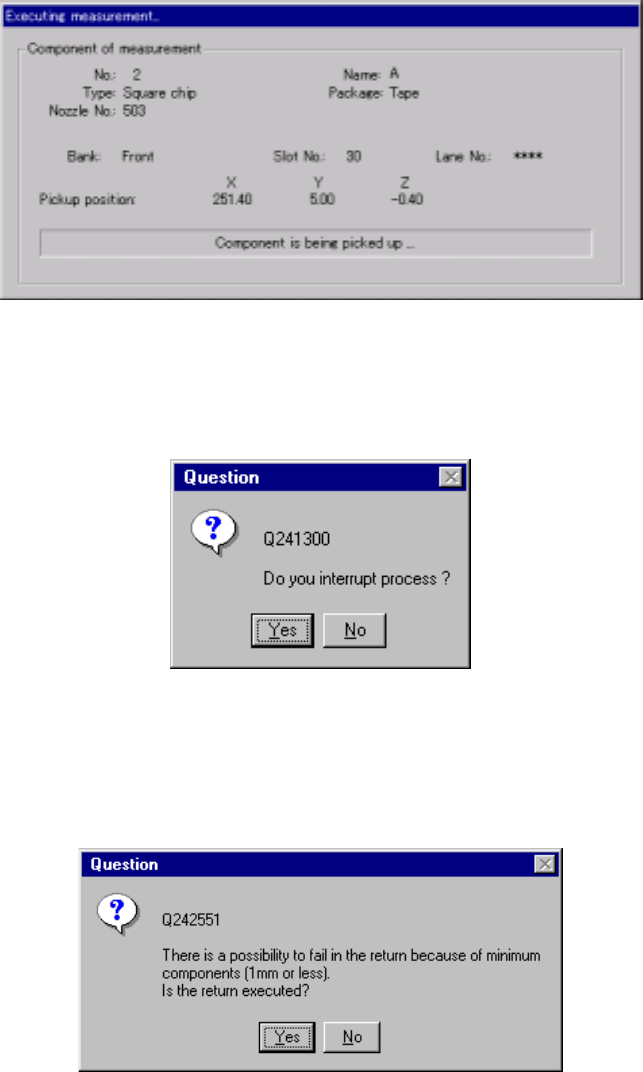
(2) “Executing measurement” dialog box
While the system is measuring the current component, the following dialog box
appears on the screen. On this dialog box, the descriptions of a component
which is being measured and its pick-up position are displayed. The process
being performed is displayed also.
Figure 4.12.2.4.2.3 “Executing measurement” dialog box
To forcibly abort measurement, press the <Stop> button. The following dialog
box appears on the screen. Select whether to abort measurement or not.
Figure 4.12.2.4.2.4 “Question to interrupt process” dialog box
Depending on the packaging style of a component, the dialog box ,which asks
you whether to return a component to its original position or discard it after
measurement, may appear on the screen if the size of a component is 1 mm or
less.
Figure 4.12.2.4.2.5 “Question to return” dialog box
4 – 201
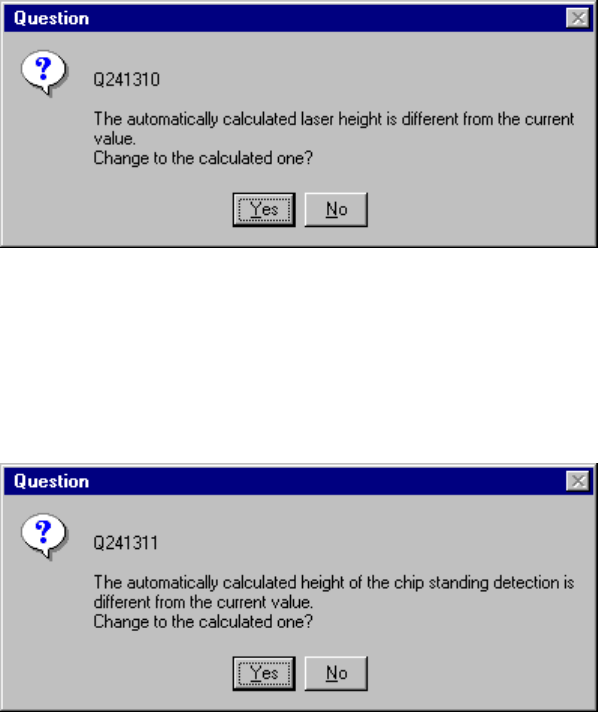
− If the laser height that is calculated based on the dimensions is different from the
original value, the following message appears on the screen.
Figure 4.12.2.4.2.6 Laser height overwrite confirmation dialog box
− If the height that is calculated based on the dimensions to judge whether a
component is located on its side is different from the original value, the following
message appears on the screen.
Figure 4.12.2.4.2.7 Chip-rise judging height overwrite confirmation dialog box
4 – 202
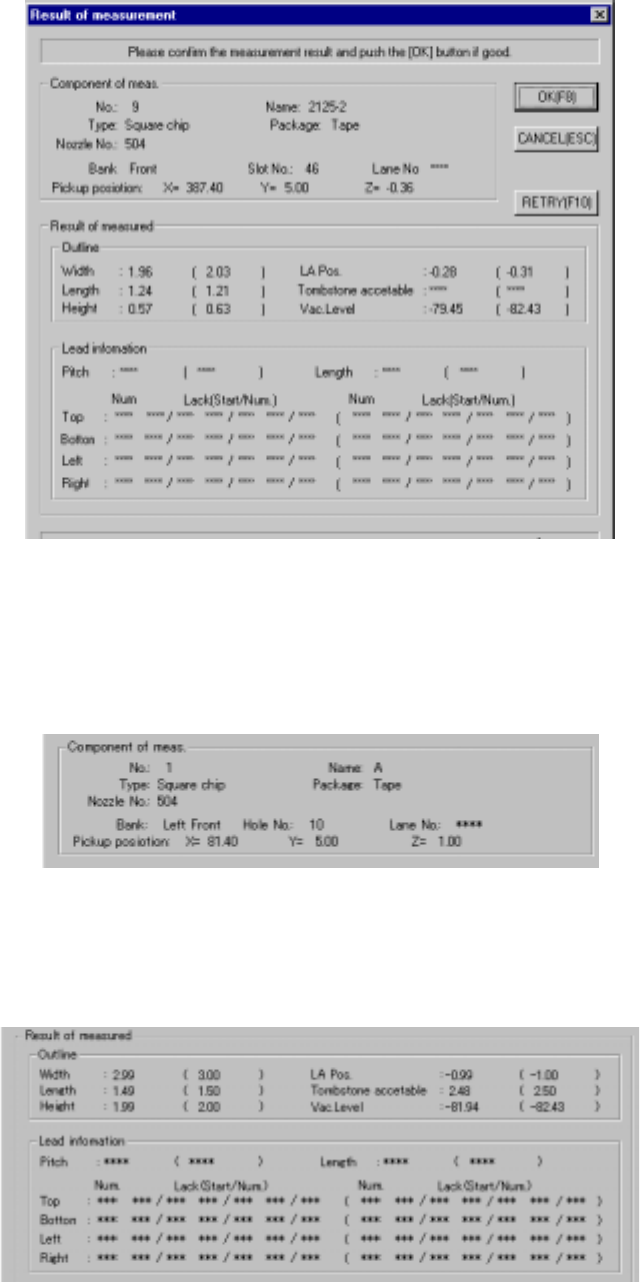
(3) Result of measurement
When the system finishes measuring the current component, the following
“Result of measurement” dialog box appears on the screen.
Figure 4.12.2.4.2.8 “Result of measurement” dialog box
1) Component of meas. (Component of measurement)
The description of a component to be measured and its pick-up position are
displayed here.
2) Result of measured (component)
The result of measurement operation is displayed here. Data in parentheses
indicates the values of the original Component data. “***” appears in the
items not measured.