KE2010.Instruction Manual.Ver.2.01,Rev.08.pdf - 第561页
7 − 24 7.2.2.5 M TC shuttle pick posi tion W hen y ou select the [ MTC shuttle pick posit ion] command, the "MTC shutt le pick position setting " dialog box appears on t he screen as shown in Figure 7.2. 2.5.1.…
7 − 23
7.2.2.4 Shape clamp position
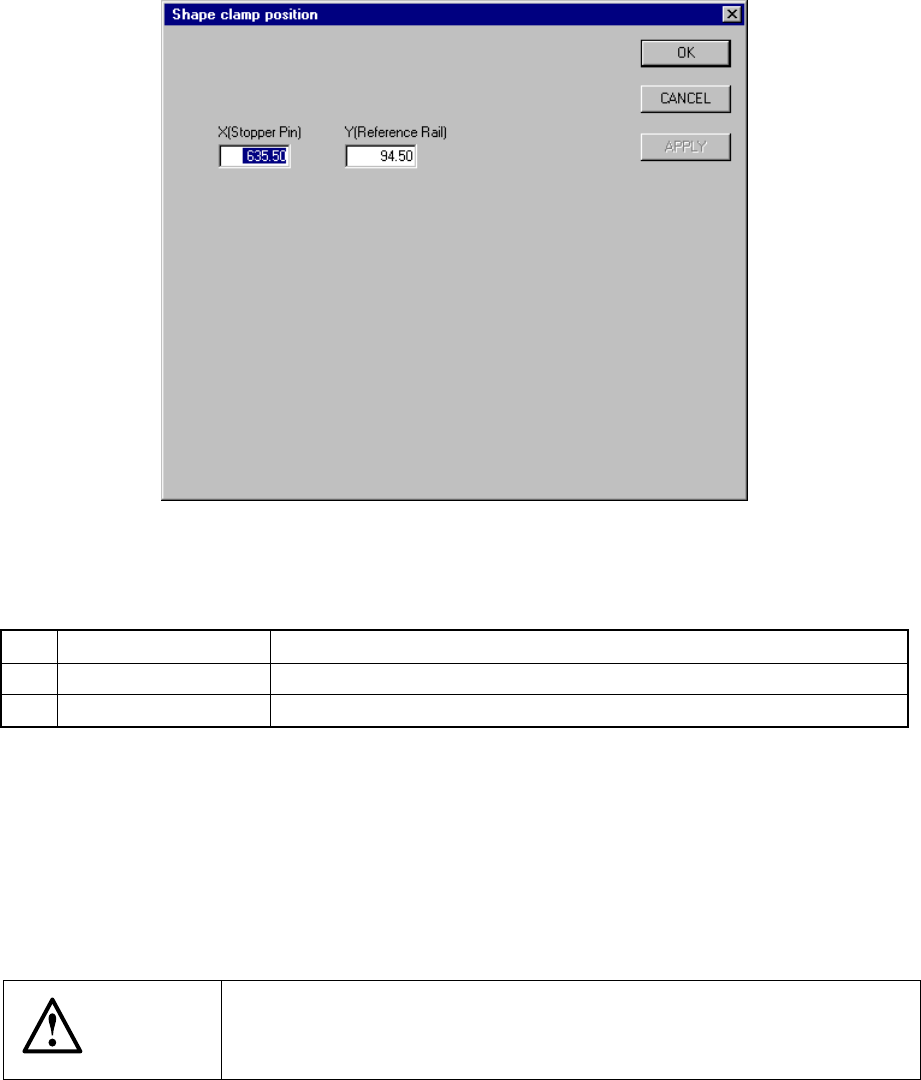
A screen appears as shown in Figure 7.2.2.4.1 “Shape clamp position setting dialog
box” when [Shape clamp position] is selected from the [Setting Group] menu.
Figure 7.2.2.4.1 Shape clamp position setting dialog box
(1) Setting items
No. Item Description
1 X Stopper pin position
2 Y Reference board transport rail position
(2) Setting the position
− Key in X and Y coordinate value directly from the keyboard.
− Use the HOD to teach and enter the coordinates for X and Y separately. In
this case, if X is in focus, only X is taught, then stored.
− To teach Y, Y shall be in focus.
CAUTION
To avoid a risk of injury, do not place your hand in the machine, nor
move your face or head close to the machine during operation of the
HOD.
7 − 24
7.2.2.5 MTC shuttle pick position
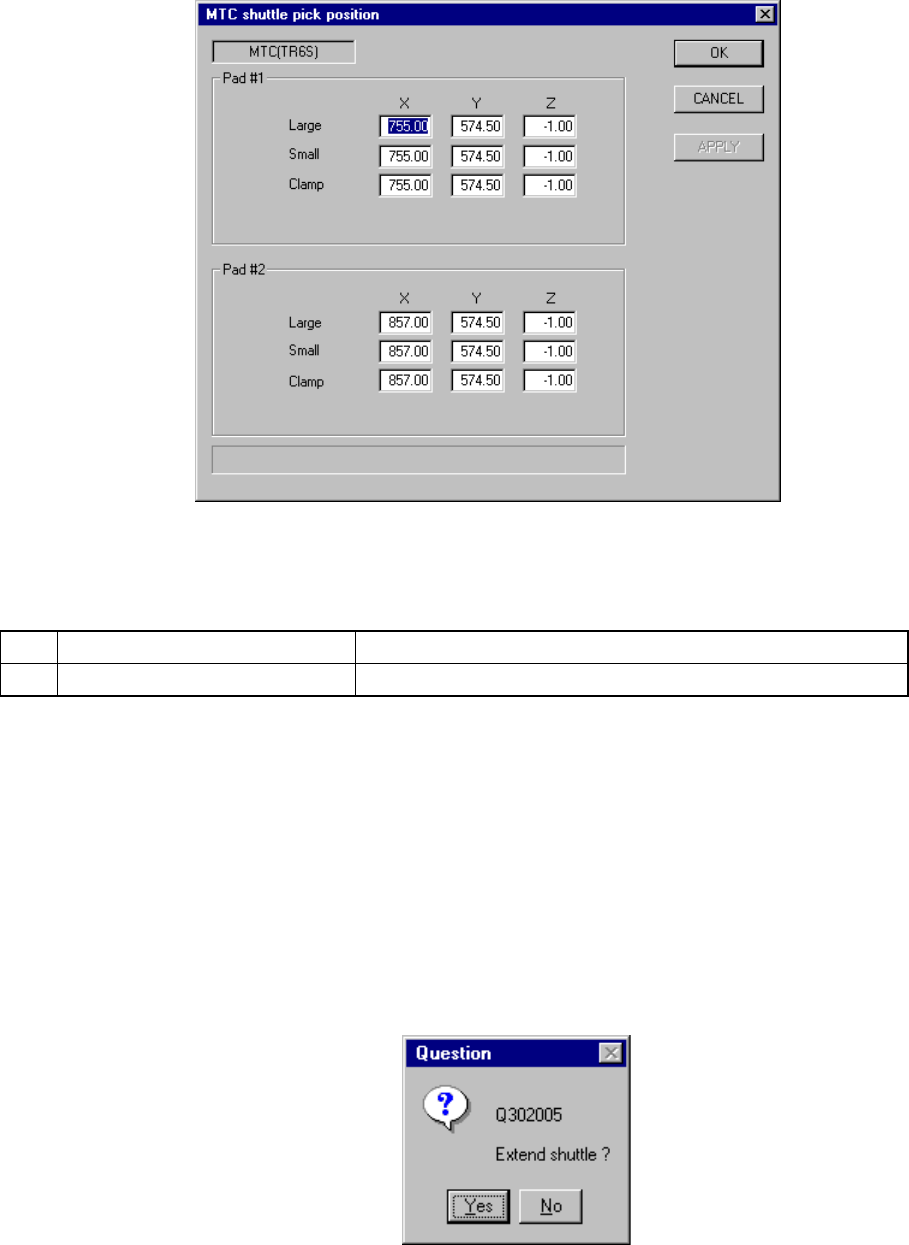
When you select the [MTC shuttle pick position] command, the "MTC shuttle pick
position setting" dialog box appears on the screen as shown in Figure 7.2.2.5.1.
Figure 7.2.2.5.1 MTC shuttle pick position setting dialog box
(1) Setting items
No. Item Description
1 MTC shuttle pick position (X, Y, Z) Component pick-up position on the MTC shuttle
(2) Setting the position
- Key in X, Y and Z coordinate values directly from the keyboard.
- Use the HOD to teach and enter the coordinates. In this case, if the input
focus is located in any of the X, Y and Z fields, all of the values are taught,
then entered.
- To teach the Z coordinate, the input focus should be located in the “Z” field.
Even though the input focus is located in any of the Z fields, the values are
all taught, then entered to the “Large”, “Small” and “Clamp” items.
- When you select the device key of the HOD, the following message appears
on the screen. When you click the <Yes> button, a shuttle is pulled out
from an MTC.
Figure 7.2.2.5.2 “Question” dialog box
7 − 25
CAUTION
To avoid a risk of injury, do not place your hand in the machine, nor
move your face or head close to the machine during operation of the
HOD.
Notes:
* The same pick-up position, which is indicated with "X" and "Y" and obtained by
teaching, is entered to all of the menu items displayed: "Large", "Small", "Clamp
L" and "Clamp S".
* If you use a twin-shuttle, you have to enter the coordinates to both of the "Pad #1"
and "Pad #2".