KE2010.Instruction Manual.Ver.2.01,Rev.08.pdf - 第189页
4 – 82 ① T ype Select the stick f eeder type. ② Changer T ype Select the stick changer type. This item is available only w hen you select “Changer ” at t he menu item “T ype” above.
4 – 81
4.7.3 Tack control section (Component package page)
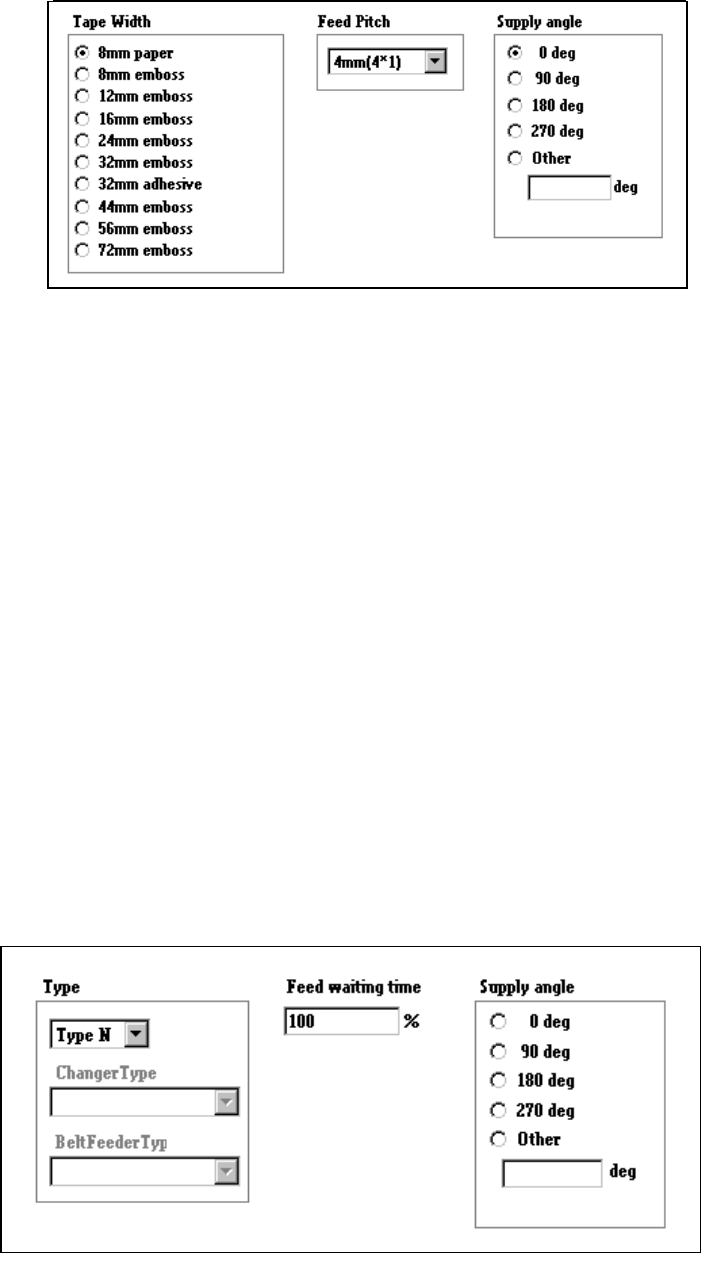
1) When “Tape” is selected
①
Tape width
Select the appropriate tape width with the corresponding radio button.
②
Feed Pitch
Select the feed pitch from the combo box.
To control the feeder knock pin, the “Feed Pitch” and “Tape Width” settings
are required.
Feed pitches displayed, that is “selectable”, in the combo box vary
depending on the setting of the “Tape Width” item.
③
Supply angle
Specify the angle at which a component is set against the tape feeding
direction: select the desired angle with the corresponding radio button.
When you select “Other” as the component type, enter the angle in the edit
field (0 to 359 degrees). See Section 4.7.9 “Definition of the component
feeding angle”.
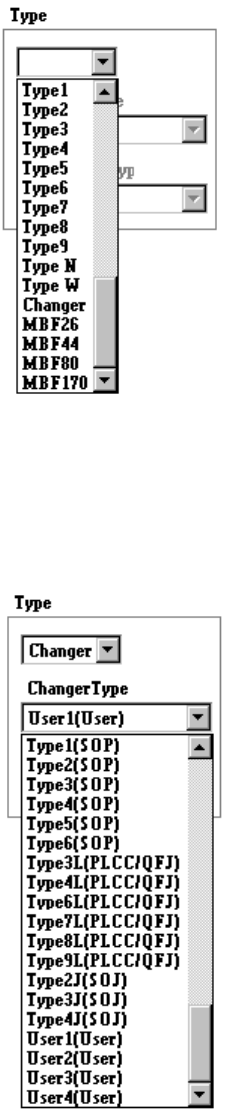
2) When “Stick” is selected
4 – 82
①
Type
Select the stick feeder type.
②
Changer Type
Select the stick changer type.
This item is available only when you select “Changer” at the menu item
“Type” above.
4 – 83
③
Belt Feeder Type
Select the belt feeder type.
This item is available only when you select “Belt” at the menu item “Type”
above.
④
Feed waiting time
Set the ratio of the component feeding time to the waiting time for the next
component to be picked up after the current component is picked up. A
unique value is provided to each component type. Specify this unique value
in percentage here.
⑤
Supply angle
Select the desired component supply angle with using the corresponding
radio button.
When you select “Other” as the component type, enter the appropriate angle
in the edit field (0 to 359 degrees).