KE2010.Instruction Manual.Ver.2.01,Rev.08.pdf - 第649页
8 − 60 8.6.4 SOT direction check table W hen you select the [Control], [Others] and [SOT inspect uni t] commands in this order , t he following “SO T inspect unit ” dialog box appears on t he screen. Figure 8.6. 4 “SOT i…
8 − 59
1) Probe
This item turns on and/or off the probe.
- When the control item “Probe” is checked, click the <ON>, <OFF>, or
<ON/OFF> button or press the F3, F4or F5 key to control the probe.
The state display is updated when the probe is controlled completely.
2) Meas. of capacitor
This item measures the capacity of a capacitor component.
- When the control item “Meas. of capacitor” is checked, click the
<Measurement> or <Mode> button, or press F3 or F4 key to control
measurement of a capacitor.
The state display is updated at end of control.
3) Meas. of diode
This item measures the capacity of a diode component.
- When the control item “Meas. of diode” is checked, click the
<Measurement> or <Mode> button, or press F3 or F4 key to control
measurement of a capacitor.
The state display is updated at end of control.
4) Meas. of resistor
This item measures the capacity of a resistor component.
- When the control item “Resistor measurement” is checked, click the
<Measurement> or <Mode> button, or press the F3 or F4 key to control
measurement of a resistor.
The state display is updated when the capacity of a resistor is
measured.
(3) State display
The state of each unit is displayed when the unit is controlled completely.
8 − 60
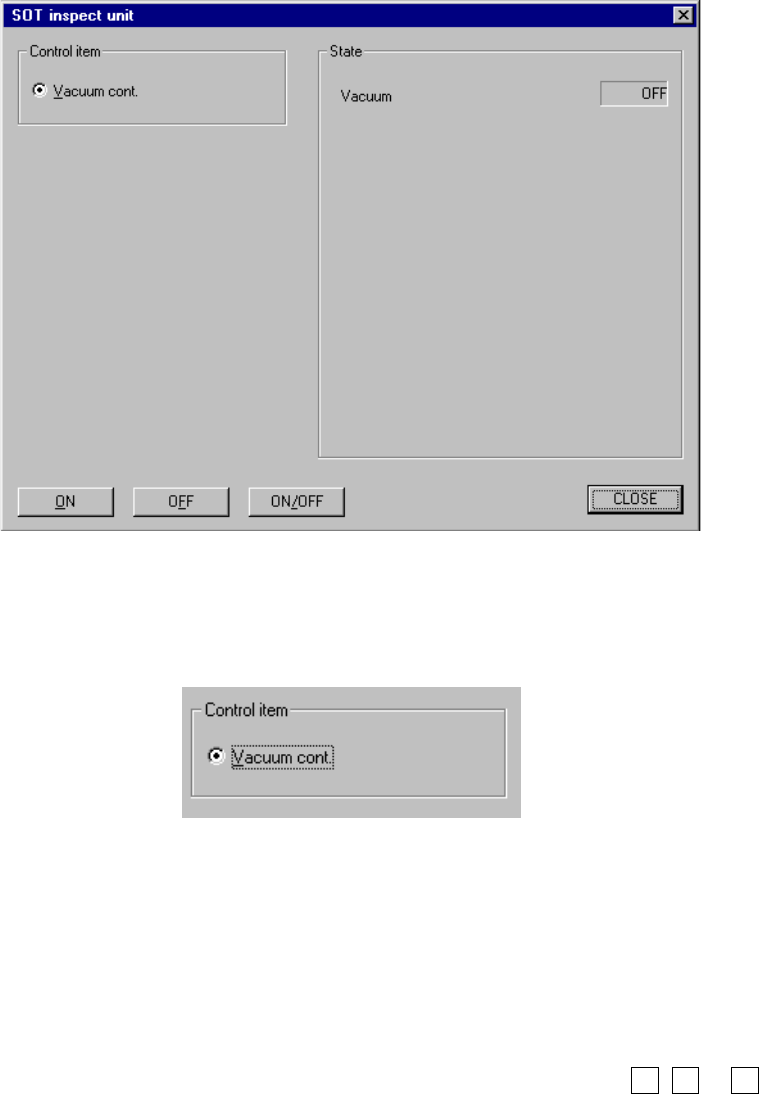
8.6.4 SOT direction check table
When you select the [Control], [Others] and [SOT inspect unit] commands in this
order, the following “SOT inspect unit” dialog box appears on the screen.
Figure 8.6.4 “SOT inspect unit” dialog box
(1) Control item
Check the radio button.
(2) Control buttons
Click the corresponding control button to execute the displayed function.
The displayed control buttons vary depending on the control item you selected.
1) Vacuum cont
This function turns on/off the vacuum unit.
- Click the <ON>, <OFF> or <ON/OFF> button, or press the F3, F4 or F5
key when the radio button for the control item “Vacuum cont” is checked.
The “State” display is updated when the corresponding unit is controlled
completely.
(3) State display
This displays the condition of each unit when the unit is controlled completely.
8 − 61
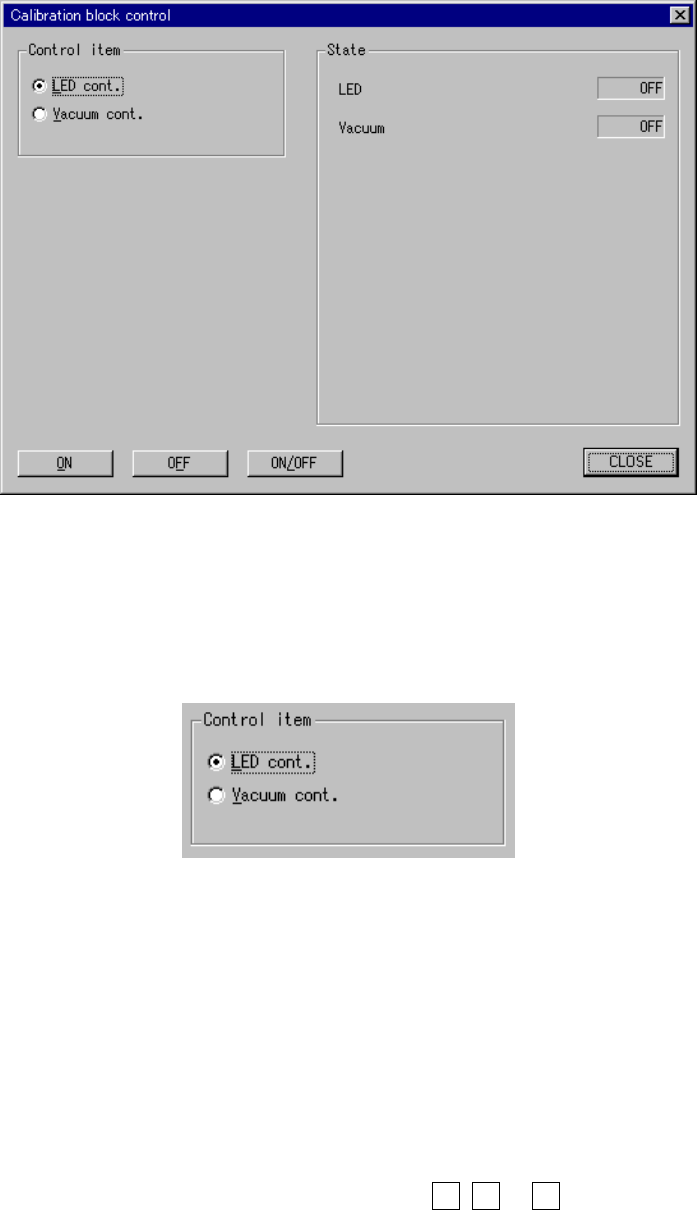
8.6.5 Calibration block control
When you select the [Others] command on the [Ctrl] menu, then the [Calibration
block control] command, the following “Calibration block control” dialog box appears
on the screen.
Figure 8.6.5 Calibration block control dialog box
(1) Control item
Select a control item with the corresponding radio button.
(2) Control button
Execute the selected control item with the corresponding radio button.
The display of the control buttons varies depending on the control item you
selected.
1) LED cont.
This item turns on and/ or off the LED
- When the control item “LED cont.” is checked, click the <ON>, <OFF>
or <ON/OFF> button, or press the F3, F4 or F5 key.
The state display is updated when the LED is controlled completely.