KE2010.Instruction Manual.Ver.2.01,Rev.08.pdf - 第353页
4 – 246 4.14 Help This comm and invokes the online manual. 4.14.1 Version information This comm and displays the infor mation on t his progr am (Pr ogram Editing ut ility). The messag e shows a corresponding version numb…
4 – 245
4.13.3 Re-search
The "Re-search" function searches component data, pick data or vision data from the
database or the permanently supplied information again, and updates program data
with it.
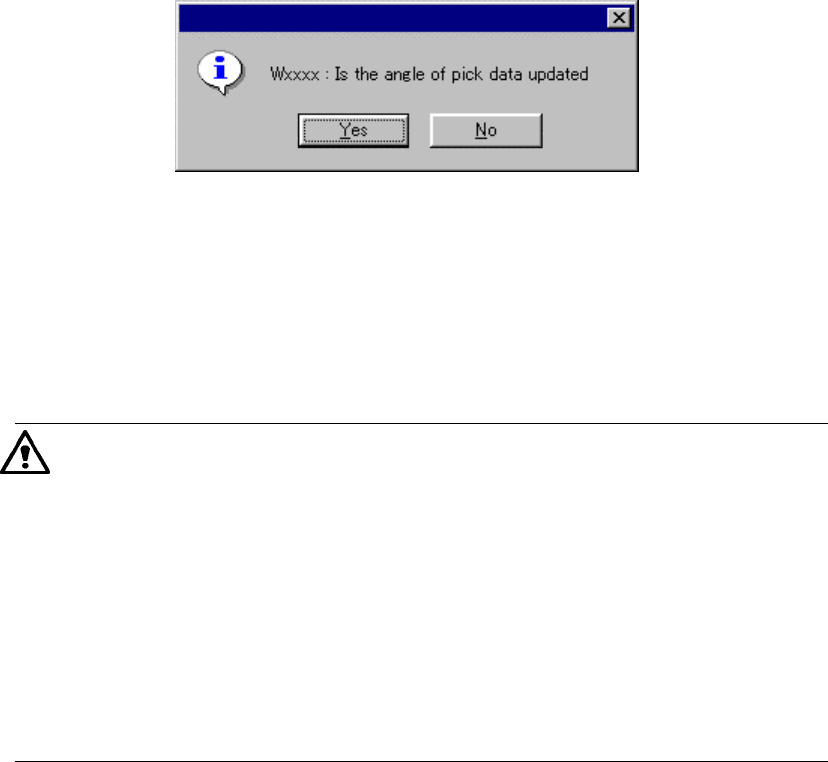
When you click the “Re-search” command, the following dialog box appears on the
screen.
− When you click the <Yes> button, all pick-up angles are updated.
− When you click the <No> button, any pick-up angle set in Pick data is not
updated.
•
When this command is executed, component data, pick data, and vision
data are updated (by overwriting). Once executed while data (component
form) is edited, this command cannot be cancelled.
•
The conditions of calling this command from the permanently supplied
information or database can be changed by the MSL set up program.
•
If a comment on the component data you called is longer than 30
characters, HLC handles the first 30 characters as a valid comment, and
copies them. If a line feed code is include in a comment on the
component data you called, HLC handles characters located after the line
feed code as invalid data, and copies characters located before the line
feed code only.
4 – 246
4.14 Help
This command invokes the online manual.
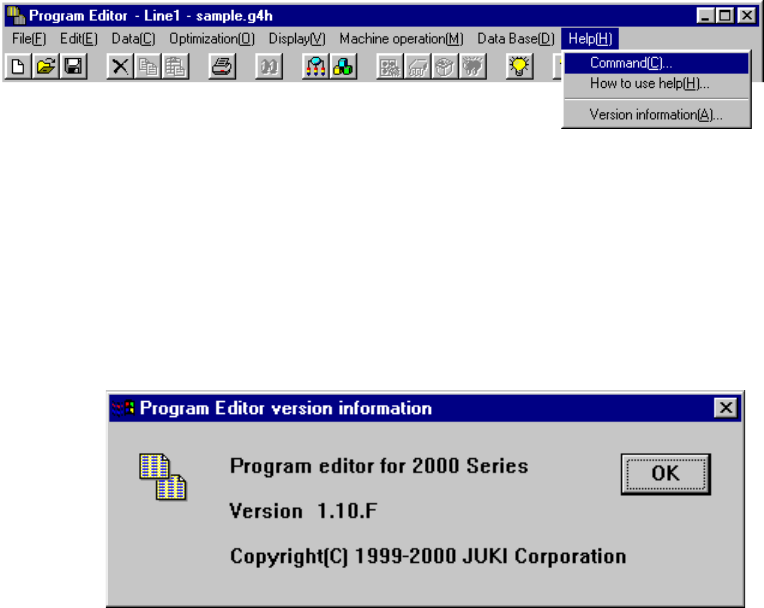
4.14.1 Version information
This command displays the information on this program (Program Editing utility).
The message shows a corresponding version number.
Example.
5 − 1
CHAPTER 5 TEACHING
This chapter describes how to perform teaching operation.
There are two types of teaching; one is for coordinates and the other for recognition.
This section starts describing teaching operation from how to operate the HOD which is
basically used for these two types of teaching operations.
5.1 How to Use the HOD
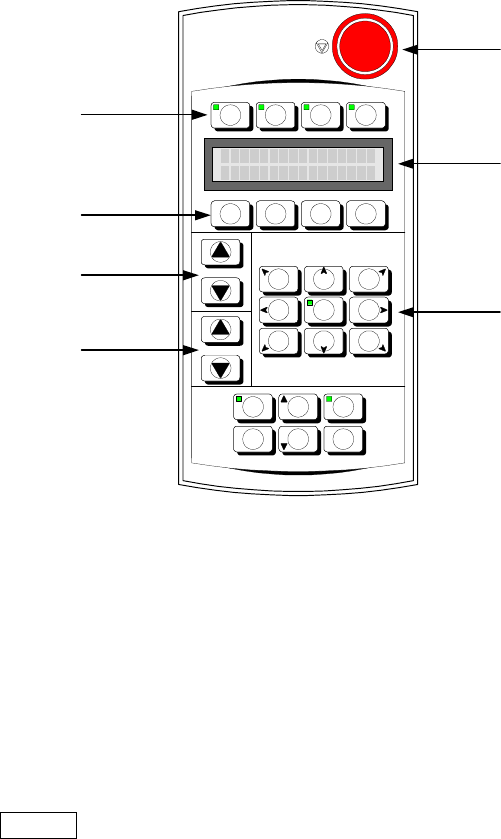
The appearance of the HOD is shown in Figure 5-1 below:
Figure 5-1 Appearance of the HOD
Use the DEV. NAME key to select a device other than the camera and HMS. To
select such a device, press either of two DEV. NAME keys (up or down direction) to
display the device name you want to select on the LCD.
Use the No. key to display (select) the device name and device number.
Use the ENTER key to validate your selection.
Use the move key to move the X- and Y-axes.
-X+Y +Z+Y +X+Y
-
θ
θθ
θ
-X +
θ
θθ
θ
+X
-X-Y -Z-Y +X-Y
FAST
DEV.NAME
No.
J U K I
F1 F2 F3 F4
NEXT
PREVIOUS PAUSEWINDOW
CANCEL ENTER
HMS CAMERA
VACUUM
ON/OFF
HEAD
Device selection keys
Function keys
No. keys
DEV. NAME
(
device name
)
ke
y
s
Move keys
Liquid crystal display
(
LCD
)
Emergency switch