KE2010.Instruction Manual.Ver.2.01,Rev.08.pdf - 第670页
9 − 16 9.4.3.2 Sett ing the number of t imes for replaci ng a head W hen y ou select the [ Tool] com mand on the m enu bar, the [ Exchange fr equency setup] comm and on the displayed menu, then t he [Each head] comm and …
9 − 15
9.4.3 Head operating information
9.4.3.1 Operation information of each head
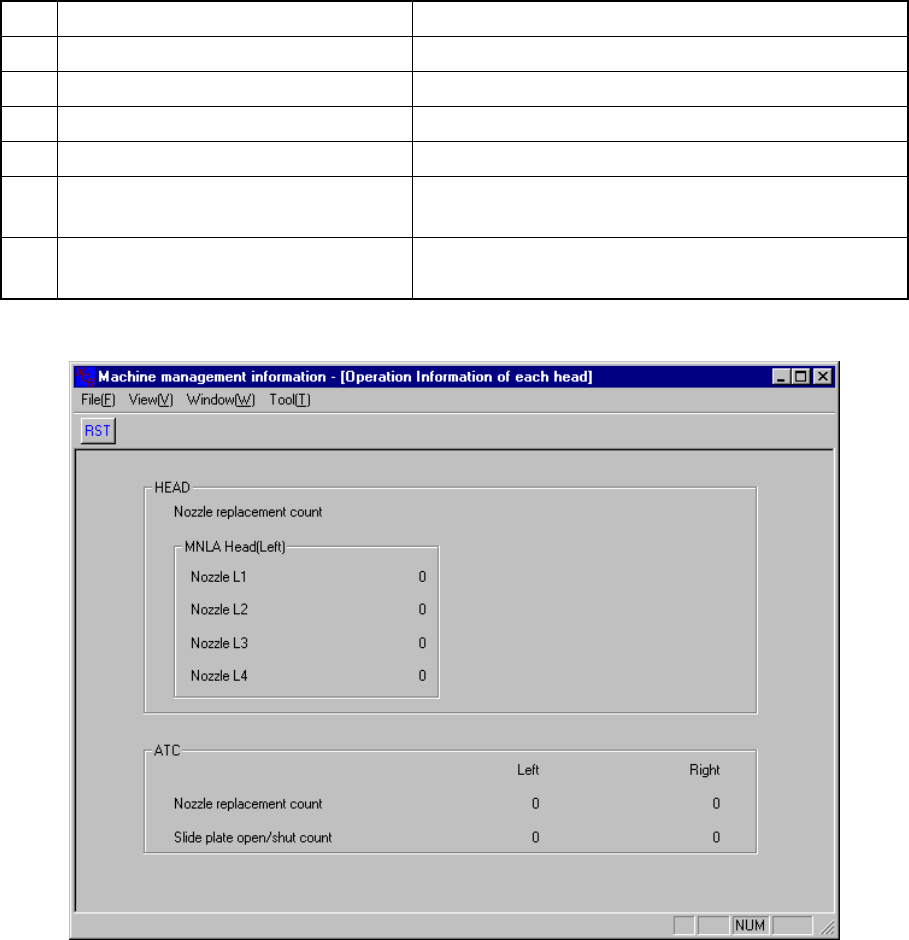
When you select the [Windows] command on the menu bar, then the [Operation
Information of each head] command on the displayed menu, the screen appears as
shown in Figure 9.4.3.1
No. Item Description
1 Nozzle replacement count (Nozzle L1) Displays how many times the nozzle L1 was replaced.
2 Nozzle replacement count (Nozzle L2) Displays how many times the nozzle L2 was replaced.
3 Nozzle replacement count (Nozzle L3) Displays how many times the nozzle L3 was replaced.
4 Nozzle replacement count (Nozzle L4) Displays how many times the nozzle L4 was replaced.
5 Nozzle replacement count
Displays how many times the nozzle was replaced per
a cylinder.
6 Slide plate open/shut count
Displays how many times the slide plate was
opened/closed.
Figure 9.4.3.1 Operation Information of each head
9 − 16
9.4.3.2 Setting the number of times for replacing a head
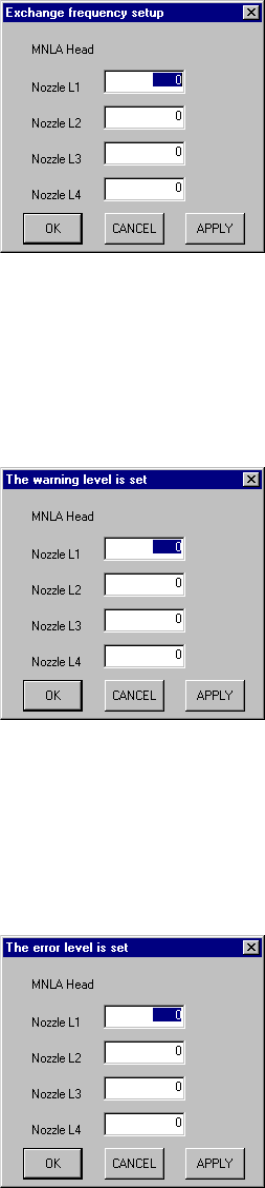
When you select the [Tool] command on the menu bar, the [Exchange frequency
setup] command on the displayed menu, then the [Each head] command the screen
appears as shown in Figure 9.4.3.2.1.
When you replace the head nozzle with another one, set this number to <0> to
initialize the number.
Figure 9.4.3.2.1 Exchange frequency setup dialog box
9.4.3.3 Setting the warning level
When you select the [Tool] command on the menu bar, the [The Warning level is set]
command on the displayed menu, then the [Each head] command, the screen
appears as shown in Figure 9.4.3.3.1.
Figure 9.4.3.3.1 "The warning level is set" dialog box
9.4.3.4 Setting the error level
When you select the [Tool] command on the menu bar, the [The error level is set]
command on the displayed menu, then the [Each head] command, the screen
appears as shown in Figure 9.4.3.4.1.
Figure 9.4.3.4.1 "The error level is set" dialog box
9 − 17
9.4.4 Light operation information
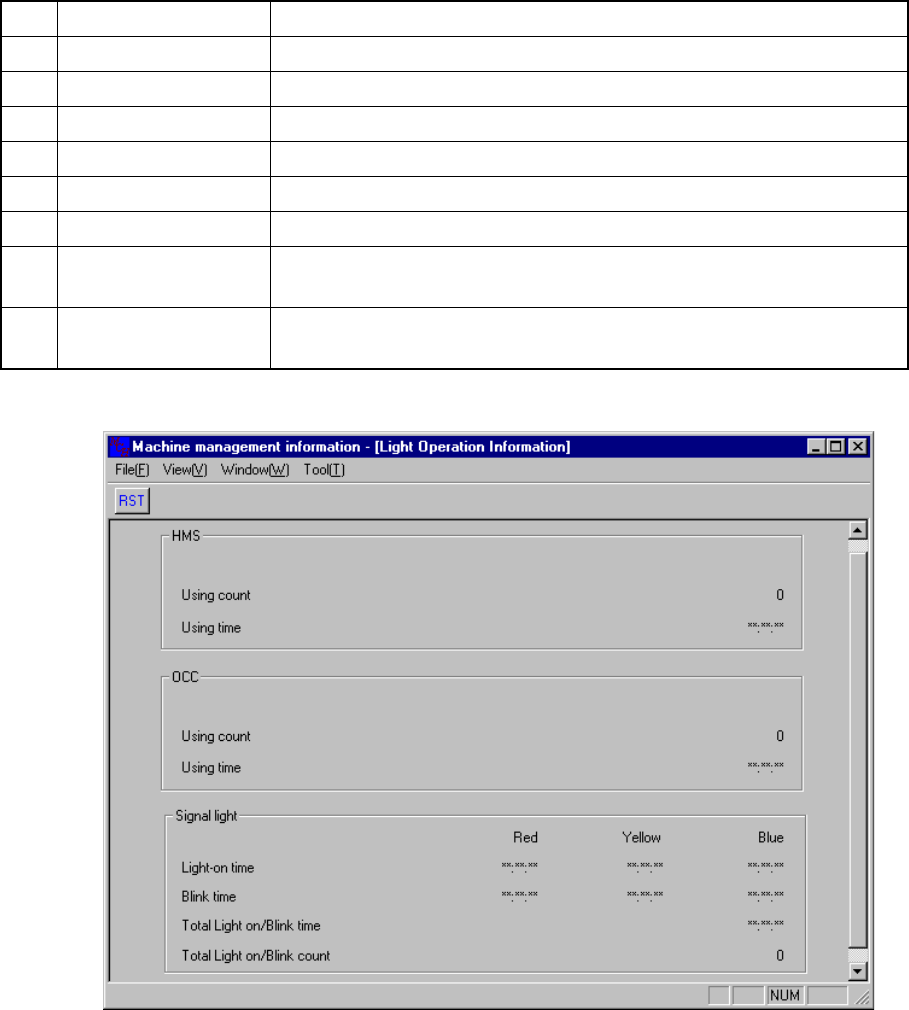
When you select the [Windows] command on the menu bar, then the [Light Operation
Information] command on the displayed menu, the screen appears as shown in Figure
9.4.4.1.
No. Item Description
1 HMS Using count Displays how many times the HMS was used.
2 HMS Using time Displays the time spent in using the HMS.
3 OCC Using count Displays how many times the OCC was used.
4 OCC Using time Displays the time spent in using the OCC.
5 Light-on time Displays the total time each signal light (red, yellow and blue) lit.
6 Blink time Displays the total time each signal light (red, yellow and blue) flashed.
7
Total Light on/Blink
time
Displays the total time the signal light lit or flashed.
8
Total Light on/Blink
count
Displays how many times the signal light lit or flashed.
Figure 9.4.4.1 Light Operation Information