KE2010.Instruction Manual.Ver.2.01,Rev.08.pdf - 第294页
4 – 187 4.12.1 Transport 4.12.1.1 PWB load/PWB eject These commands loads or ejects a PW B respectively . Aft er you select either of these com mands, the Conveyor dialog box, which moves the axis to the saf ety position…
4 – 186
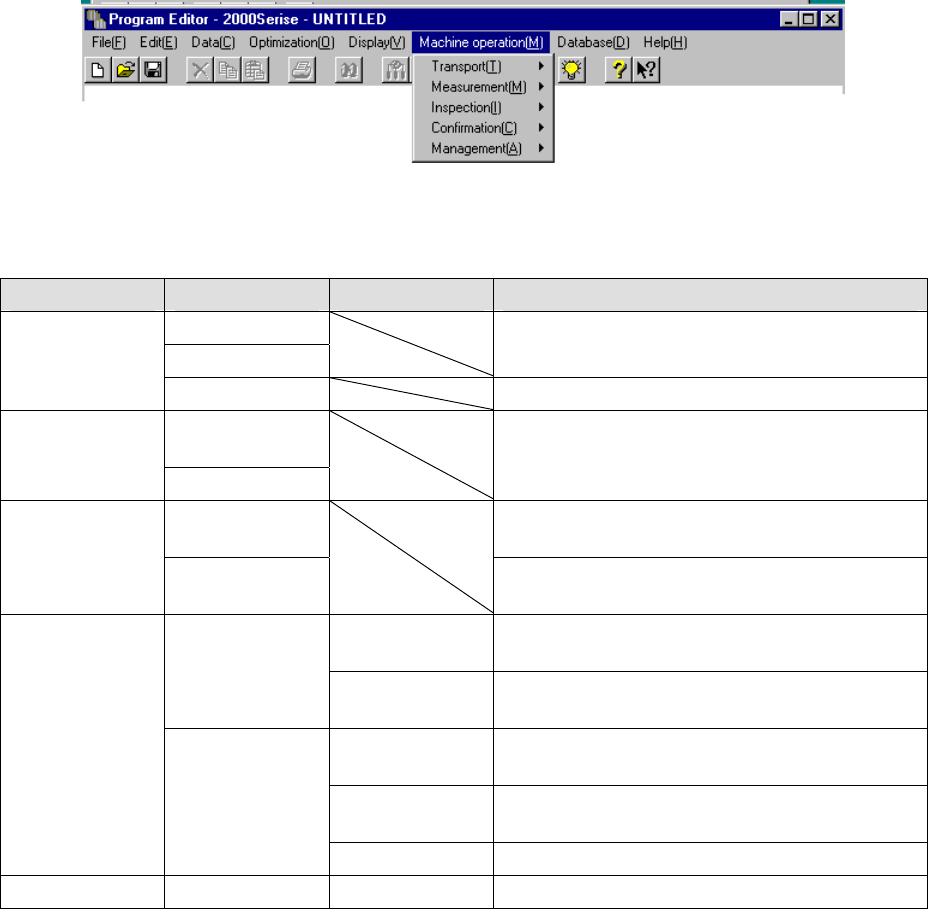
4.12 Machine Operation
This command actually operates the main unit to take various actions. The Machine
operation menu provides menu items corresponding to each action.
The table below describes the sub menu corresponding to each menu item and
outlines its function.
Menu item Sub menu 1 Sub menu 2 Outline of function
PWB load
PWB eject
Loads or ejects a PWB into/from the main unit. Transport
Auto conveyor Adjusts the width of a PWB.
Current
component
Measurement
All component
Measures a component according to the settings of
Component data in details.
Vision
recognition
Inspects whether vision recognition is available. Inspection
Coplanarity
inspection
Performs a coplanarity check and obtains the
corresponding parameter.
BOC Confirms a BOC mark recognition operation and
saves the measured values.
Mark
Feeder Bank
(Front/Rear)
Confirms a bank mark recognition operation and
saves the measured values.
Place tracking Checks a position specified with each set of
coordinates of Placement data.
Pick tracking Checks a position specified with each set of
coordinates of Pick data.
Confirmation
Coordinate
Height tracking Checks each height specified in Pick data.
Management Management Mark Database Performs various operations of the mark database.
4 – 187
4.12.1 Transport
4.12.1.1 PWB load/PWB eject
These commands loads or ejects a PWB respectively.
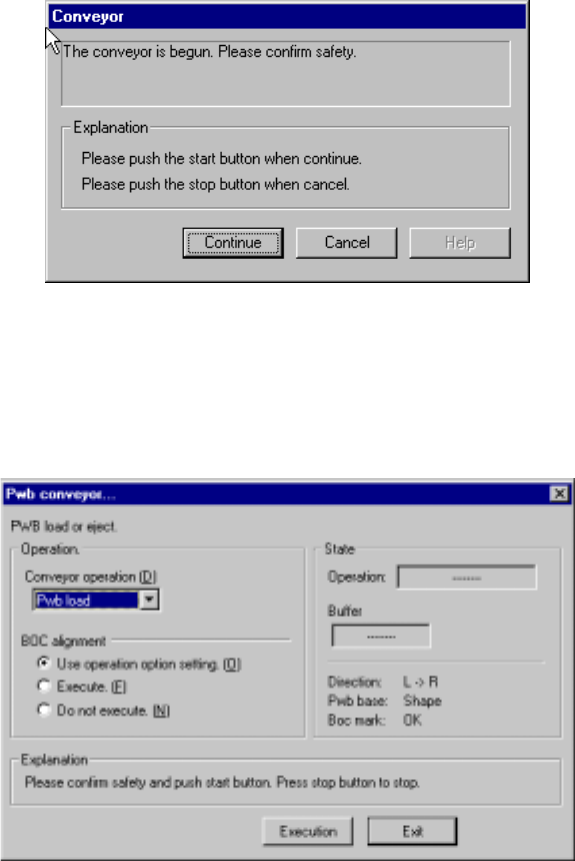
After you select either of these commands, the Conveyor dialog box, which moves
the axis to the safety position, appears on the screen if the safety cover opens.
Check the safety of the machine and yourself, then press the <Start> button.
Figure 4.12.1.1.1 Conveyor - safety confirmation dialog box
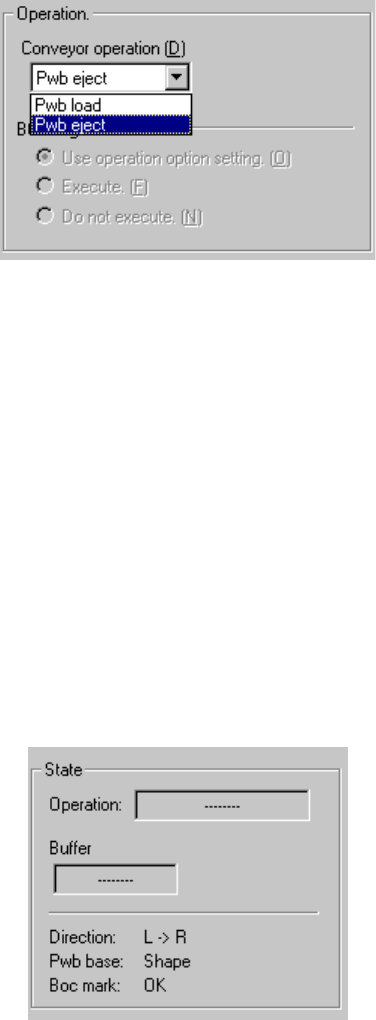
After the axis moves to the safety position, the following “Pwb conveyor” dialog box
appears on the screen.
Figure 4.12.1.1.2 PWB conveyor dialog box
4 – 188
1) Operation
① Loading/Ejecting a PWB
Select whether to load or eject a PWB on the “Conveyor operation” list.
② BOC alignment
Select whether to perform BOC alignment operation after loading a PWB.
When you select the radio button “Follows the operation option.”, the setting
of the teaching item provided as the Operation Options is applied to the BOC
alignment operation.
2) State
The current PWB transport operation settings and status are displayed
sequentially.
To start transporting a PWB, press the <Start> button (or click the <Execution>
button). To finish transporting a PWB, click the <Exit> button. To abort operation
while a PWB is being transported for some reason, press the <Stop> button.