KE2010.Instruction Manual.Ver.2.01,Rev.08.pdf - 第340页
4 – 233 (9) V erificat ion during tr acking The system can perf orm the verification check when the tracking operation pauses. The f ollowing screen appears when the system is perf orming t he verification check: Aft er …
4 – 232
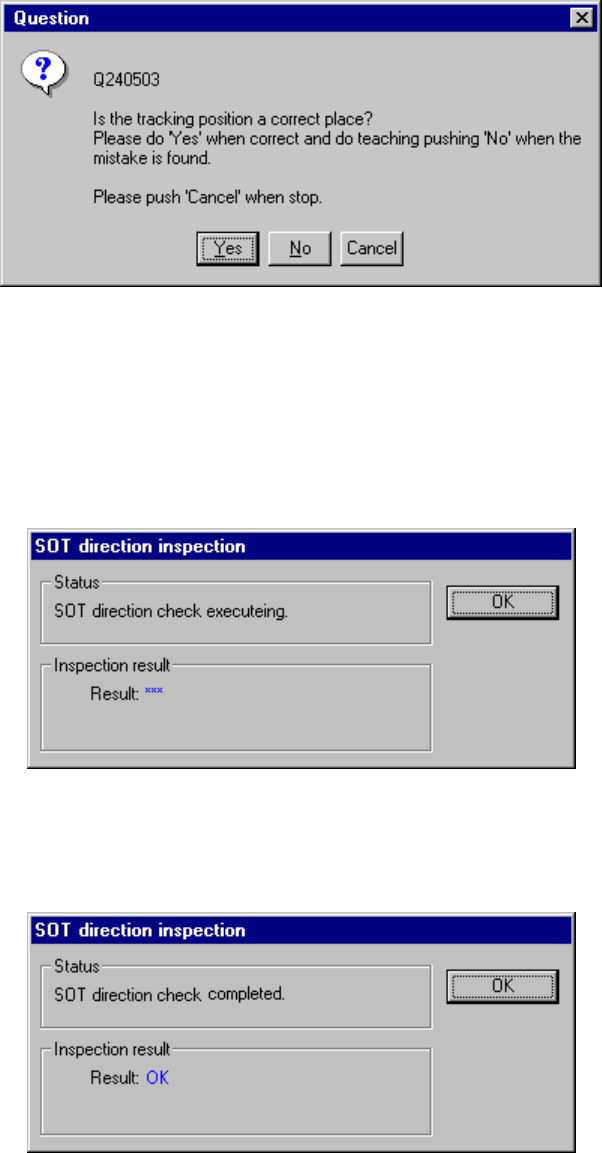
When you check the check box "Position confirm by OCC." on the "Pick height
tracking" dialog box, the pick-up position is displayed on the VCS monitor.
When the following dialog box appears on the screen, check the position with
your eyes. When the position is correct, click the <Yes> button. If you want to
teach it again, click the <No> button to teach the coordinates as described in Item
(6).
(8) Checking the direction of an SOT component being tracked
The system can check the direction of an SOT component when the tracking
operation pauses.
The following screen appears when the system is checking the direction of an
SOT component:
After the system finishes checking the direction of an SOT component, it displays the
result: “OK” or “NG”.
4 – 233
(9) Verification during tracking
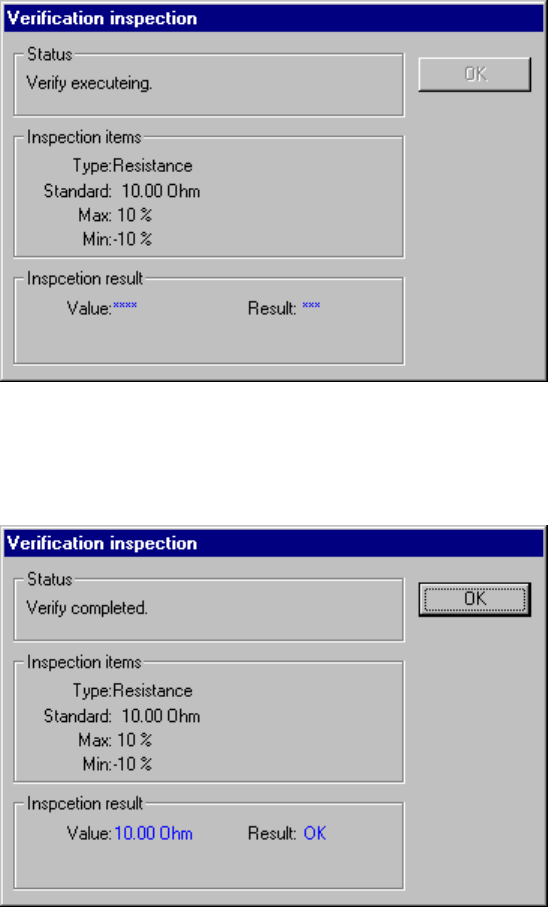
The system can perform the verification check when the tracking operation
pauses.
The following screen appears when the system is performing the verification
check:
After the system finishes the verification check, it displays the result: “OK” or
“NG”.
4 – 234
4.12.4 Coplanarity inspection
This command allows the machine to perform a coplanarity check and obtain the
corresponding parameter.
4.12.4.1 Operation
Operation of the coplanarity check is the same as that described under Section
4.12.3 “Checking a component with vision recognition”.
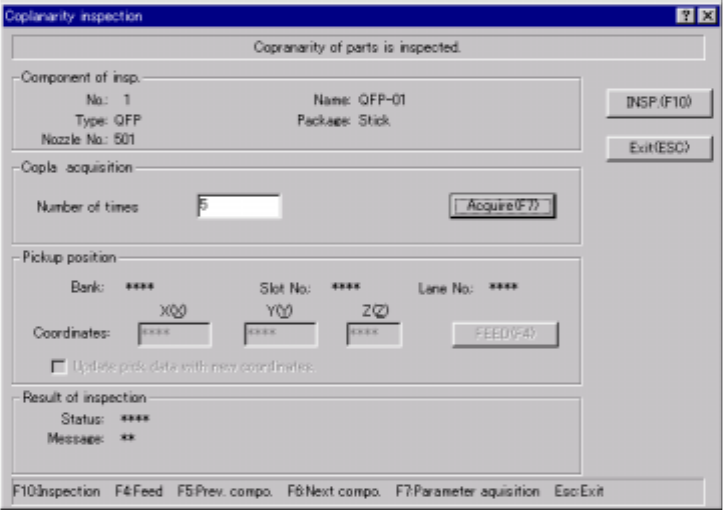
To obtain the coplanarity parameters, enter the number of times you want to perform
a measurement operation in the edit box “Number of times” of the column “Copla
acquisition”, and click the <Acquire> button or press the F7 key.
To stop the coplanarity parameter obtaining operation, press the <STOP> key.
4.12.4.2 Coplanarity inspection dialog box
Select the [machine operation] command on the Program Editor screen, and the
[Inspection] command on the displayed “Machine operation” menu. Next, select
the [Coplanarity inspection] command. The following dialog box appears on the
screen.
When you click the <Exit (ESC)> button, the machine quits the coplanarity check.
Figure 4.12.4.1 “Coplanarity inspection” dialog box
4.12.4.3 Overview of a coplanarity check
The operation flow for performing a coplanarity check is shown below.