KE2010.Instruction Manual.Ver.2.01,Rev.08.pdf - 第195页
4 – 88 4.7.4 Tack control section (Centering page) Select “Laser” because this item is specif ic only to “Laser ”. No other center ing met hod cannot be selected. Note: When you read data fr om another m achine or databa…
4 – 87
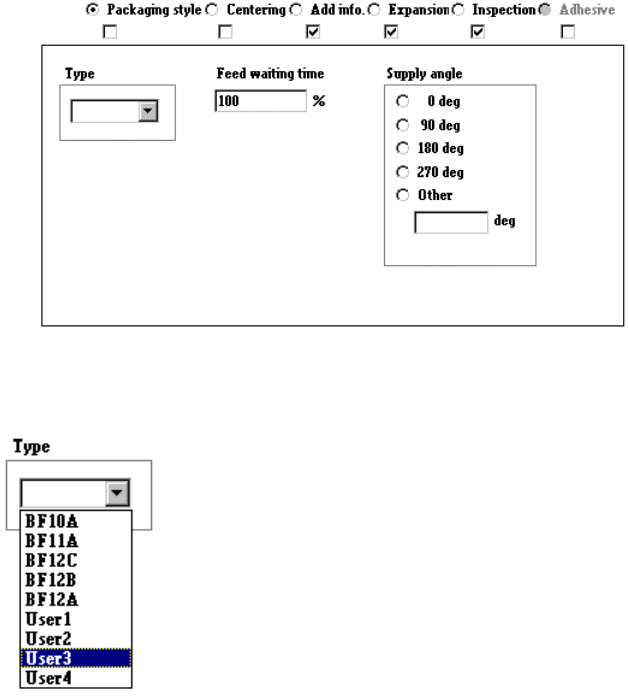
4) When “Bulk” is selected
① Type
Select the bulk feeder type in the combo box.
② Feed waiting time
Set the ratio of the component feeding time to the waiting time for the next
component to be picked up after the current component is picked up. A
unique value is provided to each component type. Specify this unique value
in percentage here.
③ Supply angle
Select the component supply angle with using the corresponding radio
button.
4 – 88
4.7.4 Tack control section (Centering page)
Select “Laser” because this item is specific only to “Laser”.
No other centering method cannot be selected.
Note: When you read data from another machine or database into this machine, the
menu items “Vision” and “Mechanical” are disabled, then Component data
becomes incomplete.
Two menu items “Vision” and “Mechanical” are disabled, so you cannot set any data
for these items.
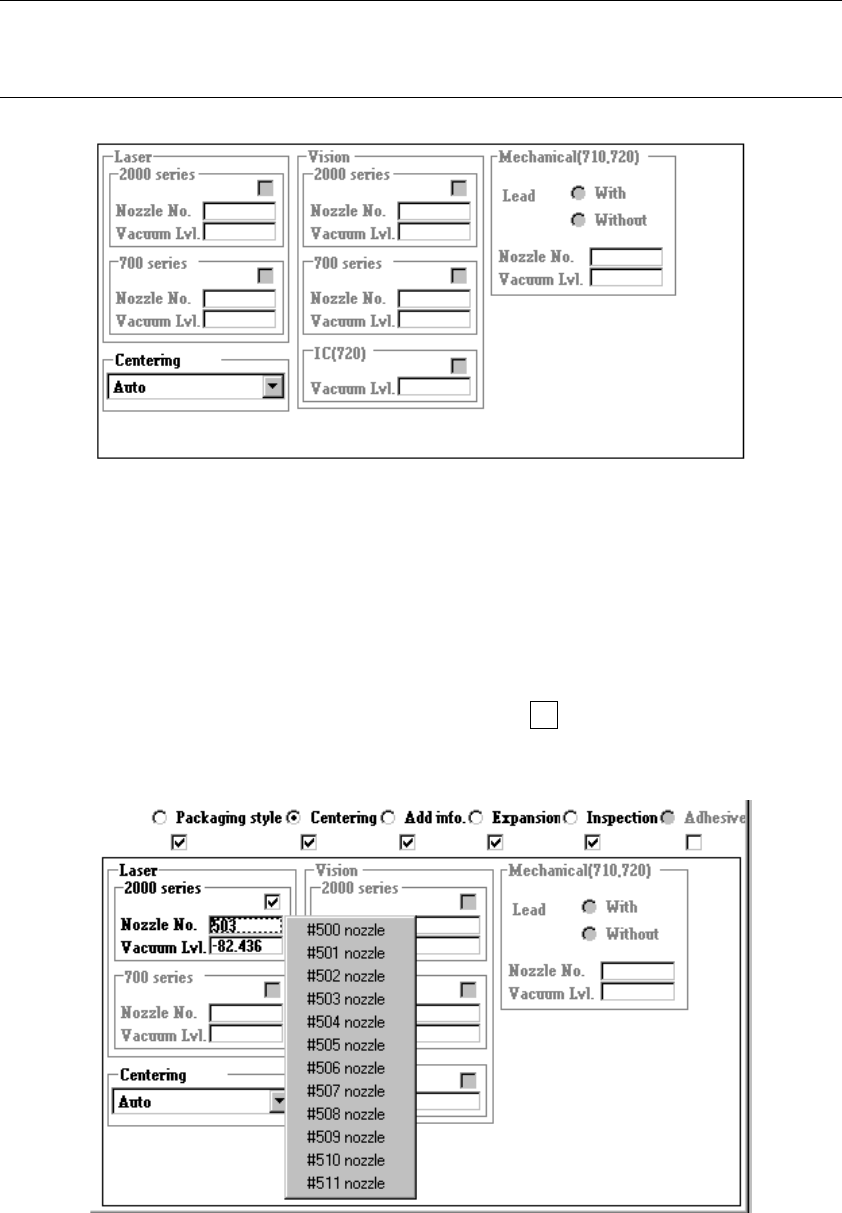
① Nozzle No.
Directly enter the nozzle number into the edit box or select one from the pop-up
menu which is shown below.
When you press the right button of a track ball or F2 key of a keyboard, the
following pop-up menu appears on the screen. Select the desired nozzle number.
4 – 89
② Vacuum Lvl (level)
When producing PWBs, the machine uses the vacuum level obtained when no
component is picked (to be set on the Machine Setup menu) and the value set
with this Vacuum level menu item to decide whether a component can be picked
up with the vacuum level you set here.
Enter the vacuum value to be used for picking up a component with the nozzle
which is designated with the menu item “Nozzle No.”. Directly enter a value or
press the right button of a track ball or the F2 key of a keyboard to open the
pop-up menu, then select the desired value.
Component pick-up vacuum value
− When you enter the vacuum value, the displayed value changes a little.
This is caused by AD conversion to improve the resolution, so this is not an
error.
Example: You enter - 82.437 kPa → The screen indicates -82.436 kPa
− The displayed component pick-up vacuum level is just a reference value.
Since the finishing applied to the surface of a component varies depending
on its manufacturer, measure a component with this machine before actually
using the vacuum level you set here.
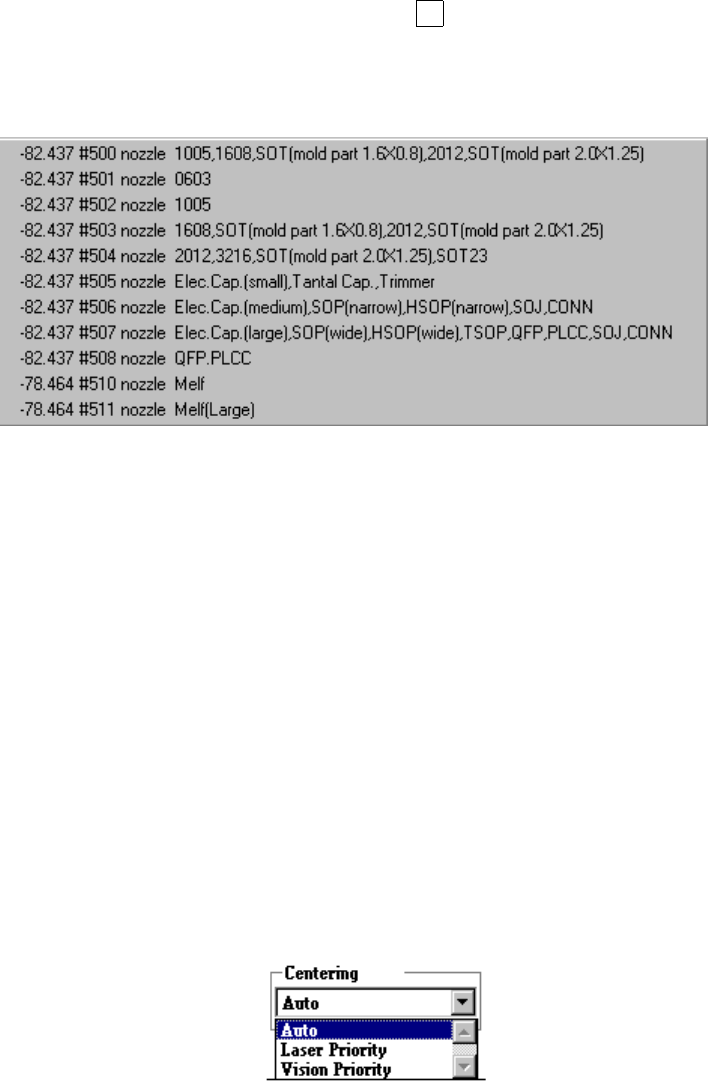
③ Centering
Use the "Centering" combo box to select the centering condition.
If both centering methods are selected, this box allows you to specify which
centering method is used with the higher priority, laser or vision.
)
(Not available for a KE-2040)