KE2010.Instruction Manual.Ver.2.01,Rev.08.pdf - 第456页
6 − 80 6.4.10 Continuous Production W hen production is terminated unusually (asynchronous operation occur red or abnormal end of production), you can resume the curr ent product ion by following the procedure described …
6 − 79
6.4.9 Filling the feeder with components when the system pauses a production
operation
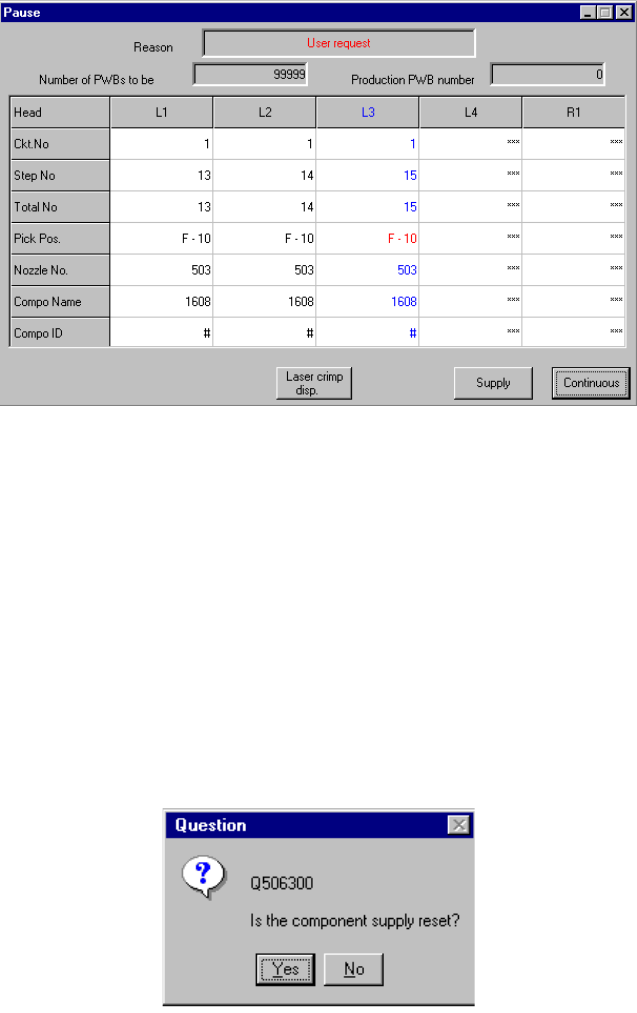
If you check the Production (Display) tag of the Operation option menu, then check
the item "The "Supply" button is applied to the pause dialog", the <Supply> button is
displayed on the "Pause" dialog box as shown below.
This button is displayed when the system temporarily stops a production operation.
However, note that it is not displayed when the system stops because components
run out or the mark recognition error occurs.
Figure 6.4.9.1 Pause dialog box equipped with the Supply button
When you click the <Supply> button, the system fills the feeder such as a tape, stick
or bulk feeder with the corresponding components.
If the remaining number of components is zero, it is reset to the initial value, then
component run-out t information is cleared. If the remaining number is not zero, the
component run-out information is just cleared.
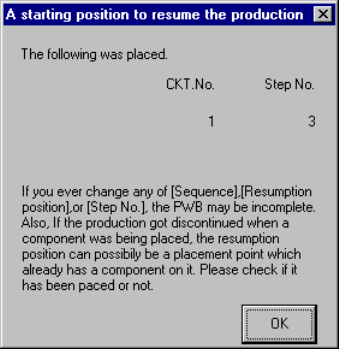
When you click the <Supply> button, the message box as shown below will appear on
the screen. When you click the <YES> button on this box, the system performs the
component-filling operation, then closes the message box. When you click the <NO>
button, the system does not perform any operation, then closes the message box.
Figure 6.4.9.2 "Is the component supply reset?" (Confirmation) dialog box
6 − 80
6.4.10 Continuous Production
When production is terminated unusually (asynchronous operation occurred or
abnormal end of production), you can resume the current production by following the
procedure described below. However, this operation is possible only if at least one
component has been picked and placed, and is impossible if there is no component
which has been picked and placed (for example, the system only recognizes a BOC
mark).
① Abnormal end of production
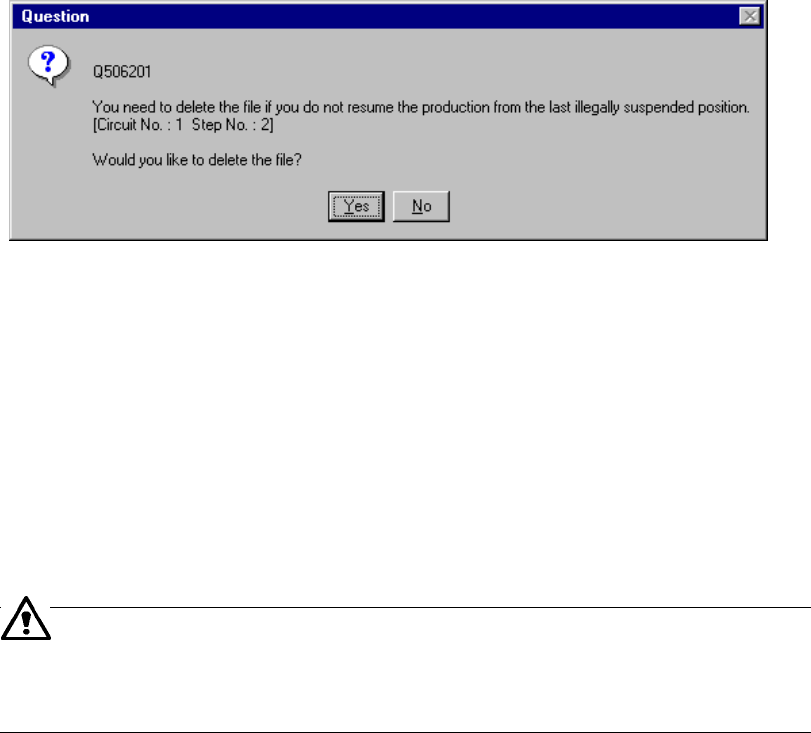
When you click the <OK> button on an error message box which indicates that
the current production was terminated abnormally, the following dialog box
appears. The operator can know how far the production has been completed.
Figure 6.4.10.1 "A starting position to continue the production." dialog box
When you click the <OK> button on the dialog box above, the production
conditions screen reappears.
When production starts the next the dialog box, which asks you whether to start
production from the position displayed on the dialog box above, appears on the
screen. However, if you edit a production program with the Program Editing
utility, production starts normally without displaying such a dialog box on the
screen.
The "Step No." on the "A starting position to continue the production" dialog box
shown in Figure 6.4.10.1 displays the next production starting point on which no
component is placed yet.
② Start of continuous production
When you press the <START> switch after production is terminated abnormally,
then you recover the system from the error condition. By clicking the desired
check box “Continue the production.” or “Produce newly.” displayed on the dialog
box shown in Figure 6.4.14 (a) of Section 6.4.14 “PWB production without
transporting a board”, you can start the continuous production.
6 − 81
If you check the check box “Continue the production.”, the system resumes the
suspended production. If checking the “Produce newly.”, the system starts
normal production without resuming the suspended production. When you press
the <START> key after selecting the check box “Produce newly.”, the “Question”
dialog box, which asks you whether to continue the production. appears (see
Figure 6.4.10.2) on the screen.
Figure 6.4.10.2 "Question - to delete the file" dialog box
When you click the <Yes> button, the system deletes the continuous production
data and you cannot resume the continuous production which was terminated
abnormally the last time. When you click the <No> button, the system does not
perform any continuous production this time, but the "Question - to continue the
production." dialog box appears on the screen when you start production the next
time. Note that if the system creates the continuous production file with the
current production, it overwrites the old continuous production file remained.
The machine can perform continuous production even after you change a
feeder. Note that an incoherent error of a value stored as the production
management information may occur in such a case: we cannot
recommend that you change a feeder during continuous production.