KE2010.Instruction Manual.Ver.2.01,Rev.08.pdf - 第487页
6 − 111 6.4.15 Resuming and Returning A ll A xes to Their Home Positions 6.4.15.1 Normal A xes- Returning If you press the <ORIGIN> key w hen the system starts up or w hen the system cannot resume and ret urn all a…
6 − 110
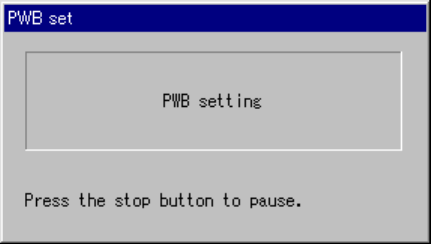
6.4.14.8 “PWB set” dialog box
When you click an image indicating the condition of the PWB transport path displayed
on the “Processing before production begins” dialog box, the machine moves a board
located on the center station to a place where the system can re-clamps it.
Figure 6.4.14.8 “PWB set” dialog box
• When you press the <STOP> switch on this dialog box, the machine enters
Production Idle mode again.
6 − 111
6.4.15 Resuming and Returning All Axes to Their Home Positions
6.4.15.1 Normal Axes-Returning
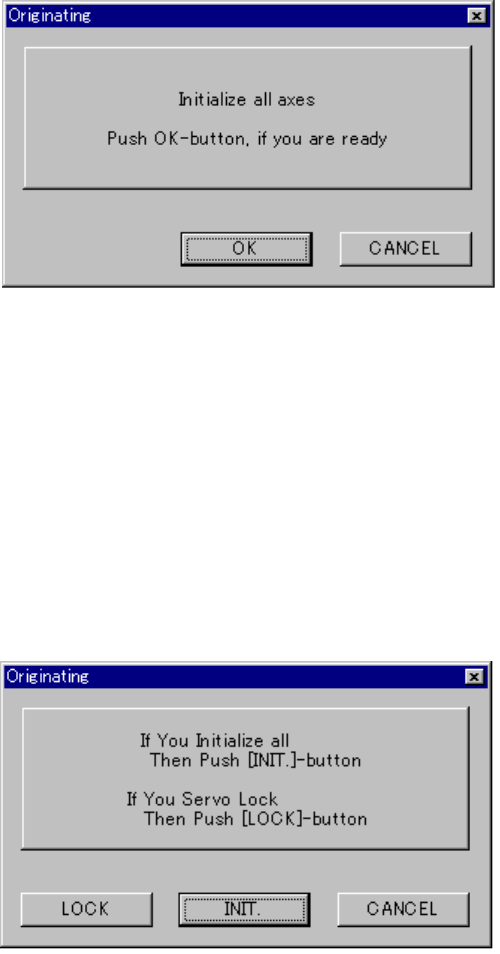
If you press the <ORIGIN> key when the system starts up or when the system cannot
resume and return all axes to their home positions, the following “Originating” dialog
box appears on the screen.
Figure 6.4.15.1 Normal axes-returning dialog box
• <OK> button: returns all axes to their home positions respectively.
• <CANCEL> button: quits the “ORIGINATING” dialog box.
6.4.15.2 Resuming and axes returning
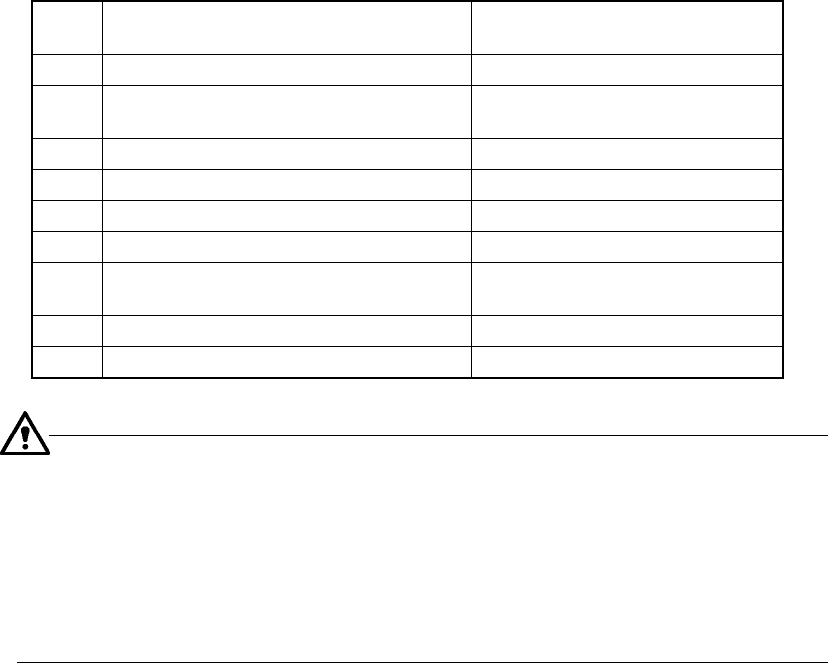
If you press the <ORIGIN> key when the system can return all axes to their home
positions respectively, the following “ORIGINATING” dialog box appears on the
screen.
Figure 6.4.15.2 Resuming and axes-returning dialog box
• <LOCK> button: locks the servo of each axis and moves the PWB transport
support plate to its waiting position.
• <INIT.> button: returns all axes to their home positions respectively.
• <CANCEL> button: quits the “Originating” dialog box.
6 − 112
−
−−
− Requirements for resuming and axes returning
To display the “Originating” dialog box, all axes should have been returned to their
home positions respectively at least once.
− If an asynchronous event occurs that turns off the servo power supply, whether
the system can resume and return all axes to their home positions is described on
the table below.
Table 6.4.15.1
No. Asynchronous event
Whether the system can resume
and return all axes
1 The main unit stops due to emergency. ×
2
The system stops for a second because it
detects a feeder float error.
○
3 Each axis limit sensor is activated. ×
4
The MTC stops due to emergency.
×
5
The MTS stops due to emergency.
×
6
Each axis alarm is output.
×
7 The system stops due to emergency to
prevent heads from interfering each other.
×
8 The area sensor is activated. ○
9 Power off (for a CE machine only) ○
−
If either of the following events occurs, the system cannot resume and
return all axes to their home positions.
The system tried to return all axes to their home positions respectively,
but could not.
The system tried to resume and return all axes to their home positions,
but could not completely.